Accessibility walked so AI could crawl

Introduction: Accessibility and AI Readiness as the Same Problem

Speaker E opens with a scenario contrasting how organizations budget for 'accessibility' versus 'AI readiness' initiatives, arguing these are actually the same problem viewed through different lenses. She sets up her thesis that AI, approached correctly, could be the biggest boost to digital product quality in decades, and that accessibility practitioners are uniquely positioned to lead this work.

About Avian: Working at the Intersection of Strategy, Design, and AI

Speaker E introduces her Canberra-based design agency, Avian, which operates at the intersection of strategy, design, and technology, often ending up doing AI-related consulting for clients in highly regulated industries. She previews the talk's structure: opportunities, problems, a client case study, and practical takeaways.

Accessibility Trees as the API for AI Agents

Drawing on Jacob S. Wood's idea that 'accessibility is the API of AI,' Speaker E explains how AI tools like Claude's WebFetch, Microsoft's agent toolkit, Stagehand, Vercel, and Google all rely on the accessibility tree to interpret web content, just as screen readers do for blind users. This convergence demonstrates that building accessible websites and building AI-ready websites are fundamentally the same technical task.

How AI Is Mediating the Web and Reshaping Content Strategy

Speaker E presents data showing AI overviews and chatbots now intercept a huge share of searches, with AI scraping traffic up 597% while referral traffic to source sites remains negligible. She argues content must now be treated as web infrastructure rather than marketing copy, since users increasingly experience AI-summarized content rather than the original text.

Design Principles for AI-Readable and Accessible Content

Speaker E outlines concrete content principles—clarity, real headings and semantic HTML, direct answers, semantic completeness, and proper labeling—that serve both accessibility and AI visibility goals. She emphasizes that although these principles are familiar from accessibility standards, implementing them well remains technically challenging, especially in organizations where subject matter experts publish content directly without design or content mediation.

The Content Exposure Problem: When AI Surfaces Everything

Speaker E describes a new challenge her clients face: AI tools are now exposing vast, poorly maintained content repositories—including outdated pages once hidden in navigation—creating urgent but seemingly unmanageable audit and remediation problems, especially for large organizations in regulated industries. This sets up the question of whether AI itself can help solve the problem it created.

Case Study: Building an AI-Assisted Content Production Engine

Speaker E details an ongoing experiment building a 'content production engine' to help clients scale content projects that would otherwise be too costly or time-consuming, aiming to reduce cost and increase speed without sidelining skilled content teams. She explains the engine's iterative refinement loop: encoding content standards, producing source content, reviewing it with content teams and subject matter experts, and refining inputs based on feedback.

Setting Realistic Quality Expectations: From 70% to 100%

Speaker E clarifies that the engine isn't meant to produce publish-ready content but rather to get output to roughly 60-70% quality, which content designers then refine to completion with subject matter experts. She contrasts this AI-assisted approach with traditional 'from scratch' or 'slow content' creation, which is often infeasible given the scale of content that needs updating.

Measuring the Experiment: Time, Cost, and Quality Findings

Speaker E shares early results from measuring the engine's impact—content production time dropped from six-to-eight hours to about thirty minutes—while cautioning that this excludes downstream subject matter expert and policy review time. She reveals that encoding content standards proved far harder than expected, requiring teams to align on quality definitions they previously understood only implicitly.

The Human Element: When Content Designers Break the Rules

Speaker E describes a striking finding: content designers often edit AI-generated content in ways that break the very rules and guidelines they set for the engine, demonstrating the human judgment and creative friction needed to know when standard rules should be overridden. This highlights the irreplaceable value of human expertise even within a highly systematized AI content process.

Actionable Takeaways: Joining the AI Conversation in Your Organization

Speaker E offers practical next steps for attendees: seek out existing AI experiments in their organizations and insist design and content have a seat at the table, reframe accessibility and human-centered design work as 'AI readiness' to gain executive buy-in, and prioritize designing AI tools for team collaboration rather than solitary use. She closes by predicting a surge in demand for human-centered design and accessibility skills as organizations race to build AI-ready products.

Q&A: The Drift Between Human and Agent Content Preferences

During the Q&A, Lily from Atlassian asks about early signs that best practices for human content design are diverging from what AI agents prefer, citing an example about question-based headings. Speaker E responds by stressing the importance of understanding your primary audience and reports that her government clients haven't yet faced this divergence, though she acknowledges it's an open and evolving question.

Hi, everyone. So great to be here. So I'd like to start by asking you all to imagine two teams, both operating extremely complex digital products in two different organizations, both struggling to get their teams and their wider organization to care about designing for accessibility, designing for inclusion, maybe even just designing to help people get their jobs done.

And so budget time rolls around this time of year, and they put up some budget bids, to run some projects or or initiatives. And one team does what they always do. They think this product really needs some, accessibility work. We're gonna run an accessibility review. We're gonna plan some remediation to do some work on it. And the other team puts up a bid for an AI readiness initiative. And how do you think that goes with the executive?

What is an AI readiness initiative? No one knows. But I'd like to put it to you that, in actual fact, perhaps these two projects could actually be the same thing. Accessibility and AI readiness are currently viewed as two completely separate problems under often two different executives with two very different budgets and and likely two different strategies.

But they're not. They're actually the same problem viewed from different lenses. And despite all the hand wringing and the existential dread, which we have had very little of today, has been really nice. I think it's been a very grounded, realistic discussion on, like, potential opportunity and and limitations. And but but despite, you know, that that you're sort of seeing it out in the market and despite the LinkedIn hype, which we're also seeing, which we haven't seen here today, which has also been I do actually think AI, viewed in the right way, can be one of the best things to happen to digital product quality in maybe twenty years. And I wanna talk a little bit about why I think that and how you can get involved and use some of this hype for good.

Because actually, the people that are best placed to deliver accessible digital products and AI ready digital products are the people in this room because you've actually been doing it for years. So I run a boutique design agency based out of Canberra but operating nationally called Avian. We specialize in the intersection of strategy, design, and technology.

And of course, what sits right smack bang in the middle of those things is AI. I didn't intend to start an AI consultancy. I don't think that's what I've done. But we, we have ended up doing a lot of work with clients who are really grappling with, like, the grounded, constrained, reality of of how to use this technology, in their in their environments.

And we do a lot of work in highly regulated industries, similar to what Alex is talking about, industries where it's it's a little bit more complicated and slower than just sort of jumping on on the latest technology and tools. So I wanna surface today, some opportunities, that I think we, are facing, some big problems, a case study of some of the work that we're doing with clients, to to sort of, deal with and solve some of these these problems, And then a couple of things that maybe you can try, in your organization.

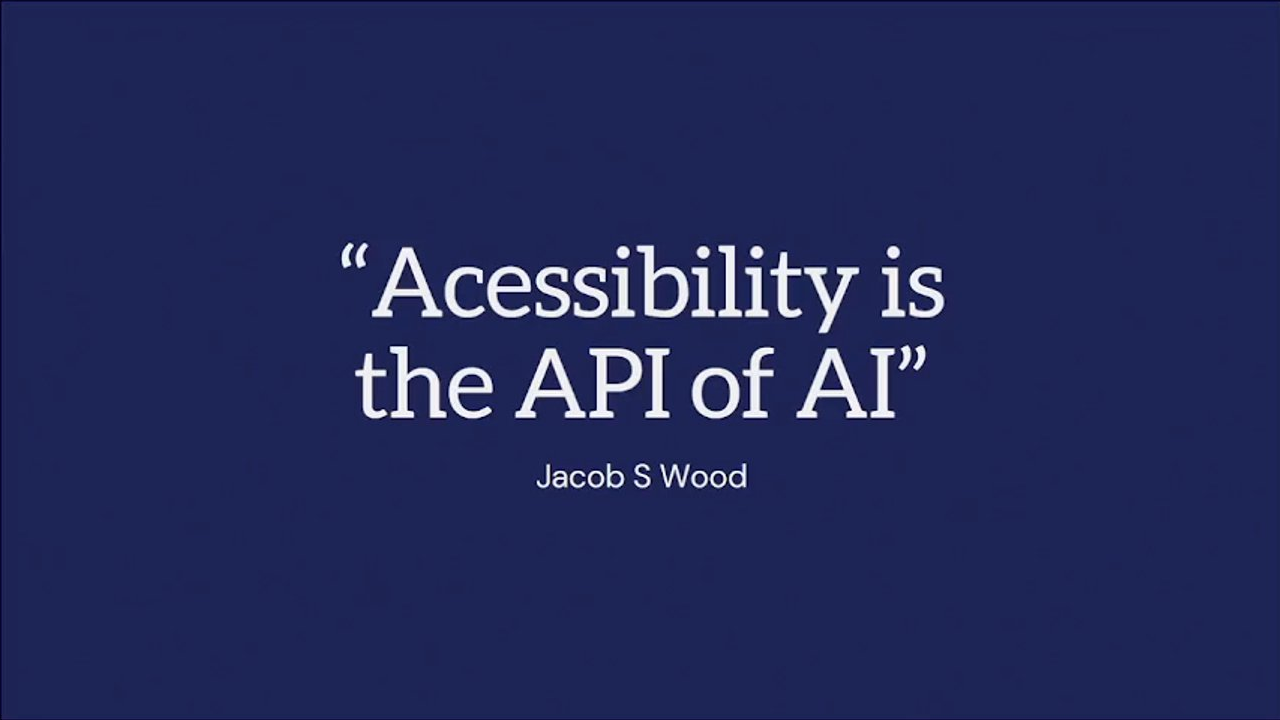
So, Jacob S. Wood is a blind user who writes about digital leadership and accessibility. And he talks about how accessibility is like the API of AI. When he talks about how he, as a blind user, when he deals with the web, he's really using that screen reader as an interface that doesn't look at the visual layer of the web but is reading the underlying code.

So you guys will all know this, document object model, accessibility tree, semantic HTML. And actually, AI is the same. So using Claude as an example, if you're as absolutely addicted to it as I am, It has a tool called WebFetch that goes to a URL. It helps you understand what's on that in that source material by stripping all the visuals out.

It sort of reads the reads the content structure. And what's been interesting is in the last eighteen months, most of the big AI tools, have really converged on, essentially the same, architecture. So many of these tools in fact, all of these ones, really go straight to the accessibility tree to to, interact with the web.

So the accessibility tree is what your browser, builds automatically, to understand a web a website. So Microsoft's official agent toolkit defaults to it. Stagehand, which is leading open source automation SDK. Vercel so Stagehand actually migrated to it about eighteen months ago and, like, wrote a whole big piece about how how effective it is and how cost effective it is, which is really interesting.

Vercel, which is the company behind Next. Js, which a lot of your devs probably use, has built an a AI agent tool, that uses the accessibility tree. And Google, their developer guidance, actually writes about how making websites AI ready is actually about building accessible websites. So we're getting a very clear indicator here from industry that building accessible products and building AI ready products is one and the same.

Because increasingly before I go on, shout out to Amanda who called out corporate Memphis this morning. I'm just gonna I'm I'm using this ironically. Right? It's just it's just ironic. So increasingly, we know that, basically, what is happening is that AI tools are mediating your relationship with your customers. Right? So AI overviews appear on over 60% of informational searches.

So that's the questions that your customers are asking before they're before they're heading to you. ChatGPT, Perplexity, and Claude are currently sort of taken over 12% to 18% of questions that used to go to Google. And that is actually doubling every year. And AI scraping traffic last year was up 597%, and only 0.2 of that was, like, referral traffic.

So, information is surfaced to users on an AI tool, and only 0.2% of the traffic is actually going to that source material. So increasingly, web traffic is absolutely mediated through AI tooling. So in 02/2026, we need to be designing our products for AI infrastructure. And if you're not, you're not only design not designing for machine readability. Turns out you're also not designing for human readability.

Right? Like, we know that this is how people are getting information. But the good news is, in all of this, that you can kill two birds with one stone. The same design principles that make your, put excuse me, products work for screen reader users, for example, the same moves that make it work for AI. So here's the big opportunity.

Treating content not like marketing copy, but essentially like the infrastructure layer of the web, which is closer to how users experience it. People aren't reading your carefully chosen words anymore. I have a content background, so I feel that pain as much as anyone. They're seeing AI summaries.

ChatGippity is mediating all that content and packaging it back up for them in a in a custom answer. And so your content really is the substructure of the web experience. It is no longer the facade. So how do we actually do this? How do we design content that performs well in this new machine mediated web? Obviously, through acute acronym, DAA, a lot of this stuff is really interesting, right, because we've known about it from, you know, designing users and human centered design and designing for accessibility perspective for a long time. But there's a really interesting new lens on it as we as we come to sort of AI readable content.

So clarity, no surprises here. We've known for a long time that clear and authoritative language works for people. What's very interesting is that there is a significant visibility boost when you write your content in this way for AI. So I think it's very tempting. And all the organizations that we work with are very complicated, organizations. We do a lot of work with regulators, peak bodies.

There's a temptation to think, actually, this doesn't matter anymore because AI is so good at understanding meaning and kind of packaging it up. But actually, turns out the machines prefer plain language as well. Real answers sorry, real headings is is one that's been encoded in accessibility standards for a very long time. This is talking about real content, so, like, the the meaningful information in your headings, but also semantic HTML.

And this is this is one that's easy, I think, probably for people in this room to think, yep, but yet, we've we've known about this for a while. But if you work in organizations where, design and product maturity is low or, crucially, you work in organizations where subject matter experts are still delivering information directly to, customer facing channels, which is still many, many organizations. So that that isn't mediated by, like, a product or content expert in the middle.

This is actually a really significant challenge because it's sort of more technical, I think, than we give it credit for. We sort of think this is fairly baked in and has been to our jobs for a while, but it requires both content and product expertise. And this is more not less crucial when we're thinking about AI, readable products.

Give direct answers. Again, this is harder than it sounds. This means, building your product around questions that your customers actually have and then actually answering those questions. There's very little evidence that this needs to be frequently asked questions format. I know that was a big thing for a little while that we were like, hey.

FAQs are back. No. The AI does not need you to spoon feed the exact question, the exact answer. That's not what it's doing. But it does prefer you to actually directly answer some questions that your users actually have. Again, we know that this is harder than it first appears. It requires you actually knowing what questions your customers have.

Semantic completeness is one of the best things you can do for generative engine optimization and AI readability. So the key thing here is when you answer your customer's question, have you provided all of the information they need in that one section? For our clients, the challenge here is not to do the, like, for more detail or if, you are in this very specific edge case, please see section f, appendix y.

And, of course, labels are as crucial for AI readability as they as they have been for accessibility for a long time. So this is the backbone of the semantic web, and you do need to get it right, not just for your users with access needs now, but actually for everyone. So yay. There we go. We've got accessible and machine readable content.

We've solved it. AI summaries, here we come. We're all our content's gonna be all over Gemini and ChatGPT and Claude. Nailed it. But if you're anything like some of our clients, you might feel a little bit like, this is actually a really significant problem in and of itself.

Right? Because your content is about to be exposed by AI tooling. Even the content that you, like, hid in some weird navigation tree because it was out of date but you were told you weren't allowed to archive it, yeah, it's now quite exposed. And so our clients are coming to us, like, a little bit concerned, honestly, because they can get a lot of this accessibility stuff right. But in actual fact, if, like our clients, you're operating products with thousands and thousands and thousands of pages, you know, tens of thousands of PDFs, it's this can be a big challenge.

And the the scary thing about it is, right, is that it's a huge amount of work to fix that problem. For many of our clients, they can't even they don't have the time or the budget to even do a proper content audit of the the size of some of their content real estate. If you work in financial services, any regulated industry, government, state, or federal, you'll be very familiar with this problem.

So having this conversation with some of our clients, we started to wonder, actually, can we use AI to solve this problem that AI has created for us? And so I wanna share a, case study of an experiment we are currently running, with a couple of clients and some of the early, some of the early findings.

And so we're we're essentially running an experiment to see whether we can use a well designed AI assisted engine, to do the kind of content project at scale that they otherwise absolutely would not have time or or money to do. So it's still in progress. I'll share some early findings, but, I I was excited to share it just as maybe a prompt for for some some of the things that you can be doing in in your organizations, particularly if you have some of these really significant content problems.

So what we're doing is basically essentially building a a content production engine is what we're calling it. And our test really is, can we use AI to decrease the cost of content projects? The size of some of these content real estates, a big content project is just not feasible. Can we increase the speed of output? Can we produce content at scale?

So not single content entries or components or pages or even segments, but really significantly larger scale pieces of content, so hundreds and hundreds of policy documents and and web pages. And can we do this in a way that supports what are very skilled content teams that work with these organizations to do their job? Because a lot of these teams are so some of our clients have, you know, ten, twelve, 15 dedicated content designers who are very busy. And the the thought of taking all a number of those people offline and doing a big content project is not feasible.

So how can we support them to to design this engine in a way that frees them up to do some of their BAU work while knowing that the content project isn't completely shelved for a decade, which is what usually happens. So here's quick a quick rundown of how it works. So our first step is we work with the content and UX teams to essentially encode content standards.

And I will talk a little bit more about that because that is a whole thing. We then enter what we call the refinement loop, which is is is essentially kind of like a circular iterative process, where we actually just pretty much use the engine straight away to produce a piece of content. And we call that the source content.

It's basically like the first test bit of bit of output that the engine produces. We then review that content. So what we're looking at is both the content team and the subject matter expert looking at that content that the that the engine has output, and and essentially going, like, where has it hit the mark? Where has it not hit the mark?

We're then refining the engine. So what that kicks off is a process where we look then again at the content standards. We look at the, in, you know, in one case, we're using Copilot. Rip us. And so what we're looking at is kinda like the prompt structure and the knowledge files that are attached with that. If you're using Claude, which is another example we're running, it's it's kinda looking at the skills.

And so we're using that review of the content to then refine the engine. And then we're running through that same source content again. So we're saying with the same inputs, more or less, and that refined inputs, then what what's sort of changing in that in that output. And we're able to do that kind of, like, essentially an AB test of, like, the first time we did this with this piece of content, here's what we got.

We've kind of fixed that up a bit. Here's what we get the second time. And then we sort of do that a few times until we get to the point where we confidently can run that engine at scale and produce a a larger amount of content. I think the interesting thing about this process, though, is that this is not nor has it ever intended to be a large scale, let's pump out a whole bunch of content and then publish it.

Because our goal is actually, how do we do this a little bit faster than from scratch? We call this, like, from scratch content, like, idea that you're producing content kind of word for word from 0% to a 100%. One of my team calls it, like, handmade or, like, slow content as opposed to AI assisted content. So our goal really is we wanna be able to do this a little bit faster than we would otherwise because from scratch, content projects are just not feasible.

They're so expensive for the kind of the size of the real estate that we're that we're talking about. So our expectation is never that we're producing content to a 100% quality with this engine. We're expecting to get it to maybe 60 or 70% quality. And then then a content design team then takes that from that 70% through to a 100%, shares it with, like, policy teams or subject matter experts and reviews from there.

So from scratch, slow content for many of our clients is not a reality, particularly for their whole content real estate. But but actually, to look at delivering human and machine readable products, we absolutely need to solve our content. This is an example from a from the sort of Claude version. So it's more about kind of like skills markdown files.

So this is an experiment. As I mentioned, experiments must be measured. So in this case, what we're measuring is we wanna met we wanna assess time to done. So if a piece of content we're we're we're sort of testing this on some of our clients' sort of most complicated, most political, most policy risk risky content. So if a piece of content takes, you know, x number of time x amount of time to do this to to develop typically, then what are we looking at with this engine as an assist?

So we're measuring time to done. We are measuring cost because one of the big drivers for looking at this efficiency is we we cannot afford to do this content project entirely manually. But what does it cost to invest in an engine like this? Get it to a point where it's delivering that 60% content quality, and what's the cost delta between those two initiatives.

We are looking at quality, which I'll talk about in a sec. And then we're also talking as subject matter experts and and policy stakeholders about their so so they usually see and approve and review content that comes out of the design team. And so now they're sort of seeing this AI assisted version. What's the kind of, qualitative experiential difference in what they're seeing?

So how have we done? This has been very interesting. So for some of our clients' most complex content, what was taking sort of between six to eight hours is now taking about thirty minutes, which is a huge efficiency increase. However, we are not tackling what happens once it leaves the content design team and moves to subject expert and policy review because that is a crucial step.

So that is purely just content production time. The other big, measure that we've we've started to see some data on is quality. And the big finding there is that this is much harder than it sounded. So what we're finding so far, is that the input time required in that very first step so remember that kind of workflow with the refinement loop, that very first step where we're encoding content standards.

That process, we knew that would be hard. That process had been much harder than we anticipated. So the the the, alignment that that it takes to get a team from, we've got a bunch of style guides, and we've got a brand guideline, and we kind of know what our reading grade levels should be, and we kind of know how we want to talk about this particular policy outcome.

To get from that, the the team kind of thinks they understand, but actually, they all kind of do their work directly with their stakeholders in a completely different way through to, like, here's our kind of formal guardrails and guidelines and the rules that we need to give the engine through that process and then to, here's the output that the engine has created and what exactly is wrong with that output that we need it to fix for the next time.

And getting the team to agree on that process has been a has been a really long journey, a very fruitful one. So the team without fail will say that they have a much better understanding of what good quality content looks like for the organization now than they did before. But it has been it has been a real journey.

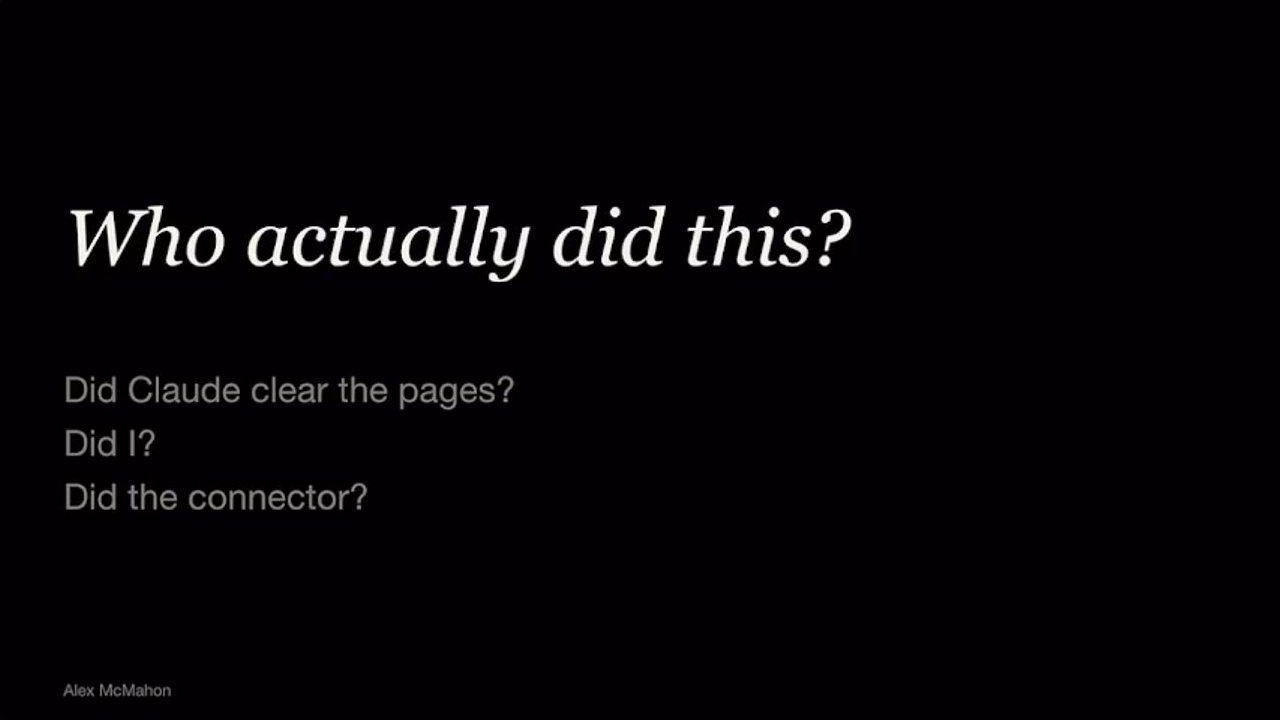
Interestingly, what happens when the engine outputs some content and a content designer reviews it, even if they score it as meeting all the rules and the guidelines, the edits that they are making to then take it to the subject matter expert are often taking it away from those, like, best practice school rules and guidelines.

So they're actually breaking some of the rules that they've set for the age for the AI production engine in that process of getting it, like, to a point where we're happy for someone to review it, which I think is just a beautiful example of, like, some of the things we've been thinking about today around, like, the creativity that humans bring and that, know, that friction that sometimes humans know when to break the rules.

Like, when is this an appropriate time to say, yes, this is this is great quality content. However, in this case, we need to break we need to kind of, like, not meet some of those standards in order for this to make sense in this particular, instance. So it's been a great it's been a great learning. We're still in the midst of it, so come and chat to me if you wanna hear more.

So then things to try. So we've been we've been given this great gift of having some clients who are willing to be on this kind of experimental proof of concept journey with us. But I think there's a lot more opportunity and a lot more in organizations to do this than than many design people realize. And so I wanna leave you with a couple of part parting thoughts around around some things that you can do in various organizations that you work for this week or next week.

First of all, let's find the conversation. So there are absolutely experiments and proof of concepts happening in organizations that you work for. Many of the people on this stage are driving those experiments. But I'm sure many of you would love to be part of of some of those in the organizations you work for and and and maybe currently aren't, or you

have some

ideas. I think the the interesting thing I'm seeing is that most of those conversations don't actually have design or content, if that's your bent, at the table, and they absolutely should. So, I'd love I'd love people to sort of, you know, pull a chair up and sit down and start talking about h semantic HTML and see what happens.

And then reframe that conversation. So if you can get some of your accessibility or, you know, product, human centered design, like product outcomes, like masquerading as AI readiness, I think there's huge gains to be had there. And thirdly, something that's been very clear for us, in these experiments that we've been running, is that the investment that we're making for these organizations is not actually, in the product or the the output from these, these engines that we're working on.

It's actually in the human alignment that it's creating along the way. A single designer tag teaming with Claude does not does not make a great product. I think we've heard a bit of that today as well. And actually, like, the, you know, the big bugbear with consumer AI products is they're really designed for that. They're designed to be this kind of like one on one experience.

They just absolutely crater any potential for collaboration. So as much as possible, if we can be designing our AI products and tooling to be team activities by nature, that's gonna absolutely reap dividends in terms of the the quality of the product output. And then lastly, I just wanna say, like, demand for the demand for human centered design, accessibility, product quality, skills is absolutely about to go through the roof.

And I think we're starting to see that with some of that drive for how do we figure out how to build AI ready products. And and the people in this room are absolutely primed to to benefit from that. So I wish you well. And thank you. Thanks, Thanks, Tory. Questions? No.

Questions and time? No?

We do have time for questions. Okay. Yes. Questions for Tory. Lily.

Hi, Tori. Thanks for your talk. That was great. We noticed something interesting happening at Atlassian where some of the principles of good content design for humans is starting to be walked back when there are fewer human readers and more agent readers. An example of this was, I think there was a principle that we had in our support docs around, you know, headings shouldn't be questions. But actually when agents are reading documentation, they really like it when headings are questions.

And I'm curious if you have any thoughts about that drift about at the moment, there's this really high overlap of human readability and agentic readability. But we don't really know how far that's gonna drift. And I don't know if your team has thought about that drift or if you're preparing for that.

Yeah. It's such a it's such an interesting space. I mean, I think two thoughts. Firstly, like, knowing who your audience is is, you know, like, fairly obvious. But in that case, if if you're designing like, in our world, we're designing for humans with kind of like a sidebar of machines. And we're doing a lot of work with our clients to sort of help them become aware of how much machine mediation is happening, because that's that's often a gap, just in knowledge.

And we do a lot of work with government. And so government is a little bit different in that, I think right now, there's a perception that government will always sort of need to have this kind of, like, authoritative channel. But it but it does need to be human and machine readability. So we're not we're not facing the, like, this content is just for machines yet. It'll be interesting to see whether it comes.

I didn't really answer your question. I like it, though.

Accessibility walked so AI could crawl
Tori Sanderson

AVIAN

Logo for AVIAN.

Accessibility walked so AI could crawl

Tori Sanderson

AVIAN

Accessibility walked so AI could crawl

Tori Sanderson

AVIAN

Accessibility walked so AI could crawl

Tori Sanderson

AVIAN

Logo for AVIAN.

Accessibility walked so AI could crawl

Tori Sanderson

AVIAN

Accessibility walked
so AI could
crawl

Tori Sanderson

AVIAN

Accessibility walked so AI could crawl

Tori Sanderson

Logo for AVIAN.

Accessibility walked so AI could crawl

Tori Sanderson

AVIAN

Accessibility walked
so AI could
crawl

Tori Sanderson

AVIAN

Logo for Avian.

Accessibility walked so AI could crawl

Tori Sanderson

AVIAN

Accessibility walked so AI could crawl

Tori Sanderson

AVIAN

Logo for AVIAN.

Accessibility walked so AI could crawl

Tori Sanderson

Logo for AVIAN.

Accessibility Review

"AI Readiness Initiative"

A Drake meme, where the top panel shows Drake looking displeased, rejecting "Accessibility Review." The bottom panel shows Drake looking pleased, accepting "'AI Readiness Initiative.'"
An illustration of the popular "Spider-Man pointing at Spider-Man" meme, showing two Spider-Men in classic suits pointing accusingly at each other. One Spider-Man stands in front of a white truck labeled "NYPD," and the other stands in front of a stack of wooden crates.

AVIAN

go further together

Logo for Avian, featuring a stylized 'A' with an upward-pointing arrow as its crossbar.
  • Opportunities
  • Big problems
  • Case study
  • Opportunities
  • Big problems
  • Case study
  • Things to try

(ai x design) web directions UX AUSTRALIA

Logos at the bottom of the slide: 'ai x design' featuring a stylized 'x' between the words, 'web directions' with a pixelated arrow icon, and 'UX AUSTRALIA' with an orange interlocking puzzle piece icon.
Acessibility is the API of AI

Jacob S Wood

"Acessibility is the API of AI"

Jacob S Wood

AI is built on accessibility infrastructure

AI is built on accessibility infrastructure

  • Microsoft
  • Stagehand
  • Vercel
  • Gemini
  • Google

"Making websites AI agents-friendly is an incentive to recommit to foundational principles of building well-structured, accessible, and semantic websites."

Google

AI is built on accessibility infrastructure

  • Microsoft
  • Stagehand
  • Vercel
  • Gemini
  • Google
"Making websites AI agents-friendly is an incentive to recommit to foundational principles of building well-structured, accessible, and semantic websites."

(ai x design)

An illustration of a person sitting at a desk, typing on a laptop. Below are the logos for Web Directions and UX Australia.
  • AI overviews on over 60% of searches
An illustration of a person sitting at a table and typing on a laptop.
  • AI overviews on over 60% of searches
An illustration of a person sitting at a table and typing on a laptop.
  • AI overviews on over 60% of searches
  • 12-18% of questions that used to go to Google
  • Doubling every year
  • AI scraping traffic up 597%
  • Referral traffic from those scrapes >0.2%
An illustration of a person sitting at a desk, typing on a laptop.

Web traffic is increasingly mediated through AI tooling.

Illustration of a winding white road or path over dark blue and black hills, under a light blue sky.

Web traffic is increasingly mediated through AI tooling.

An abstract illustration depicts a winding white path through a landscape with dark blue terrain under a teal sky.

Web traffic is increasingly mediated through AI tooling.

An illustration shows a white winding path through abstract dark blue and light blue landscape shapes with a black horizon line.

Web traffic is increasingly mediated through AI tooling.

An abstract illustration features a winding white road through a dark blue landscape with a black horizon and a light blue sky. The scene is partially contained within what appears to be a larger circular shape.

Web traffic is increasingly mediated through AI tooling.

An abstract illustration shows a winding white path through a landscape with dark blue land or water and a lighter blue sky or water body at the top.

Web traffic is increasingly mediated through AI tooling.

An abstract illustration featuring a winding white path over a dark blue landscape, with a lighter blue sky/water above and a dark grey strip in between.

Web traffic is increasingly mediated through AI tooling.

An illustration depicts a white winding path or river flowing through a dark blue landscape, with a light blue section above, possibly representing the sky or distant water.

Web traffic is increasingly mediated through AI tooling.

An illustration of a winding white path through a dark blue landscape, under a light blue sky.

Opportunities

  • Big problems
  • Case study
  • Things to try

Content as web infrastructure

Content as web infrastructure

Clarity

  • R
  • A
  • W
  • L
  • Use clear, authoritative language.
  • + 15-30% visibility boost in “easy to understand” content.
  • Do not use formal or long words when easy or short ones will do. Use ‘buy’ instead of ‘purchase’; ‘help’ instead of ‘assist’; and ‘about’ instead of ‘approximately’.

(Gov.UK)

Clarity

R

A

W

L

  • Use clear, authoritative language.
  • + 15-30% visibility boost in “easy to understand” content.
  • Do not use formal or long words when easy or short ones will do. Use ‘buy’ instead of ‘purchase’; ‘help’ instead of ‘assist’; and ‘about’ instead of ‘approximately’.
  • (Gov.UK)

Clarity

  • R
  • A
  • W
  • L
  • Use clear, authoritative language.
  • + 15-30% visibility boost in "easy to understand" content.
  • Do not use formal or long words when easy or short ones will do. Use 'buy' instead of 'purchase', 'help' instead of 'assist', and 'about' instead of 'approximately'.

(Gov.UK)

Clarity

  • R
  • A
  • W
  • L

Use clear, authoritative language.

+ 15-30% visibility boost in “easy to understand” content.

Do not use formal or long words when easy or short ones will do. Use 'buy' instead of 'purchase', 'help' instead of 'assist', and 'about' instead of 'approximately'.

(Gov.UK)

Clarity

  • R
  • A
  • W
  • L
  • Use clear, authoritative language.
  • + 15-30% visibility boost in "easy to understand" content.
  • Do not use formal or long words when easy or short ones will do. Use 'buy' instead of 'purchase'; 'help' instead of 'assist'; and 'about' instead of 'approximately'.

(Gov.UK)

Clarity

  • R
  • A
  • W
  • L

Use clear, authoritative language.

+ 15-30% visibility boost in "easy to understand" content.

Do not use formal or long words when easy or short ones will do. Use 'buy' instead of 'purchase', 'help' instead of 'assist', and 'about' instead of 'approximately'.

(Gov.UK)

Real headings

  • C
  • A
  • W
  • L

Real meaning in both the content and the HTML.

WCAG 2.4.6 - "Headings and labels describe topic or purpose."

C R Answers W L

  • Give direct answers. No hedging!
  • Build your content around real questions your customers have (not necessarily FAQ)
  • The inverted pyramid (Australian Government Style Manual)
  • Sources with clear, self-contained chunks of 50-150 words receive 2.3x more citations than long-form unstructured content

CRAWL Answers

  • Give direct answers. No hedging!
  • Build your content around real questions your customers have (not necessarily FAQ)
  • The inverted pyramid (Australian Government Style Manual)
  • Sources with clear, self-contained chunks of 50–150 words receive 2.3x more citations than long-form unstructured content

C
R
Answers
W
L

  • Give direct answers. No hedging!
  • Build your content around real questions your customers have (not necessarily FAQ 🤔)
  • The inverted pyramid (Australian Government Style Manual)
  • Sources with clear, self-contained chunks of 50-150 words receive 2.3x more citations than long-form unstructured content
  • C
  • R
  • A Whole sections
  • L

Semantically complete content is 4.2x more likely to be cited by AI.

"If this paragraph were extracted and shown alone, would readers understand it completely?"

Avoid: "For more detail, see below." or "See our factsheet for more..."

  • C
  • R
  • A
  • Whole sections
  • L

Semantically complete content is 4.2x more likely to be cited by AI.

"If this paragraph were extracted and shown alone, would readers understand it completely?"

Avoid: "For more detail, see below." or "See our factsheet for more..."

  • C
  • R
  • A: Whole sections
  • L

Semantically complete content is 4.2x more likely to be cited by AI.

"If this paragraph were extracted and shown alone, would readers understand it completely?"

Avoid: "For more detail, see below." or "See our factsheet for more..."

CRAWL

  • C
  • R
  • A
  • Whole sections
  • L

Semantically complete content is 4.2x more likely to be cited by AI.

"If this paragraph were extracted and shown alone, would readers understand it completely?"

Avoid: "For more detail, see below." or "See our factsheet for more..."

CRAW Labels

  • Descriptive alt text.
  • Link text that says where it goes.
  • Button labels that say what they do.
  • If your product was text-only, could it be understood?

CRAW Labels

  • Descriptive alt text.
  • Link text that says where it goes.
  • Button labels that say what they do.
  • If your product was text-only, could it be understood?

CRAW Labels

  • Descriptive alt text.
  • Link text that says where it goes.
  • Button labels that say what they do.
  • If your product was text-only, could it be understood?

Same work. Two outcomes.

An illustration in dark blue depicts four people celebrating. One person holds a trophy, and all are smiling with their hands raised or thumbs up, indicating success or achievement.

NOW EVERYONE CAN SEE OUR CONTENT

THAT'S GREAT!

...THAT'S GREAT, RIGHT?

A four-panel meme featuring Anakin Skywalker and Padmé Amidala. In the top panels, Anakin smiles at Padmé and she smiles in response to the statement "NOW EVERYONE CAN SEE OUR CONTENT" and "THAT'S GREAT!". In the bottom panels, Anakin looks concerned, and Padmé looks worried after the statement "...THAT'S GREAT, RIGHT?".

  • Opportunities
  • Big problems
  • Case study
  • Things to try
  • Opportunities
  • Big problems
  • Case study
  • Things to try
  • Opportunities
  • Big problems
  • Case study
  • Things to try

Using AI to solve what AI created

An illustration of a person with a bun, pointing to their chin with a thoughtful expression, and a large question mark above their head.
  • Opportunities
  • Big problems
  • Case study
  • Things to try
  • Opportunities
  • Big problems
  • Case study
  • Things to try
  • Opportunities
  • Big problems
  • Case study
  • Things to try
  • Opportunities
  • Big problems
  • Case study
  • Things to try
  • Opportunities
  • Big problems
  • Case study
  • Things to try
  • Opportunities
  • Big problems
  • Case study
  • Things to try

Investing in the engine

an (in-progress) experiment

Decrease cost

Investing in the engine

an (in-progress) experiment

Decrease cost

Investing in the engine

an (in-progress) experiment

Decrease cost

Investing in the engine

an (in-progress) experiment

  • Decrease cost
  • Increase speed
  • Content at scale
  • Support not automate

Investing in the engine

an (in-progress) experiment

  • Decrease cost
  • Increase speed
  • Content at scale
  • Support not automate

Investing in the engine

an (in-progress) experiment

  • Decrease cost
  • Increase speed
  • Content at scale
  • Support not automate

Investing in the engine

an (in-progress) experiment

Investing
in the engine

an (in-progress) experiment

  • 1 Encode content standards
A diagram showing a process step: "Encode content standards," with an arrow pointing downwards indicating further steps.

Investing in the engine

an (in-progress) experiment

  1. Encode content standards
A diagram showing a numbered step: "1 Encode content standards", with an arrow pointing down and to the right, indicating a flow or next step.

Investing in the engine

an (in-progress) experiment

Process Step

  1. Encode content standards

This step initiates the REFINEMENT LOOP.

A diagram illustrating a process. A labeled box '1 Encode content standards' points with an arrow into a larger, dotted rectangular area labeled 'REFINEMENT LOOP', representing an iterative process.

Investing in the engine

an (in-progress) experiment

A diagram illustrates a process. Step 1 is "Encode content standards," which leads into a large dotted rectangle labeled "REFINEMENT LOOP."

Investing in the engine

an (in-progress) experiment

REFINEMENT LOOP

  1. Encode content standards
  2. Produce content
    Engine produces a sample based on standards.
A diagram illustrates a process flow. The first step is '1 Encode content standards'. An arrow points from this to a second step, '2 Produce content', which includes the description 'Engine produces a sample based on standards.' The 'Produce content' step is enclosed within a large dotted rectangular outline, which is labeled 'REFINEMENT LOOP' above it, indicating it's part of an iterative process.

Investing in the engine

an (in-progress) experiment

REFINEMENT LOOP

  1. Encode content standards
  2. Produce content
    Engine produces a sample based on standards.

A diagram illustrating a two-step process. Step 1, "Encode content standards", is shown outside of a dotted boundary. An arrow points from step 1 into the area defined by the dotted boundary. Step 2, "Produce content", is located inside this dotted boundary and is described as: "Engine produces a sample based on standards." The dotted boundary is labeled "REFINEMENT LOOP".

Investing in the engine

an (in-progress) experiment

REFINEMENT LOOP

  1. Encode content standards
  2. Produce content

    Engine produces a sample based on standards.

  3. Review content

    SME reads the drafts. Produces notes and feedback.

A diagram illustrating a "REFINEMENT LOOP" process. Step 1 is "Encode content standards." An arrow points from Step 1 to a dashed purple box representing the refinement loop. Inside this box, Step 2 is "Produce content" (Engine produces a sample based on standards), and Step 3 is "Review content" (SME reads the drafts. Produces notes and feedback). An arrow connects Step 2 to Step 3, and another arrow from Step 3 loops back, indicating an iterative process.

Investing in the engine

an (in-progress) experiment

REFINEMENT LOOP

  1. Encode content standards
  2. Produce content
    Engine produces a sample based on standards.
  3. Review content
    SME reads the drafts. Produces notes and feedback.
A diagram illustrating a 'Refinement Loop' process. The process begins with '1 Encode content standards', which leads to '2 Produce content' where an engine produces a sample based on standards. This then leads to '3 Review content' where a Subject Matter Expert (SME) reads drafts and produces notes and feedback. Steps 2 and 3 are enclosed within a dotted rectangular box labeled 'REFINEMENT LOOP', with an arrow from step 2 to step 3, and an arrow looping back from step 3 to step 2, indicating an iterative cycle.

Investing in the engine

an (in-progress) experiment

REFINEMENT LOOP

  • 1 Encode content standards
  • 2 Produce content
    Engine produces a sample based on standards.
  • 3 Review content
    SME reads the drafts. Produces notes and feedback.

(ai x design) web directions UX AUSTRALIA

A diagram illustrates a refinement loop process. It outlines three steps: 1. Encode content standards, 2. Produce content, and 3. Review content. An arrow points from 'Encode content standards' to 'Produce content'. Steps 2 and 3 are enclosed in a dashed box labeled 'REFINEMENT LOOP', showing a circular flow where content is produced, then reviewed, and feedback from the review leads back to further content production. At the bottom of the slide are the logos for ai x design, web directions, and UX Australia.

Investing in the engine

an (in-progress) experiment

REFINEMENT LOOP

  1. Encode content standards
  2. Produce content

    Engine produces a sample based on standards.

  3. Review content

    SME reads the drafts. Produces notes and feedback.

  4. Refine the engine

    Not the content. With every refinement the content quality improves.

A process flow diagram illustrating a four-step content refinement loop. Step 1, "Encode content standards," leads into a dotted box labeled "REFINEMENT LOOP," which contains steps 2, "Produce content," 3, "Review content," and 4, "Refine the engine." Arrows indicate a sequential flow from 1 to 2, then 2 to 3, 3 to 4, and implicitly from 4 back to 2 to form a continuous loop.

Investing in the engine

an (in-progress) experiment

REFINEMENT LOOP

  1. Encode content standards

  2. Produce content
    Engine produces a sample based on standards.

  3. Review content
    SME reads the drafts. Produces notes and feedback.

  4. Refine the engine
    Not the content. With every refinement the content quality improves.

A diagram titled "REFINEMENT LOOP" illustrates an iterative process. "1 Encode content standards" is the initial step, leading into a continuous loop comprising: "2 Produce content" (Engine produces a sample based on standards), "3 Review content" (SME reads the drafts. Produces notes and feedback), and "4 Refine the engine" (Not the content. With every refinement the content quality improves).

Investing in the engine

an (in-progress) experiment

REFINEMENT LOOP

  1. Encode content standards

  2. Produce content
    Engine produces a sample based on standards.

  3. Review content
    SME reads the drafts. Produces notes and feedback.

  4. Refine the engine
    Not the content. With every refinement the content quality improves.

  5. Run the source content again
    Same input. Now drafted with the sharpened standards.

ai x design | web directions | UX AUSTRALIA

A process diagram titled "REFINEMENT LOOP" shows five steps. Step 1, "Encode content standards," is an initial step. Steps 2 through 5 form a circular loop enclosed by a dotted rectangle. The loop consists of: "2 Produce content" which flows to "3 Review content," then to "4 Refine the engine," then to "5 Run the source content again," and finally back to "2 Produce content." Step 4, "Refine the engine," is highlighted with a dark purple background. At the bottom of the slide are three logos: "ai x design", "web directions" with a pixelated wave icon, and "UX AUSTRALIA" with a puzzle piece icon.

Investing in the engine

an (in-progress) experiment

REFINEMENT LOOP

  1. 1 Encode content standards
  2. 2 Produce content

    Engine produces a sample based on standards.

  3. 3 Review content

    SME reads the drafts. Produces notes and feedback.

  4. 4 Refine the engine

    Not the content. With every refinement the content quality improves.

  5. 5 Run the source content again

    Same input. Now drafted with the sharpened standards.

6 Run at scale
  • Standards are trusted.
  • Engine processes hundreds of pages.
  • With the goal of 'faster than from scratch.'
A flow diagram illustrating a content refinement loop with steps for encoding standards, producing content, reviewing content, refining the engine, and running the source content again, ultimately leading to running the engine at scale.

Investing in the engine

an (in-progress) experiment

REFINEMENT LOOP

1 Encode content standards

2 Produce content

Engine produces a sample based on standards.

3 Review content

SME reads the drafts. Produces notes and feedback.

4 Refine the engine

Not the content. With every refinement the content quality improves.

5 Run the source content again

Same input. Now drafted with the sharpened standards.

6 Run at scale

Standards are trusted.

Engine processes hundreds of pages.

With the goal of 'faster than from scratch.'

A flow diagram illustrates a content refinement process. It starts with encoding content standards, which feeds into a loop: content is produced, reviewed by an SME, and based on feedback, the content generation engine is refined. The source content is then run again with the sharpened standards. This refinement loop aims to improve content quality. Once the engine is refined, the process proceeds to run at scale, processing hundreds of pages with the goal of being 'faster than from scratch.'

Investing in the engine

an (in-progress) experiment

REFINEMENT LOOP

1 Encode content standards

2 Produce content
Engine produces a sample based on standards.

3 Review content
SME reads the drafts. Produces notes and feedback.

4 Refine the engine
Not the content. With every refinement the content quality improves.

5 Run the source content again
Same input. Now drafted with the sharpened standards.

6 Run at scale
Standards are trusted.
Engine processes hundreds of pages.
With the goal of 'faster than from scratch.'

A diagram illustrates a "Refinement Loop" process with six numbered steps, showing a flow from encoding standards, producing content, reviewing it, refining the engine, re-running content, and finally running at scale.

Investing in the engine

an (in-progress) experiment

1 Encode content standards

REFINEMENT LOOP

2 Produce content

Engine produces a sample based on standards.

3 Review content

SME reads the drafts. Produces notes and feedback.

4 Refine the engine

Not the content. With every refinement the content quality improves.

5 Run the source content again

Same input. Now drafted with the sharpened standards.

6 Run at scale

Standards are trusted.

Engine processes hundreds of pages.

With the goal of 'faster than from scratch.'

A flowchart diagram illustrating a six-step content refinement process. Step 1, "Encode content standards," leads into a "Refinement Loop" (Steps 2-5). The refinement loop starts with Step 2, "Produce content," which leads to Step 3, "Review content," then to Step 4, "Refine the engine," and finally to Step 5, "Run the source content again," which loops back to Step 2. After the refinement loop, the process continues to Step 6, "Run at scale," which is outside the loop.

Investing in the engine

an (in-progress) experiment

REFINEMENT LOOP

1 Encode content standards

2 Produce content
Engine produces a sample based on standards.

3 Review content
SME reads the drafts. Produces notes and feedback.

4 Refine the engine
Not the content. With every refinement the content quality improves.

5 Run the source content again
Same input. Now drafted with the sharpened standards.

6 Run at scale
Standards are trusted. Engine processes hundreds of pages.
With the goal of 'faster than from scratch.'

A flowchart diagram illustrating a content refinement loop. The process starts with encoding content standards (1), then producing content (2). This content is reviewed by a Subject Matter Expert (SME) (3), leading to refinement of the engine (4). After refinement, the source content is run again (5), which loops back to producing content (2). Once the engine is refined through this loop, it can be run at scale (6).

REFINEMENT LOOP

  1. Encode content standards

  2. Produce content

    Engine produces a sample based on standards.

  3. Review content

    SME reads the drafts. Produces notes and feedback.

  4. Refine the engine

    Not the content. With every refinement the content quality improves.

  5. Run the source content again

    Same input. Now drafted with the sharpened standards.

Investing in the engine

an (in-progress) experiment

Run at scale

  • Standards are trusted.
  • Engine processes hundreds of pages.
  • With the goal of 'faster than from scratch.'
A flowchart illustrating a content refinement process. The process begins with 'Encode content standards' (1). This feeds into a loop comprising 'Produce content' (2), 'Review content' (3), 'Refine the engine' (4), and 'Run the source content again' (5). 'Produce content' (2) leads to 'Review content' (3). 'Review content' (3) leads to 'Refine the engine' (4). 'Refine the engine' (4) leads to 'Run the source content again' (5). 'Run the source content again' (5) loops back to 'Produce content' (2). After the refinement loop, an arrow points from 'Refine the engine' (4) to an outcome step 'Run at scale' (6). Below the flowchart, the text 'Investing in the engine an (in-progress) experiment' is displayed, with an arrow pointing towards 'Run at scale'.

Investing in the engine

an (in-progress) experiment

REFINEMENT LOOP

  1. Encode content standards
  2. Produce content
    Engine produces a sample based on standards.
  3. Review content
    SME reads the drafts. Produces notes and feedback.
  4. Refine the engine
    Not the content. With every refinement the content quality improves.
  5. Run the source content again
    Same input. Now drafted with the sharpened standards.
  6. Run at scale
    Standards are trusted.
    Engine processes hundreds of pages.
    With the goal of 'faster than from scratch.'

A flow diagram illustrates a content refinement process. Step 1, 'Encode content standards,' leads to a loop of steps: 2 'Produce content,' 3 'Review content,' 4 'Refine the engine,' and 5 'Run the source content again.' From this refinement loop, the process leads to step 6, 'Run at scale.'

Investing in the engine

an (in-progress) experiment

REFINEMENT LOOP

  1. Encode content standards
  2. Produce content
    Engine produces a sample based on standards.
  3. Review content
    SME reads the drafts. Produces notes and feedback.
  4. Refine the engine
    Not the content. With every refinement the content quality improves.
  5. Run the source content again
    Same input. Now drafted with the sharpened standards.
  6. Run at scale
    Standards are trusted.
    Engine processes hundreds of pages.
    With the goal of 'faster than from scratch.'
A diagram illustrates a "Refinement Loop" process. Step 1, "Encode content standards," leads to Step 2, "Produce content." Step 2 flows to Step 3, "Review content," which then leads to Step 4, "Refine the engine." Step 4 loops back to Step 5, "Run the source content again," which then flows back to Step 2, "Produce content," completing the refinement loop. After Step 5, there is an arrow leading to a final step, Step 6, "Run at scale."

Investing in the engine

an (in-progress) experiment

REFINEMENT LOOP

1 Encode content standards

2 Produce content
Engine produces a sample based on standards.

3 Review content
SME reads the drafts. Produces notes and feedback.

4 Refine the engine
Not the content. With every refinement the content quality improves.

5 Run the source content again
Same input. Now drafted with the sharpened standards.

6 Run at scale
Standards are trusted.
Engine processes hundreds of pages.
With the goal of 'faster than from scratch.'

A workflow diagram illustrates a content refinement process. It begins with encoding content standards, then enters a 'Refinement Loop' consisting of producing content, reviewing it, refining the engine, and running the source content again. This loop leads to the final step of running content at scale. A pink swirling arrow points towards the 'Run at scale' step.

Investing in the engine

an (in-progress) experiment

REFINEMENT LOOP

  1. Encode content standards
  2. Produce content

    Engine produces a sample based on standards.

  3. Review content

    SME reads the drafts. Produces notes and feedback.

  4. Refine the engine

    Not the content. With every refinement the content quality improves.

  5. Run the source content again

    Same input. Now drafted with the sharpened standards.

Run at scale

Standards are trusted.

Engine processes hundreds of pages.

With the goal of 'faster than from scratch.'

A flowchart diagram illustrates a content refinement process. It begins with 'Encode content standards' which feeds into a refinement loop. The loop consists of 'Produce content' (engine creates a sample), 'Review content' (SME provides feedback), 'Refine the engine' (improving content quality), and 'Run the source content again' (drafting with sharpened standards). The output of the refinement loop leads to 'Run at scale'.

Investing in the engine

an (in-progress) experiment

Content Refinement Process:

  1. Encode content standards
  2. Produce content

    Engine produces a sample based on standards.

    (Part of the Refinement Loop)

  3. Review content

    SME reads the drafts. Produces notes and feedback.

    (Part of the Refinement Loop)

  4. Refine the engine

    Not the content. With every refinement the content quality improves.

    (Part of the Refinement Loop)

  5. Run the source content again

    Same input. Now drafted with the sharpened standards.

    (Part of the Refinement Loop, this step leads back to 'Produce content'.)

  6. Run at scale

    Standards are trusted.

    Engine processes hundreds of pages.

    With the goal of 'faster than from scratch.'

A flowchart illustrates a content refinement process. It consists of six numbered steps. Steps 2 through 5 are enclosed within a dashed box labeled "REFINEMENT LOOP," indicating an iterative cycle. The steps are: 1. Encode content standards. 2. Produce content. 3. Review content. 4. Refine the engine. 5. Run the source content again. Step 5 loops back to step 2. After the refinement loop, the process moves to step 6. Run at scale. A decorative pink and purple arrow points from the refinement loop towards "Run at scale."

Investing in the engine

an (in-progress) experiment

REFINEMENT LOOP

1 Encode content standards

2 Produce content
Engine produces a sample based on standards.

3 Review content
SME reads the drafts. Produces notes and feedback.

4 Refine the engine
Not the content. With every refinement the content quality improves.

5 Run the source content again
Same input. Now drafted with the sharpened standards.

6 Run at scale
Standards are trusted.
Engine processes hundreds of pages.
With the goal of 'faster than from scratch.'

A flowchart diagram illustrating a content refinement loop with six steps. Step 1, "Encode content standards," leads to a dotted box labeled "REFINEMENT LOOP" which contains steps 2 through 5. Step 2, "Produce content," leads to Step 3, "Review content." Step 3 leads to Step 4, "Refine the engine," which then loops back to Step 5, "Run the source content again." Step 5 leads back to Step 2. From the "REFINEMENT LOOP," specifically from Step 4, an arrow points to a final large box, Step 6, "Run at scale."

Investing in the engine

an (in-progress) experiment

REFINEMENT LOOP

  1. Encode content standards
  2. Produce content
    Engine produces a sample based on standards.
  3. Review content
    SME reads the drafts. Produces notes and feedback.
  4. Refine the engine
    Not the content. With every refinement the content quality improves.
  5. Run the source content again
    Same input. Now drafted with the sharpened standards.
  6. Run at scale
    Standards are trusted.
    Engine processes hundreds of pages.
    With the goal of 'faster than from scratch.'
A diagram illustrates a process involving a "Refinement Loop". Step 1, "Encode content standards," leads to a core loop. This loop consists of Step 2, "Produce content," flowing into Step 3, "Review content," then to Step 4, "Refine the engine," and finally looping back to Step 5, "Run the source content again," which feeds back into Step 2. An arrow from this refinement loop points to the final Step 6, "Run at scale." A decorative arrow also points from the main slide title "Investing in the engine" towards the "Run at scale" section.

Investing in the engine

an (in-progress) experiment

REFINEMENT LOOP

  1. Encode content standards
  2. Produce content

    Engine produces a sample based on standards.

  3. Review content

    SME reads the drafts. Produces notes and feedback.

  4. Refine the engine

    Not the content. With every refinement the content quality improves.

  5. Run the source content again

    Same input. Now drafted with the sharpened standards.

Run at scale

  • Standards are trusted.
  • Engine processes hundreds of pages.
  • With the goal of 'faster than from scratch.'
A flow diagram illustrating a content refinement loop process. Step 1 is "Encode content standards". This leads to Step 2 "Produce content", which leads to Step 3 "Review content". From Step 3, the process goes to Step 4 "Refine the engine". From Step 4, it goes to Step 5 "Run the source content again", which then loops back to Step 2 "Produce content". After the refinement loop, an arrow points to a larger box labeled "Run at scale" as the final stage.

Investing in the engine

an (in-progress) experiment

REFINEMENT LOOP

  1. Encode content standards

  2. Produce content
    Engine produces a sample based on standards.

  3. Review content
    SME reads the drafts. Produces notes and feedback.

  4. Refine the engine
    Not the content. With every refinement the content quality improves.

  5. Run the source content again
    Same input. Now drafted with the sharpened standards.

  6. Run at scale

    • Standards are trusted.
    • Engine processes hundreds of pages.
    • With the goal of 'faster than from scratch.'
A diagram illustrating a content refinement and scaling process. It shows a five-step "REFINEMENT LOOP" where content standards are encoded, content is produced and reviewed, and the engine is refined, leading back to running the source content again. After this loop, there is a final step "Run at scale" where the refined engine processes content broadly.

SKILLS / FOLDER TREE

  • content-audit SKILL.md v0.6 refined 31 times
  • accessibility-validator SKILL.md v0.4 refined 23 times — editing
  • plain-language-checker SKILL.md v0.5 refined 28 times
  • content-rewriter SKILL.md v0.7 refined 41 times
  • metadata-generator SKILL.md v0.3 refined 14 times
  • terminology-canonical SKILL.md v0.2 refined 9 times
  • duplication-check SKILL.md v0.3 refined 12 times
  • qa-validator SKILL.md v0.5 refined 26 times

TOTAL

8 skills · 184 refinements

since week 1

CONTENTS OF ACCESSIBILITY-VALIDATOR/SKILL.MD

name: accessibility-validator
version: 0.4
description: Validate WCAG 2.2 AA compliance
on draft content before SME review.

Accessibility validator

Run these checks in order. Stop only at the end.

Heading hierarchy
  • Exactly one H1.
  • H2s describe the section, not just label it.
    GOOD: "Who is eligible." BAD: "Eligibility."
  • Heading levels never skip.
Alt text
  • Decorative images: alt="" only.
  • Informational: name + purpose, <125 chars.
  • Reject "image of" or "picture of".
Link text
  • Reject "click here" / "read more" / "this".

# refined by Lauren after SME edit, 17 April

A screenshot of an interface showing a file tree on the left and the content of a selected Markdown file on the right.

accessibility-validator/SKILL.md

A screenshot of a content production engine application, showing a folder tree of skills on the left and the contents of the 'accessibility-validator/SKILL.md' file on the right.

SKILLS / FOLDER TREE

  • content-audit
    SKILL.md v0.6 refined 31 times
  • accessibility-validator
    SKILL.md v0.4 refined 23 times — editing
  • plain-language-checker
    SKILL.md v0.5 refined 28 times
  • content-rewriter
    SKILL.md v0.7 refined 41 times
  • metadata-generator
    SKILL.md v0.3 refined 14 times
  • terminology-canonical
    SKILL.md v0.2 refined 9 times
  • duplication-check
    SKILL.md v0.3 refined 12 times
  • qa-validator
    SKILL.md v0.5 refined 26 times

TOTAL
8 skills · 184 refinements
since week 1

CONTENTS OF ACCESSIBILITY-VALIDATOR/SKILL.MD

name: accessibility-validator
version: 0.4
description: Validate WCAG 2.2 AA compliance
on draft content before SME review.

Accessibility validator

Run these checks in order. Stop only at the end.

Heading hierarchy
  • Exactly one H1.
  • H2s describe the section, not just label it.
  • GOOD: "Who is eligible." BAD: "Eligibility."
  • Heading levels never skip.
Alt text
  • Decorative images: alt="" only.
  • Informational: name + purpose, <125 chars.
  • Reject "image of" or "picture of".
Link text
  • Reject "click here" / "read more" / "this".
  • # refined by Lauren after SME edit, 17 April

SKILLS / FOLDER TREE

  • content-audit
    SKILL.md v0.6 refined 31 times
  • accessibility-validator
    SKILL.md v0.4 refined 23 times — editing
  • plain-language-checker
    SKILL.md v0.5 refined 28 times
  • content-rewriter
    SKILL.md v0.7 refined 41 times
  • metadata-generator
    SKILL.md v0.3 refined 14 times
  • terminology-canonical
    SKILL.md v0.2 refined 9 times
  • duplication-check
    SKILL.md v0.3 refined 12 times
  • qa-validator
    SKILL.md v0.5 refined 26 times

TOTAL
8 skills • 184 refinements
since week 1

CONTENTS OF ACCESSIBILITY-VALIDATOR/SKILL.MD

name: accessibility-validator

version: 0.4

description: Validate WCAG 2.2 AA compliance on draft content before SME review.

# Accessibility validator

Run these checks in order. Stop only at the end.

## Heading hierarchy
  • Exactly one H1.
  • H2s describe the section, not just label it.
  • GOOD: "Who is eligible." BAD: "Eligibility."
  • Heading levels never skip.
## Alt text
  • Decorative images: alt="" only.
  • Informational: name + purpose, <125 chars.
  • Reject "image of" or "picture of".
## Link text
  • Reject "click here" / "read more" / "this".
  • # refined by Lauren after SME edit, 17 April
Screenshot of a dark-themed code editor or IDE interface. The left panel shows a file tree titled 'SKILLS / FOLDER TREE', with 'accessibility-validator' highlighted. The right panel displays the markdown content of the 'accessibility-validator/SKILL.MD' file, which outlines rules for accessibility validation, including sections on heading hierarchy, alt text, and link text.

Skills Folder Tree

  • content-audit SKILL.md v0.6 refined 31 times
  • accessibility-validator SKILL.md v0.4 refined 23 times -- editing
  • plain-language-checker SKILL.md v0.5 refined 28 times
  • content-rewriter SKILL.md v0.7 refined 41 times
  • metadata-generator SKILL.md v0.3 refined 14 times
  • terminology-canonical SKILL.md v0.2 refined 9 times
  • duplication-check SKILL.md v0.3 refined 12 times
  • qa-validator SKILL.md v0.5 refined 26 times

TOTAL

8 skills · 184 refinements
since week 1

Contents of accessibility-validator/skill.md

name: accessibility-validator
version: 0.4
description: Validate WCAG 2.2 AA compliance
on draft content before SME review.

# Accessibility validator
Run these checks in order. Stop only at the end.

## Heading hierarchy
- Exactly one H1.
- H2s describe the section, not just label it.
GOOD: "Who is eligible?" BAD: "Eligibility."
- Heading levels never skip.

## Alt text
- Decorative images: alt="" only.
- Informational: name + purpose, <125 chars.
- Reject "image of" or "picture of".

## Link text
- Reject "click here" / "read more" / "this".
# refined by Lauren after SME edit, 17 April
Screenshot of a software interface showing a file folder tree on the left and a markdown file on the right. The left pane lists "Skills" such as "content-audit" and "accessibility-validator", with the latter highlighted. The right pane displays the contents of "accessibility-validator/SKILL.md", detailing rules for heading hierarchy, alt text, and link text validation.

What we're measuring

What we're measuring

What we're measuring

What we're measuring

  • Time to done

What we're measuring

Time to done

What we're measuring

Time to done

What we're measuring

  • Time to done

What we're measuring

Time to done

What we're measuring

Time to done

What we're measuring

Time to done

What we're measuring

Time to done

What we're measuring

  • Time to done
  • Cost

What we're measuring

  • Time to done
  • Cost

What we're measuring

  • Time to done
  • Cost

What we're measuring

  • Time to done
  • Cost

What we're measuring

  • Time to done
  • Cost
  • Quality

What we're measuring

  • Time to done
  • Cost
  • Quality
  • SME / stakeholder review

What we're measuring

  • Time to done
  • Cost
  • Quality
  • SME / stakeholder review

What we're measuring

  • Time to done
  • Cost
  • Quality
  • SME / stakeholder review

What we're measuring

  • Time to done (90% reduction)
  • Cost
  • Quality
  • SME / stakeholder review

What we're measuring

  • Time to done (90% reduction)
  • Cost
  • Quality
  • SME / stakeholder review

What we're measuring

  • Time to done (90% reduction)
  • Cost
  • Quality
  • SME / stakeholder review

What we're measuring

  • Time to done (90% reduction)
  • Cost
  • Quality
  • SME / stakeholder review

What we're measuring

  • Time to done (90% reduction)
  • Cost
  • Quality
  • SME / stakeholder review

What we're measuring

  • Time to done (90% reduction)
  • Cost
  • Quality
  • SME / stakeholder review

What we're measuring

  • Time to done (90% reduction)
  • Cost
  • Quality (harder than it sounds)
  • SME / stakeholder review

What we're measuring

  • Time to done (90% reduction)
  • Cost
  • Quality (harder than it sounds)
  • SME / stakeholder review

So far...

So far...

So far...

So far...

So far...

So far...

So far...

So far...

So far...

An icon of two overlapping documents, each with horizontal lines representing text.

So far...
Icon depicting three overlapping documents or pages with text lines.

So far...

An icon depicting a stack of three paper documents, each with lines representing text.

So far...

An icon depicting three overlapping document pages with lines of text on them.

So far...

An icon depicting two overlapping document pages with lines of text.

So far...

An icon depicting several stacked documents or papers, suggesting a collection of work or information.

So far...

An icon of two overlapping paper documents, each with several lines of text.

So far...

Left document (iconic representation):

  • Purpose
  • Scope
  • Principles
  • Rules
  • Summary rules

Right document (template):

Knowledge Hub Safety Lessons: Template, Rules, V1

  • Purpose
  • Global shifting site
  • Required article or Safety
  • Key safety lessons rules (most important section)
  • "What happened?" section rules
  • "Why it happened?" option rules
  • "What exactly were the causes?"
  • "Your responsibilities?" section rules (Original key)
  • Summary rules
Illustration depicting a process where a stack of generic documents with lines of text transforms via an arrow into two structured document templates with titles and bulleted section headings.

So far...

A visual diagram illustrating a process flow. It begins with an icon representing multiple generic documents, followed by an arrow. The next stage shows two specific document templates titled 'Knowledge Hub: Safety Lessons, Template: Rules, V1'. Another arrow points to the final stage, which is a grid-like arrangement of various document sections or iterations, organized into columns with dates like '20 May' and annotated with numerous yellow and orange sticky notes, suggesting review or refinement.

So far...

Knowledge Hub: Safety Lessons, Template Rules v1

  1. Purpose
  2. Global staffing and the underlying philosophy
  3. Your responsibilities
  4. Summary rules
  5. Key safety lessons & rules (most important section)
  6. 'What happened' section rules
  7. 'Why it happened' section rules
  8. Your responsibilities' section rules (Dogfooding)

A diagram illustrating a three-stage process for document transformation or review.

  1. An icon representing a stack of generic documents.
  2. An arrow pointing to a more detailed representation of two specific documents, titled "Knowledge Hub: Safety Lessons, Template Rules v1", showing an outline of its contents.
  3. Another arrow pointing to a grid-like display of several documents, heavily annotated with numerous small, colored sticky notes, some bearing the date "28 May", indicating a detailed review or iteration stage.

So far...

The slide illustrates a process starting with raw documents, moving to a refined document template, and ending with annotated documents.

Refined Document Template: Knowledge Hub, Safety Lessons, Template_Rules_V1

  1. Purpose
  2. Global drafting rules
    • Global drafting rules (Most important section)
    • What goes in a good one
    • Required article structure
    • Rules for article content and structure (example)
  3. File rules
  4. Summary rules
  5. Key guidance/rules
    • What "happened" section rules
    • Why it "happened" section rules
    • What "could have been done" section rules
    • Your "responsibilities" section rules
    • Your "suggestions" section rules (optional)
    • What "next steps" section rules (optional)
    • How to apply these rules to new content
A three-step diagram showing a document refinement process. Step one shows an icon of multiple stacked documents. An arrow points to step two, which displays two pages of a document titled "Knowledge Hub, Safety Lessons, Template_Rules_V1", outlining numbered rules and guidelines. Another arrow points to step three, which shows three instances of documents, each covered with numerous small, colorful sticky notes and a "28 May" label at the top, indicating a process of review or annotation.

So far...

  • Knowledge Hub Safety Lessons, Template Rules v1
  • 1. Purpose
  • 2. Global crafting rules
  • 3. Key safety lessons rules (most important sections)
  • Fine rules
  • 4. Required article elements
  • 5. Your responsibilities
  • 6. "What happened" section rules
  • 7. "Why it happened" section rules
  • 8. "How it happened" section rules
  • 9. "What next" section rules
  • 10. Summary rules
A diagram showing a three-stage process with arrows. The first stage shows an icon of multiple stacked documents. The second stage shows two pages of a document titled "Knowledge Hub Safety Lessons, Template Rules v1" with a visible table of contents or section list. The third stage shows a grid of smaller document snippets, some annotated with yellow and orange sticky notes labeled '28 May', suggesting a decomposition or analysis of the original document.

So far...

Content guidelines from "Knowledge Mg. Safety Lessons, Template, Public, V.1"

  • Purpose
  • Global drafting standards and guidelines
  • Key safety lessons (most important sections)
  • Required action and content elements
  • Title rules
  • Summary rules
  • 'What happened' section rules
  • 'Why it happened' section rules
  • 'Your responsibilities' section rules (linguistic)
A three-stage diagram illustrating a content transformation process. The first stage shows two overlapping document icons with dashed lines, representing initial unstructured content. An arrow points to the second stage, which displays two detailed document pages titled "Knowledge Mg. Safety Lessons, Template, Public, V.1" outlining specific content rules and sections. A second arrow points to the third stage, which depicts a grid of highly structured content blocks with numerous small yellow and orange sticky notes and labels like "26 May", "28 May", suggesting a detailed review, annotation, or iterative design process.

So far...

  • Knowledge Hub Safety Lessons Template_Rules_V1
    1. Purpose
    2. Scope
    3. Title rules
    4. Summary rules
  • Document Two: Rules for specific sections
    1. Key safety lessons rules (most important section)
    2. 'What happened' section rules
    3. 'Why it happened' section rules
    4. 'Your responsibilities' section rules (unclear)
A diagram showing a process flow from left to right. It begins with an icon of a stack of abstract documents, transforming into two more detailed documents with visible text, and finally evolving into a grid of multiple documents, some with sticky notes, indicating a review or iterative process.

So far...

The process involves moving from initial inputs to structured rules and then to feedback on engine outputs.

Structured rules are detailed in documents titled "Knowledge Hub: Safety Lessons, Template Rules, v1.1", which include:

  • Purpose
  • Global drafting rules
  • Required article of safety
  • File rules
  • Summary rules
  • Key safety lessons (most important section)
  • "What happened" section rules
  • "Why it happened" section rules
  • "Your responsibilities" section rules
A horizontal flow diagram. On the left, an icon shows several stacked documents, representing initial inputs. An arrow points to two document pages titled "Knowledge Hub: Safety Lessons, Template Rules, v1.1", which detail various rules and guidelines. Another arrow points to the right, showing a digital whiteboard or grid filled with numerous smaller documents and colorful sticky notes, some dated "28 May", illustrating the output and feedback stage of a process.

So far...

Knowledge Ops: Safety Lessons, Template, Rules, v17

  • 1. Purpose
  • 2. Goal
  • 3. Global drafting rules
  • 4. Required article structure
  • 5. File rules
  • 6. Summary rules
  • 5. Key safety lesson rules (most important sections)
  • 6. "What happened" section rules
  • 7. "Why it happened" section rules
  • 8. "Your responsibilities" section rules Originality

A three-step diagram illustrating a process. The first step shows an icon of multiple documents. An arrow points to the second step, which displays two documents with legible text outlining rules and templates, titled "Knowledge Ops: Safety Lessons, Template, Rules, v17" and listing sections like "Purpose", "Global drafting rules", and "Key safety lesson rules". Another arrow points to the third step, a grid of several documents each covered with numerous small, colored sticky notes, indicating a review or feedback process over several days in May.

So far...

Knowledge Mg: Safety Lessons Template, Admin, V1

  • Purpose
  • Global drafting rules
  • Required article vs. safety
  • Summary rules

Key safety lessons rules (most important section)

  • What "happened" section rules
  • Why it "happened" option rules
  • Your responsibilities section rules (high/low safety)

A diagram illustrating a content transformation process. It begins with an icon depicting multiple stacked documents, followed by an arrow. This leads to two documents displaying structured text with bullet points. Another arrow points to a grid-like board featuring multiple documents annotated with yellow and orange sticky notes, suggesting a content review or organization stage. Each section of the board is dated "26 May".

So far...

  • Initial unstructured content, represented by a stack of generic documents.
  • Transformed into structured content, following rules and templates. Example headings from these documents include:
    • Knowledge Hub Safety Lessons Template Rules V1
    • Purpose
    • Global drafting rules
    • Summary rules
    • Key safety lessons rules (most important sections)
    • 'What happened' section rules
    • 'Why it happened' section rules
    • 'Your responsibilities' section rules
  • Further transformed and reviewed, resulting in multiple iterations of documents with annotations and sticky notes, dated "28 May".
A diagram illustrating a content transformation process. On the left, an icon of three overlapping documents. An arrow points from this to two detailed document pages displaying structured content. Another arrow points from these pages to a grid of nine document pages, each heavily annotated with colorful sticky notes and some headers indicating "28 May", representing iterations of content review.
  • Opportunities
  • Big problems
  • Case study
  • Things to try
  • Opportunities
  • Big problems
  • Case study
  • Things to try

3 things you can do this week

3 things you can do this week

1 Find the conversation

  • Look for experiments and proofs of concepts
  • There are probably no content or design expertise in that chat
  • Start talking about semantic HTML and structured data, see what happens!
Illustration of three people having a conversation around a table, one of whom is reading a document or book.

1 Find the conversation

  • Look for experiments and proofs of concepts
  • There are probably no content or design expertise in that chat
  • Start talking about semantic HTML and structured data, see what happens!

An illustration depicts three stylized people in a discussion around a table. One person is reading from an open book, and another has a coffee cup.

1 Find the conversation

  • Look for experiments and proofs of concepts
  • There are probably no content or design expertise in that chat
  • Start talking about semantic HTML and structured data, see what happens!

An illustration of three people engaged in a conversation around a table, with one person gesturing, another looking at an open book, and a third person smiling.

1 Find the conversation

  • Look for experiments and proofs of concepts
  • There are probably no content or design expertise in that chat
  • Start talking about semantic HTML and structured data, see what happens!
Illustration of three people sitting around a table, engaged in a discussion. One person is gesturing while looking at a book, while the other two listen intently.

1 Find the conversation

  • Look for experiments and proofs of concepts
  • There are probably no content or design expertise in that chat
  • Start talking about semantic HTML and structured data, see what happens!
An illustration depicts three people having a discussion around a table, one gesturing with an open book, and another with a coffee cup nearby.

1 Find the conversation

  • Look for experiments and proofs of concepts
  • There are probably no content or design expertise in that chat
  • Start talking about semantic HTML and structured data, see what happens!
An illustration shows three people engaged in a conversation around a table. One person is reading from a book, another is gesturing, and a third is listening while holding their chin.

1 Find the conversation

  • Look for experiments and proofs of concepts
  • There are probably no content or design expertise in that chat
  • Start talking about semantic HTML and structured data, see what happens!
An illustration of three people sitting around a table, engaged in a discussion. One person is reading a book, another is gesturing with an open hand, and the third is listening with arms crossed and a finger on their chin. A coffee cup is also on the table.

2 Reframe the conversation

Reframe your content backlog as the AI-readiness backlog

How can you improve both your organisation's AI performance and accessibility performance?

An illustration of a person drawing a flow chart or mind map on a whiteboard.

3 Invest in humans and infrastructure

...not just the product

The durable asset is not (just) the project outcome

Think about building human capability and software (or “engines”) not just outputs

An illustration of a woman opening a glowing box, looking inside with a smile.

3 Invest in humans and infrastructure

...not just the product

The durable asset is not (just) the project outcome

Think about building human capability and software (or "engines") not just outputs

An illustration of a smiling woman opening a glowing box, with light rays emanating from it.

3 Invest in humans and infrastructure

  • ...not just the product
  • The durable asset is not (just) the project outcome
  • Think about building human capability and software (or "engines") not just outputs
An illustration of a person with dark hair looking into an open, glowing box held in their hands, depicting discovery or innovation.

thanks!

torisanderson.com

https://torisanderson.com/

A black and white photo of a woman smiling and holding up a peace sign. A QR code is also displayed.

Thank you

https://torisarah.com
A full-body photograph of a woman in a black and white floral dress, smiling and posing. A QR code for torisarah.com is displayed on the right side of the slide.

Thank you

torisar

A QR code is displayed next to the text.

Thanks!

torisanderson.com

A QR code linking to torisanderson.com. An image of Tori Sanderson, smiling and wearing a floral dress.

Thankful

torisanderson.com

https://torisanderson.com

A QR code linking to torisanderson.com.

An image of a woman in a floral dress.

Thankyou!

torisanderson.com
A QR code on the left and an image of a woman on the right.

Thanks!

https://torisanderson.com

A QR code is displayed, likely linking to the provided website.

Two images of a person wearing a floral dress are displayed on the left and right sides of the slide.

Thanks!

https://www.torisanderson.com/

A QR code linking to torisanderson.com. A black and white portrait of a woman in a floral dress.

therise?

https://torisanderson.com/

torisanderson.com

A QR code linking to torisanderson.com. An image of a woman with long dark hair wearing a black and white floral dress is on the right side of the slide.

Thank you!

https://www.torisanderson.com
A QR code that links to torisanderson.com and an image of a woman in a floral dress.

Thankful

torisanderson.com
A QR code. An illustration of a woman in a patterned dress.

Thank you!

torisanderson.com
An illustration of a woman in a floral dress. A QR code is displayed, linking to torisanderson.com.

thanks!

https://torisanderson.com

torisanderson.com

Image of a woman in a black and white floral dress. A QR code is displayed.

thanks!

torisanderson.com

A QR code linking to torisanderson.com, and an image of a woman in a black floral dress.

Thanks!

torisanderson.com
A QR code linking to torisanderson.com. An image of the speaker, Tori Sanderson, wearing a floral dress.

thanks!

torisanderson.com
A QR code linking to torisanderson.com.

thanks!

torisanderson.com

QR code: https://torisanderson.com

A QR code.

thanks!

torisanderson.com
A QR code linking to torisanderson.com.

Thank you

torisander

https://torisander.com/
QR code.

Thanks

https://torisand.net

torisand

A QR code linking to torisand.net is displayed.

t↑

to

People

  • Jacob S. Wood

Technologies & Tools

  • AI Overviews
  • Claude
  • Copilot
  • Next.js
  • Stagehand
  • WebFetch

Standards & Specs

  • Accessibility Tree
  • Document Object Model
  • Semantic HTML

Concepts & Methods

  • Corporate Memphis
  • Generative Engine Optimization
  • Human-Centered Design

Organisations & Products

  • Atlassian
  • Avian
  • ChatGPT
  • Gemini
  • Google
  • Microsoft
  • Perplexity
  • Vercel