The value pipeline
Introducing Ladybird: A Browser Built from Scratch
Bruce introduces Jelle Reijmagas from the Ladybird Browser Initiative, and Jelle provides an overview of the project. He explains that Ladybird is a genuinely new browser engine — not a fork of Gecko, Chromium, or WebKit — built entirely from scratch in C++ and Rust, funded solely by donations and sponsorships. Jelle emphasizes the community excitement around having a more diverse web ecosystem, drawing parallels to the early days of Firefox.
Web Standards as a Foundation and the SerenityOS Origin Story
Jelle explains how Ladybird's development is tightly coupled to web specifications, with source code annotated by spec references, and how implementing specs from scratch exposed numerous bugs and gaps that the team fed back to working groups. He traces Ladybird's origins to SerenityOS, a from-scratch operating system project by Andreas Kling, where a basic CSS engine was first built to style documentation, eventually growing into a recognizable browser.
Where Ladybird Stands Today: WPT Scores and JavaScript Engine
Jelle presents current performance data from the Web Platform Test suite, showing Ladybird trailing Firefox by about 70,000 tests while actually leading Safari by 30,000 tests. He also highlights Libjs, Ladybird's custom JavaScript engine, which currently outperforms stock V8 on the ECMAScript conformance suite. Jelle then demonstrates Ladybird live, loading his own slide deck and the CSS Day website to show the browser in real-world action.
Ladybird's Architecture: Processes, IPC, and the Rendering Pipeline
Jelle walks through Ladybird's multi-process architecture, where sandboxed processes communicate via IPC to isolate sensitive tasks like image decoding, networking, and script execution. He describes the core libweb library containing DOM parsing, CSS parsing, layout, painting, and JavaScript, then outlines the full rendering pipeline from resource fetching through HTML/CSS/JS parsing, styling, layout, display list generation, and GPU compositing.
CSS Value Processing: Declared and Cascaded Stages
Jelle introduces the six CSS value processing stages — declared, cascaded, specified, computed, used, and actual — using `width: 50%` as a running example. He explains how Ladybird uses a JSON-driven property definition file and Python code generators to handle parsing and validation, and demonstrates the CSS property validation API rejecting invalid values like `rebeccapurple` for `width`. The cascading stage is then covered, including specificity, source order, and the `!important` keyword.
Specified, Computed, and Used Values: Resolving Styles Through Layout
Jelle covers how Ladybird handles specified values — reverting to initial values when declarations are absent — and how animations complicate every stage. He explains computed values as an early resolution pass that avoids layout, showing how `2em` can be resolved to pixels immediately while percentages must wait. The used value stage is then introduced as the post-layout phase where percentage widths finally resolve to concrete pixel values, demonstrated with a live interactive slider example.
Actual Values, getComputedStyle Quirks, and Complex Cascading Examples
Jelle explains how actual values account for device pixel ratios and rounding, and critiques the historical inconsistency of `getComputedStyle`, which returns either computed or used values depending on the property. He then walks through a more complex example involving CSS layers, `revert-layer`, `calc()`, CSS variables, and percentages, tracing the value through all six stages to show how each dependency is resolved in turn.
Efficiency Challenges: Memory, Invalidation, and Custom Properties
Jelle addresses the performance and memory challenges of CSS processing at scale, describing how Ladybird reduced memory usage on a typical Twitter page from 1.5GB to a few hundred megabytes. He explains the trade-offs between sparse maps (used during cascading) and dense maps (used for computed styles), how style invalidation is scoped to avoid full-page recalculations, and the complexities of custom properties with copy-on-write inheritance chains. A particularly surprising bug involving `font-family: monospace` causing font-size time-travel is also described.
Container Queries, Animations, and the CSS Implementation Summary
Jelle covers how container queries feed layout information back into the top of the value processing pipeline, requiring recursive style re-evaluation. He summarizes the full complexity of CSS implementation — layout dependencies, font metrics, `currentColor` lookups, variable substitution, and animation interactions — and maps each pipeline stage to its corresponding Ladybird code component. He closes by reflecting on the depth of work required to go from authored CSS to actual rendered pixels.
Q&A: Motivation, Open Source Model, and Technical Choices
Bruce hosts an audience Q&A with Jelle covering a range of topics: why Ladybird was built (love of programming and desire for a more diverse web ecosystem), its open-source but currently contribution-restricted model due to AI-generated code security risks, use of FFmpeg for audio/video rather than from-scratch decoders, frame rate targets and the deliberate absence of a JIT JavaScript engine for security, DevTools support via the Firefox DevTools protocol, the planned alpha release timeline (Q3–Q4 of the current year for macOS and Linux), and why the nonprofit is US-based despite having no staff in California.
A lot of people say there's not enough browser diversity these days. And whereas that's true, I think, at the moment, There's only really three engines, Chromium, Blink, Gecko, and WebKit. But there are new contenders on the block out of Spain.
The Igalia is stewarding the Servo engine. And our next speaker is from a new engine, which is gonna be released, I think, sometime later this year, hopefully. Fingers crossed. So without further ado, I'm gonna butcher his name. I just know it.
I've been practicing. From Ladybird browser, Jelle Reijmarcus. Nice.
Amazing. That was not butchered at all. Thank you, Bruce. So good morning, everyone. I'm here on behalf of Lady Bird, the Lady Bird Browser Initiative. And indeed, as Bruce introduced us, we're a new browser engine. And I think for today, what would be nice to look at is the other side of spectrum, as it were, or the CSS wall. We have this side where you author all your CSS rules, your style sheets. You do things with the DOM tree and try to get things in order.
The other side of that is there needs to be this engine that actually takes in all the text that you typed and turn that into pixels. Somewhere between the text and the pixels, something needs to happen. And turns out, that's a lot. And I'd like to give you just a tiny peek into what the engine needs to do and what we get from the specs, what the CSS spec tells us about how to deal with these rules and how we did that in Lady Bird.
So first, the thing about me. I'm Jel Reijmagas. I'm the COO of the Lady Bird Browser Initiative. We're a nonprofit based in San Francisco. We have no people in California whatsoever. We live all over the world. But we do have this team of amazing people that we've gathered around in a couple of past years to build a new browser.
And that's one of my kids. I have three. And they're very happy that their daddy is now able to work on this full time instead of during the evenings and in the weekends. So some of you I know already are familiar with Lady Bird. But for those of you who aren't, I just want to give a primer. We are a new browser and a new web engine.
We're not a fork. We didn't fork Gecko or Servo or Chromium. We built something from scratch. So in the truest sense of that sentence, it's a new engine. And we try to build everything that we do that has to do with the web based on web standards.
And I know some of you are involved in some of the working groups. I thank you very much because your work has been invaluable. And I'll show you in a couple of slides what that means. And we are written mostly in C plus plus and Rust. We historically started off in C plus plus because that was a language that we were very familiar with.
We were comfortable writing a new web engine, all the things that we needed to have in the browser in C plus plus And recently, we started working in Rust as well in order to get a couple of very sensitive parts of the browser in a memory safe part of our binary. Then all the work we do, everything that we put out, is supported by donations and sponsorships.
Not only that, it's 100% supported. We don't have any other forms of revenue. We are never going to create new sources of revenue. This is everything that we're going to do. And that means that we also need to have a good discussion on what does that mean, someone donates or someone sponsors us.
And we decided way back at the beginning of our foundation that, no, we're not going to do anything for the money. Well, we're going to put up your logo in our sponsor section, and that's it. And it's truly amazing. So many individuals and companies reached out because they wanted to see a more diverse web ecosystem. They wanted to have something new.
They wanted to have that feeling that some of us had back in the nineties when Mozilla came out with Firebird and Firefox eventually. That was amazing. And a lot of people have the same feeling with Lady Bird right now that this is something new. It can work. How is this possible? It's supposed to be impossible to build a new browser.
Right? And somehow, we just did that. So that's interesting. One thing I want to touch on is web specs. As I said earlier, we're very dependent on that. And how we do that is that inside of Ladybird, have a lot of CSS codes, CSS parsing codes. We have DOM code. We have layout code. And for a lot of these pieces of logic, web specs were written. And what we tried to do is to actually refer to the web spec, the draft web spec that is out there, and we just copy over all the steps that people have written and then start implementing those.
And turns out if you do that, a lot of things break because web specs were mainly written by looking at what browsers do right now. And these are algorithms and you can at a certain level, you can try them out, but at a certain point, you stop being able to actually run them. You need the actual browser for that.
So when we started implementing these web specs, we noticed a lot of bugs, lot of missing pieces, moving parts that weren't there. And we started giving back to the working groups mostly in form of issues, pull requests, changes that we could make to the specs to improve them. We're not at the point where we are able to spend our time writing new specs, but I'm sure that as soon as we're done building the browser, we might be able to start with new specs as well.
But basically, our source code is like this. We have all the moving parts that have to do with web specs littered with comments that describe what we should do. So where Lady Bird came from? Well, of course, if you want a new browser and you have a lot of free time, what you do is you build a new operating system first.
You deal with the graphics graphics driver. Driver. You You need need a a kernel to interact with the file system. You need to do all those things. This was a project called SerenityOS started by Andreas Kling. And when he got to a point where he was interested in doing some more styling, I believe it was for the documentation inside of the operating system, he was like, I think there is this language that people use to style things.
Maybe we should have an implementation of that. So what you see here is one of the first attempts to get selectors working, properties, values working, match that to the right element in the DOM tree. It's very simple, very basic, but this is one of the very first screenshots where you can see this working. And consider that everything that you see here, this is written from scratch. Every pixel, every font, it's all made from scratch.
That was the premise of SerenityOS. And at a certain point, we were like, oh wow. More people started working on the project. We were expanding this browser, and suddenly we could run old Reddit, old.reddit.com, and it started to look somewhat legible, somewhat interpretable. It started to work.
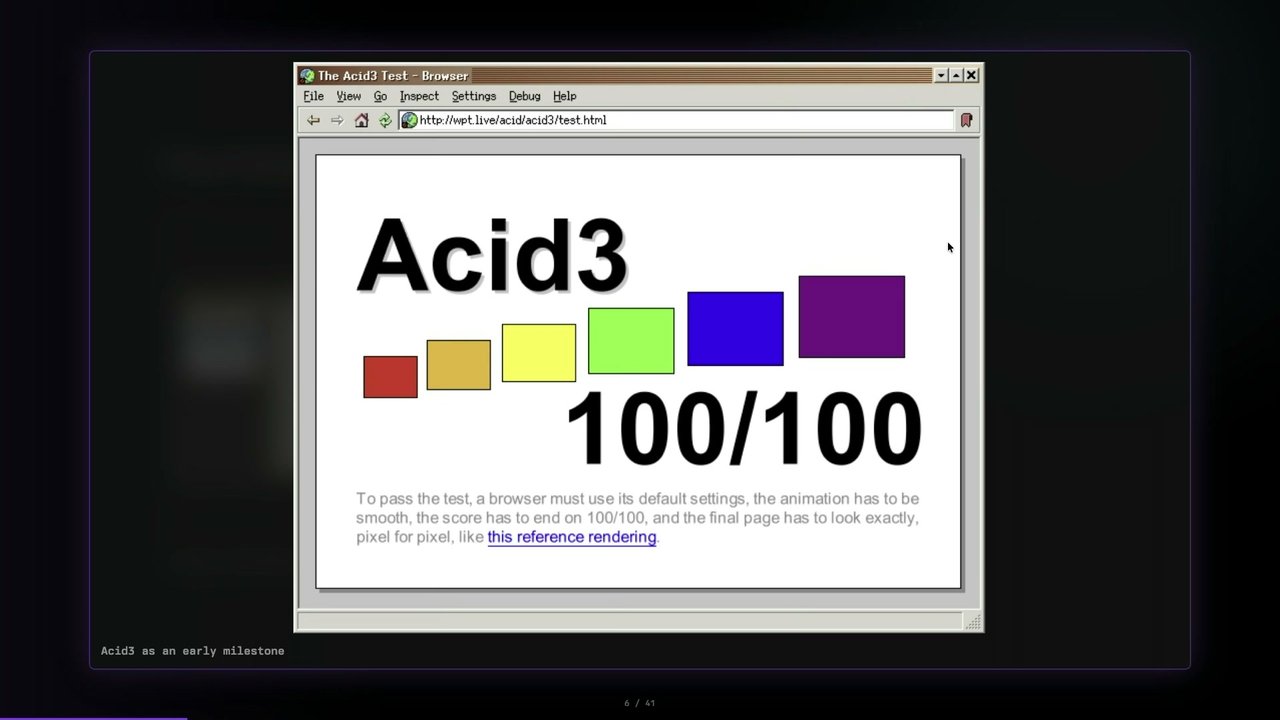
And around this time, people started noticing that, wait, are we building a new browser? Is this actually something that you can do? Mind you, this is before AI came around and people were able to just prompt browsers into existence. This was amazing to us and to a lot of people as well. So at some point, we got asset three compliance, 100%, 100 points out of 100.
And it was not long after that that we considered, well, maybe we should take this browser outside the OS and make it standalone. As you can see, it was still called browser at this point. The operating system was pretty simple. Everything had a very clear name. We pulled it out. We called it Ladybird.
And we continued working on Ladybird. And where we are right now So these are two graphs that I pulled up yesterday. This is the web platform test suite. Who of you is familiar with WPT? Quite some hands go up. So for the people who are not familiar with that, the web platform test suite is basically this humongous test suite of both regression tests and unit tests of all kinds of web features.
So CSS, DOM, all the extensions that are out there, or rather the specs, the web specs. There are over 2,000,000 tests in there, and all the browsers run them, and you get a score. And what we do is we track that score. And at this point, we're about 70 ks tests behind on Firefox.
And for some weird reason, we're 30 ks tests in front of Safari right now, meaning that according to this huge test suite that people all over the world have built in order to test interoperability between browsers, we are doing pretty well. Servo and Flow are out there as well, and I'm very happy to have noticed the last two years that especially Servo has ramped up the development speed and working on getting the WPT score up as well. But these are all synthetic tests.
This is an example. This is test two sixty two. This is JavaScript or ECMA two sixty two test suite that exposes how much of the standards you implement correctly when running a JavaScript engine. I did mention that we wrote everything from scratch. So JavaScript as well, of course. We wrote a new JavaScript engine. It's called Lipsch. It's the red one over there.
Currently, we're in front of the stock V eight that comes out with Chromium. We're behind on the experimental Spider Monkey and V eight and behind on the regular Spider Monkey. We used to be the number one and then a number of new features came out. A couple of specs were stage forth and then at that point, we needed to catch up.
And that's cool because we love catching up to the big browsers and doing our thing and proving that we can do this. But again, this is very synthetic because what good is having Libya a JavaScript engine if it isn't able to run the real web? So about that. What you're currently looking at is, in fact, Lady Bird. There we go.
So this slide deck was built not specifically for Lady Bird. It's just a regular slide deck. It works in all browsers. And it does work in Lady Bird. But I can go to CSS Day, for example. Let's take a look at that. And there we go. Let's see if we can find ourselves. There we go. So this is Lady Bird.
It's an actual browser. It works. Are we bug free? Absolutely not. Are we feature complete? No, sir. We're not. And that's Okay because what we're currently doing is ramping up for alpha release this year, and we need to be at the spot that we can actually render most websites correctly.
The websites that you and I use on a daily basis, that needs to work. But do we have bugs? Yes, we do. And that's the fun thing. This is a new browser. We're going to need to solve all these issues, and that's Okay. That's what we like doing. So let's dive into the CSS part of this, because what we have with Lady Bird is a set of cooperating processes that interact through an IPC. Basically, we have the sandbox processes that just have a protocol to talk to each other.
And we do that because we want to separate some sensitive things like image decoding or the scripts that run-in the background or the network requests that we do into a separate part of memory that we can protect and doesn't have access to all the things that your browser UI has. But in the middle there is web content, and web content is this huge library where we make sure or it's a process running on libweb that contains all these things like the entire DOM parsing, CSS parsing, etcetera. Inside of libweb or web content, we have these moving parts to make your website work.
We have the DOM tree. We need to be able to parse that, to construct that, to be efficient in querying everything that is inside the DOM tree. You can imagine we have all these spec authors that do things like, oh, you know, if somewhere in the dump tree this element lives, great. Now we need to have a map of all elements, or do we not do that?
That's a huge part. And then we have the CSS parsing and style computer, which are respectively the parsing of the style sheets and the things that look at the DOM tree and the rule sets that you have and combine that into the actual values that you see on screen eventually. We have a layout engine to make sure that all your flex and grids and tables are working correctly.
We have painting, which is separate for us from compositing, where we basically turn the entire layout tree into something that we can paint on an arbitrary service. We have the JavaScript engine, of course, that needs to be able to interact with all the things that happen with CSS styling elements. And then we have all these parts dictated, supported by other browsers in web specs and stuff like IndexedDB, the editing spec.
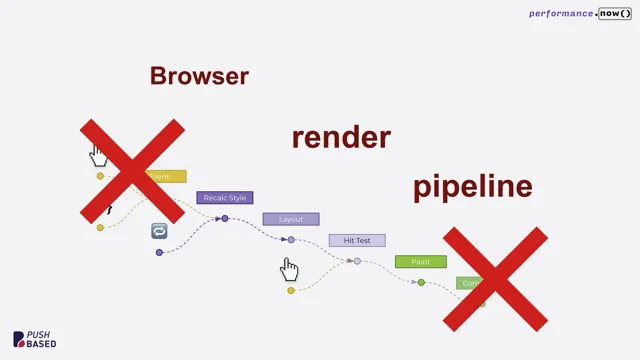
Those are all things that we need to support. This is huge. And CSS is just a part of that. And that's huge as well. So the pipeline looks a bit like this going from top left to bottom right. We fetch all the resources that we need to build up the dump tree to understand which resources are out there.
With CSS, you have links that you couldn't put in HTML. Those can be added dynamically using JavaScript as well. They could be conditional. You could have at import rules. There are all these ways that styles can come into your page. And we need to parse everything. So we have these processes dedicated to parsing all the HTML, CSS, JavaScript. Then we need to go into styling.
We need to go into layout. Again, the paintable tree gets turned into a sort of a display list, And the display list is basically this long list of commands that tell us how to draw a page or a piece of that page. And then the compositor takes a display list and does things like efficient overlaying, using your GPU to render it efficiently.
If you are scrolling, we don't need to paint everything again. We just need to move the right layers and we need to take all the styling into account. So what does CSS say about how to deal with properties and their values? There are a couple of stages that are involved. So I'd I'd like to take the width 50% as an example just to see what happens with that.
There are six value stages or value processing stage that are defined. Declared, cascaded, specified, computed, used, and actual values. I'm very certain that almost all of you have heard of these terms before, at least one of them. I think at least cascading should ring a bell, computed probably as well, depending on whether you're in the working group for CSS spec.
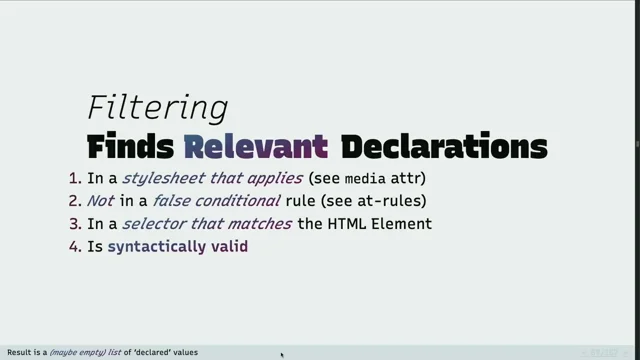
You probably know this by heart. But we start off with having the actual text for the style, and we need to be able to understand what that is. Is that a valid declaration? This means we need to be able to parse it. We need to be able to understand what is written. So which property is this?
Is this a shorthand or a longhand property? What is to the right of the colon? Is this something that can potentially match something? If anything is invalid in that regard, we refuse it and we log something to the console and we're done. But if it's valid, it goes to the next stage. But for these declarations, what we do in Lady Bird is we actually have this huge JSON file with all the CSS properties defined.
And this is a relative simple one, but what you can already see is that we need to put in some behavioral things in there to automatically deal with the properties that come along with something like with. How this works is that we take this JSON file and we have a number of Python code generators that generate all the code for us that we need to support the width property, for example. And we can do fun things like copy in the infinity symbol and it will work.
It will understand what it does, taking into account all the limits that exist for CSS numbers, for example. You can specify identifiers, but there's also a couple of interesting things in there that we need to do things efficiently or correctly. So for example, the needs layout for GetComputerStyle below there, that of course is a hint to what do we need to do with the style in order to give a value back in GetComputerStyle.
Some styles we can just return without doing any layout. That means we can do it very efficiently. For width, we do need a layout. So there you go. And then you end up with something that looks like this. You have these properties and values. So for example, I can switch to width, which will accept the two EM right there.
But I can put in something like Rebecca Purple. And that should probably not work. It gets rejected. So the mechanism behind this is a JavaScript API that essentially runs a part of our CSS password and validation logic that looks up the property name.
It tries to pass the value that you put in. And if that works, Okay, great, we return true. And otherwise, we return false. When we have found all the valid declarations, we have another stages that cascading, basically taking all the rules into account in order and making sure that we understand which one wins.
And to do so, there's a number of things that come into play, like selective specificity, changing the amount of things that you type in a rule apparently determines if something a rule can get selected. But the order is also very important because if you put things with the same specificity later in the style sheet, it will get priority. And of course, you can force it with important, which I believe a lot of you use.
These are all things that have an effect on the cascading logic, the cascading stage. This is a piece of code that comes from Lady Bird, where we look at all the context and the matching rule sets that we found, and then we run over all the author rules. We do this in forwards and backwards ordering in order to get priority straight.
And of course, we also need to take into account the user and user agent style sheets because those exist as well, even though a lot of people tend to reset them for some reason. Then when we go to the specified values, this is a very simple stage, really, where we consider all the declared values in cascading order, and we take a look at whether or not they were set. And if they were not set, we need to revert back to their initial value.
Fun thing, and this will pop up, everything that we do has to take animations into account. So when you look through a style computer, for example, you'll see these computer properties with animations applied, no or yes, enum values being passed in, just to make sure that we do the right thing at the right stage, because animations mess up everything.
And of course, we can influence the specified value with certain CSS keywords, like inherit, initial, unset, revert, revert layer. This is a directive that you can use to basically halt the engine at that point to say, no, we're not going to deal with the initial value or the actual value that you're seeing right there. We're going to take something else, and you need to go up the cascading tree.
For us, this means in Lady Bird, we need to be aware of everything we do up until the point where we decide what that specified value is. Because if we forget about the cascading order, if we forget about whether something was valid or not, which style sheet it came from even, we might be unable to honor some of these words.
Then the next stage is computed. Computed values are basically the same CSS values, but we try to resolve anything that we can at that point. We don't have a layout yet. We haven't put the boxes in all the right places. But what we can do at that point is look at, Okay, so maybe we have this EM in there and a constant, two pixels.
We are able to resolve that without doing anything in terms of layout. So we don't need to spin up our layout engine just yet. We can just take a look at the rule. And we can simplify that because we know what this value is going to be. And that tends to look a little bit like this. We absolutize the value, make sure that there's as few variables in there as possible, and then try to compute the value based on the context, where it's coming from.
And this is a very large part of a lot of difficulties that we've had with implementing CSS from scratch is understanding which context does a value come from. Depending on whether you use If, for example, you use a percentage and you use this in the context of a length, a box size, that should result in pixels.
But if you use it in the context of a scalar value, that should result in the scalar value. And then things tend to get very interesting when you can have either lengths or percentages in the value, and it all becomes a mess. Please join me in browser development. It's a lot of fun. So for example, this is a continuation of the last slide of where you can modify something.
For example, this slider modifies the font size of this box and there's this rule, the border left with, that is scaled based on that font size. And every time I drag this little slider, what Lady Bird needs to do is to understand, oh, wait, we changed something and this was a dependency for this rule.
So we need to invalidate these styles and do the whole thing again. We need to layout again. We need to run the display list again. You can imagine that if you have a big website and you plop in a widget like this, you don't want to deal with complete style invalidation across your entire page. If your browser needs to recalculate all your styles, all the layout, all the display commands again, all the compositing layers, that will be awful. So honestly, a large part of what we've been doing with CSS and with rendering is making sure we can invalidate efficiently, and we understand what parts to draw again and which ones we don't necessarily need to do again.
Because the best optimization will be the work that you never do. And then we get into use values. So use values come after computed. Why? This is the part where we have run the layout engine. We now have enough information based on all the computed styles that we can do a preliminary pass of all the layouts that is on the page. And this gives us interesting information because when we have a style like with 50, well, we have to have this containing block in which the element resides and then we need to know what the dimensions of this containing block are.
And once we know that, once we have run the layout for that block, we can then infer the actual pixels that we could fill in for that width value. So the use value is basically transformed at that point into actual pixels. So for example, if I scale down this container, and I have this element in here with width 50, this is the point where the use value actually comes in.
And you can see here, the use value for a width of 50% would be two fifty three. For example, when I put the container at five zero six, just a random value, but I hope it drives home the point. So then there's the concept of an actual value.
And this is where we do all the stuff that matters to get things on your screen. Basically, if you have a high DPI screen, for example, you have 2x or 3x display, every CSS pixel that we've talked about so far will be multiplied by two or three. And that is a actual value.
That's the actual value that we'll be using to instruct the compositor, the display engine, to do the right things and turn the styles into the right pixels. We also need to do some rounding, not only because the spec dictates it or because someone likes it. It's also because some browsers just do random rounding sometimes.
Someone decided that that's the way it should be done, so we need to do it as well. And that changes the actual value. And substitutions come into play, other constraints. Everything that ends up all the way at the end, and that's basically, in some cases, the value that you would like to see, That's the actual value.
And then getComputerStyle comes in. GetComputerStyle is awesome. It's like a relic. Why? Because depending on which property you provide as an argument to getComputerStyle, you'll get either the computed value or the used value. This is just historical.
It sucks. But for example, if you have a width and you're like, Okay, let me do get computer style on the width, the browser will happily tell you, this is 200 pixels. Great. Done. And then you're like, Okay, so now I'd like to know the actual line height. And the browser tells you, oh, fine. Here you go. It's normal.
What happened? This is a relic. There are better APIs out there, luckily, but this is something that we need to support. So we have to think about which properties we need to pull from which buckets of the value processing pipeline. And here you can see that in action. So this is a piece of code that GetComputerStyle uses, where we determine whether or not we need to actually do a layout pass.
This is also something that's very interesting. We have JavaScript that can run-in parallel to rendering the page. And that means that maybe we haven't run layout yet at that point. So if someone requests the computer style for an element for a certain property, we might not have run layout yet and we would either crash or give back an invalid or intermediate value.
So we need to understand which ones actually need to layout and do the layout and make sure that the styles are up to date. And then it's very easy. We can just do style value for computer property and return that value. So how does this look like for width? Just to give a summary. At the top, we start off with the style sheets input.
We go to declared, which is, okay, this is a valid width value. Then with cascading, we determine which declaration ends up being the winner. Then with specified values, we decide is this an actual specified value or do we need to revert to something else, like the initial value. With computed, we try to resolve things as far as possible. So for 50% with width, we cannot yet resolve anything because we don't have a layout.
We go into the used part where we do have a layout, and now we can determine the actual pixels, the CSS pixels. For example, if you have a six forty px container, that results in a three twenty px width. And then with actual values, we do some adjustments. For example, if I were to display this on my screen right here, I would get six forty again because that three twenty gets multiplied by two. And there we go.
But you can also do things like this. We could have layers. And we could do things like revert layer. So what happens right now is we have this declaration of the style sheet with layers. We do a padding left with a calc with a percentage in there, and we use a variable because why not? Let's make the life of browser developers easier, and said nobody.
So we go into the declared stage. We tend to check which one wins are valid, I'm sorry. We have the cascading where we decide, Okay, we end up with the revert layer keywords. Sure. Then we go into specified where we actually do that rollback to the right value, and we end up with the calc.
Then into the computed parts, we can determine what that gap is because we've defined the gap variable as a EM value. That means we can look at the font size. We do the calculation. We cannot do the calculation just yet because we have a percentage in there. We go into the layout stage where we can calculate use values. We take the 50%, change that into actual pixels.
We can do the calculation. Amazing. And then we do the actual stage where we map things to the device, and we end up with the actual value that we can use for drawing. Mind you, this is all things that we have to do just for CSS. So again, just a quick summary of things that could happen. We have layout dependent things.
We can have fun metrics come in play. We have things like current color that can actually look at other properties. Oh dear. So now we need to take that into account as well. We can't just pass things from top to bottom. We actually need to have proper stages. We can't cut corners here. And of course, with variables, we need cascading substitution.
Sometimes we can't do that, and we need to wait for the right moment to be able to do the substitutions. And then with Custom Properties, yes, as I said, we really need to wait to the point where we know the actual value because the variable can be anything. Again, we need to substitute that and recursively do these iterations of all values until we understand what the actual value is going to be. And then we also need to do this efficiently because it's not enough to be able to do all that.
You also need to not crash the machine that the user is running the browser on. So just a couple of weeks ago, a random X page, for example, would take us 1.5 gigs. Nowadays, we brought that back to a couple of 100 megabytes. Most of that had to do with styling and style and validation and how we store things.
And we do a couple of things in Lady Bird that try to do things more efficiently in terms of memory. So we need to have the authored styles, of course. We pass all things like the user agent and user styles, then we get the authored styles, the things that websites actually send to us. And we need to have those in their original version because at any point, we need to be able to look at them again. They can be changed, and we want to do that efficiently, so we need to have those.
Then during a couple of stages like cascading, we try to do things as sparse as possible. So the thing with dense and sparse maps is when you do things sparsely, you tend to save a lot of memory. But you tend to exchange that for performance because you need to know what is in there and how to find it efficiently.
And maybe you need to do hashing. And then with dense maps, you tend to use more memory, but it's usually very quick because you can index directly to the right property. So after a lot of performance benchmarks that we've run, we found that during cascading, we need the sparse map. Computer styles, we go into a dense map where we increase memory usage, but we need this because we need to go into layout.
Layout needs to be able to very quickly get those values. And when we get to the layout stage, we don't actually store those used values as such. They tend to end up in the layout tree that we have. So as much as possible, we store things associated with layout tree, So we no longer are working with all the individual properties, but we try to map things to our world as browser web developers.
And that works incredibly well. And eventually, with custom properties, properties are a pain in the ass because they can be inherited, they can overlap. So what we do there is to have a bit of a copy on write system where we tend to add new properties as we see them and we keep this chain of different lists of custom properties that are defined in the auto style sheet and try to traverse that. This is probably something that we still need to optimize a lot.
So for example, there's a piece of code that goes into one of the optimization that we have for a dense map of long end properties, where we just define this array with all the long end properties that we know of. All the short end properties get mapped into these long end properties, and then we do things like having bitmaps, like just toggling single bits to understand which properties we've set or not.
And font size. Font size is amazing. Did you know font size can time travel? This is one very fun bug that at some point we had at Lady Bird that we discovered that basically what happens is you can define font size going all the way to the roots and then nest that with some elements.
If somewhere in your page you decide to use font family monospace, we then need to go back into all those processing stages and change the sizes. Because once you use font family monospace very deeply in the dump tree or in a layer somewhere, it doesn't matter, we now need to go back and change the usual inheritance to different values because monospace apparently requires a default of 13 pixels instead of 16 pixels. It's amazing.
So now we need to have all these pieces of code that deal with that as well. It's so much fun. A short mapping of what we do in Ladybirth for all these stages. So for declared values, have the the parser declaration, or basically the parser that creates parser declarations and style properties.
We have cascaded properties. We have a style computer for the specified properties. So this is where a lot of work happens to the style values in order to resolve them, to absolutize them. And when we move to computer properties, we have this immense part of logic where we need to resolve try to resolve at least functions and their intended values, the types of values being used.
Then once we have the initial layout passes done, we can go to Use Values, and this is where our layout engine comes in and interacts with the styles the most. And then finally, we push all of that data to our painting. So there's an example of how that looks like for the style computer. So even though we're not dealing with device pixels just yet, even our specified values need to be aware of device pixels per CSS pixel, as you can see right here.
And not only that, we also need to understand, is this being animated or not? Because that all messes with your cascading, with the inheritance of other values. If you try to think about what happens with animations and how different properties inherit those values and deal with that, and what you can and cannot use in calculations, that becomes a very big mess as a CSS author.
It becomes an even bigger mess if you try to support that. And then you have things like container queries. Amazing. So now the CSS people have thought of something that we can do to query parts of the layout and let that result in new styles that we need to push back into the top of the entire value processing pipeline.
Amazing. I love it. So yeah, if you have a style like this, you can just say, well, if this thing, this container has the right container type and it has an in life size larger than 40 RAM, let's just do this title class and change the font size. Oh, I love This could only get better if instead of font size it would say font family.
So yeah, that's also something that we need to do and we need to recursively look at these container queries and match them, make sure that they're valid, that they're satisfying all requirements. And if they do, we need to evaluate all the styles that are in there and then push them back in. Amazing. So as a concluding takeaway, I hope I've been able to show you that a lot of work not only goes into writing a CSS in the front end, but also it takes a lot of work to understand how to interpret it, how to push it through the entire pipeline, how to deal with functions, with recursive things that happen in those pipelines. And that is not as easy as just defining PX in your style sheet, and you get PX out.
There are so many things that can happen. And I'm really glad that my experimental browser didn't crash today. So that's a good thing. And thank you very much.
Jella, you win the competition for the most questions asked by the audience.
Amazing.
Let's Come sit do on the chair of interrogation and feel free to munch on a flower if Lovely. You're So there are literally loads of questions. I'm going to try and synthesize them the best I can. Why why? What problem were you trying to solve by making a brand new browser engine?
So originally we weren't solving a problem. We were doing what we like to do, and that is program. We were just coding along. We were enjoying ourselves. And we wanted to see how far we could get in showing the real web in a brand new web browser. And when funding came in for Lady Bird, when we decided to create a nonprofit, we noticed that not only was it a lot of fun for us, it was also a lot of fun for a lot of other people that were either very excited about having a more diverse web ecosystem, as I said, this is like This is the new Firefox, the new Chrome.
This has potential. There were also a lot of people concerned with privacy, with the fact that, well, I think Google is the best example of a very fast browser, a very huge browser that supports a lot of things. But it has become a bit of a monopoly. And people try to change that.
They want to try out new browsers, and they are excited by anything that isn't based in something that Google does, even though Google has, I think, objectively been one of the most driving forces behind all the new web specs. So that's, I think, the two things that I see the most.
It's we do our thing because we like doing what we do. And because a lot of other people are excited by the more diverse web ecosystem. And people really want something else than what's already out there.
Other monopolies are available, by the way, folks. It's not only Google.
Absolutely. Are they sponsoring this?
No. Is it all open source?
Yes. Everything that we do is open source. We recently changed our contribution model just last week. This had to do with the decreasing cost of AI, and the fact that we were getting security advisories for very subtle parts of the browser, which is amazing.
I love it when people do that. But we considered the fact that we were spending most of our time reviewing tens of thousands of lines of codes from people that we don't know that could easily slip in anything. So we're basically more of a source available browser at the moment. And I won't say that we're never going back to the open contribution model. But at this point, yeah, we're open source, source available.
So somebody couldn't take it and fork it?
Absolutely, they can. People have done so before. And I would love that.
But you're not necessarily accepting contributions from outside?
Not in code at the moment. No.
No. That's great. Jake Archibald of this parish asks, are your audio, video, and image decoders all written from scratch as well? Or do you use the existing libraries that are out there?
Yeah. So we had to draw a line somewhere. So originally, we wrote everything from scratch. We had a VP8, VP9 decoders written from scratch. Amazing. That tends to be not a lot of fun when you actually want to build a working web browser. So what we decided on with Lady Bird is that everything that is grounded in a web spec, we try to write from scratch.
And I think for the larger parts, minus maybe the PNG spec, we've done so. So for things like audio and video, we use FFmpeg, LibAV codec, LibAV format, things like that. Trio?
Life's too short to be writing VPA decoders.
We might be able to do that at one point. But at this time, I don't think it's that efficient to start writing something like FFmpeg again.
Got it. Got it. You mentioned efficiency. You've got to be able to do all of that computation, but you've got to do it fast enough that people can actually use the browser. Do you have any frame per second targets? What's your optimization strategy like?
I guess the best target would be the native refresh rate of the device, of course. So if you have a 120 FPS display, then we should be able to do that. And the way that we try to do that is to separate out all the things that we can do in parallel. So this is what all the major browsers do, by the way.
But for example, if you're scrolling, you should not have hiccups in your scrolling because a style needs updating, or a box is being moved. The scrolling is just in parallel. We move that smoothly across your screen. And then everything that happens in terms of updates, we try to do as fast as possible. And one of the major bottlenecks for us has been JavaScript and Wasm. We've been optimizing that, of course.
But one thing we'd rather not do is have a JIT JavaScript engine. We don't do that yet. We did have it before, and we threw it out. Because once you start to compile JavaScript to native instructions, you tend to open up the system for all kinds of vulnerabilities. So for now, we've gone for basically the Apple lockdown mode, where we would just have the non JIT JavaScript version, and try to optimize that as much as possible that you, as an end user, will not notice any performance penalty.
On the subject of performance and things that people in this room, like developers, are interested in, are there, or will there be, DevTools for Lady Bird?
Currently, we implemented the Firefox DevTools protocol. So you can just take Firefox and go to About Debugging, and just connect to Lady Bird. And it will just show you the entire DOM tree, the elements, styles, all that stuff. We haven't implemented everything from the protocol yet, but we're getting there very quickly. We used to have our own DevTools, because of course, we implemented everything from scratch originally.
And we threw that out as well for now, because we weren't feeling that building the entirety of a DevTools that is useful to people got into the way of actually building the browser. So that's the current goal. I'm very excited for the new DevTools protocol specs that might help us to, in the future, maybe connect to any DevTools out there.
Wicked. I'm aware, by the way, that I'm not acknowledging who answered the questions. That's not because I'm being rude. It's just I'm trying to amalgamate them to get through as many as possible. When will we get a Ladybird alpha release? And related, is Ladybird the engine, or is Ladybird going to be a browser that contains a Ladybird engine?
When can we get our hands on it, really?
Right. So what we're building is Ladybird the browser, which is the Chrome, the thing you see on your screen, together with the web view, which is libweb view with web content, and all the stuff that we do to render things on your screen. And that entirety is something that we call the Ladybird browser. That's Ladybird. And if you want to give the internal engine the name, it's currently called Libweb.
It's a name. But this year is the year that we're coming out with the alpha version. I suppose that's going to be Q3, maybe early Q4, where we will put out binaries for macOS and Linux initially. And we'll move to a beta and production ready releases in the next two years.
Woody asks, like Firebird to Firefox, will you eventually rename to Ladyfox?
Maybe, I don't know. Yeah, it's a good suggestion. But no, I think for the time being, it's Ladybird.
Gotcha. On the subject of names, and libweb is a good name but quite boring, Bruce is a really good name, I think, for a rendering engine. The Bruce The Brewster. The Brewster, yes.
There we go.
Make it happen. What do you do what was the most interesting CSS bug that you found, as in it was inadequately spec'd or was hardest to actually implement?
Oh, that's a hard question.
Because it's all of them, right?
Yeah. It's all of them and none of them at the same time. I have to think hard about this because we did so many things. We found so many bugs. I couldn't, off the top of my mind, say which one was the hardest. Basically, we do is we tend to implement spec to a point where you say, Okay, so now we follow these rules.
Amazing. And then you discover that they don't work, and we need to talk to spec authors, and we need to look at browsers, what they do. And then you discover that, oh, so it's not just us. Also, Chrome and Firefox disagree on what this property should do. And that has happened for a lot of properties. And these change over time as well, of course, because browsers don't stand still. They keep developing.
I think for me, the most interesting bugs have been in CSS transformations. So to truly understand how to do proper perspective transformations, how all these values that go into it resolve to the right type, to understand how we need to modify our metadata to automatically generate code that deals with that as well. That's been a mess.
How much do you wish that the CSS working group would just like take a bit of a break and just stop influencing new stuff? I noticed you looking at Josh on the boat yesterday, I wondered if you could push him over overboard or something, just to slow down the pace of change.
No, I really like it because we need new specs. And I think we are getting into a spot where we can push back more. Where we can be one of the first that implements a new spec, even if it's just in a very draft status. And at that point, we might be able to point out all the difficulties that come along with it.
Historically, this has always been done by the larger browser vendors. And I hope that at one point we get a seat at the table.
So you're okay, Josh. You're not going to be mown down by a guy on a bicycle in the streets anytime soon. Last question. Why is the company US based? Wouldn't all the changes in the world make it good to have another European browser engine?
So I agree. We basically could be found anywhere. But the donation and sponsorship model works amazingly well over there. And originally, we started with a board founded by my colleague Andreas Kling and Chris Wanstrath. And Chris is one of the founders of GitHub.
I've heard of that.
Yeah. And he brought a lot of experience with him in terms of setting up the organization, nonprofit, bringing us into contact with both donors, with the companies that help us with legal and risk, with accountancy, all those things. So we've set that up. But as I said, we don't have anyone in California.
We could just as well have a company, a nonprofit over in Switzerland. Doesn't matter. So it doesn't matter where we're seated, because every country, every state has its own legal framework. And what we try to do is we want to do what we like doing. And as soon as we're hindered by changes in that legal framework, or by public perception of that legal framework, we could just pick up our things and go sit in another country.
I tend to not look as much at country where companies are founded in. I tend to look at what are the people doing and what's their intention.
Gotcha. If I didn't ask your question, I'm terribly sorry. There were absolutely loads. But I'm sure that you could pounce on Jela in in the break or something and and ask him. Give it up, folks, Jela Reimarkus. Amazing.
People
- Andreas Kling
- Chris Wanstrath
- Jake Archibald
Technologies & Tools
- Apple Lockdown Mode
- Blink
- C++
- FFmpeg
- Gecko
- LibJS
- Rust
- SerenityOS
- Servo
- SpiderMonkey
- V8
- WebAssembly
- WebKit
Standards & Specs
- CSS Animations
- CSS Cascade Layers
- CSS Container Queries
- CSS Custom Properties
- CSS Transforms
- DOM
- Firefox DevTools protocol
- getComputedStyle
- IndexedDB
- Test262
- VP8
- VP9
- Web Platform Tests
Concepts & Methods
- Copy-on-write
- CSS Specificity
- JIT compilation
Organisations & Products
- Chromium
- Firebird
- Firefox
- GitHub
- Igalia
- Mozilla