Empowering Code Quality, Testing, and Security with Generative AI
Developer Sentiment and the Speaker's Journey with AI
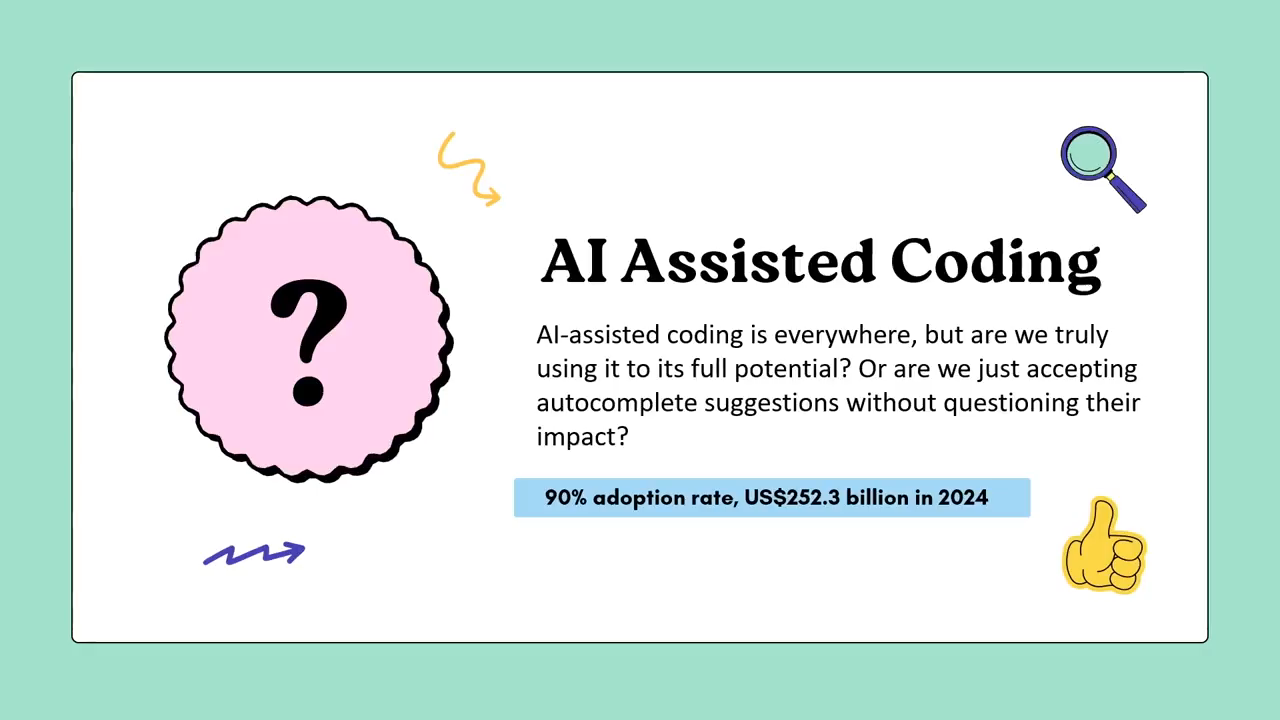
The speaker returns to the conference after several years and frames the talk around the mixed sentiment developers hold toward AI — enthusiasm, fear, and skepticism. He argues that software engineering fundamentals are a prerequisite for using AI effectively, drawing on his own experience being pushed to adopt and teach AI-assisted development at Microsoft, and notes that deeper engagement with the tools yields dramatically better results over time.
Misconceptions About AI Coding Tools and the Real Business Driver
The speaker challenges the common misconception that AI tools like GitHub Copilot are little more than typing accelerators, noting that most developers only use surface-level features such as basic code generation or refactoring prompts. He addresses job-security fears candidly, explaining that organisations push AI adoption primarily for cost and productivity gains, while individual developers benefit through skill development. The speaker also introduces the session format — conceptual points followed by live demos using the free tier of GitHub Copilot inside VS Code.
Defining Code Quality and the Brownfield Codebase Problem
The speaker defines high-quality code across four dimensions: clarity, efficiency, maintainability, and adherence to best practices including security and architecture. He explains how the reality of large, multi-contributor codebases — with inconsistent formatting, code duplication, and varying complexity levels across developer experience levels — inevitably produces hard-to-maintain brownfield codebases, setting the stage for how AI tools can address these chronic quality problems.
Live Demo: Refactoring and Simplifying Functions with Agent Mode
The speaker demonstrates GitHub Copilot's agent mode in VS Code by refactoring a membership-based pricing function and simplifying a complex order-processing function, showing how AI produces more readable, less convoluted results. He explains how opening a file automatically adds it as context in the agent dialogue, and notes that the choice of simpler native functions involves a readability trade-off that depends on team seniority and agreed standards.
Live Demo: Generating Tests and the Role of Prompt Engineering
The speaker generates tests for a React counter component using a prompt that explicitly requests edge case coverage, demonstrating that output quality scales directly with prompt specificity — an introduction to prompt engineering. He stresses that AI-generated tests must always be verified before use, and explains that for greenfield projects the model can also scaffold the entire testing infrastructure, not just the test cases themselves.
Limitations, Best Practices, and Using AI for Documentation and PRs
The speaker outlines practical guidelines for sustainable AI use: always validate output, let the context window grow across a session for progressively better results, avoid over-relying on the tools, and treat them as assistants rather than replacements. He shares his personal workflow of using AI to generate human-readable PR descriptions, and introduces MCP servers as a mechanism to automate documentation into tools like Confluence — illustrating the broader agentic automation workflow available beyond code generation.
Live Demo: Refactoring a Deliberately Messy Bank Transaction Component
The speaker uses a deliberately unreadable bank transaction component — generated by AI itself as a demo artifact — to show how a single agent prompt asking to review, refactor, and generate tests transforms chaotic code into a structured, better-named result. He also introduces the technique of role-playing with AI models (for example, instructing the model to act as a senior React/TypeScript developer) as a practical way to improve output accuracy and relevance.
Playwright CodeGen vs. GenAI: Understanding the Context Gap
The speaker introduces Playwright's CodeGen tool, which records live browser interactions and produces end-to-end test scripts by inspecting DOM nodes in real time. He contrasts this with GenAI-written tests, which require explicit natural-language descriptions of user journeys when no codebase context is available, resulting in more back-and-forth to achieve the same outcome. A CodeGen-generated test for the Playwright documentation site runs successfully, establishing the comparison baseline.
Live Demo: Writing Playwright Tests with GenAI and Role-Based Locators
The speaker writes a Playwright test from scratch using GitHub Copilot, providing a detailed natural-language description of a multi-step user journey and explicitly requesting accessible role-based locators (getByRole) to mirror real user behaviour rather than brittle CSS selectors. The test times out on the external site — an expected result without DOM context — but a final demo shows that when a component's actual HTML is provided as context, the agent generates accurate, ready-to-run Playwright tests without any additional description needed.
Closing Recap, Hallucinations, Security Risks, and Responsible AI
The speaker recaps the session's demonstrations — refactoring, test generation, CI/CD pipeline optimisation, and documentation automation — all achievable with free tooling. He highlights two key limitations: hallucinations that produce plausible but incorrect or non-existent code, and security risks arising from models trained on publicly available rather than enterprise-grade codebases. He closes by reminding the audience that deploying AI in any product now requires explicit disclosure to customers as part of responsible AI obligations.
First of all, thank you. Thank you for joining. It's It's it's been a long time since I was in the productions code. I think the last one is 2019 or maybe 2020, maybe before that even. So good to be back. And of course, we had an excellent talk, bunch of excellent talks so far. So it's probably harder for me to top those up.
But let's see how we go. So today, we're going to talk about the usage of GenAI. I'm gonna step back a little bit. We'll go through the agenda shortly, but I'm gonna step back a little bit and just talk about what's the sentiment between developers at the moment around AI? Some are very encouraged by it.
Some are scared of it. Some are so so. They really don't believe in the hype and they think that it's not really that effective. So hopefully, by the end of this talk, you will be motivated to at least give it a shot and leverage some of the benefits that it brings to you. And by the way, I haven't got any premium licensing or anything.
I'm just using the Versus Code with the free GitHub Copilot for all the demos that we're gonna do today because this is gonna be replicable for you as well. So you can just follow along later on the track. So first thing first, a lot of people are actually doing this already. There are many names for it, wipe coding, I don't know, whatever. I don't believe in wipe coding.
I think it's just a hobby for non developers that want to get into development. But once you get into a point where you get passed by those sort of to do examples and you want to build something real, you realize that they can't really help you that much. So you get a reality check, and then you go and try to get some understanding of some of the concepts.
So unless you know software engineering concepts, you really can use AI effectively to write software or to develop, add features, whatever that's you're trying to do. So that's a fundamental difference between that vibe and the reality. Now I've been using this for a long time, not just as a hobby.
I had to. I was forced to use it when I was at Microsoft. And then I started to sort of grow into it. I had to teach people how to do it as well at some point. And then later on the track, I became super, super fascinated by some of the things that it can do for us, specifically after a while.
Like I'll show you some examples, I'll get into the time period where it gets really interesting for you after a few tries. It might not do you good, like, in the first few tries, but once you get into a rhythm, and again, that comes back to how much context you give to these AI assisted agents.
Yep. Copilot is an agent. So we're gonna talk about that. The better results you're gonna get. So let's go through some misconceptions first. Make sure we are on the same page. That sound good? So the first thing, it is just to speed up your typing speed. Like, if you wanna just type something, you just ask AI to type it for you, whether it's, like, writing a new line of code. And we've seen an example of sort.
Kerser was used earlier today, and you would see the suggestions that it would do for you once you get a sort of sense of what's going on. And it also understands the previous code that you've written. So if you write something, delete it up, it will basically just retype it for you. So sums up, but that's really not the case.
Few utilize the true nature of these sort of AI agent or AI assisted coding tools, such as core gate you know, core quality, gates, security, and so on. And they just leverage that basic coding capabilities that write new function for me, which does x or refactor this or simplify this formula, explain this particular code for me.
These are the most commonly used scenarios and features. And many will fear that if they go into that path or if they don't go into that path, depending on which company you work for at the moment, you might lose your job. Now I I don't deny this.
I don't confirm it. It's something that you have to figure out by yourself. Some companies are pushing really, really hard for it to get AI into their day to day jobs, whether you're in engineering, productivity, design, really doesn't matter. They're pushing for all the people in company to get into this, not because they really want people to get upskilled.
It's about money at the end the day. Right? It's about profits. The more you get into it, the more automation you do, the more task gets done in the shorter amount of time, they make more money. So it's not about you. It's about them. But you get benefit. You learn something. You become better engineer. You become better tester.
You become better designer. So there are a lot of benefits that comes from you interacting with these tools. So here's what we're to talk about today. And I'm going to have to be reminded of my time because I've been known to go way beyond my time frame. So we're going to talk about some really small points here and there, and then the rest is going to be demos.
I don't I haven't recorded any videos. That's me living a little bit dangerously. I'm not confident. Nothing goes wrong, but I hope that everything goes smoothly with the WiFi that we have here. So, first of all, what's code quality? What is the definition of a high quality code?
Let's be on the same page here. First of all, it should be clear what the coat does. It should be efficient at what it does. It should be maintainable. So if you left and somebody new came on, they should be able to pick you up where you left off. And, of course, it should follow best practices, not just from a coding perspective, but from many other aspects like security, architecture, design, etcetera, etcetera. So these are the definition of a really good quality code.
Now do we always have that? No. And this is true for many large organizations. Like in Microsoft, I've seen code bases that if you saw them, you would think that there are some bunch of graduates wrote that code. It's not really to do with the way the code was written. It's to do with how many hands were turned throughout the period of creation of that software, their backgrounds, their information, the way they got onboarded, etcetera.
So so there are a lot of factors that come into place when it comes to maintaining code, which inevitably leaves you with what we call the brownfield code bases, which is the nightmare. So what are the challenges that we face? Well, first of all, we get a lot of duplications here and there. Like, some people will just copy some piece of code, use it elsewhere because there's a, you know, a tiny bit of edge cases here and there.
They can't just reuse the same function, or they have to introduce dependencies or many, many other reasons that might result in that. Inconsistent formatting. Everybody here probably has their own preferences in terms of, like, how many taps, spaces, I don't know, using commas, using semicolons, whatever. There are a lot of other factors that come into place.
Every team has their own opinionated way of doing stuff. Many teams will have some standards or some documentation as to what is their preferences, but is that gonna be like enforced part of it maybe using linters and so on and so forth, but probably not all of it. And, of course, complexity. You get people who are super, super sharp.
They're smart. They're they really, really can write super complex code, and they think that that's the way they should write code. Versus you have, like, more junior developers or less experienced developers, we should say, that they write some code. It works, but it really is not that short.
It's longer. It works, but it's not that complex. So those people who write 10 lines of code, which is not readable for me or for you, but it does the job. They think that they they are the ones who basically get away with that. But it's not maintainable. It's not readable. Testing might be difficult, etcetera, etcetera.
So how can we use these tools to do stuff? Well, let's start with some really small demos. I'm just gonna bring this up into that screen now. It's gonna be hard for me to type here and look out here, but we'll see how we go.
Is that, large enough for you all up there? Do you want me to make it larger? Yes, please. Sure. Is that better? Alright. Cool. So I've got a bunch of files here. Now most of the time, you will work in a really, really complex code base. It's not just, you know, flat structure, but we'll get to that at the end.
Just bear with me for a few seconds. So let's start by maybe what do we do? Let's do refactoring first. So we have this function here. Let me just get rid of that. And this function here just gets a price, gets a membership status of some sort and just returns some sort of a price based on that. Now this code might be really good, but let's see if we can refactor this code.
So I'm just gonna go grab my prompt. Now, of course, I could write that, but just so we're lazy or don't have time, whichever you think is happening. And, let's see what it does. Now, I'm using the agent mode, in Versus Code. You can use the chat mode, use comments, or code completion.
It works as well. But, agent mode, found agent mode much, much better. So it says that, hey, here is how you revise your function. And of course, the function now looks much better. So you can use these kind of refactoring features fairly easily. First of all, It's much more readable now. It's less convoluted. The testing might be easier for you.
You might not even need testing at some points if this is like previously tested before, etcetera, etcetera. So that's really the the one of the benefits of that, notion. So simplifying code or if if the code is super complex or you don't understand the full context of the code, you can ask these agents, hey, go and review this code.
And and by the way, what I've used here is when I open a file here, it gets referenced as a context in my agent dialogue. And you can do it manually as well. You can just press. I believe there is a slash which can do that, and there's a hashtag which you can do it as well. So there are many, many other context that you can pass into your conversation to make it better if you feel like you're not getting the results you're expecting.
Now what else can we do? Well, let's go I don't know. Let's go here. So we have this function. It's a function which processes some sort of an order. And, I don't know. It does some stuff. I haven't really looked into it, but let's see what can we do about this one.
So we want to make this simpler and more testable. Right? There we go. So that is now equivalent to this function. Let me just get rid of this. And you can see that it's a little bit less convoluted.
Some people might argue that using these kind of native functions might make it less readable. That depends on the seniority of your team. So, it's really, again, preferences and matter of what your team decides in terms of using different types of functions or different functionalities that makes it less readable versus more readable or more testable and so on. But because we are talking about testing, let's actually do a really quick test here.
Let's say this is a super, super simple React component. It's just a counter. Seen many examples of it. I think this is probably used the one that talked about signal. So let's do something different here. I'm just gonna say generate some tests for this component and also make sure you cover edge cases.
Now as a software developer, what you find out throughout your interactions with these AI models is that the result you're getting directly is related to your language that you're talking to these AI models. So the more descriptive you become, the more skilled you become in what they call the prompt engineering, the more layer the the more you learn these techniques, you become better at getting better results from these AI models. So it generated some tests for me.
There we go. And I can run these tests. Some of them might fail, by the way. We've always mentioned as we reiterate this again, the result you're getting from AI, always, always double check. Do not trust it. Of course, it might look good, but you have to verify, verify, verify, and then use it.
So it's really good to get a head start, but you your verification is a key factor to this. So there we go. So we have some tests, and I can revise these tests. I can go through the same experience to make this better, but you can see how beneficial this is for me. I don't have to spend time.
By the way, if this was a new project, this was a green project, and I was the first one who was introducing these tests, I could have asked the model to walk me through step by steps instructions of adding all the plumbing to get this. Right? So this assumes that we already have just, for example, running. We have some sort of a library for our stations and so on, But you don't have to have that.
You can leverage these kind of models to get there as well. We'll come back to this in a in a sec. So limitations. First of all, I mentioned this before, validate, validate, validate. This is super, super important. Whether you're refactoring, simplifying, whether you're, I don't know, generating tests, even explanation of code can be mischieving or misleading.
You really need to go into the the habit of reiterating, verifying, and and making sure that the model understands your code and can suggest better results. If we keep going with this context window, if I don't create a new chat and I keep going with this after a while, gets much better because now it understands all the edge cases. It's got a history of all the interactions that I've had with the model.
So it does a much better job because the context grows throughout time and of course you get better results. But, you have to have that habit. Don't overdo it. Sometimes we get into a habit of just using it for everything. It doesn't work that way. You need to be able to distinguish between a real use for these versus something that you get into by just following along and becoming a hobby of some sort.
So we need to be practical. Of course, I can use these models to simplify a really complex function into something that has like few lines of code only, but is it is that really readable for my team member? If somebody is doing a PR review, would they understand what's happening? So these are the things that we need to make sure that we are having a balanced and pragmatic approach as well.
And one last thing, these are your assistant. They're not your replacement. Don't think that if you keep using this for doing your job faster, for getting your task done much, much sooner, at some point, your manager say, yeah. We don't need you anymore. Bye. It is really about the fact that how much comfortable you are working with this to deliver more impact for your organization.
Right? And that's, of course, understandable. So that's much better mindset in terms of working with this. So how do we use for testing? Well, there are many, many other factors out there. First of all, time consuming task can be simplified, can be super, super speedy now. We have the lack of full code coverage, so we can use this technique to increase our code coverage for our code base. I don't know.
There are some baselines. You might target, like, 80%, 90%, whatever. You can never reach, like, 100% unless your code base is small, but you can target something and improve it using these techniques. It also prevents miscommunication. So if I do a task using AI my that's my habit, by the way. If I do a task using AI and, you know, get something done, when I'm raising the PR, I ask it to document everything that I've done in a human readable format.
I use that as my PR description. I, of course, I verify it, but I use it as my PR description. It's make it super simple for my teammate to read what I've done through a description, and they go and try to understand the code. Right? So much better review. I get much better feedback, and it makes it much better for the entire team, not just me.
And, of course, lack of documentation. You can use this tool to document your code for you. It doesn't need to be comments, like, comments. That's the you know, that's something that I really, really avoid using. Inline comments on unless this is something that that's absolutely necessary. But you can generate documentation and keep it somewhere. It really depends on what you're using.
But, yeah, like, if you're using Confluence, you can leverage, an MCP server, which helps you document your code, creates a page in there for you, and that's the full automation workflow. That's the power that these AI agents bring to you. And then you can use that. You can use it with also different models. And the MCP server can you know, there are some MCP servers that are already out there, but you can write it yourself.
It's not complex. It's not something that it's out of this world. All you have to do is just know a little bit of API calls and just create your server and the security that comes with that. So with AI, we can overcome all of that. Let's go through some other demos and see some stuff in action as well. Where is my okay.
There we go. Alright. So let's do something different this time. Let's go here. This is a a sort of a, I don't know, a component which is supposed to handle bank transactions, but it's really messy. I've actually used AI to generate this for my demo.
So that's another thing that you could do cheat. Right? I've used it. I've used it, and I told it to create a super complex and unreadable code, and we're gonna go and simplify it now using the same to see what it does for its own code. So that's a bit of a trick. I cannot by the way, you can't get into, like, the full notion of defining or role playing with these models, by the way.
That's super helpful. I know it sounds, like, ridiculous for some people, but I've used it, and I've seen the differences that it makes. If I tell this, model, hey. You are a front end developer using React and TypeScript, and you follow best practices and whatnot, the result I'm getting is much more accurate, much more better compared to a generic prompt.
But, of course, we don't have too much time, so we're gonna simplify. I cannot read this code. Review and refactor it, then generate enough tests to cover all operations.
Alright. Let's see what it does. All right. So, first thing first, let's go back here. Now we have a file which has better naming conventions.
It's got a little bit more structure. It's got less convoluted bodies and so on and so forth. So that's good. It does some stuff. And then, let's go and have a look at the test that was generated for this one. So it imported our file. So the path is at least is good.
Generated some use cases, and I think that's decent enough. Alright? I can add more to this using AI as well, but really, all I care about at that point is that from nothing, I get to at least a 50% code coverage. That should be enough for me.
Right? Again, that depends on the time you have for doing your task, etcetera, etcetera. Now this doesn't need to be this simple. Let's do something interesting. I've got Playwright running here. Right? UI more disconnected. Okay. That's okay. Let's go and connect it again.
Give me a second. I'm doing some stuff under the hood. You can't see, but we'll get in front of you in a jiffy. Now, Playwright does have a tool called CodeGen. So you can use CodeGen. What it allows you to do is go and navigate a website or your application, and it records all the steps and basically gives you a script that you can run as a test for your end to end test, like an integration test.
Right? So this has been around for a while, and a lot of people use it, and does a really decent job. I wanted to see what is the difference between using CodeGen versus using GenAI for this. And I found some really really interesting stuff when it comes to that. So CodeGen just follows you. So whatever you do, it inspects the nodes.
For example, if you're clicking a button, it knows what's the text of that button. So it it's got awareness about the code base. When you are writing tests using JR, if you don't have that context, which I'll show you in a second, it's a little bit different. So you have to probably have a lot more back and forth to get the same thing up and running.
Right? And I promise, this is probably our last demo we could do in this amount of time. So here is the UI that we can run the test. Right? And let's do something first. I already have the test for the coach in here. Oh, you can see that.
That's a different window. My bad. So you have this test that's generated by CodeGen here. Right? It's a fairly basic test. It just opens up the developer documentation for Playwright, clicks on the search button, finds the search box, types something in it, finds the, you know, the page waits for it to load, and then, like, asserts that that attribute or that header should exist on that page.
As simple as that. And we're gonna compare that. Of course, that's gonna be running excellently. I don't know how much zooming I can do here, but, yeah, this is basically just opening up everything that I've told it to do in that test. And you can see that it's doing stuff, and there we go. So our test passes at the moment.
Alright. That was Codegem. Now we're going go and use our own agent to do that. So, let me open this file here, which is empty, and let's go through it. I have to write a little bit. So, write a play, write test for me, which oops, opens the I can't try today.
Opens the docs for me and opens the Playwright docs, then clicks on the search button. We can actually pass in some stuff.
The search button might have other texts inside. I'll show you why this really matters at this point. Then finds the search input rights at let's put this in attributes in the search box and finds the first link with that text, clicks on that, and asserts that there is a header with that text.
It's a mouthful, but I have to do this. Right? I've followed those steps with coaching because I went ahead and clicked here and there and so on. This doesn't know what's the context. Now given the fact that this is a completely random website, right, I have to follow these steps. If I were if if I had a component in my, code base, I didn't need to do this.
I'll show you another example with a different component in a second, but let's see what it does for us. Alright. So let's see. First of all, I don't like these kind of locators, so let's avoid that.
Avoid using regular locators, and use pyrole, etcetera, to follow. Why do we do this, by the way? For those of you who are into this. Because we want to follow user behavior.
The way users navigate their website is the way you should test. So, there we go. Much better. So we do get by role button, looking for a search, clicks on it, looks for a text box with the name search, fills it, finds a link with the attributes, finds the first one, clicks on it, and then verifies that exists in that page.
So it should be decent enough at this point, I think. Let's go and, over here. I'm going to paste this here. I'm going to go to our UI and hopefully, there we go. Let's run this. This might fail, but you're way ahead from nothing.
So you like, you might be able to I don't know. You might have to, for example, change the way it looks for stuff. Or if you can't find something, you can figure out why it can't find it and so on and so forth if you don't use CodeGen. But if this was inside your code base, you would have no problem because you already know all the attributes that you've assigned to your inputs and search boxes and buttons and so on and so forth.
So it's a much better story. There you go. It's gonna time out and fail, but that's a good example. Alright? So you can get ahead, but no context means more errors and so on. So we can fix this, but I'm gonna not spend time on that one. Instead, as our last demo, I think my time is up. Let's go here and, not this one.
Let's go this way. And we're gonna open another let's say, which one? I had a lot of other demos, but unfortunately what is this? There we go. So that's a good one because we've got some HTML here and so on. So I can ask it to write a few playwright tests for this module.
I don't need to describe anything. Just that. It already knows what this doing. It understands the context. It understands the HTML, the structure, the tight tags, everything that you assign to it, and so on. And it generates a few things for you. There we go. And that's it.
You also understand that if you're running, you're probably running on a local host URL, not the actual of the website. So with that, I'm just going to close it off. First of all, just a quick recap of what we discussed. We saw the impact that these can have on your day to day job as a developer, as a designer, as a tester, whatever you're doing, you probably can benefit from using these free available stuff.
I never paid for this before. For the GitHub Copilot, it's free. It's available. Even the HMO now is available in the free tier, so you can use it. If you have paid stuff, it's even better because you get more premium features. You get access to different models. You could use I was using the GPT for whatever is available.
You could use cloud. You could use, like, other models that might be better at coding tasks and so on. And of course, from a other aspects perspective, you could use this in your CRC pipeline, increase your pipeline performance, increase your test coverage there. You could actually leverage the AgenAI to understand your pipeline, increases the, or decreases the time that your pipeline runs, but getting rid of some repetitive task or using caching.
And I've seen the benefit of this, by the way, in actual GitHub Action pipelines. That's why I brought this up. So it doesn't have to always be code related. It could be infrastructure as code related. It could be any other thing. Right? And we're gonna skip that. Now there are some limitations that I've went through. There are some things that you need to be aware of.
Sometimes, hallucinations happen. So you generate some stuff that doesn't exist because it thinks that it's relevant. But when you go and run it, something fails, and you think, okay. I've missed something. No. Again, if you verify, you will probably avoid those situations. Security issues, the code that is being generated, it's being generated based off of the publicly available code.
It might not have the best security standard out there. Right? So it's all over, like, Stack Overflow and publicly available code bases. Microsoft or Google or Meta and so on and so forth, they didn't really allow these models to go and get trained on their code base. Otherwise, you would have a much better understanding and so on and so forth and use it wisely.
By the way, if you use AI in any product, you have to mention it to your customers. It's a mandate now. It's part of the responsible AI. Alright? And with that, I think I've gone through that, and this is really doesn't matter at the moment, and thank you for joining.
Technologies & Tools
- Claude
- GitHub Actions
- GitHub Copilot
- GPT-4
- MCP
- Playwright
- Playwright CodeGen
- React
- TypeScript
- VS Code
Concepts & Methods
- AI hallucinations
- Infrastructure as Code
- Prompt engineering
- Responsible AI
- Vibe coding
Organisations & Products
- Confluence
- Meta
- Microsoft
- Stack Overflow