Secure by Design: Integrating Security into Development
Why Front-End Engineers Must Own Security
The speaker opens by framing security as an inevitable responsibility for front-end and full-stack developers, sharing a personal journey from ignoring security to being handed penetration test results. The talk scope is defined: application security specifically, touching on design, coding practices, and AI, while acknowledging the broader security landscape from hardware to human factors.
The Current State of Cybersecurity and CVE Trends
The speaker introduces CVEs (Common Vulnerabilities and Exposures) and MITRE, explaining how major organisations like Google and Red Hat contribute to a shared vulnerability database. A 2025 graph shows recorded vulnerabilities are already matching 2021 levels by June, illustrating the accelerating scale of the problem and distinguishing between discovered, fixed, exploited, and zero-day vulnerabilities.
Secure by Design: Principles and International Frameworks
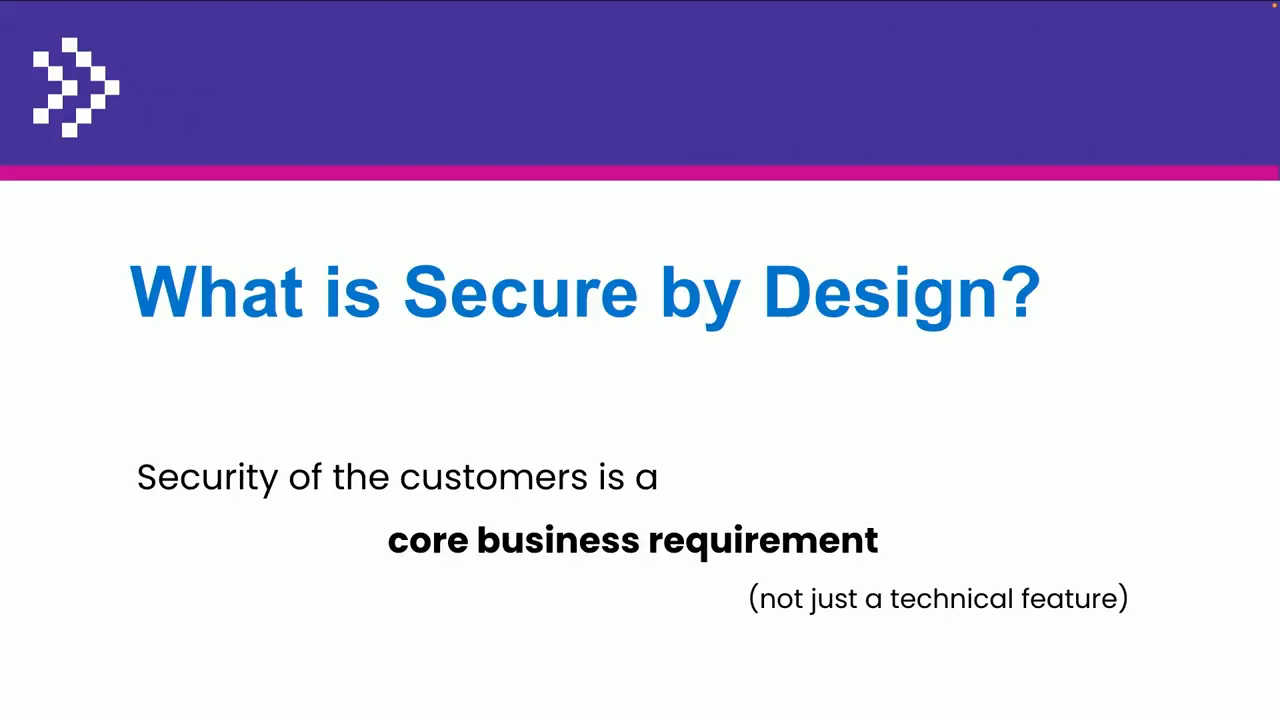
The speaker defines Secure by Design as embedding security as a core business requirement from the design phase, not as an afterthought. A 2023 joint initiative by CISA and 17 international partners including Australia established foundational principles: resilient products out of the box, secure defaults, and complexity that is never the user's burden. Practical tactics covered include a security-first mindset, staying current with CVEs, vulnerability disclosure policies, and transparency when breaches occur.
OWASP and Building a Secure-by-Design Project Template
The speaker introduces OWASP (Open Worldwide Application Security Project) as a key reference, highlighting its top-10 web security risks, web security testing guides, and technology-specific cheat sheets for JavaScript, Java, and API hardening. These resources form the basis for a structured Secure by Design project template, started in Git, that provides roughly 20 security tasks developers can apply before writing a single feature.
Dependency Security, Secret Management, and Vulnerability Disclosure
The speaker walks through three foundational project security tasks: scanning for outdated or malicious npm dependencies (citing a critical DomPurify vulnerability still affecting 16% of downloads), managing secrets safely using platform variables and pre-commit hooks via tools like GitGuardian, and establishing a security contact using security.txt and GitHub's security policy (SECURITY.md). AI-generated hallucinated package names are flagged as a new attack vector for malicious npm packages.
Authentication Hardening and Security Headers
The speaker covers authentication best practices including multi-factor authentication, login attempt limits, session controls, auto-logout, and preventing username enumeration. Security headers are then examined — including Content Security Policy as a browser-side firewall controlling which scripts, styles, and images are permitted — with live examples from WordPress and ChatGPT. The Permissions-Policy header is demonstrated using Facebook's permissive configuration as a cautionary example.
API Security, File Uploads, and Production Readiness
The speaker addresses API-specific security risks using the OWASP API Security project, covering rate limiting, misconfiguration, and excessive data exposure, with a note on disabling unused WordPress REST APIs. Additional tasks include validating uploaded files with antivirus scanning, using CAPTCHAs, and following Australian Cybersecurity Centre guidelines for production readiness: segregating environments, restricting production access, configuring CDNs, and disabling super-admin users.
Secure Coding Practices for JavaScript and the Browser
The speaker outlines front-end threat vectors — forms, cookies, query strings, local storage, third-party APIs, image metadata, and user-provided links — and demonstrates safe coding patterns in React, Angular, and Vue. Key guidance includes using default data binding over innerHTML, sanitising any dangerously set HTML with DOMPurify, validating URLs against javascript: schemes, and using security linters. Real-world CVE examples are shown for SQL injection in WordPress, broken access control in Next.js caching, XSS via SVG uploads in Craft CMS, and prototype pollution in a Vue i18n package.
AI Tools, Security Awareness, and a 6-Month Action Plan
The speaker compares AI coding assistant outputs on a WordPress sanitisation task, showing improvement between GitHub Copilot six months ago and current ChatGPT and Gemini responses. A caution is raised about Chrome's AI console feature sending page data to Google. The talk closes with a tiered action plan: subscribe to security advisories and audit dependencies this week; scan codebases and run monthly security reviews within three months; and dive into OWASP cheat sheets, start a Secure by Design project, and pursue security champion training within six months.
Welcome, everyone. Thanks for introduction, John, and, welcome to Secure by Design talk. So, let's talk about security, and let's have a look at the agenda. So why do we need to focus on the security as a front end engineers or as a full stack engineers as the front end engineers sort of trickles down to the full stack.
We'll have a look quickly at the state of cybersecurity at the moment and what is secure by design principles and start building a project as a secure by design with secure by design fundamentals. After that, we'll look at the secure coding practices and as well look at the big elephant in the room, AI and security, and walk through the action list quickly.
So why do we need to care about security? I started somewhat some years ago, and as a web developer had zero interaction with security or zero afterthought about security. Do I need to do it? I just need to do this combo box this way and this feature this way. But as you progress in your career, someone will hand you penetration test for your application or maybe somebody else's application and say, hey. Fix all these issues.
And once you see it develop this beautiful application, how do you prepare it for a penetration testing as well? What steps do you need to take? And what actually happens when your application is compromised? Do you even know that it's compromised? One can be one way to know what it was compromised is observability as David was talking about. But let's so it always felt like security was afterthought.
And security scope of security is huge. It goes from physical hardware security, from network security, infrastructure clouds, things on application, data, how to store your data, is it safe, how to store your backups, human security, don't get caught by phishing attempts.
In this presentation, I'll just focus on application security, although sometimes it may intercept with other levels. So we'll focus on application design stage. For the state of security, it's quite easy to see if you're familiar or not with CVEs and with MITRES.
So that's an organization with American Cybersecurity Infrastructure Agency and with Google, Red Hat, all the big companies that they try to put all the vulnerabilities they found in their public products into one database. And CVE is a vulnerability that they discover, so they give it specific number and severity and what it affects.
So if we look quickly at the at the graph in 2025, so what is it? June, we're already at the level of 2021. So this is how many recorded CV vulnerabilities that have been discovered and probably fixed. Some of them have not been fixed.
Some of them are zero day vulnerabilities that actually were exploded. And not every vulnerability means that it was exploited either. So looking at this stage, what is secure by design? Security Secure by Design is sort of a concept where we'll build in the security as a core business requirement rather than afterthought.
So we'll focus on the security and the design phase of the product development. In October 2023, already a couple of years ago almost, American cybersecurity infrastructure agency and 17 other United States and international partners, including Australia, got together and said, like, let's build the secure by design principles.
So it was a really good timing for that. And what are they focusing is that product should be resilient out of the box, secure configuration should be baseline, and the complexity of the security should not be users' problem. It's like when you buy a car, you don't buy seat belts separately and then try to fit them.
So it comes together with the car. So in the same place, when you buy Internet of Things device or that camera, there should not be a default password that everyone else in the world knows. And actually, last year, in 2024, after decades of default passwords, UK laws banned default passwords on those kinds of devices.
So it took a while. And the tactics to implement the secure by design is security first mind mindset. So be aware of what's happening. So know your CVEs. Subscribe to the mailing list of what's happening in the in the world.
Design your products with the security in mind. Follow the secure software development principles. Embrace transparency. So if you have been breached, if your application have been breached, make sure to notify your users in time. Don't hide that. And also make sure if someone knows or someone discovered vulnerability in your application, maybe let them easy way to find that to to let you know that, there is a vulnerability, so implement the vulnerability disclosure procedure and policy.
Australian government also wasn't behind that. So this was updated in December. Maybe it was updated even later on. I haven't looked at the website lately, but I think it's still there. So you've got the application development guidelines from Australian Cybersecurity Center. So it has just quite good some good pointers.
The other publication that I was based in my Secure by Design project is Open Worldwide Application Security Project, which is OWASP. You might have heard about it. They compile every now and then top 10 for web application security risks. So it's how the applications are being hacked.
Also, they have a really good guides for web security testing. So you can actually have a look at the guide and prepare for penetration tests. And they have a lot of good chitchits. So the chitchits are based on the technology and how to, implement the best practices for that one particular technology, would it be Java, JavaScript, or API hardening and things like that so that you get the information that you know what is being tested in pen test and what hackers are looking at.
So let's start our secure by design project. Based on those publications, we'll put them in a task, and in the end, we'll have a template of the project that actually has all the security features. Not all of the security features, but basic security features.
You might need more. You might need less. We'll start that in Git, and I'll be putting all these tasks into Git. If you don't use Git, use Git. There are still people who don't use Git. Yes. So first one, create a new project.
And while you're setting up the project, you React or Vue, you have continuous deployment and integration setting up. You have LinkedIn. You have testing and other things. And GitHub and GitLab provide automated security testing. So static analysis security testing comes for free.
Dynamic security testing, you might have to pay for it, but it's a really good example of how you can build in some security scanning tools straight there out of the box with your git repository. And also, don't forget to scan for outdated dependencies even before you start the project because who uses Dumpurify?
There was a critical vulnerability in October. And every week, there's 10,000,000 downloads of this DomPurify library, and about 16% are still critically vulnerable. So that's a pretty bad indication.
And even version one is still downloaded every week 14 times, which is why? Update your dependencies. And also beware of malicious packages. There is if you have a look at Snyk, it's one of the security companies that provide a lot of security resources.
They show about a dozen of every day of malicious packages removed from NPM. And thanks to AI, we have slots guarding all the hallucinations. Hackers pick them up, create a quick NPM package based on somebody else's hallucinated NPM package.
And here you go. You can actually import a malicious package into your development. So next issue, keep your secrets yours. We all use API keys, SSH keys, things like that. So make sure they're not committed to your public or private GitHub repo. So have there are a couple of examples here of how it can affect pretty badly in the last couple of years.
So make sure you create and document secret management and what's the procedures on how do you use your secrets. Designate a system for the secrets. You can keep your secrets in GitHub or GitLab. There are specific variables for it. Make sure there is a distinguishing between production and test secrets so they don't link to each other.
You can also have a pre commit hook that checks if there are any secrets that have been committed into your repo. There is a company that is called GitGuardian that can provide that service. And do not log your secrets. Maybe you've heard Facebook in 2020 in 2019, they were discovered millions of users in in a database, usernames and passwords in clean, text.
They were just collecting logs like that. So don't put any of the secrets in the logs. They will leak. So the next, how does one report security issue of your web application? How do they contact? Who they contact? And there is a answer for that.
So security TXT. If you don't have it, install it. It's quite an easy thing to do. Here's the Google's one. It can live in well known directory or it can live in its own directory, just its own file. You might find a job in Google with security.
They have a couple of positions open in Sydney, or you can win a couple of $100 if you find their vulnerabilities. So in our task, in our little project, that's something to do. So you need to designate the security contact email, who's going to monitor it. Also, GitHub provides security MD.
Does anyone have a security MD on their project? So this is a security a a feature of actually showing you show showing your users or your developers if it's a private repo of your custom security policy. Or you can go as well and subscribe to HackerOne.
For example, Stripe has a very interesting hacktivity. They usually have very small, bonuses for finding hacks. In a couple of months, they were, like, under $1,000. But a month ago, there was someone found something on Stripe and was paid $23,000. So it must have been quite a substantial vulnerability.
So this is just the test to implement the security TXT because it has to be signed. It's not just a text file. Otherwise, a hacker can come in and just put plunk a file in. Now it has to be signed. Authentication. If you are building something with the framework, you might already have some authentication capabilities out of the box.
If you are building your own brand new React app, what your authentication might be. So you can harden your authentication with enabling multifactor with limited login attempts. Number of sessions may be limited. Maybe enable auto logout, prevent username enumeration.
So if someone types in, an email, don't tell specifically, oh, this email doesn't exist here or this email exists. So all these things you can implement to enhance your authentication procedures. And that's also part of the WASP testing for authentication issue, part of the penetration testing.
So the next one is, where is your head? Where is your security head? That doesn't look good. So security headers are not a new thing. The content security policy have been has been there for, like, ten years already. It hasn't been used widely. So look at the security headers, test your web application at the securityheaders.com and see what's missing in your particular application and what would might require to your next application.
This one is work in progress for WordPress. This is a content security policy for Chad GPT. They have a very extensive one that goes off the page. So content security policy is like a firewall for your JavaScript and all the other resources on your web page.
So do you allow external JavaScript from which domains? Do you allow styles from where images? Things like that. So you can really safeguard the browser with that the users are using. Another interesting header, is permission policy.
So permission policy allows the website to use all the APIs, geo geo location, microphone, camera. So this one is Facebook. So that's why they're listening to you. Everything is enabled. Everything is allowed. A lot of pentests return and saying, oh, you're actually using WordPress, or there's an x generator that says WordPress or Drupal or PHP.
And this is sort of security by obscurity task. They say, can you remove this header? Well, okay, let's add it to the list. API. Yes. It's once you open the API, it's another level of security that you need to think about and also GraphQL if you're using that. So the security megatask comes from the separate project from OWASP.
It's a project API security. So it's all these different features that you have to think about when you're implementing APIs. Is there rate limiting? Is there misconfiguration a misconfiguration possibility? Possibility? Is Is there there excessive data exposure and things like that? If you are using WordPress, WordPress has API enabled by default.
Maybe you don't need this if you are not using it as any with any React components or anything like that. So maybe just you can disable it so that there is less possibility for some plug in that doesn't use the proper roles and authentication, we can expose the data.
And there were a couple of vulnerabilities like that. Looking at some additional security features, don't trust files that are being uploaded, always use an antivirus or configure an antivirus on your back end. Use captures. If someone tried to access this form a couple of times, maybe ask them if they're human.
And another last task for this one is production readiness. Are you ready? So according to Australian Cybersecurity Center, they have a couple of really good points. Development, testing, and production environments are to be segregated, so don't use your test same database for test and production.
And also development and modification of software should only take place in the development environment. So don't hack in production. Just ship it and forget about it there. If you need to develop, create change, merge request and so on. So that if you have that access to production, maybe someone else might get. And there are other tasks to go live.
Configure CDN, they're free now, and restrict access to file systems or disable super admin users. So you can go through the checkbox and see which one applies to your applications and which one maybe doesn't and which one maybe is a good idea to implement.
So this is about 20 tasks of secure by design project. So it's there is nothing written yet. There is no even features of this project, but you can try to estimate how long it will take to build security into that project. So it helps with security compliance, project estimation, and preparation with pen test as well.
So let's look at the secure coding practices, especially for the front end for JavaScript and things. The front end is the main threat factor is just the browser based attack. So it's the user sitting on the other side, either through the browser or curls.
So it's our code. If we put the CDN in front, we can fix it. All of it? No? Maybe? So what's the browser based attacks? Don't trust the malicious code and any input. So what can input be? Forms data, query string, cookies, HTTP headers.
They they can be modified by the malicious actors. Local storage, client databases, third party API responses, might not be trustworthy. Also, if you have specific features, you might think about that as a input. If you're extracting metadata or names from the images and then you're displaying that, can you trust that data?
Or if you are doing text recognition on images and the image contains a malicious script, Maybe not worth trusting this data either. Also, user provided links. Did they actually put HTTPS or did they put JavaScript in there or upload in files? So when you start a new project, just make sure you use a framework. They have already a lot of people, a lot of testers, a lot of users who put the best practices in the security. Do not trust user input.
Make sure your SQL is clean and parameterized and code output. And the frameworks also prevent with cross site request forgeries, but you have to make sure you use that. It it's not there by default. It's there by default, but you have to use it. So the quick recap of JavaScript.
So first line is React. Do use default data binding and inner text in Vanilla JS, and don't use unsafe HTML access, like inner HTML. Yeah. Free for all. Also, if you do have to use dangerously set inner HTML, and this is React, specifically, named it so that it's dangerous.
There are other in Angular and Vue. They have their own alternatives to that. Make sure you purify that input, that output. And also if you have to display the URLs, make sure you validate the URLs that are not JavaScript URLs.
And, of course, you have your lints at the security lint just to make sure that you don't have evals or console logs or debuggers in the in your production code. So this is a a console log of a very large Australian travel agency. I don't know why.
It's in production. Maybe I wonder if they have security TXT. I haven't checked that. So quick examples of vulnerabilities in the wild. SQL injection, which is not very common at the moment because unless you're using not a framework, although I don't know if WordPress is a framework or not.
So this is WordPress example. Open file listing opens user file, and just every row is being added into a table, concatenated. So, yeah, it can backfire. So basically, in this particular framework, prepared state statements. So it's, we'll clean that up.
Broken access control sometimes, is not that easily, visible. So this is, also very val very highly severe vulnerable, CV from, Next. Js of, zero SDK.
Doesn't look anything like there's wrong with that. But the caching. So even if you are using framework, you need to know the deep dive deep structure of it. So what the header is, especially when you are logging into something. Don't cache those responses.
So maybe something to look into your own applications. XSS injections, make sure you encode your outputs. So this is an example from Craft CMS. Try this at home. So this is jsfword.com.
So it outputs JavaScript in this format. See if it will work. See if you can access your own website. Try this. Can you if your website allows uploading of SVG, will that be uploaded?
Yeah. JavaScript gives us prototypes and also with that prototype pollutions. So in this case, that's a proof of concept for view internalization module package and simple fix, but really high severity issue.
So how to practice all those issues? Just go to cv.org, find a couple of issues, see the because it's all mostly things are open source, find the commit and see how it was fixed. Check your own code. Maybe there is a similar vulnerability there or similar practice.
And, last thing is AI and security. So, let's have a little prompt in WordPress, the query parameter to a cookie. So six months ago, this was a reply from GitHub Pilot. Not so great. It just takes the parameter from query string and puts it directly into a cookie. Yesterday, ChatGPT did that.
So it actually sanitized the cookie, sanitized text field. It's WordPress for it. It also writes you an explanation saying we're making sure there is no bad code in there. And I asked Gemini, it's like, are you sure we need that?
And it's like, absolutely. So good on you, AI. Another thing, have you enabled AI assistance in Google Chrome? Do you know if there that there is a feature like this? So you can ask in console. You can ask, can you put the button to the right or couldn't so you can interact with Gemini in console of Google Chrome.
But have you read things to consider? So all this data is being sent to Google. So don't enable it on your Nedbank account. Yep. So let's recap quick action list for the next week. Subscribe to a security advisory if you are not yet to your particular technology and look through the publications and see if you have any dependencies that are out of date.
Within the next three months, scan your code base for code security issues, brush up on the coding standards, maybe have a once a month security discussions, what's missing in your web applications, and review your project based on the secure by design tactics and tasks. Maybe something will get into your backlog.
And for the next six months, dive deep into cheat sheets and security testing guides. Fascinating read. Also, start your next project, the Secure by Design project, and maybe start online security training and become a security champion, whether you're on front front end or back end.
And thank you. All the resources are there.
Technologies & Tools
- ChatGPT
- Craft CMS
- dangerouslySetInnerHTML
- DOMPurify
- Gemini
- Git
- GitGuardian
- GitHub
- GitHub Copilot
- GitLab
- Google Chrome
- GraphQL
- Next.js
- npm
- React
- securityheaders.com
- Snyk
- Vue
- vue-i18n
- WordPress
Standards & Specs
- Content Security Policy
- CVE
- Permissions Policy
- security.txt
Concepts & Methods
- Broken access control
- Cross-Site Request Forgery
- Penetration testing
- Prototype pollution
- Secure by Design
- SQL injection
- Static Analysis Security Testing
- XSS
- Zero-day vulnerability
Organisations & Products
- Australian Cyber Security Centre
- CISA
- HackerOne
- OWASP
- Stripe
Works
- OWASP API Security
- OWASP Top 10