Only load the code you need – Conditional bundling @ Atlassian
Atlassian's Unused Code Problem at Scale
The speaker introduces a massive unused code problem at Atlassian, revealing that 80% of code downloaded on Jira issue view goes unused on initial page load. The speaker walks through the root causes: poor reuse patterns, over-implementation of features, optimizing for individual interaction metrics rather than overall performance, and the sheer number of configurable features that can't easily be removed.
Feature Flags and the Bundling Problem They Create
The speaker explains how Atlassian uses feature gates for safe continuous deployment and measurable rollouts, then outlines the performance drawbacks: duplicated code in bundles, complexity at scale with 15,000 feature gates and 1,233 contributors to Jira, and how the bundle doesn't change when a flag is toggled — polluting experiment data and forcing customers to re-download churned bundles.
Introducing Atlas Pack and the Conditional Import API
The speaker introduces Atlas Pack, Atlassian's internal bundler forked from Parcel, which enabled the team to build a new 'import cond' API. This conditional import primitive differs from dynamic imports by making the load synchronous at bundle time rather than at runtime, eliminating async delays and avoiding the need to preload assets manually. A visual comparison shows how conditional bundling reduces idle time compared to conventional and dynamic import approaches.
How Conditional Bundling Works Internally
The speaker explains the internal mechanics of conditional bundling in Atlas Pack, covering the asset graph representation, the 'mcond' condition primitive, and the conditional manifest. The conditional manifest allows the web server to evaluate feature gates at request time and include only the relevant bundles in the HTML response, enabling synchronous loading without runtime async overhead.
Live Demo: Conditional Bundling in Action
The speaker demonstrates Atlas Pack with and without the conditional bundling API, showing how a single large chunk becomes multiple separate condition-specific bundles. The demo shows the conditional manifest in action, how bundles are included in the HTML before script execution, and how toggling feature flags to false causes the correct disabled bundles to load on refresh.
Rollout Impact, Learnings, and Future Work
The speaker shares real-world results from rolling out conditional bundling in Jira, including a ~30ms improvement to time-to-visually-complete and 28 active import cond usages at the time of the talk. Key learnings include that dynamic imports aren't always slower and moving to conditional imports doesn't always reduce bundle size due to shared dependencies. The speaker closes with future directions: expanding the feature flag context with richer customer data, and dynamically generating bundles server-side to avoid the overhead of splitting every single import into its own file.
Today, I'm pretty much gonna talk about a problem we've been solving at Atlassian very recently. So we've been introducing conditional bundling into our code base, particularly Jira most recently. So, yeah, I'm going to cover these four major points today. So to start off with the problem that we're facing.
So Atlassian has a huge unused code problem. That's probably not a surprise to most most of our customers, But particularly around, like, how many features we support, it's not terribly surprising from a code maintainability point of view. Right? When you have so many features, you you're obviously gonna have a huge amount of code associated with that.
So to give some clarity on exactly how bad it is, 80% of the code that is downloaded on issue view on my machine, this is just like a test run I did, was pretty much unused. So we downloaded all this code, and all of the red there was unused. So this is just like initial page load. Obviously, if you interact with the page, a lot of that will get executed and then it'll be used.
But either way, like, if you download issue view, right, like, you want to see stuff on the page. That's the most important experience to you. So all of that code was downloaded and wasn't used for the most critical part of our experience. So obviously, this is not the typical customer state as well. This is on my staging instance, which doesn't have many features enabled.
So enable more features, more code will get executed, which obviously takes longer, but it also means when you're using more of the code. But either way, some customers get this experience and potentially even worse, experience. So to give some reasons why we have this problem, this is basically me just spitballing. So reuse patterns is a big problem, in our code base.
We tend to have quite complex experiences, which means that we reinvent the wheel quite often more frequently than we really should. We also do the offset and reuse too heavily in some cases, which means that we over implement and end up just writing code that doesn't get executed. Say, like, you add all these features and you turn them on with props, those features don't get used, so you write code that wasn't used. Separate to this presentation, we do have mitigations that we're installing at Atlassian right now.
The design system team has been mitigating this a little bit with their changes to the components that they've been making, particularly around primitives. You work at Atlassian or have used the design system, the primitive system is meant to kind of help with that. Next one is optimizing for interaction. So obviously, because we're an enterprise company, we're going to target business metrics. So if a dev is working on the experience and they care about something, they're more likely to just optimize the metric that they care about. And if, the experience that they work on is delayed for whatever mitigation that is required for performance, they'll probably not go for it, right?
Like, for example, if you did code splitting, you had a dynamic import, it was executed late, and then your time to visually show your component on the page is slow, that's a bad result for you as a developer. So obviously, that impacts the whole application, but for individuals, it's not great. So often, the path of least resistance is to just to execute that extra code, especially because most monitoring won't actually show that it's an issue, for some of the reasons I've talked about later.
Another problem, feature heavy experiences. So Atlassian products are extremely configurable. It is really core to our business. We can't get rid of that because it's just how we make money, right? So deleting features is not something that is really taken lightly at Atlassian. You might have seen some experiences that kind of look outdated. That's potentially because there's like one person in the bank using that feature. Right?
So, that means that we often just ship those features that are so severely unused, but we just can't remove them without significant investment. And finally, there's AB testing. So we heavily utilize AB testing at Atlassian as part of our release process, and we'll be focusing on that in this presentation today.
So AB testing, just to give some clarity, if you're not familiar, we use feature flags or feature gates to roll out changes at Atlassian. So the general reasons we do this is because it allows us to do safe continuous release. So for example, you write some code. If you are continuously deploying code to production, that means if it's not behind the feature gate, it's going to get executed by customers as soon as it gets deployed.
So if we do this at scale, we have so many developers that are introducing code, you would end up having a lot of things go wrong all the time. So we provide this as the way we handle it. So say you introduce a regression, you can roll that back instantly. You hit a switch, it's gone. So another thing as well is we have a lot of measurability for changes by default.
So meaning that when we roll out a feature flag, all of our tooling just kicks in and tells you feature flags enabled. You can kind of monitor it within the tools that allow you to roll out feature flags. So it'll tell you the performance, business metrics, all of those sort of things are built into our tools. So you can see there as well.
The example is we've got a bot that automatically notifies us when our code is deployed to different stages. So it's continuous during business hours. If you merge the PR and found a bug, generally, you want to be rolling out with feature flag, right? Cool. So this is the syntax that we use at Atlassian for feature flagging. So FG sends a feature gate, And you can see here that we just call a function with a condition.
So that condition is the key that you use to decide which one to use. Right? Very simple stuff. Like FG is such a small thing because it's just simple code. Right? So some of the drawbacks of this approach so duplicated code, that's very clear. Right? Like, if you enable the feature flag, that old component from the previous example there is going to get loaded into the browser. So that means it's going be in a bundle, but it's going to be parsed, and the browser's going have to do all this work that's just never going to get used.
Right? Another issue of it is complexity. So we have 1,233 unique contributors to Jira in the last six months. So there's a lot of devs and a lot of cooks in the kitchen. Right? And we also have 15,000, feature gates within the Jira front end code. So it's a lot of code. So if you can imagine 15,000 feature gates, how much of that code is actually getting executed?
From a observable observability point of view, like, we obviously have the huge benefits of being able to, like, monitor that as we roll out. But part of the issue is this unused code is also part of the release. Right? So if you turn on the feature flag or you turn off the feature flag, the bundle doesn't change.
So if the bundle doesn't change, that means that your experiment is not measuring that aspect of your change. As as well, if you release new code and you just don't turn on the feature flag, soon as you release new code, you're introducing new bundles, churning the bundles, so you have the customers have to download a new bundle every time.
So that pollutes the data, so you don't really get an understanding of what's going on there. So our solution to this problem is to load code conditionally in the bundler. So this changes like, how we write code a little bit because previously, we used to do this in product code and kind of handle it with preloading and stuff like that.
This approach here is a bit different. So I want to introduce Atlas Pack as a foundation for the talk because this is our bundle that we use at Atlassian. So Atlas Pack is forked from the Parcel open source project. So we previously contributed to Parcel. I think we started in 2018, but and we were like part of the core team for quite a while.
And we ended up forking because we had a bit of differences in how we wanted to write write code in Atlas Pack, but particularly because Atlassian is like a very specific type of repository to support. We have a level of scale that most people don't support, and Parcel is all about, like, being simple. Given Atlassian repos are not quite simple, yeah, it was just the right time for us to fork it out.
So part of the benefit is that we have a core team that works on this, so that that means that we can continuously improve it and align with our internal best practices. So some of the features of Atlas Pack are the low configuration setup, simple and accessible plug in system, so developers internally are able to write plug ins for Atlas Pack without much effort.
We also have a Rust based architecture that we're particularly working on right now for scaling the project size and performance because one of the issues for Parcel for us is because a lot of the data structures were in JavaScript. We were running into performance issues, so we've rewrote some of them into Rust, and we're kind of rolling that out right now.
We also have a lot of integration with our internal tools. A lot of stuff comes for free if you just use Atlas Pack. Stuff like analytics, build build performance, stuff like that is all available in our mono repo. Yeah. So the performance that we got when we migrated from Webpack to Atlas Pack a few years ago was 93% faster.
So definitely was a really big win for us. Yeah, cool. So given that we own the bundler internally, it allows us to experiment with the bundler and make changes that you wouldn't usually be able to make with an open source project. So one of the big value adds for Atlassian was being able to introduce new APIs.
Right? So if you consider this new API, it's basically a new type of import. So we have import cond, which is very similar to the previous feature gate condition function that I mentioned before. But what it does is it just introduced a new primitive with types so that you can get an import based on that feature flag.
Yeah. So if you look at this code example here, the type component is set by the type from the generic. So the issue of that we faced here that we had to put generics in for is because TypeScript doesn't understand that import cond is a type of import. Right? So we kind of had to work around that a little bit. It would be much simpler if TypeScript could support it.
And we do consider a thing called import attributes, which allows you to specify that your import is going to be a different type of thing. It's kind of similar to the syntax in Webpack where you add, like, a query parameter to the end of an import, and then it changes what it means. So the issue was that we weren't able to type this successfully.
So the typing was really important to us because we wanted to make sure that the result of this was going to be correct in the type system so that you would handle both cases. Cool. So this is kind of outlining how conditional imports are different from dynamic imports. So if you use a dynamic import, it's a similar concept, but the issue is when you execute the import is when it's downloaded. So if you, for example, look at the conventional import column here, you can see the issue that we're facing.
So say you have a feature gate, if true, if if true, on the feature gate means that you're gonna want the if true asset, so you're gonna download that asset. But the problem is that you're also downloading the if false asset in the same bundle. So just imagine the my route bundle there. So if you look at the dynamic import, you could have a dynamic import for each asset, but the issue of that is when the bundle executes, so the MyRoute bundle executes, it will download that bundle and then it will execute it.
So you can preload it, which does help a lot, but the issue with preloading is that it's very specific to how you write your application and knowing when to execute it is a huge part of the problem. So we took the extra step here and made it a synchronous part of the bundler, meaning that there's no need to wait for the asynchronous code to execute and and yield and allow your async code to execute.
So if you can see here, the difference here is quite significant, but it's obviously a very contrived case based on the example. So like the idle time there, it's not realistic for most changes, but some changes will end up being like that. And a lot of those cases is people, when they're writing code, they probably wouldn't attempt to do something like this most of the time because they would regress performance for customers.
So usually, I'd use something like a conventional import and just kind of expect it to regress and just accept that. So this is why we kind of built the tool. So if you look here, this is how we represent bundles and assets in the Atlas Pack Bundler. So the asset graph is something that we represent in code to represent each individual file.
So an asset is a file. So you can see here, we've got the example of page dot j s. So that imports three different things here, two through the import cont import. So you can see, because we've got this here, that once we run the bundling phase, what we want to happen is to have page and navbar in the same file because navbar is effectively a synchronous import, so it gets included into the same file. But the difference here is we have a thing called mcond.
So mcond is just a way of saying, this is the condition. So you mcond, you basically need to just specify an implementation for it. So in this case, we basically just make it the same thing as the feature gate call. And in that case, that's executed by the bundle in a runtime code. So developers don't encounter this code.
It's just done magically for them. So you can see that if the condition returns true, that's when we try and execute the new component function. So that's how it's represented in the bundle graph. So if you look here, can see a web server without conditional bundling. This is a typical file representing what I just showed you.
So conditional manifest is a concept that we introduced so that when we have code that calls import cond, we need to know which bundles that are required for the page load. So if you consider that we are going to execute and assume that that bundle is loaded, that means that we somehow have to load it elsewhere. Right?
That means that the elsewhere has to be the web server. When you send the HTML to the customer, it needs to have these bundles already included in there. So the conditional manifest is just a way to achieve that. So we base we have some very simple logic to do this. You just look in the conditional manifest for the script.
When you're when you get a request, you execute the feature gate just here. And then when the feature gate executes, you know which bundle to load. Right? So if true or if false. And then based on that result, then you'd load the relevant scripts. Cool. So I'm gonna jump over to a demo.
Hopefully, this goes well. So starting off here, this is just building with Atlas back, but I've turned off the conditional bundling API. So you can see here, this is what it looks like without the conditional bundling API. It's all one big chunk. So you look here, it's got all the different bits of code all in one file.
So it's pretty typical for what happens when you have a synchronous import. Right? So if I turn on conditional bundling, I'm just going to run a different command. Cool. So you can see here that instead of like, when we previous ran, we got the one file, we got these different bundles.
So each individual bundle represents a different condition in those cases. And if we look here, we can see the different features that we're gonna send in the web browser, but also the conditional manifest, which contains all of that data. So that means that our web server is basically gonna do what I showed in that code snippet before and upload those different bundles.
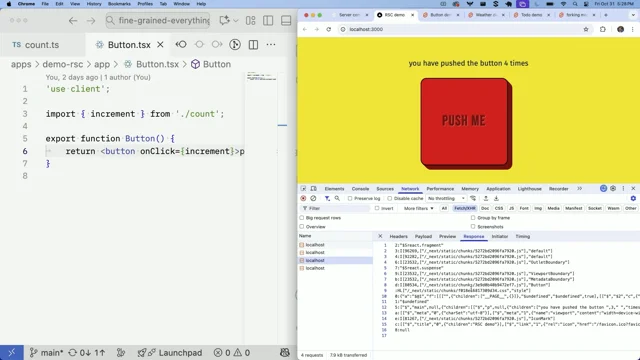
Cool. So I'll jump over and give it a refresh. Cool. So you can see the different bundles that were downloaded here. So the initiator here was very important that this was included in the HTML. So we have all of that just before we execute index dot j s. So if you don't do this, you will get a module knockdown error and it will completely block your application.
So I've definitely done that a lot during the rollout of that feature in Jira. But, yeah, it's basically because we have that synchronous loading of it, we get that performance win. So without having this sent by the web server, we can having it sent by the web server, rather, is the most important part from the performance perspective.
So if I interact here as well, you can see the different results. So the last thing I wanna do is change a feature. So I will change all of these to false, and that's just gonna rerun the build again. You can see it generated the same files. Right? And then I jump, whoops, back over and refresh, you can see that that's now disabled.
And if I refresh again, yeah, you can see that these are all disabled bundles now. So this is just a very simple example. When we roll this out in Jira, the complexity becomes a lot higher. Obviously, you won't probably be able to understand what's going on in the network tab, right, because the bundle is just gonna spit out all these different files that are really hard to understand.
Yeah. Let's jump back to the presentation. Cool. So to talk about the impact, so some of the stuff that we got from this rollout that we weren't really anticipating is the type of experiments this feature helped. So one big thing was when people were changing code around from async to sync code, meaning that they were changing a dynamic import into synchronous code, they were able to actually measure the performance of that with this rollout.
So that was apparently a very common thing for teams to wanna do when they target performance. We didn't really anticipate that. So I think I took this screenshot a few days ago. We had 28 imports in Jira. We're hoping to get that up. So some of the learnings from this as well. So dynamic imports was something that we were obviously targeting here.
Right? It was always the tool people could have used to handle this case, but was just not performing enough for them. So one of the things we learned was that dynamic imports are not always slower on initial load. So if they're rarely executed, the population may performance may be better with dynamic imports. So it's all about that unused code, right?
If they're not going to use the code, it doesn't matter that it wasn't synchronous, and the customer had to wait whatever time it took to download that import. Maybe it was three hundred milliseconds or something like that. So conversely, moving to dynamic imports may not improve bundle size. So just because we are, like, using that import cond and then those imports that you're using have really big dependencies, that doesn't mean that the really big dependencies weren't used elsewhere.
So for example, say you're importing the button component, that was probably used somewhere else in the application already. Right? So the cost of downloading that button was zero because it was already loaded for you. So that was a big finding for us is that was happening more often than we expected. But also, like, we definitely saw the benefits of having these dynamic imports conditionally imports, sorry, in those places where we had some big dependencies. Cool. So one of the benefits as well is obviously reducing the cost of releasing new code.
So we did an experiment to kind of understand what's the difference if we just turned off conditional bundling, on the existing examples. So we saw around thirty milliseconds improvement to time to visually complete in Jira issue view board and backlog. That's pretty much just like, these are just random gates. These are not people trying to land massive changes.
These are just like typical things people are doing, improvement, which we're kinda kinda impressed about. We didn't expect it to show that much. So, yeah, the idea is that we kinda unlock people from making the bigger changes where, say, they're gonna switch out something. So that that's what I pretty much wanna talk about here is, like, if you've been using Atlassian products, you might see that, like, the look and feel can change occasionally.
Right? So experiments that do something like this are really expensive to the customer because it means that we have to safely be able to roll back these sort of things, but also send some code to some customers, some code to other customers. So in the past, this has always been handled in a very bespoke way. This API allows, engineers to be able to make these sort of changes with zero cost to the customer.
So that's kind of our goal here. So unfortunately, we missed we missed, handling the navigation revamp, by a little bit, but the navigation revamp is a really good example of something we would hopefully use Import Con for. Cool. So to talk about future work as well. So we only handle, the feature gate context here.
So, potentially, you could have any condition that defines whether to load these bundles. That might be interesting if you're using data. So, like, if your REST API or your GraphQL API tells you that you want to load a feature, you could use that data to load the bundle. Right? So the issue of that is that the APIs that you use that drive this need to be incredibly fast because when you load the page, you can't send any data until you have the result of that API.
So the feature flagging API at Atlassian is incredibly fast by design because you need it to roll anything out. So Statsig worked really well for us here. So we do currently have some limited data that can allow you to do these sort of things. So license, language, locale, and environment are all available, so you can do some sort of rollout.
But we're interested in kinda increasing this scope a little bit, kinda giving more context to the feature flagging context so that you can, like, know different things about the customer and send data based on that. The other thing we wanna do as well is one thing you might have noticed is, like, we're creating a bundle for every single import con right now.
So that's not ideal from a performance perspective. Right? Especially imagine if someone wrote just one line in the other file, you're downloading a whole other file, and you have that whole round trip time to download that whole new file. It would have been better to just have it in the same file even though you're gonna have dead code.
So currently, we wanna we make this compromise within the source code, and you kinda rely on the devs to make sure that they make the right decision and be pragmatic about it. If they're doing writing a new component, we don't want them to do it for one line. We just want them to understand what the impact of using import cond is. But potentially, we can avoid this.
So the way you could do that is instead of splitting out into a bundle each time, you generate the bundles dynamically. So this could be expensive if we did this for every single picture gate in the code as well. Right? Imagine if we had to generate 15,000 different bundles. That would be way too computationally expensive.
So if we generate this stuff on the server, say, we just request an asset and we tell it what condition is there, that means that we could download it based on that. And we could still return the same content hash there, right, because the the URL is gonna be static, and it won't ever return the same, it won't ever have the condition generate the code differently if the condition returns the same code.
So we would just extend the idea of, like, a content hash, right, but also include the concept of a condition inside it. Yeah. That's future work. It's not something that we're looking at right now. We're just gonna handle it on a source code for now, but it's potentially a way to extend this feature. Yeah. Cool. That's all I've got for today.
Thank you.
Technologies & Tools
- Atlas Pack
- Dynamic imports
- GraphQL
- Parcel
- Rust
- TypeScript
- Webpack
Standards & Specs
- Import attributes
Concepts & Methods
- AB testing
- Asset graph
- Code splitting
- Conditional bundling
- Conditional manifest
- Content hash
- Feature flags
Organisations & Products
- Atlassian
- Jira
- Statsig