From Components to Prompts: Rethinking Design Systems in the Open
Why Design Systems Should Stay Open
Tammie Lister explains why open-source design systems matter to creators, contributors, and maintainers. Machine-readable tokens, schemas, documentation, and shared patterns help projects move from manual component production toward scalable, automated collaboration.
The Benefits and Risks of Building in the Open
Lister weighs shared ownership, extensibility, cost savings, specialist knowledge, and faster development against instability, hidden fees, and legacy risk. She argues that a platform-specific system can give an ecosystem coherent rules and familiar interface patterns without forcing every team to begin from scratch.
Mapping the Open Design-System Landscape
To address poor discoverability, Lister builds a finder and catalogues 29 systems containing 1,285 components. Her statistics reveal concentrated maintenance, strong React adoption, limited theming, and a scarcity of systems built around native components.
Prompting, Vibe Coding, and the Human Second Pass
Lister presents AI as a practical first-pass tool rather than a decorative feature or autonomous designer. She connects effective prompting to algorithmic planning and explains how unrefined vibe coding produces recognizable, repetitive interfaces that require human judgment and iteration.
AI as a Design-System Toolset
AI can accelerate token alignment, generation, prediction, testing, and maintenance, but Lister stresses measurement and human oversight. She recommends explicit AI policies, careful project selection, ethical scrutiny, sustainable open-source participation, and treating MCP as maintained infrastructure rather than a complete solution.
Choosing and Preparing a System
Lister outlines three options: build fresh, extend existing components, or open an internal system. Systems designed for both people and machines need tokens, documentation, API contracts, recorded divergences, transparent architecture, and machine-readable patterns.
From Handoffs to Review and Governance
As generative tools improve, automated checks and useful first passes can reduce the costly handoff between polished mockups and production code. Lister argues that skilled practitioners should become reviewers, refiners, curators, and governors, reallocating repetitive effort toward quality and creative decisions.
Living Systems Built by Communities
Lister closes by arguing that communities can respond to change faster than isolated teams and that open systems connect human creativity with AI-assisted experimentation. She calls for living, purpose-specific systems that evolve beyond component libraries and Figma files through criticism, contribution, and sustained maintenance.
So, hi everyone, I hope you can hear me. Before we discuss rethinking design systems, I'd like to share why this topic actually matters to me. My experience in open source design systems has shown me the significant time and effort needed to create and maintain them. Design systems are vital in open source projects.
I actually believe that. They help creators understand and contribute to the ecosystem. Technological change accelerates so does the demand for established systems. Today I'd like to explore how this more systematic approach and strategic approach really helps us to avoid having these reinventing of these systems and our issues as a result of that.
By leveraging existing open source systems and components, we can streamline workflows and save resources. Open systems are machine readable. They have tokens, schemas, and clear documentation. Consistent patterns across repositories may enhance collaboration as a result of that.
While closed systems create silos, and the communities also can help by educators and they foster innovation. This discussion is also important, I think, for both creators and maintainers of these systems. We need to view our design systems as fully developed and nurture these entities rather than see them just as collections of files or see them as things that people casually use and maybe we do release with the product.
It's essential to think how these systems can evolve with new tools and methodologies. Because open source design systems are the systems at scale and often are dealt with not massive scales compared to products. So I've shifted from creating components to guiding and reviewing work. And I think a lot of us have with the way that we do things. And I want to reflect our move from our manual and the way that we work to this more automated processes.
Projects have had these strong design systems, have been able to adapt more easily to these differences in our processes. And have been able to balance innovation and stability with these collaborative efforts. The title of this talk refers to rethinking. In order to do that, I think we need a common standing point around why this even should be done for design systems and what actually exists of them that can be used.
So I want to start there. Choosing open source software prompts an important question. Why take this route when building a system? Well, established platforms like Drupal or WordPress can make sense. There are key advantages to open source beyond a specific ecosystem.
Some of these benefits include shared ownership, collaborative efforts, for example, lead to quicker bug fixes, or we hope they would lead to quicker bug fixes, we can never presume. Faster development, or at least the game, we hope they lead to faster development. External roadmaps can enhance quality or presume speed, build trust in community. Extensibility. Open source allows for flexibility in maintaining and adapting your system. Cost savings.
Reduced maintenance costs and potential hiring savings can lead to significant benefits. And then access to skills potentially on your team. You may not have access to skills such as accessibility or SEO, but you can get that from an open source system. And then ability to focus on your own work. If the design system that you're using can do that work, you can borrow from that design system and then have the capacity to do that work on top of that.
However, there are challenges to keep in mind. We can often think that things are lovely and rosy and amazing and just jump and use open source things, and we kind of do jump and use open source things without thinking cautiously about the open source things we are using. It's easy to get caught up in that excitement and just jump in without careful consideration about the impact, the scale, and the legacy of what we're about to use.
When adding to your development and product stack, being thoughtful is crucial. And we've heard that over the two days about that thoughtfulness and mindfulness in what we are applying to our stacks. You may disagree with the direction, for example, of components or finding a document, documentation, but open source actually allows you to create your own and allows you to take that angle and maybe document back.
Stability also can be another concern. How reliable is the project that you're attaching yourself to? Many challenges can be managed or can be mitigated by just taking the components potentially of the open source project. Some design systems also, as a little bit sneaky, are open source to a point. And that point might be exactly the thing that you need. So therefore you might have a fee for the thing that you need, and that can be unfortunately increasingly common.
So the simplest thing an open source design system does is provide a clear set of rules and an understanding of a work that could be a platform which you can then grow from. An open design system offers an understanding of that functionality, which is essential for an ecosystem such as WordPress, offers the boundaries and the rules that you're going to build from within that ecosystem.
These systems are customized for those platforms, enabling developers and creators to create plugins, for example, that look native. That not only empowers the creators, but also ensures that these plugins have these interface standards. So if someone picks one up from one developer, they can then use them and know the patterns from another developer as well.
While many familiar names dominate the discussion around design systems, particularly within open, there are numerous options worth exploring. That led me to skipping through slides. One of the biggest issues around open source design systems actually is discoverability. This led me on a little bit of a quest.
I decided to try and solve this, at least for myself, and maybe others were going to find this useful. I ended up creating a site that is actually at this URL and live for everyone if they want to use it. It's very much a work in progress, so be gentle, don't sneeze or cough too loudly near it, because it might fall over and cry. No, it's fine.
It is recently launched, and I just wanted to see because I wanted to get some stats on design systems. I wanted to know where the components were. I did what all of us do. I kind of vibed it a little bit, and I hope anyone else will find it useful. For me, what I did is I found it useful to get some stats out of it.
And what I ended up doing, I ended up creating this finder as well to try and see if it would recommend different ones based on different criteria. This is very much a work in progress. I'm just going to share that. But also the stats were something, and I'm going to share some stats because I kind of started to find it interesting as I looked almost into the state of open source design systems and that will lead me a little bit into some of my thinking.
There are 29 design systems that I've catalogued so far and I do not claim to have found them all because I keep on finding new ones every single day at this point. And this spans 1285 components and it's only got only 27 unique maintainers. That may seem like not many but that is just the nature of open source.
You have very few people maintaining an awful lot of things, that's life in open source. And these are the reality. You have 19 that are React-based, 17 that are MIT licenses, 30.4% have Storybook, and 39.6% can be themed.
That last stat is probably the one of the ones that's more of an issue if you're going to build from it, because that then means you can detach the styling. Why am I sharing this? Because when you're going to pick a design system, you want to know how you can adapt it and you can use it. This slide is called BlameJono because after his talk, I started to think about were there any design systems that actually had native components.
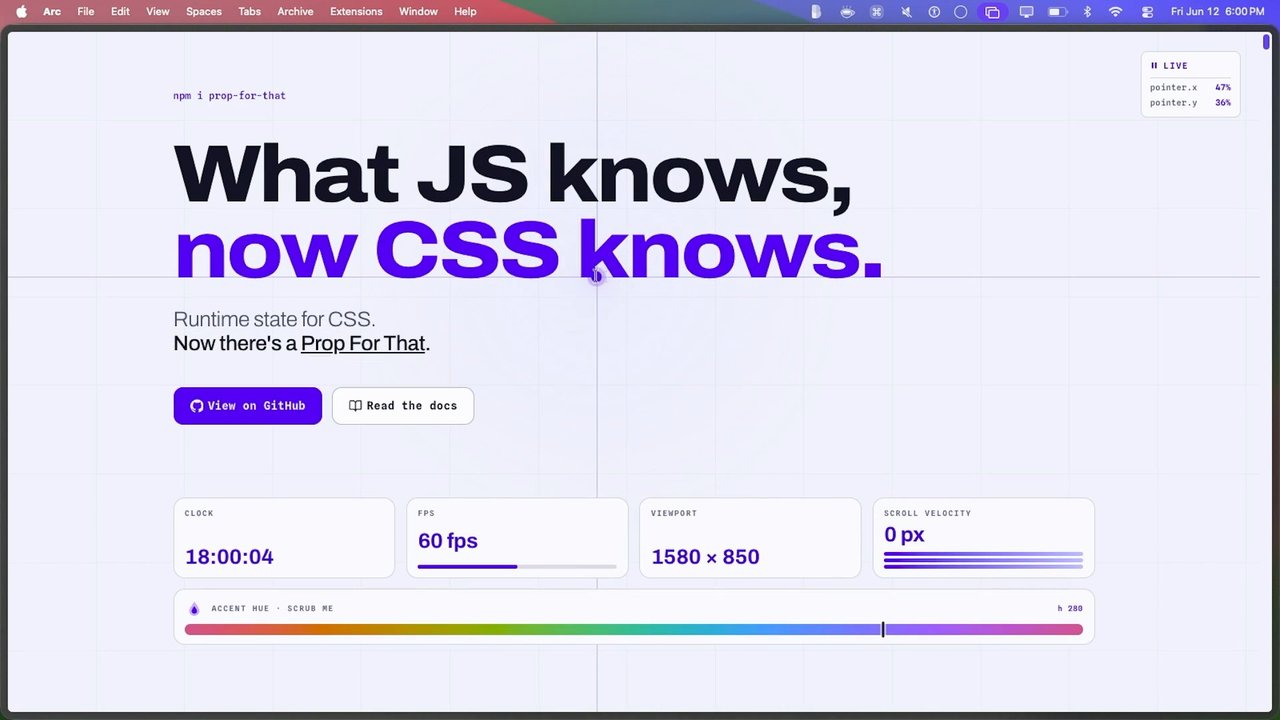
There's one that I could find. To call it a design system is a very strong term as well. Very loose. It is this Pico CSS system. Unfortunately, it doesn't have many components either. It's not a massive system.
This probably shows the state of a lot of these systems. They're quite close, they're quite serving a purpose in the sense of components. You grab the component and then you work it. They're very React-based. This is really the point of this. These need to evolve as much. It's about people using them and evolving them. AI is a significant concept that's also discussed today in lots of different ways. How does it actually apply to design systems?
It can actually enhance the process. We've heard about that, how it can be used. But it shouldn't be the sole focus, or at least I personally believe it shouldn't be the sole focus of a design system. I don't know if any of you remember, there used to be a program called Portlandia, and when they wanted to make something trendy, they put a bird on things.
I think of that as AI a little bit. When people are trying to add a feature, they think of putting AI on it. The fact is, though, AI has learned its patterns from accessible open source data. It makes sense that it understands open source design systems. That's actually why using them makes sense when you're creating stuff through AI. An example of AI's practicality is the ability to generate components that pass enough, and then, and I'm going to get into this a little bit, the first pass some accessibility standards, and the key is some and then you need to check.
A key aspect of this transition is moving teams towards prompting, and often we accept our current workflows without questioning them. Included in this theme in my talk about this power of prompting, because to me it's a significant shift. I've moved from the doer, really, to this prompter. It marked my change from being this person who was constantly micro-working to being a manager and overseeing the process.
Process. The AI tool is now the first pass that initial creator for me. And I think that's for a lot of people what is happening. This highlights how, I think my microphone is fine. Is it okay? Cool. I really need a microphone with my voice. This highlights how workflows should initially be structured today. Prompting is powerful, but requires a solid foundation, which may seem obvious.
Effective prompting involves planning and establishing a system. I actually believe that prompting is an art form, really being able to craft that. I think initially we thought prompting had to be really, really small and concise, but the fact is, in reality, prompting has to be as long as you need it to be. It doesn't have to be short.
It has to be enough to deliver and no more than that. So it could actually be quite long. And we kind of forgot this. I don't know. Hands up to whoever studied software engineering back in the day, I'm old, forgive me for this. We had to write the algorithm out of what we were going to make, and then that was kind of what you put in.
That's, to me, prompting. You write the algorithm out, and then you put it in. We've kind of forgotten that practice, I feel, and we're getting it back through prompting. The key issue in discussing this work also, and this kind of thing that comes back to it, is Vibe coding. I actually sometimes call this square coding, or at least maybe that's just the state that I end up in with Vibe coding, that's very much me. It has significantly contributed to the rise of open source design systems, I would say, as well.
And I think it's actually revitalized them. I also will kind of say I'm not sure it's done all good. Vibe coding has enhanced how we actually interact with these systems. And it's taught me personally to better understand the boundaries of these systems and to think more clearly and carefully before I do these vibing. Ultimately, vibing should start with a thoughtful prompt to be a productive filter. There is a problem though, and I kind of mentioned that, and it needs calling out.
All this vibing and prompting has led to a certain aroma, a certain look, a certain feeling and a certain talent interface. I think we've all kind of seen it and we can all kind of know it. We used to kind of blame Tailwind for things and now I feel we're blaming another interface.
But it's not the problem with the interface. It's the problem of someone just using it and then not doing a second pass, not iterating upon it. And that's because it's been widespread use because it's understood by AI. AI understands the base structure and it's seen those patterns before so it pulls it in.
But it's just doing what it should do. It's not doing anything on purpose. It's not making any judgment doing that. The key, the important thing is it's doing a first pass. The human is meant to do the second pass and refine the uniqueness. AI should never just and absolutely should not be for aesthetics, at least for multiple passes.
It's essential for creating a dynamic design system though, I feel that. And some of the ways that it can do that is through speed. For example, automating tasks such as generating design systems, design style from Figma, to streamlining processes and consistency, ensuring maybe tokens align with brand guidelines for uniformity.
It can do generation, it can do things, I would actually suggest that you stick with some recent documentation. Generation and actually expecting it to generate images is a little bit, you need to do a first pass, second pass as a human, all of those kinds of things. Prediction as well is really good, using data to forecast outcomes, basing if these components are going to break or how they're going to perform. Also maintenance, we forget about this.
All these things have in common, what it's really, really good at is their tools. That sounds unglamorous, but AI is fundamentally a tool, much like any other instrument. That enhances human capabilities and supports our tasks without replacing us. While we've been captivated by its remarkable features, we should prioritize how it can improve our daily lives, or at least that's what I feel. It's essential to measure its effectiveness in doing that.
By keeping this perspective, we can better navigate those potential challenges in implementation and understand how it can be relevant for a long time and be the human checkers. When using an open source design system, especially with AI tools, it's important to consider several factors.
I'm going to go through those now. First of all, it's hallucinations. Hallucinations can occur, and we all know this when using AI. One of these things I would recommend is have AI policy. Pile in your design system, say why you're going to have purpose and methods and responsibilities associated with your AI use.
It's just like a basic of how we're going to do things and why we're going to do it. And don't over trust. It sounds a really simple thing to do, but we all get very carried away with what AI is going to do and get giddy and take time to create those detailed prompts because they're going to be valuable. When developing a product, consider who maintains it, how many users are going to be involved, and what makes it unique.
While shading and others have great components, this has that distinctive aroma and can be a drawback if you're looking for flexibility. If your product needs a cohesive aesthetic, then think about using things like in an ecosystem Document where you need to diverge from that original design and make those decisions and be clear about where you've done those decisions. In today's fast-paced world, it can be challenging to find stability. This is why exploring open-source sustainable models is more important than ever. However, it's essential to choose projects wisely, ensuring they have proper funding, a strong contributor base, and community support as well.
Evaluate whether a project, for example, may be has a bounty system for features or the quality of the community and how you can contribute back what you learn as well because you can't just take from an open source project that's kind of going to leave it with nothing otherwise. And when evaluating the risk of any system, understanding its ethical implications is really essential.
And AI can compound that problem. Consider whether the system, for example, supports the language or the culture of your target audience, and whether its contributors reflect the diversity that you seek. An open source who contributes to the system can actually really strongly impact the outcomes.
Before looking to the future, It's important to be mindful of everything that comes up. I do actually believe that MCPs are great, despite this slide. I just want to be clear. But MCP is a tool. It's not a complete solution. A lot of ways that MCPs are used is like, put an MCP on it, we're done.
That's our AI policy. It's not just one thing that you can do. It's great, but that's not all you can do. That's all we do maybe today, and then you consider what you can add in addition to it. The problem with it is it needs maintenance. Everything you add needs to be looked after and maintained.
MCBs work best with open, standardized systems, and the real challenges lies in your design system being MCB ready in the first place. While achieving this is valuable, It's just the first step, not the final answer. And relying solely on MCPs can lead to complacency. So, so far, I've been talking about what both open source design systems are and how AI can sit with them.
Now, I'm going to look at the future and how these systems can be brought in and how they can be used. To begin with, you should consider what you have and how you're going to work. There are basically three considerations. You can build fresh, and that's kind of the approach most people take. Most people do a fresh new design system.
I would love to encourage more people to, and that's kind of why I'm giving this talk, to not just do that approach. The other approach is to build on top or to build with components, to pull in externally into whatever you are creating. And the other is to make your own system open. This is also going to depend on what you're building and how much styling you bring.
For example, some of the systems are tied to open source platforms, or you might be in an ecosystem, you might be, as I mentioned, building a plugin, so you might be very tied to a certain system that you need to do. My recommendation is you look calmly at all the components that you're going to need, you assess which one is going to meet, It's kind of why I created that little project, because I want to be able to look at the one that fits the needs that I want to do.
And then you use it just like you would assess any open source piece of your stack that you're going to use. The developing system is now for both humans and AI. Tokens are there, and there's going to be documentation, there are API contracts. This recognizes that AI is more than just a buzzword when you're using this. It's an essential part of the design systems.
Requiring clarity and structure. Enhancing these tools improves the overall quality for human users as a result of that. Moreover, that clear documentation encourages easier contributors, leading to longer lasting and more reliable projects, so you can contribute back to that as well. Creating a new design system for every project is often unnecessary.
We kind of forget about that because we start a new fresh project and we're like new design system each time. There are stable and accessible standard open design systems that can save time on prototyping and reduce maintenance efforts that look and can give you that boost today and beyond.
Challenges arise when differences aren't documented, where you have that confusion, where you have these systems or you pull a component in from one and you pull another component in from another and then you lose track of where one comes from the other and you don't know what you're doing. Again, I'm saying this word quite a lot, but documenting what you're using is incredibly important in these situations.
So Pico is the start, but it's just one. How do we start having these systems to not just be locked away and then kept up and that happens a lot with open source libraries and design systems and systems, but actually living systems that are moving forward. How do they adopt these native components?
How do they move forward? How do we not everybody still use material? Or how doesn't everyone not have shades in for everything? How do we move forward with it? If you look at the popularity of Pico, it's not that popular. And how do we raise that and start highlighting the, what we consider to be the more future looking approaches?
Open code refers to the patterns that are machine readable. For AI and open source projects to thrive, transparency in architecture is also essential. When transparency is fundamental to any system, it benefits both machines and humans alike. When choosing a system, you need to look for one that fully embraces this transparent approach.
Systems that prioritize openness will likely be the easiest to work with now and in the future because they're going to be clear of how you can use them. Ultimately, the systems of the future are going to be the most accessible to those machines going forward. We don't know the future fully, we can kind of predict it, but they're going to be the ones that are the most transparent.
Today, having AI do a set and launch of any design system doesn't tend to get the best result. As I said, it's the first pass, but if you were to try and get this Lego figure put together, you'd probably have an arm on a head and maybe like, we've all seen those AI pictures. We're progressing away from seven-fingered the humans a little bit.
What it does though is give a fairly decent first pass. However, as generative maturity is reached, this gap is going to narrow. Previously, designers would create these perfect mockups in Figma. I've been on both sides of this and I've done that. They're these beautiful mockups that more belong on a fridge than they belong in a website.
Developers then would translate to code. I've been the developer that's had the perfect fridge design and then had to to make it. That was not good for anyone. As we kind of heard earlier, the communications that can happen from that. There would be this back and forth and hopefully it was congenial. This would involve extensive amounts of time.
With AI assistance, automated checks can catch those mismatches. Outputs can be good first passes and shifts can be made to refinements and edge cases. We move to being the managers of these tools. We move to being the curators of this work and moving it on. We move from the handovers to reviewers, and that's a better role for us. The human role is changing from performing repetitive tasks to reviewing, refining, and governing processes.
The shift allows for more use of tools and focuses on quality, and creative decision making. It's not though, and I want to be super, super clear about replacing skilled workers. We've all worked so hard to get where we are, and we're so good at what we do, and we've trained these kind of tools on all of our good work.
They've learned from us and from our good code. It's about reallocating our time and this time from these mechanical tasks to thoughtful refinement. This flexibility then opens up new opportunities and improves work-life balance. Now you look at the Jetsons and you look at that kind of future where people would have robots doing things and then they'd suddenly have holidays.
That's not the future I'm talking about. I'm talking about our ability to just get better refinement of work because the tools can be there. Reviews can be now done maybe on a mobile phone. It gives you a bit of a better work-life balance. You're not tied for 15 hours to banging your head on a task. Enabling that initial assessment while engaging in other activities, this also helps avoid those tight deadlines.
It also allows you to cut better for projects and allows you just to respect that you've got humans involved in the process. And I think we'd all be better for that. Nobody knows where the future of all of this is going and if anyone actually claims they know where the future of this is going, they do not know where the future of this is going based on the past couple of years or the past couple of months. It's moving too fast to be able to predict that.
One thing though is true, together things can be faced more rapidly. This is essential today and it's how we move and have moved throughout life. And how we solve issues. Bug reports and technology can be responded to faster together. And for me personally, that's in open source.
So by using these open source systems, we can respond more rapidly to them. Community innovation compounds over time in ways, quite frankly, no single team can. Closed systems quite a few have some of the open properties too nowadays. But openness creates strong incentives to maintain the systems and always be ahead.
Open design systems link human creativity with AI capabilities, enabling rapid innovation and experimentation. I personally believe that in the future, the system will be more important than individual pages. Becoming the primary focus for AI generated content is essential for more people to embrace and develop these systems, which should no longer be confined to component libraries or Figma files, but be treated as living projects similar to the open source projects that maybe they're part of the ecosystem. Diversity among systems is acceptable and should be something that we should have. We should have more of these.
And each having a specific purpose is really, really great, especially with particular ecosystems. But we should also aim for fewer systems with fixed styles or that do too much or become outdated or that don't move and don't respond. Just like we don't need that with our open source libraries anymore or our open source projects. And we are critical of our open source libraries and projects.
We should equally be critical of our open source design systems. Future proofing requires us to support and refine the ones that we believe collectively are doing it the right way. As we see automation integrated into our design systems, they become essential fostering creativity through methods like Vibe coding or Swear coding if you may, and experimentation. Open systems like this offer a strong foundation because they are adaptable and conductive to learning.
They transform our understanding of design and its foundational elements. These systems are not just about collaboration, they're not just about some open source ideal, they're about just being smart about the way that we work, just like we use open source in general. They can do more than just facilitate those initial iterations or just do a first pass or a prototype.
I invite you to experiment and share your insights into using this, and then share back to the design systems that aren't fitting your purpose. If you try a design system and you're like, well, it didn't work, give feedback to the maintainers of that, and then they can adapt, and then they can learn. If they don't listen, they're not going to survive, and that's okay.
There are other design systems that will survive. The strongest foundations are those that others can build upon. And that they contribute to. This is how that we create the future. Thank you.
Technologies & Tools
- React
- Storybook
- Tailwind CSS
- Generative AI
Standards & Specs
- Schemas
- Interface standards
- MIT License
- Accessibility standards
- Model Context Protocol
- API contracts
Concepts & Methods
- Open source
- Design tokens
- Shared ownership
- SEO
- Prompt engineering
- Software engineering
- Algorithms
- Vibe coding
- Human-in-the-loop
- AI hallucinations
- AI policy
- Open code
- Automated checks
- Design governance
Organisations & Products
- Drupal
- WordPress
- Pico CSS
- Figma
Works
- Portlandia