Who Needs a LoRA?
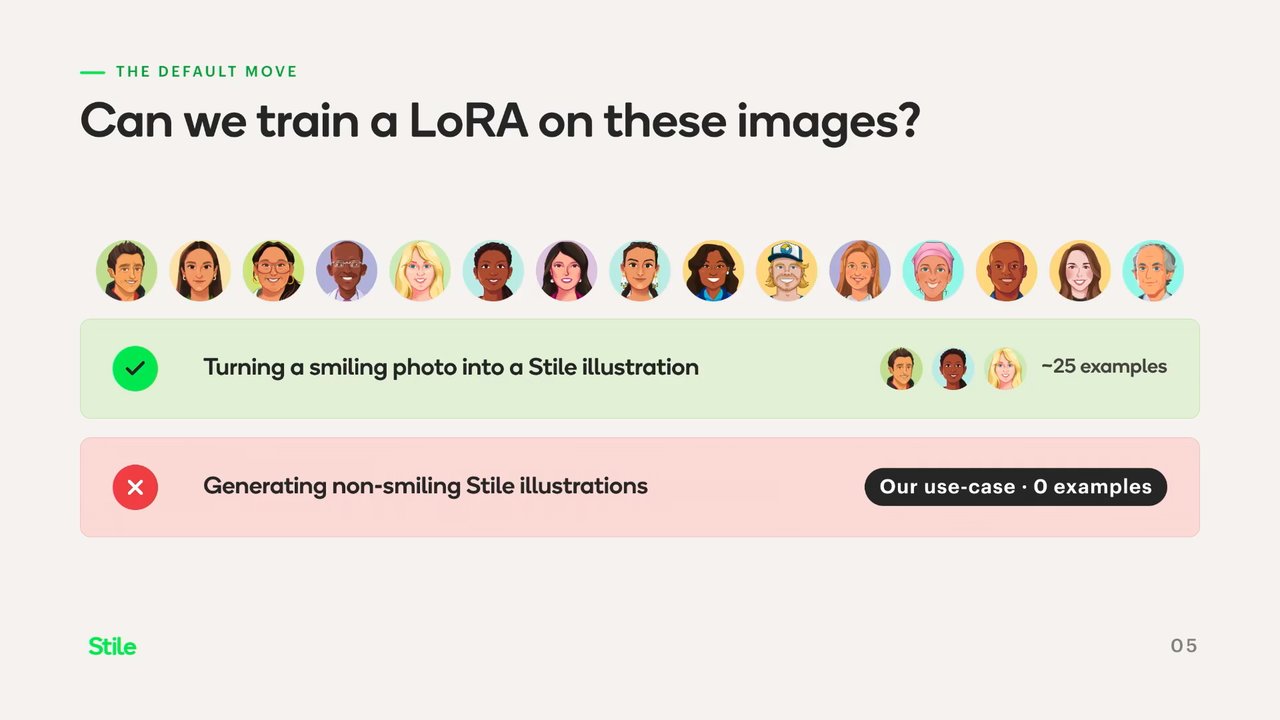
The Expression Matching Problem: Why LoRAs Fall Short
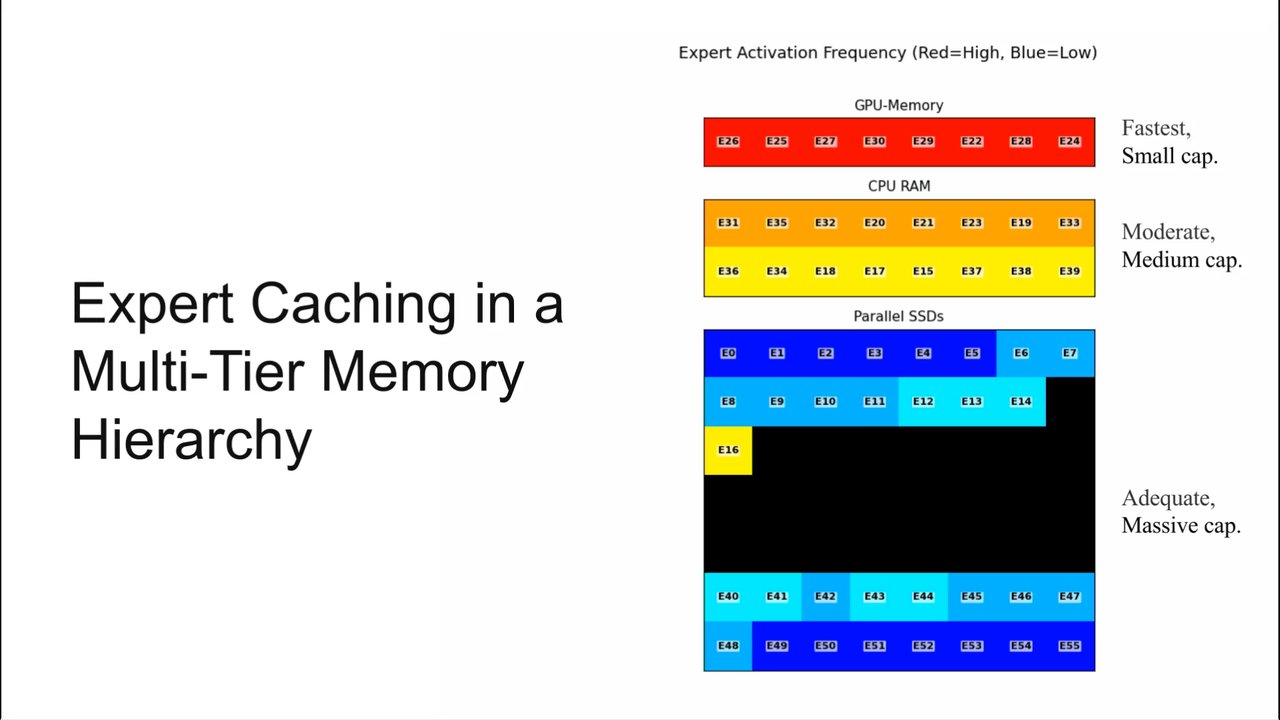
The speaker from Style introduces the problem of matching character illustration expressions to dialogue content in science lesson plans. They explain why LoRAs (Low Rank Adaptation) — while useful for training aesthetic styles — won't work here, since the team lacks examples of non-smiling illustrations to train on, meaning the model would revert to generic internet priors for expressions like surprise.
One-Shot Prompting and the Disneyfication Problem
The speaker demonstrates the failure of naive one-shot prompting with Nano Banana 2, where asking the model to make a character look surprised produces a generic, over-generalized result. They introduce the concept of 'head category collapse' — which they personally call 'Disneyfication' — where the model collapses diverse input styles into an average set of generic features, and conclude this is fundamentally an image editing task, not a generation task.
Principle One: Say Less to Preserve More
The speaker introduces the first of three core principles for diffusion model editing: avoid naming what you don't want. They walk through two failed approaches — an over-engineered LLM style fingerprint system that hallucinated teeth detail, and prompts listing unwanted changes that the model ignored — concluding that the reference image is a better style guide than text description, and that image models are unreliable at handling negation.
Principle Two: Describe Movements, Not Appearances
The speaker explains that physical action language outperforms shape descriptions when prompting for facial expression changes. Using 'drop the jaw' instead of 'small oval opening' caused the model to correctly add teeth and tongue in-style, and also raised the eyebrows as a natural side effect — avoiding the problem where directly mentioning eyebrows caused the model to redraw them incorrectly.
Principle Three: Parallel Edits Beat Sequential Chains
The speaker reveals the third principle: run edits in parallel from the pristine original rather than chaining them sequentially. Sequential editing causes compounding color drift (the 'piss filter' effect), hallucinations, and slow performance, since each encode-decode round trip is lossy. The parallel architecture feeds the original image into each edit branch independently, then recombines results in a single step — eliminating drift and improving speed. The speaker summarises all three principles and notes no LoRA, inpainting, or ControlNet was needed.
Wrap-Up and Off-the-Record Conversation
The speaker closes with links to a detailed blog post and a hiring page, then relaxes into informal conversation with the host about the timer mishap. A second speaker (Speaker B) prepares for their own upcoming talk, and the two chat informally about image generation tools, spelling improvements in recent models, and their preference for Claude over GPT for deeper conversations.
So for context, at style, we make science resources, like lesson plans. And in these lesson plans, we have, these things, character conversations. Basically, just characters that are trading speech text to explain a concept to a student. And our in house design system, our in house design team, they make one illustration per character.
It doesn't matter, you know, it's all a neutral or a smiling face. And sometimes those illustrations don't quite match the content of the text bubbles. And so we basically had an idea. What if we edited the expressions to try and match the contents of the the text that's being said? So LORAs, for those who don't know, they're basically it stands for low rank adaptation. And it's a small set of extra weights that is attached to a diffusion model, which is used to train you can train it to produce a certain aesthetic.
So these, at the top here, are some examples of our character illustrations. They're all smiling front facing photos. So this would be a perfect so Laura would be a perfect tool in this case if I had smiling photos that I wanted to convert into our illustration style. However, if we wanted to create non smiling illustrations, we don't actually have any examples of those.
So training a model to be able to produce them wouldn't work. The model would end up falling back to its base training, its base priors. And it would be sampling information from the whole internet on what a surprise face looks like. So actually, Laura's are great if you have appropriate examples to train on. And for our use case, we don't.
So this is the challenge. We're gonna use a generative image model to change expression x to expression y while keeping the art style of the original and leaving everything else the same. Our tool of choice for this was Nano Banana two. It's a popular top shelf image generation model. So obviously, the first attempt was just a one shot.
What if we just take the original and we prompt the nano banana model, make this character look surprised? How do you think it did?
Surprised.
A bit dramatic. It's clearly the same character, but it's lost a lot of its, unique traits. In all examples we tried, the model generalized the features. So the one on the right is a fully AI generated image where we prompted it to create a two d illustration of a surprised woman. It looks AI generated because the features are all generic.
In the literature, this is known as head category collapse. Despite seeing millions of variations of a two d illustration of a surprised face, the model will default to outputting a narrow band of average features. I've been personally referring to this effect as Disneyfication. The model essentially outputs a Disneyfied version of the original.
Every single example we tried ended up with the same features despite all being drawn with different ones. And this is when it hit me that actually this is an image editing task, not a generation task. We do not want to redraw our character to look surprised. What we actually want is to modify small parts of the face in the original art style and leave the rest of the image as is. During my research, I came across three core principles for editing with diffusion models and getting the best results out of them.
I'll introduce them one by one and show you all the things that didn't work. Principle one. Say less to preserve more. Never name the thing you don't want. My first instinct after failing a one shot was to drastically over complicate everything and build a crazy system involving LLMs which extract a style fingerprint for each character.
Basically, give the LLM the image and say, create a summary of all the facial features, the line work, the hex codes, everything about the original, and then injects that into prompts that then decide how we edit each feature. How do you think it did? Really badly. So in this case, the fingerprint decided that the dark mouth area was a lower lip and it helpfully gave a top lip in the same color to match.
And across every run, it also hallucinated a gap between the teeth down the middle. This might be due to the low input resolution. It might be because we forced it to describe teeth detail and there wasn't really teeth detail. It might be some sort of demographic biases in the training data. Regardless, the LLM design fingerprint approach made things worse and it turns out that the reference image is a much better style guide than a text description.
Another example. Our first prompts all carried a long list of everything we absolutely did not want to see. No matter how nicely we asked it to leave that thing alone, the model kept changing it anyway. It turns out image models are unreliable at handling negation and there's a lot of research evidence for this. One paper from 2025 found that a prompt asking for a scientist not wearing glasses was more likely to generate an image of a scientist wearing glasses than just asking for a scientist.
The model focuses on the noun glasses more than the negation. The same failure mode explains why do not add iris glare always triggered iris glare in our generations. What works instead is one short neutral instruction, maintain the original style exactly. That's it. Principle two, describe movements not appearances.
Physical action language beats shape descriptions. How do I prompt the model to open the mouth into that surprise shape? First instinct is just say small oval opening. And it did okay, but it looks kind of weird. It turns out when you ask for a shape, get exactly that shape even if it doesn't really fit the character. And at the bottom, we actually instead of saying small oval opening, we explained drop the jaw.
The model, in this case, applied its intuition for what a dropped jaw face looks like and added the tongue and teeth in the right style without being asked, which is pretty cool. And we get a bonus. Drop the jaw also tends to lift the eyebrows as a side effect. Image models have seen a vast amount of faces in motion, so they know what a dropped jaw looks like.
This example character had a very unique style of eyebrows and we wanted them raised for the surprised face. But every single prompt that mentioned eyebrows caused the model to look at them and decide, I guess, that they're not eyebrows and so it helpfully redrew them to be eyebrows. But it turns out that when we prompt for the jaw to be dropped instead, the model raises the eyebrows as a side effect in the original style, which is pretty cool.
Principle three, parallel edits beat sequential chains. In our first architecture, we changed the edits. So we took the original, we raised the eyebrows, we widened the eyes, then we opened the mouth, then we furrowed the brows. Each step taking the previous output as its input. It's probably hard to see from here but with every step, the color palette gets warmer.
Generative models famously love generating warm colored images. Reddit has infamously coined this as the piss filter. There are three main problems with sequential. Color drift, like I showed before. Hallucinations because obviously it's iterating on its own generations. And also, the amount of time taken for it to finish given that we have to wait for each step before doing the next.
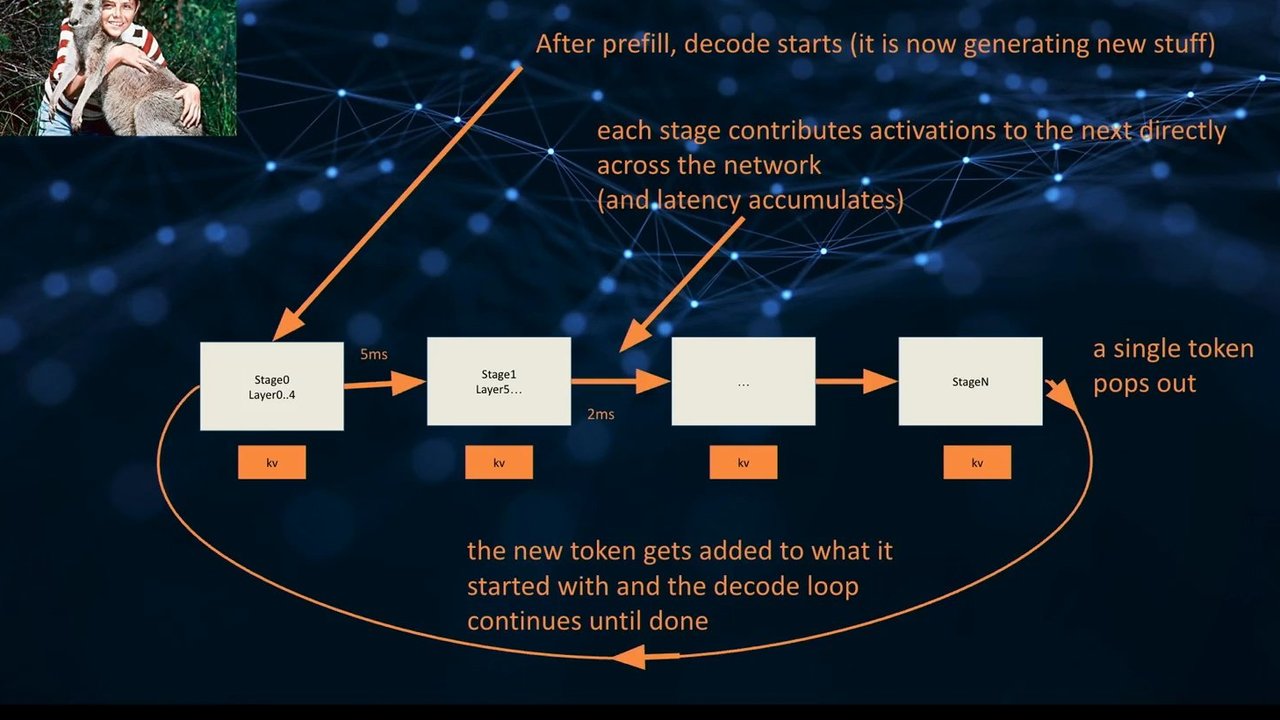
Every edit under the hood involves an encode, latent space, decode, output round trip. This encoding to decoding process is inherently lossy and it introduces a lot of style drifts and hallucinations. And the more that we repeat this loop, the more that that loss compounds and the drift gets worse. The fix, each edit branch takes the pristine original as its input, never a previous output.
And then a single recombination step at the end takes both edits and the original. Drift can't compound because every single branch sees the original image. And as a bonus, the branches, the edit branches, run-in parallel, so it's faster. Three rules. Say less to preserve more, describe movements, not appearances, and parallel edits beat sequential chains.
And this is how we managed to get style consistent editing across all of our characters. No Laura needed, no in painting, no control nets, just some prompt strategies. So, if you're interested in this topic, I've written up a blog post where I go into greater detail and everything discussed here including all of the research behind it and some information about the latest papers. And if that sounded like a pretty fun project to be doing at work, applications to be my coworker are totally open as well. And you can find our hiring page at that QR code link. Thank you.
Okay. That's great. That's good timing? Of
course. Yeah.
The the timer actually started before I started speaking, and I looked at it, and I thought that I was, like, completely overkilling it. And I was like, oh, fuck. I've only realized that's a number. So so convenient. Yeah. Yes.
What do you guys always do? That's like because I thought I
thought I was talking too slowly. And then I looked and
I was like, god.
Amazing. Thank you. Thank you.
Okay. That's working. Okay. Alright. I can see my screen.
Yeah. That's right. Yeah. Yeah. Start. Perfect. People actually coming for my talk? I I I'm sure they hear from the next speaker, but that's okay. Oh, yeah. It's all you, man. Oh, you can't hang, by the way. Yeah. I think I saw you at one of the meetups. Did you did you have a dog?
You were the one with the dog? Yeah. I saw you. Saw you. Yeah. Yeah. French bulldog. Yeah. Yeah. Did you have one or two? I I don't know. I was I was it was the OpenAI meetup, and I I saw you were running around with that cute dog. Oh, okay. It yeah. It would just been one of them.
Yeah. Yeah. That's good. That's good. Yeah. That's good. How'd you get involved with this today? So we're sponsoring we have a booth, but, yeah, John was nice to us. So I spoke to him at one of the other events that he organized at at your place. He said, hey. You know, is there any options for us to, know, get a few tickets?
And he said, oh, yeah. Actually, we can give you this sponsorship thingy and and you got a ten minutes slot, which why he didn't tell me at the time. I just found out quite recently that I and I'm like, oh, okay. Yeah. So, yeah, I've been worried about squeezing it into ten minutes. But Oh, yeah. If if need be, we'll we'll prompt you.
Yeah. Yeah. Yeah. Sorry. But Prompting. Yeah. No. I'll just tell the audience to to fill in the gaps. Yeah. Yeah. Just see me for the rest later. Come come to the booth, and I'll give you the rest of the presentation. Well, actually, that's a good way to do that. Yeah. Yeah. Yeah. No. I was gonna have a a blog post ready to brief, but that's not ready yet.
So that's alright. It's good. We still got a couple minutes, and I'll do a little intro for you as well. Yep. You can keep it short. Yeah. It's all good. Count as part of the ten minutes? No. No. No. I'll do before you do It's good. No. No. I'm not gonna eat your time. No. It's good. It's actually good that I can see my my screen everywhere. Super useful.
Have to read it. I'll I'll probably still I mean, I'm not gonna read all of that, but it's it's good that I can look in different places. Right? So yeah. Oh, absolutely. It's good. It's good. Yeah. You see the last one as well? Which one? The what? Presentation. The LoRa one? Yeah. Yeah. Yeah. That was yeah. Yeah. That was I was there.
Yes. That was good. Yeah. Yeah. That's cool, man. Yeah. Yeah. Pretty good. Pretty interesting to know how all that stuff works for Yeah. Just, like, actually generating good images with it. Yeah. I don't really have a great business use case for it. But, I mean, it makes sense. Like, I've I've, you know, I've had issues generating images, like, just for fun. It's it's funny how sometimes it works, then suddenly it completely changes the face, right, out out of nowhere.
Right? It's It's like, I'll just just add a bit of a spotlight here and suddenly it's a different person. Yeah. So what happened here? It's cool. Cool. It's getting better. It's been much better now. Oh, you can even spell now. You know, like, remember when you generated images, like, a year ago and and Yeah. You're like, how come the LLM can't spell, but that's because it's not actually but, yes, so much better these days.
The new GPT and and NanoVanana. Yeah. Yeah. Yeah. But for text, I still like Claude. Yeah. Yeah. I get you. I think most people make their presentations as well. Feel like I don't know. I just can have a deeper conversation with it. Like, with GPT, it takes a while for you to realize that you wanna go deep.
Like, with Claude, you can go straight into it. Yeah. Yeah. So we're in it now. Yeah. Yeah. I'll get you a intro crack, man. Yeah. Too long. Yeah. Yeah. Keep it short, please. Yeah. Yeah. Okay. Absolutely.
Technologies & Tools
- ControlNet
- Diffusion Models
- Inpainting
- LoRA
- Nano Banana 2
Concepts & Methods
- Head Category Collapse
- Latent Space
- Piss Filter