How Generative Tools Are Re-Architecting the Software Engineer’s Role
AI Coding Promises Meet Productivity Evidence
Apurva Misra contrasts vendors’ sweeping claims about AI coding assistants with the varied planning, building, testing, deployment, and maintenance work software engineers actually perform. She examines a study in which experienced developers believed AI made them faster even though measured completion times showed the opposite.
Hidden Costs and High-Value Uses
Misra argues that hype, context switching, and misplaced productivity metrics can obscure the time AI tools consume. She then identifies practical strengths, including prototyping, onboarding, documentation, code review, test generation, architectural discussion, and debugging.
Engineering Around LLM Limitations
Misra explains how probabilistic outputs, limited comprehension, and imperfect memory shape effective use of large language models. She recommends detailed specifications, context files, cross-model review, iterative design critique, deliberate model selection, and treating an assistant like a knowledgeable junior engineer with amnesia.
From Punch Cards to Agentic Coding
Misra traces programming’s movement from punch cards toward languages and interfaces increasingly close to natural language. She maps AI-assisted development from retrieval and autocomplete through human-approved actions to agents that modify files, invoke tools, and delegate work to subagents.
The Engineer as Feedback-Loop Designer
Misra describes engineers articulating high-level goals, assigning parallel work, directing tool use, and supplying validation loops for autonomous agents. She predicts asynchronous agents will work for hours in the background and consult humans only when they need decisions or confirmation.
Practical Priorities and Unresolved Futures
Misra closes by prioritizing context engineering and cost-aware model switching, highlighting Amp’s automated task and model routing. She argues that AI should save human time while questioning current hype, transformer-based paths to AGI, and the long-term consequences of reduced junior-engineer hiring.
So that's my first time getting to meet a kangaroo. So that's the picture from the zoo. Like John said, I'm a machine learning engineer and AI consultant. I help out startups and mid sized companies with AI strategy, building AI solutions internally and externally. I'm also a public speaker. I speak at a lot of conferences, write a blog post and I just started a podcast as well.
Everyone is starting a podcast now. And, I'm an aspiring gym warrior, I've started doing strength training because I've heard from social media and media out there in general that we're all going to lose our jobs as knowledge workers, so I thought I'd get physically ready for other work. And, yeah, let's get started. I just had a question before I get started.
How many of you are software engineers? Cool. That's a bit proud. Okay, so these are quotes that I have taken from AI assistive technology websites. So, the first one is from Cursor, the second one is from ClotCode. I think the third one is from GitHub Copilot and the fourth one is from Codex and all of them are pretty much saying that it's a good software engineering partner.
You can use them, you can delegate tasks to them, they would get it done for you. And these are quotes from these AI technology company CEOs. The first one is Anthropic CEO, the second one is OpenAI CEO. The first code is basically in three to six months time, AI would be writing 90% of the code and this was said six months ago. And I'm pretty sure that's not happening right now, at least from my experience.
And according to Sam Altman, by the end of this year, coding as a paradigm would change completely, which again, we are halfway through 2025 and it hasn't happened. Okay, so, is, in this slide, I've broken down the job of a software engineer into smaller tasks.
So, you, as a software engineer, have to like plan, design, build, maintain, especially maintain in like bigger companies, these big repositories with like updated libraries and stuff. Have to keep maintaining a lot of it, adding features, refactoring the code and like deployment and test. It might not be in this order, but this is what the general day to day work of a software engineer looks like.
And just one more question. How many of you have been using AI assisted technology in your work? That's a good number. And how many of you think it's making you productive? Okay, interesting. So this is from a study. This was released in July this year. On the left side, what you see is so basically, what they did was they gave a bunch of software developers a task to do with AI and without AI.
And before they did the task, they asked them, like, how long do you think you will take? So it's just on the y axis, have the time. How long would they take? So on the left side is what they predicted. So, they predicted that with AI they are going to take less time and without AI they are going to take more time, but what actually happened was on the right side.
It just flipped. With AI, they took more time and without AI, they took less time. The caveats here are, there were only 16 software developers and they were experienced. They were experienced developers and it was a task on open source repository on which they had a lot of experience in. So they were doing tasks that they were good at doing.
And they knew the repository really well. And this is a screenshot from that study itself. These are the results. But basically, what I want you to concentrate on is, so before they actually did their task as the developer, they thought they're going to take less time with AI. And after they did the task also with AI, they still thought it took less time, even though both those things were incorrect.
They took more time. So it's just what I wanted to get at is because of all the hype and everything out there in the media, we think we take less time when we're using AI tools. And again, is it really saving us time? When you're using these tools, you would have noticed this. It takes a few seconds for it to generate code, or a minute to generate code, do the task.
It's like chatting with itself. You can see the conversation that it's having with itself. And what do you do in that time? You would have like multiple windows open and you would do context switching. And as humans, we think we are very good at multitasking, which is not the truth. You cannot multitask. So my research was in cognitive driver distraction detection.
Cognitively, you cannot multitask. We are not good at multitasking. You cannot have two windows open and be doing two things at the same time. So it is slowing us down instead of speeding us up. Okay, so the next thing is what are we measuring? So, we need to figure out what we are measuring. If we cannot measure, we cannot manage.
And what is happening right now with AI is there are three entities. One are the investors who have put a lot of money in these companies and they want the ROI and they're pushing it down through media to everybody else. The next one is the management in companies. They want their employees to be using AI, so they're like shoving it down their throat.
The third one are the people, us. So, what is happening with us is like we see this stuff everywhere, all the advertisements, especially like if you're driving down an SF, like you would see all the billboards with like AI stuff on it. So, it's just like, it's changing our bias towards this technology. And what a productive society should be doing is like building solutions which are needed and building them like securely, safely and quickly, instead of building for problems which is not even the right problem to solve. Okay, the one thing that I left out in that slide about a software engineer is communication.
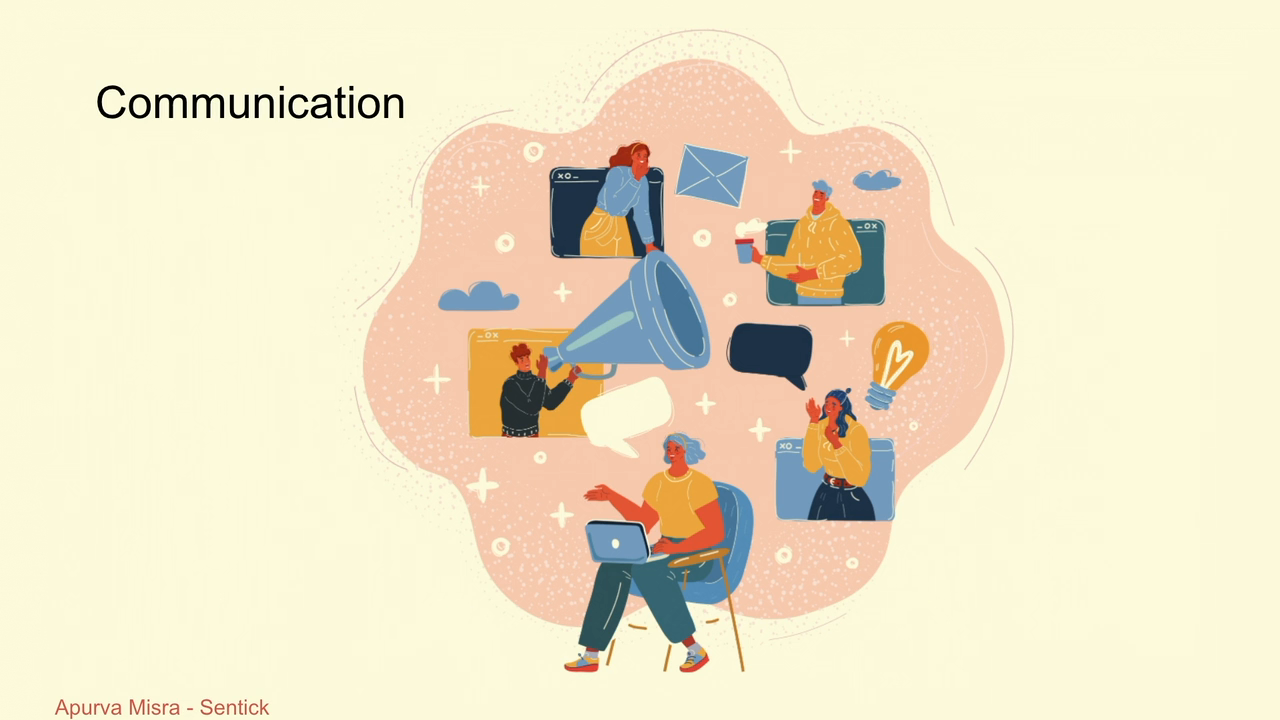
You are not just sitting in one room with your laptop and coding all the time. You are communicating with the product manager, project manager, tech lead, the finance team. You're communicating all the time, aligning with other teams, trying to figure out the problem. And that's when you sit down and actually code. And still, there's a lot of back and forth after you start coding.
Okay. So now that I've covered all the negatives, let's go to the positives. There are a lot of advantages to this technology. It's very good at writing throwaway codes because it's so quick and it wants to generate so much code. It's very good for prototyping, ideation, try as many variants of the problem first, like solutions, different solutions before you stick to one solution.
Faster iteration, exploring new repositories, especially onboarding new employees. Like, saw that in a company I was working with. Like, a new employee could quickly understand what's happening within a repository, like chat with an assistant about the repository. Coding in a new language, I wrote code in Rust. I don't know Rust. Good for boilerplate because it has been trained on so much boilerplate code. It's good for PR summaries as well as code reviews.
So, this is like CodeRabbit logo that I've put. It's a very good tool for that. Documentation, all the developers hate writing documentation. Very good at that as well. Initial reviews too. I would get into that in a later slide. Architectural discussions, like Dave was mentioning. Use it as a copilot. Talk to it. It's like a partner when you're doing a task.
You can communicate with it a lot of back and forth before you actually start building something. Good for test generation as well. Commit message generation, again, people are not good at that. And slide shows and algorithmic demos. So what I'm getting at with that point is basically any new tool or technology that you don't know about, these tools are so good at working with you on that.
You don't even have to know the technology. You can use the technology. Debugging get to a root cause faster with these tools. But before I get into what, as a software engineer, you would have to change about yourself when you're using these tools, I want to cover a bit about the underlying technology. All these assistive tools are built on something called LLMs, large language models. And there are issues with these models.
It has a memory issue. You would have noticed that as well. And we need to work around that to be productive while you're using this technology. So one of that is specification. So because you're giving it instructions in natural language in English, you have to be more specific. So like when you're writing code, you can be so specific, like for I equal to zero to n.
Like you can be so specific but when you're writing English, you cannot be that specific. So, it's very important for you to give as many details as possible, you know. Give it as much details as possible. Treat it like a junior engineer. It cannot read your mind, so it's very important for you to be specific for it to be able to do the task you want it to do.
The next thing is comprehension. It's so good at spitting out code. It can spit out so much code and so many varieties of code. You have to be good at reviewing it. And that's where AI would step in as well. You can use an AI model to review the code before you review it as well. The next thing is it's probabilistic.
You give it a prompt, it would generate the code. You give it the same prompt, it would generate a different code. So, important to understand that this is, it's built on a probabilistic model and it's going to generate a different thing every single time. And you have to make sure, like you have to generate like multiple varieties before you like come down to like, okay, this is the solution I want to stick to or this is the architecture diagram I want to stick to.
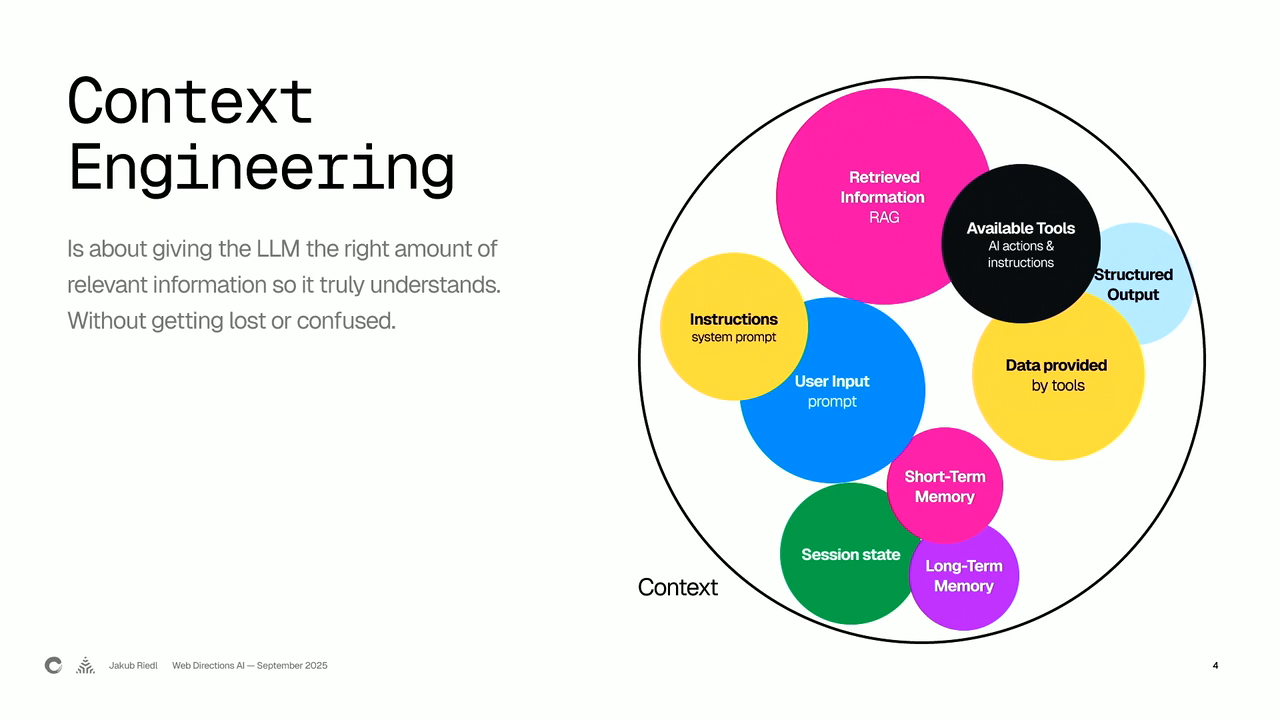
So, generate as many varieties as possible and work on your prompt. So, what would we have to change as a software engineer? Let's go to that now. So, the important thing here is you have to, it's called context engineering now, you have to give it as much context as possible because it cannot read your mind.
That's where agents. Md file, any markdown file, all these companies are still fighting with each other on coming down to a single format, but any markdown file where you can write down your instructions, what you prefer, your preference, any libraries that you like in there and ask it to refer to that markdown file. It would make your life easier when you're working with these tools.
The next thing is use it as a reviewer because they're so good at generating code. And you as a person, you would have noticed that as well. Your colleague is using it for generating code. The PR would be so long. It's good to, like a good software practice is to have shorter PRs so that the other person can review it.
So you can use these models to review their own code. But don't use the same model. So there is a lot of nepotism within these models. So if you ask GPT 3.5 to generate the code and GPT four to review it, and GPT four would be like, this is the most amazing code I've seen. So make sure you're using Claude and GPT 4.5, use different companies' models. The next thing is the design decisions.
Like have a discussion with these assistive tools before you actually start building. So like, go start with like design, architect, implement, test. And then it would go in a loop. You would have to critique what the AI has generated. You don't have to stick with the first output that it has generated because it's so good at generating.
It doesn't take time at all. It obviously takes thirty seconds or a minute, but not as long as you would take. So, generate as many copies as possible before you like stick to one. Context management, the same thing as context engineering. Teach it as a junior engineer with PhD knowledge, which has amnesia. Okay, that's the important piece.
So, it has junior engineer because you would want to give it as much knowledge as possible. So, treat it as an intern or a junior engineer. Second thing is PhD knowledge, it obviously knows more than you because it knows all about the internet, but doesn't have the experience that you have, so a junior engineer. The third thing is amnesia, the memory management.
Companies are still figuring it out. There are models which have come out with like a million context window length, but there are studies which I haven't put here, but which say that there's a U attention span. So, when you give it a big prompt, it would just focus on the beginning and the end and would forget the middle.
It wouldn't like give attention to the middle. So, you would have seen a lot of those prompt engineering tips in which they say, repeat the question at the very end because it would have forgotten the middle part. So, they have a U attention span. And the other thing is, these models with like a million context window length, if you reach like 200 ks or something, they plateau.
The quality degrades, even though it's supposedly a million context window length. Okay, so the fifth point is interrogation. So, again, like if it generates something, ask it questions. Do a back and forth, like Dave was mentioning. Communicate with it. Sixth point is switch models. So there are so many models out there, especially like the reasoning models, which are more expensive.
What So you would want to do is, if it's a simple task, use a smaller model. If it's a complex task, use a reasoning model. And it would be good on your pocket as well because the reasoning model tokens cost more than the smaller models. The seventh point is our behavior is already changing. I've seen that in myself as well.
Like, I have started putting stuff into one single file because it's so much easier to pull that context in. But I don't think that's a good habit. I don't know how that would change. But if you're making a throwaway project, might as well put everything in a single file. But yeah, I don't know how that would change within companies, though.
Okay, so now that we have covered what are the issues with this technology, what are the advantages, and how you as a software engineer would have to change your behavior, let's go on to the history of software programming and what the future would look like. So, software programming initially was done through Punchkarts.
And then we moved on to high level languages like Fortran and COBOL. Then we moved to C plus plus and then finally Python and JavaScript and now Rust. So what is happening is the languages are getting closer to English. So Python, like a lot of people make fun of Python because it's like writing English, pretty much.
So it's getting closer to English. And what is happening in terms of how we are coding is also changing. If you guys would remember, like when ChadGPT came out, it became a big deal. I think the first product that came out for software engineers was GitHub Copilot. It wasn't that good then, but GitHub was the first one to introduce autocomplete and stuff with AI.
What they were using as a technology behind that was something called Rack Systems. So it's like it's to index your code base and it's able to search the right things, look up the right things, and pull that into context and give you the answer. And it was like auto completing. So initially, it was like search systems. So the initial product used AI as a search system.
Then what we are getting into is like human in the loop. Now if you use something like Cursor or GitHub Copilot, you can ask it to do a task. It would like generate the code or it would ask you to run a command in the CLI. And you would approve it, Okay? So you are in the loop.
It's doing something, but you are the one who is approving it. The third stage is basically agentic. So that is happening in cursor already. You can like choose between ask and agent. So what is happening here is you are giving it a task and you can also like pre approve it. It would go make all the changes in the files.
And you don't even have to look. And then once it's done, you can go check if it's working the way you want it to work. So we are becoming more agentic. So initially, was search systems, then humans were in the loop, and then we are becoming agentic. And what is happening with that is we are moving beyond the ID environment. A lot of these new tools that have come out are CLI based, like ClotCode.
You work with it through the CLI. You can obviously add it to Versus Code and stuff too, But mostly they're all CLI based. And the other thing is what they assume the future would be like is you would give a task to an agent and it'd go do it in the background. An agent would be able to use multiple tools as well.
It would be able to use the observability tool. It would be able to go look stuff on the web. So it would be able to use multiple tools. And you would be able to give it a task and it would be able to do it. And within that agent, you might have sub agents. So it can call a tool like a search tool.
It can call a sub agent, which is good at writing Rust code. So that is what I think the future would be like. And with that, what we would have to learn is we should be able to give it a feedback loop. We should be able to say, Okay, since you're going to work on the UI, you should use Playwright to go look up the UI and make sure the color change actually happened.
So you should be the one providing the feedback loop. The agents are able to validate themselves because they're they're not not really really like like, chat GPD. Once they generate dance, you cannot do anything. You cannot backspace. So agents are good at that. They can validate their own output, talk to themselves and figure it out. The next thing is like you need to be able to articulate your needs at a very high level very well.
The other thing is you can parallelize tasks because you can give it to multiple agents. They can run-in the background. You can parallelize your task. The next thing is you should nudge it to use the right tool. They might not use the right tool in the beginning. So you should be the one when you are articulating your task.
You should be like, Okay, you should be using Playwright tool in this case. And you should be using the search tool to look up something. So these are points that I think would be important in the future as these tools evolve. Okay. And like I was saying, this is how it's changing. So right now, you are in the loop.
When it makes a change, it comes to you and asks you for approval. But what's going to happen in the future is these agents, you would give them a task. They would be doing their tasks in the background, they would be running, if you look at new research coming out, they always talk about all these companies, like how long our agent can run the task in the background.
It can run it for ten hours now, it can run it for twenty hours. So like, they would run the task in the background and if they are like, Okay, I need to go back to Apoorva and ask her if this is Okay, so it would use me as a tool, human as a tool. Would be like, Okay, now I have to call the human and confirm this and now I can go back to doing my task.
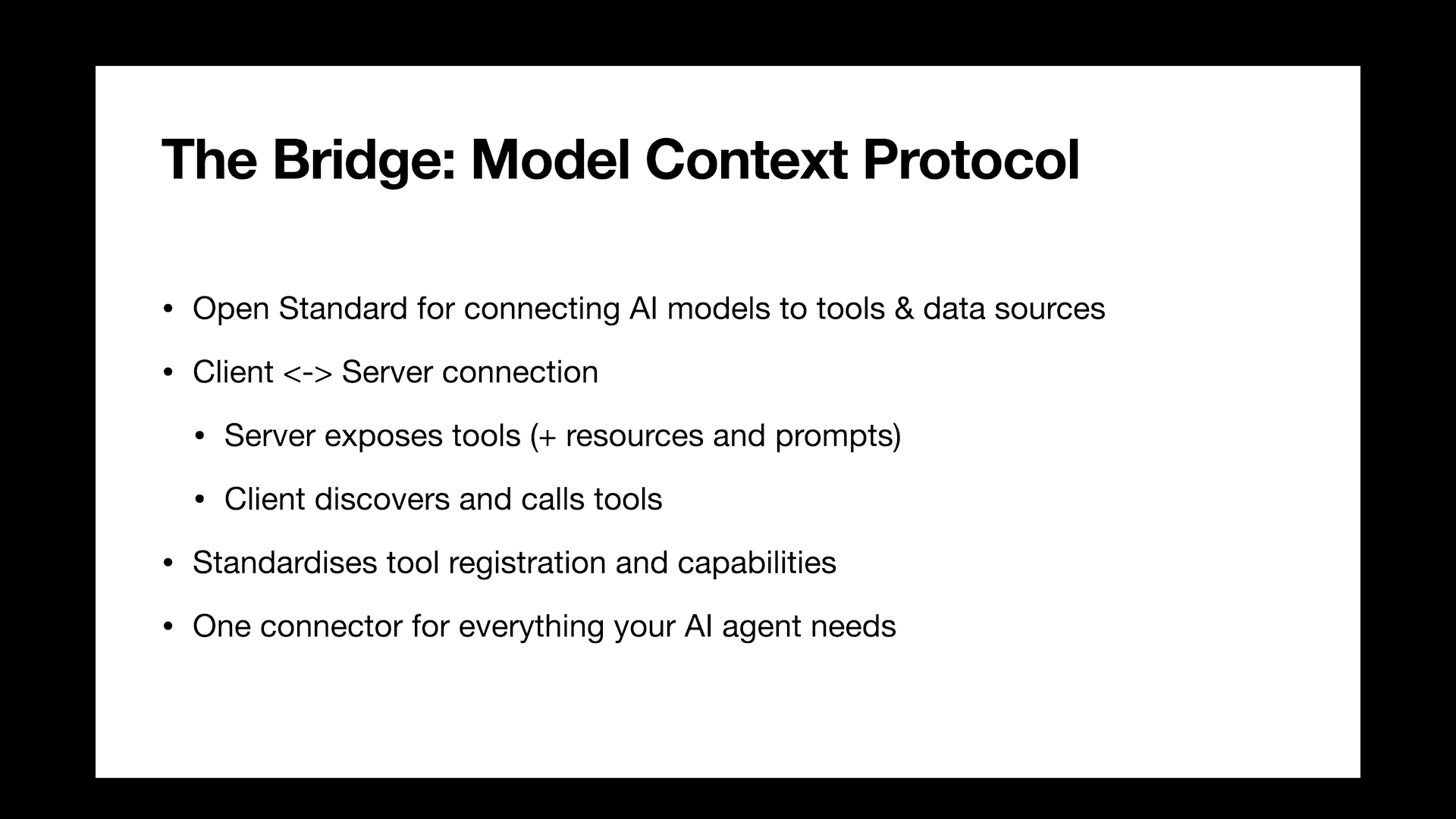
So this is what the future is looking like. And you can see it already. These are from the websites of these GitHub Copilot. The second one is from Google, Jules. So they are using the terminology called asynchronous coding agent. So anything which is happening in the background, not in real time. You give it a task, it would happen in the background.
And you can go check on it later on. And the third one is lang chain. And yeah, I think I'm pretty much done with my talk. But what I'm getting at is what's important is most important, context engineering. Make sure you're providing all the information that you can provide as much as possible. Don't assume it knows everything.
Second thing is model switching. So depending on the tool that you're using, Cursor, Client, there's too many assistive tools out there. Switch the models. Try to figure out which model would be the best for which task. Because what's happening right now is all these things are getting very expensive. Clot code. I talk to a lot of software engineers.
It's expensive, dollars 200 and still you hit the limit when you're working with them. So it's important that you figure out which model to use. And there is a company which has a very nice tool. It's called AMP AMP. It's from Sourcegraph. They are trying to do this automatically. You give it a task, they'll figure out which model to use.
They'll break down a task into smaller pieces and figure out which model to use in the background. You wouldn't have to do it. But right now, you need to do it for the other tools, though. And yeah, these are my incomplete thoughts. The primary objective with AI should be to save human time. The second thing is, I think right now AI is hyped up, but it is useful, too.
Third thing is Joffrey Hinton, the godfather of AI, says you should prepare to become a plumber. That's why I'm going to the gym. And AGI, it needs an architecture change. Right now, it's built on transformers, these AI models. And some of them, they cannot do math really well either. So they are working on the architecture change, so I don't know.
It's still not possible. And what's happening in other companies is like they're not hiring junior engineers, which is interesting because in the future, we would need those junior engineers when the older senior engineers are going to retire. So that's an interesting topic as well. You can talk to me. I'm here throughout the day today.
Yeah. And these are ways you can connect with me. And if you scan the QR code, I can share the slides with you.
People
- Sam Altman
- Geoffrey Hinton
Technologies & Tools
- Claude Code
- Rust
- LLMs
- Punch cards
- Fortran
- COBOL
- C++
- Python
- JavaScript
- CLI
- Playwright
- LangChain
- Transformers
Standards & Specs
- AGENTS.md
Concepts & Methods
- Context engineering
- RAG
- Human-in-the-loop
- Agentic coding
- Asynchronous coding agent
- AGI
Organisations & Products
- Cursor
- GitHub Copilot
- Codex
- Anthropic
- OpenAI
- CodeRabbit
- GPT-3.5
- GPT-4
- Claude
- ChatGPT
- VS Code
- Google Jules
- Amp
- Sourcegraph