How to Build an Agent in JavaScript
Demystifying the Coding Agent
Kevin Yank introduces Thorsten Ball’s influential article and surveys the fast-changing field of coding agents. Wanting a trustworthy mental model without first learning Go, he decides to recreate Ball’s agent in JavaScript.
Scaffolding a TypeScript Agent
Kevin sets up a TypeScript and Node.js application around an Anthropic model hosted through Google Vertex AI. He constructs the agent’s terminal interface, then demonstrates why a stateless model cannot remember information from an earlier request.
Building Conversational Memory
Kevin creates a persistent conversation array and sends the complete message history with every inference request. A live terminal demo confirms that the model can now remember his name and sustain a chat, although it is not yet an agent.
Tools Turn a Chatbot into an Agent
Kevin defines an agent as an LLM with tools that can affect or inspect things beyond its context window. Using a weather example and Ball’s “wink” analogy, he shows that the application—not the model—executes each requested tool and returns its result.
Implementing the Read-File Loop
Kevin defines a read-file tool with a name, description, input schema, and local JavaScript function. When the first demo stalls, he adds the missing orchestration logic that detects tool-use messages, executes the matching function, and appends tool results to the conversation.
File Access and Human Approval
The completed read-file tool lets Claude inspect a text file and solve its riddle without task-specific instructions. Recognizing that the model can now request access to laptop files, Kevin introduces a human-in-the-loop consent prompt and demonstrates a gracefully rejected request.
Expanding the Agent’s Toolkit
Kevin adds a directory-listing tool, allowing the agent to explore a project and summarize its TypeScript source files. He then defines an edit-file tool that creates files or performs targeted replacements and reports the outcome back to the model.
A Working Code-Editing Agent
Kevin asks the agent to create and revise a FizzBuzz program using all three tools, then has it build a ROT13 decoder. These demos support Ball’s central claim: the inner loop of a useful code-editing agent requires only a model, a conversation loop, and a small collection of practical tools.
Where Does the Agent Live?
Kevin reframes the agent as the complete system spanning the model, coordinator, tools, and user’s computer. He closes by contrasting private local-model architectures with cloud-hosted agents such as GitHub Copilot Cloud Agent and Google Antigravity, suggesting that the future may combine both approaches.
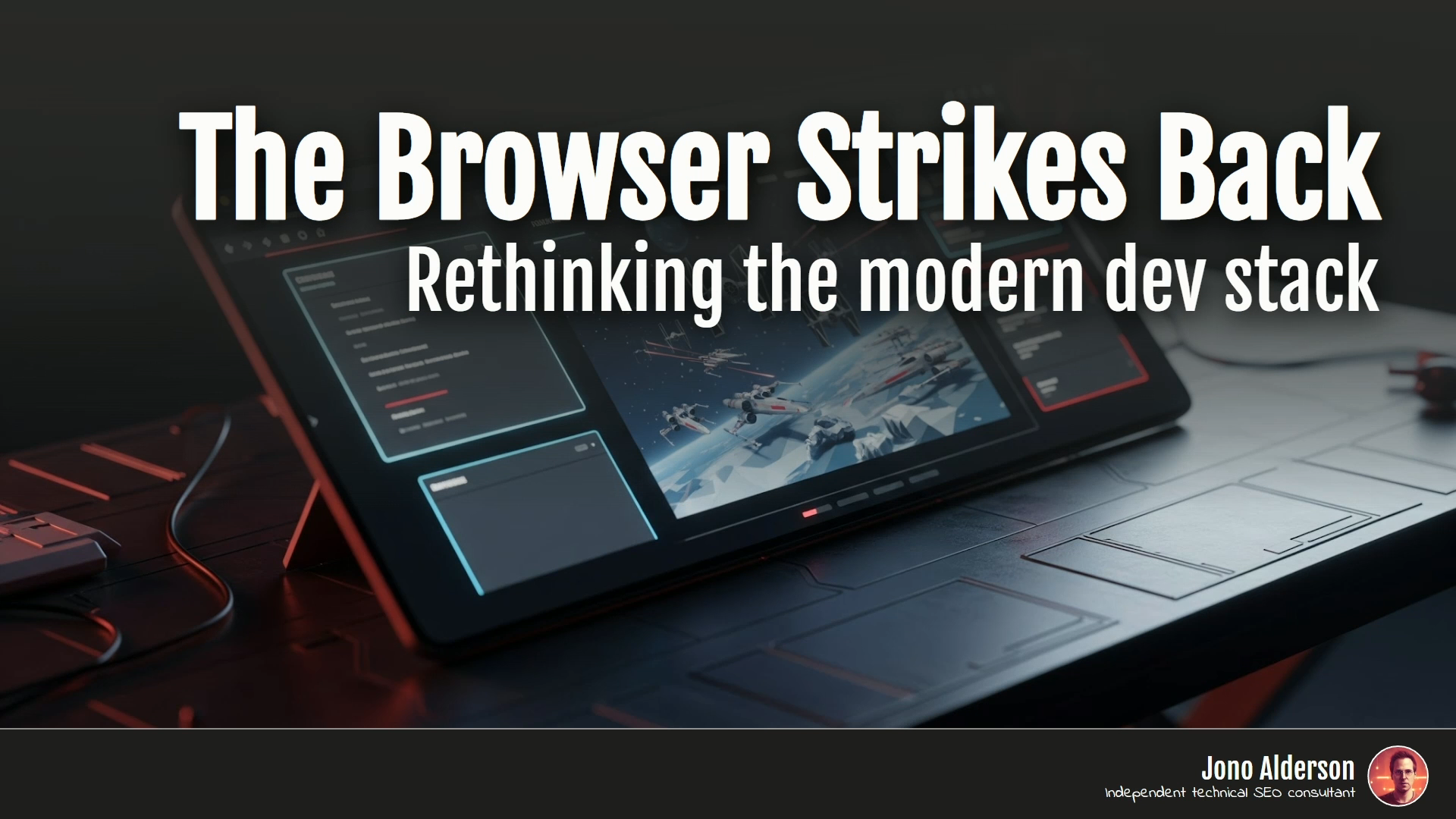
As you can see from my title slide, I am crediting another person as a co-author of this talk. This talk is co-authored with Thorsten Ball from Sourcegraph, who in the spirit of AI technology, I have taken his blog post without his permission and used it as the foundational model for this talk.
I hope he doesn't mind. This is that blog post, How to Build an Agent or the Emperor Has no Clothes. And it came to my attention earlier this year when I was at the Web Directions Code Leaders Conference in Melbourne. Speaker Jeffrey Huntley at that conference said that for his money, this was the blog post of the year for software engineering.
And that if you wanted to get your head around these coding agents that were taking over our our industry, this was the blog post to read. So I wrote down the URL and I went home and I sought to read it. And this blog post talks about these things. These are coding agents.
Let's see if I can do this from memory. That's the logos of cursor, zed, windsurf, amp from sourcegraph where Thorsten works, Claude Code and GitHub Copilot. And these things are exploding. They are evolving at a rate where right now, I'm pretty sure one of these companies is already out of business.
And just overnight, to make things interesting for me, Google launched Google Antigravity, their version of this with the Gemini 3.0 model. And these things, are evolving at a rapid clip. They are evolving more rapidly than it is easy to keep track of. And I don't know if you're the same kind of engineer I am, but I find it difficult to trust and invest in a tool that I don't have a strong mental model of how it works underneath. And when something moves this fast, it is very hard to understand it well enough to trust it deeply and to understand what it's good for, what it's maybe not good for, in his blog post, Thorsten seeks to dispel the magic of these tools by explaining that you can build one of these in less than 400 lines of code, most of which is boilerplate.
He says, I'm going to show you how. Right now, we're going to write some code together and go from zero lines of code to, oh, wow, this is a game changer. So I am on board as I'm reading this blog post. This sounds great. Exactly what I need. And then it says, Pencils out, let's get started. Spin yourself up a new Go project.
Now, I am an engineer of the front end persuasion. I admire Go at a distance, but I have never built anything with it. So suddenly I am facing learning something to learn something. Am I going to learn Go today just to understand this blog post? And I thought, no, maybe not. Maybe I will set myself a different challenge, which is, let's see if I can understand what he's saying well enough to implement it in a language I do know, JavaScript.
And that's what I'm going to do for you today, is I'm going to speedrun this blog post showing you the JavaScript code that I wrote to build this agent. So let's get started. This is an index.ts file. I will be writing all of this in TypeScript for Node.js. And I will help you follow along. So this is my entry point file.
It looks like a fair bit of code, but it's pretty simple. I start by configuring the Anthropic SDK that we get from Google Vertex. I chose the Google Vertex service to host the Anthropic model just because that's what we had available to us easily when I did this experiment at Culture Amp.
You can use Claude's API directly, you can use Bedrock on AWS. Wherever you get your model, you configure the library, and I need to give it a project idea and a region, and then I run my main function, which is right here. The first thing I do in my main function is I create an Anthropic Vertex Client from that software library, that Google provides, and I give it my project ID and region.
And then I create a new object, an agent. And this agent is the class that we are going to write. This is the bulk of our program. Most of the work we're going to do is inside this agent class. But I create a new agent, and I give it that Anthropic SDK client, and I give it two other things, a getUserMessage function, which is a function that will prompt the user to type something in, and it uses some color codes for the terminal to make it look pretty, and a showMessage function, which is just a console log, again, using some escape codes to put colors in the terminal, but otherwise it is just outputting a string to the screen.
Once I've set up my agent with those things, I run my agent, and so we are going to need an agent class with a run function, This is my constructor for my agent class. It takes those three things, the client, the getUserAgent, the showAgentMessage, and then we need to write a run function. So what goes in a run function for a coding agent?
Well, we are going to want to talk to this thing because this is the default interface for a coding agent is a chat window. And so we might want to say to it, hi, Claude, my name's Kevin. And we might expect it to respond with some faux warmth response generated by the machine that asks if I'm having a nice day. And then I might say, to test it, what's my name? And out of the box, we might be surprised that it professes ignorance. It says, I have no way of knowing your name. The only way I could know your name is if you had told me. But I did just tell it.
And the reason it does this out of the box is that these models are completely stateless by default. This should be familiar to us as web developers. This is how web servers work by default. Every request and response is separate from the other. And if we want to build some sort of state, some sort of session data up, then that is something we need to build on top of the primitives.
So we are going to need to build that here. Otherwise, it will just say new phone who dis all day. So, what do we do? When it replies with its first response, we take that response and we copy it into a record of the conversation so far. Then, when we follow up with our next question, we don't just send that question, we send the entire conversation so far.
Say, here's the whole conversation, now what do you have to say? And it can correctly answer that my name is Kevin. So this is what we are going to build in our run function. We're going to start with an empty array. This is the conversation so far. Nothing has been set. We display some instructions on the screen with a console log, and we go into a while loop, a while true loop, that will run its body again and again until the user bails out of the program with Control+C.
The first thing we do is we prompt the user to type something in with that getUserMessage function that we passed into the constructor. And when we get the string back that the user types in, we put it into this object with a role and a content. The role is user and the content is whatever the user typed.
And we push that object into our record of the conversation so far. We then call this run inference method and send it the conversation. That's this thing on the right that I've written. It is basically a call to the Google Vertex Anthropic SDK. It says to the Claude model, take this conversation and respond to it. I want to use this model.
This is the length of the response I'm interested in getting. And here is the conversation so far. It returns a response or a result. We back here take that result and we wrap it in another one of these objects. This has our role of assistant because this is a record of something the LLM said, not the user.
But the content is the message that we got back from the model. And then we show that message on screen. We go through all the messages that we got in the result, and for any that are text, which will be all of them at this point, we display the text message on screen. So let's see if this works.
I will go pnpm. Yes, PNPM agent is correct. All right, so I'll say my name is Kevin Yank. And I send that string up and I get a response back.
And let's say suggest some nicknames for me. Let's take a risk. Kevlar. Kevlar is new.
I've never seen Kevlar. All right, so our chat is working. Let's move on, says Thorsten, because the nicknames suck. Indeed they do. And this is not an agent yet. What is an agent? Here's Thorsten's definition, an LLM with access to tools, giving it the ability to modify something outside of the context window.
The context window is the technical name for that record of the conversation so far. Right now, all the model is empowered to do is to add messages to the conversation. But we want to let it do other things by giving it tools. So we are going to build a tool. He says, an LLM with access to tools, what's a tool?
The basic idea is this, you send a prompt to the model that says, It should reply in a certain way if it wants to use a tool. Then you, as the receiver of the message, use the tool by executing it and replying to the model with the result. That's it. Everything else we'll see is just an abstraction on top of this. So in our conversation, we might start by saying, in this conversation, let me know if you want to use some of these tools, and then we give it a list.
Then we ask it to do something, and it responds by saying, I want to use a tool. And we copy its message, as usual, into the record of the conversation so far. And then we say, all right, I've done the tool. I ran the tool for you, and here's the result. The model then says, I did what you asked.
It didn't really, we did what we asked, but it takes credit for it. And this, in his blog post, Thorstein says, is like if you're having a conversation with a human and you say, in this conversation, wink if you want me to raise my arm. And then if they wink, you raise your arm. You have not literally given that human the power to raise your arm, but they kind of have the power to raise your arm because you've agreed to do it for them.
That is how an agent works. That's how tools work. So we can actually do this with the code we've already written. Let's say when I ask you about the weather in a given location, I want you to reply with getWeatherLocationName.
I will then tell you what the weather is in that location. Understood? It says it understands. So, what's the weather in Sydney, Australia?
Here on the land of the Gadigal people, it has replied with a tool call. So now, I as the dutiful human will go to the Bureau of Meteorology website, look up the weather in Sydney. My watch says it's 23 degrees C and sunny. And now armed with that information, it gives us a weather report.
So, Thorson says that worked very well on first try, didn't it? These models are trained and fine-tuned to use tools, and they're very eager to do so. By now in 2025, they kind of know that they don't know everything and can use tools to get more information. Of course, that's not precisely what's going on, but it's good enough an explanation for now.
To summarize, all there is to tools and tool use are two things. You tell the model what tools are available. When the model wants to execute the tool, it tells you, you execute the tool, and you send it the response. And to make step one easier, all the big model providers have nice APIs to send them tool definitions with your requests.
So let's write a tool. This is going to be the read file tool. In order to define this tool, we're going to use the types that the Anthropic SDK suggests. But keep in mind, under the hood, this will all end up as strings that are sent to the model. It's all Wink if you want me to use read file.
So this is a tool definition type in TypeScript. It has a tool has a name. It has a description that explains what the tool does and when the model should use it. It has an input schema, which is the list of parameters or arguments that must be supplied to the tool when it is called. And then the last thing is a function.
And this is not for the model, this is for us. When the model asks to run this tool, we will run this function to do the work, and it will return either a string or a promise of a future string in case it needs to do something asynchronous. So in our agent class, our constructor will now take two new things, a show tool message, function that will display a notification to the user that a tool is being called, and a list of tools, an array of these tool definition objects.
And then in our run inference function, where we are calling the Claude model, we first need to convert our list of tools into a list that the model will recognize. We basically take that name description and input schema and we leave off the function because the The model doesn't get the function, we get the function. We just give it these three pieces of information, we pass it that list of tools with the conversation so far, and it can respond.
This is back in our main function. We pass in those two new things, the show tool message, which is just another console log with some colors, and the list of tools which we import from this file that looks like this. This is a file that exports a list containing a single tool that it gets from yet another file called readfile.js.
This is our read file. And as promised, it is a tool definition with a name, a description that says this tool will read the contents of a file given a relative path. It says it needs that path in order to know what file to read and that this is a required property. And then on the right, we have our function, which is just some Node.js code to read a file from the file system and return it as as a UTF-8 string.
So let us see how this works. Demo 2. Let's ask it what's in src agent.ts?
It goes up to the model, the model comes down and says, I'll help you check the contents of that file. Let me read that for you. And then nothing happens. Do we know why nothing happens? Nothing happens because we are ignoring WINKS. The model is winking at us, but we have not written the code that responds to WINKS yet.
So we need to look for a new message type. We were previously looking just for text messages that come back from the model, but there is now a new message type called tool use. And when we see a tool use message in the response from the model, we call this execute tool function that we'll show in a moment. The result of executing that tool, we will then push into a tool results array that we eventually add to the conversation record. And if we do get a tool request from the model, then we can skip asking the user for the next input, the next message in the conversation, because the next message in the conversation will be the result of running the tool.
And so that's where we skip prompting the user if there is a tool call. So this is the executeTool function. So from the model, we get the ID of the tool request, the name of the tool, and the inputs for that tool. We go through our list of tools and find the one with the matching name, and if we don't find one, we return an error into the conversation.
But if we do find it, then we show a tool message on screen to the user, and then we call our tools func function to do the work. And when we get the result of that work, we return this object that has the tool use ID, a type of tool result, and the content that came back from the tool.
The rest is error handling, so let's get this one working. Okay. Oh, and before I get into this, Thorsten has a fun task for the agent to try out.
And I'll copy it in to spare you watching me. Type it. So, we're going to put a string in a text file and the string is what animal is the most disagreeable because it always says nay. And we put that in a file called secretfile.txt. Claude, buddy, help me solve the riddle in secretfile.txt.
I'll be happy to help you. It reads the file. We read the file for it. And it says that the animal we're looking for is a horse. And at this point, Thorsten invites us to say, Holy crap. In fact, he's a little spicier in his post. He says, Let's take a deep breath and say it together.
Ready? Here we go. Holy shit. No one did it with me. You just give it a tool and it uses it when it thinks it'll help solve the task. Remember, we didn't say anything about if a user asks you about a file, read the file. We also didn't say if something looks like a file name, figure out how to read it.
None of that. We say, help me solve the thing in this file. And Claude realizes that it has the ability to read that file to answer, and off it goes. It's at this point in the blog post that I got a little concerned, because I realized I had written a program that gave Anthropic and Google access to any file on my laptop.
So I'm going to take a slight detour and implement human in the loop. I'm going to change that show tool message function to a get tool consent function that instead of just showing a message on the screen prompts the user to agree that a tool call is allowed. If they hit enter or type yes, we return true.
We then use that in our agent We get it in the constructor here and if we get false back then we return an error instead of running the tool call. All right, so now we can test this safety measure. Solve the riddle in secret.
Create file.txt, and this time, when it requests to read the file, it prompts me. And I can say no, in which case the model gets an error back, and it actually deals with it very gracefully. It explains why it asked for the access and invites me to try again if I change my mind.
So this is working. Back to the blog post. We're going to add another tool. If you're anything like me, says Thorsten, the first thing you do when you log into a new computer is to get your bearings by running ls list files. Let's make that tool. So this is our list of tools. We add a new one called list files tool and put it in the list of tools we export.
This is the implementation of list files tool. It is once again a tool definition with a name, a description, a path property that this time is optional, and we explain that if you don't provide it, we will list the current directory instead. And then our function on the right is a little longer just because listing directories in Node.js is a little less convenient.
But fundamentally, we are getting the list of all files in the directory. And for any that are subdirectories, we will stick a slash on the end of the name to give a a clue to the model that this is a subdirectory. So let's try this out. What do you see in this directory?
It asks to list the files. And it finds a bunch of stuff in there. Tell me about all the TypeScript files in this project. It guesses sensibly that those files might be hidden in the source directory.
And it finds a subdirectory called agent and a subdirectory called tools. And it starts reading all of the TypeScript files in those directories. And it's at this point I start second guessing my decision to approve every single tool call. But better safe than sorry. That's everything. One more list files.
And now it will give me a big book report on the TypeScript files in my project and what they do. There we go. It correctly says that this project appears to be a console-based chat application that connects users with Claude Anthropic's AI assistant. So, list files works.
Let it edit file. The last tool we're going to add is edit file, a tool that lets Claude edit files. Holy shit, says Thorsten, you're thinking now, this is where the rubber hits the road. This is where he pulls the rabbit out of the hat. Well, let's see, shall we? Edit file is a new entry in our tools list.
And the implementation of that is another tool definition, which takes three arguments. Properties, a path, an old string, and a new string. And then it uses those to edit the file, the code for which I put on a separate slide because it's a little big, but we are basically doing a find and replace in the contents of the file. And we either say there are no changes made because we didn't find the string, or we successfully made this many replacements in that file, or we created a new file because it didn't already exist. It's fascinating to me that these are messages not for the user, but for the model, to explain to the model what has happened as a result of its tool call.
Let's see this in action. Git checkout main. That's right, it's the final demo. Okay, thank you. Hey, create fizzbuzz.js that I can run with Node.js and that has fizzbuzz in it and Executes it.
Don't mind the misspelling. So FizzBuzz is a common or has been a common interview task for engineers in years gone by. And it has implemented it or wants to implement it by writing this into a file called FizzBuzz.js, which I will approve. And it says it is done.
And it explains for those who may not know what FizzBuzz is, It's a program that goes through the numbers 1 to n and prints fizz for multiples of 3, buzz for multiples of 5, fizzbuzz for multiples of both, or prints the number itself otherwise. Let's see if it works. There we go. There is fizzbuzz. It's a bit long, so please edit fizzbuzz.
.js so that it only prints until 15. It lists the files to find the file, reads it, wants to write something so it has used all three of our tools now, wants to write some more, And it says it's done.
There's 1 to 15. So, there we go. Let's give it one more task and this is another fun one from Thorsten. This is a rot13 decode. So, there we go. I've got it twice.
Pardon me. Copy, paste. There we go. Create a congrats.js script that ROT13 decodes this gobbledygook string and prints it out. So if you don't know ROT13, it's a very weak cipher that encrypts a string by shifting all the letters of the alphabet by 13 spaces. It wants to, oh it has written the file and wants to read it to make sure it wrote properly.
Done. Let's node congrats.js. There you go. Congratulations on building a code editing agent. There we go. Isn't this amazing? Says Thorsten. If you're anything like all the engineers I've talked to in the past few months, chances are that while reading this, you've been waiting for the rabbit to be pulled out of the hat.
For me to say, well, in reality, it's much harder than this, but it's not. This is essentially all there is to the inner loop of a code editing agent. Sure, integrating it into your editor, tweaking the system prompt, giving it the right feedback at the right time, a nice UI, better tooling around the tools, support for multiple agents.
We've built all of that in AMP, but it didn't require moments of genius. All that was required was practical engineering and elbow grease. These models are incredibly powerful now. 300 lines of code and three tools, and now you're able to talk to an alien intelligence that edits your code. If you think, well, but we didn't really go ahead and try it. Go and see how far you can get with this.
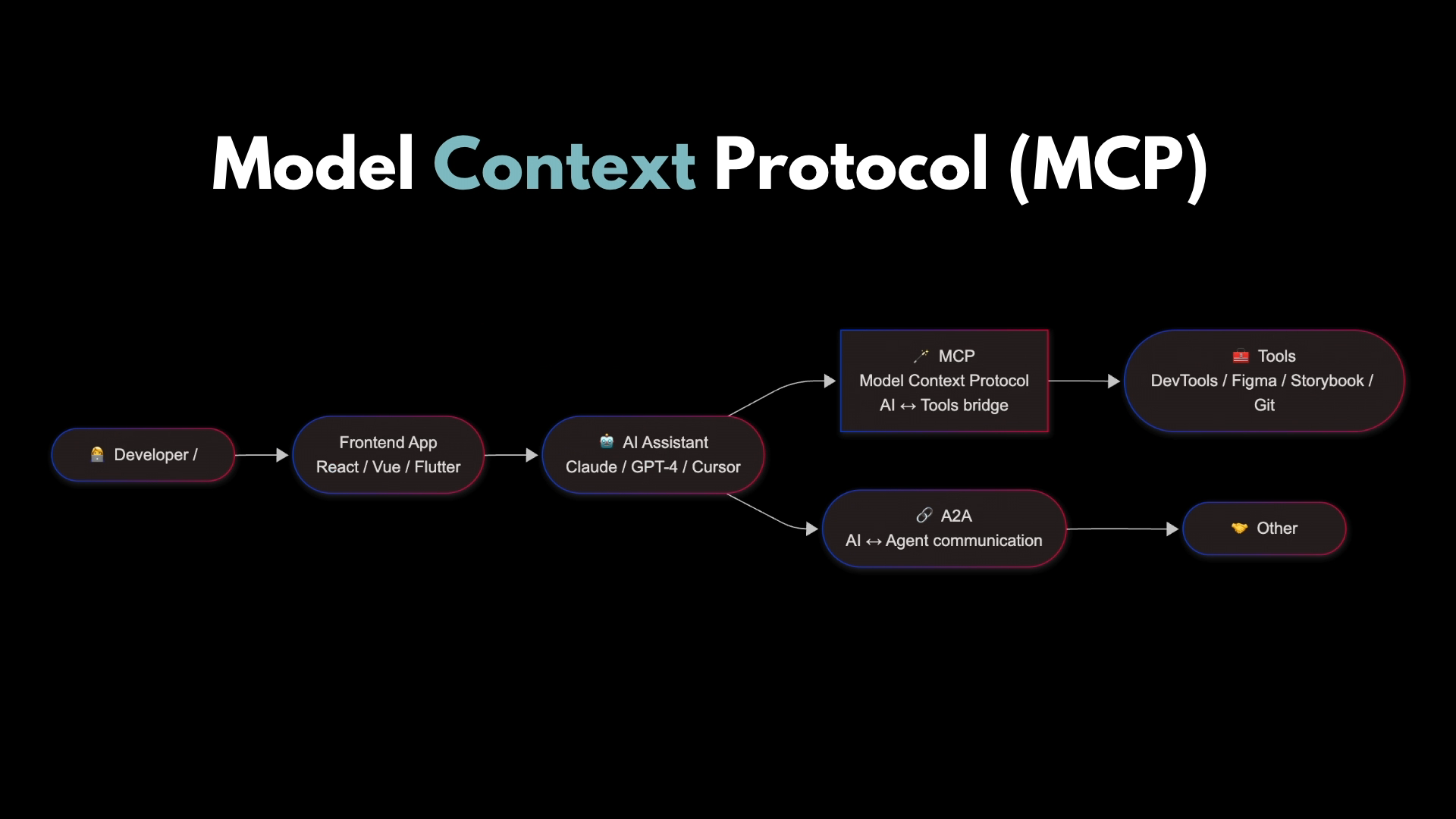
I bet it's a lot farther than you think. That's why we think everything is changing. And that's how Thorsten wraps up his blog post. So there you go. Blog post of the year. As a closer from me, this is hopefully the mental model I've instilled in you, that the way these code editing agents work is that on your computer, usually at the moment, you have an app like Code Code or Cursor or Visual Studio Code, and you ask the model on the internet to do a thing, it says, I want to use a tool.
You use the tool for it. You give it the result, and it takes credit for the work that your computer did. Where is the agent in this picture is my question to you. Is it, oh, and tools can definitely be online as well, but they don't need to be. So is the agent here? Is it the model?
Well, the model is just generating tests. It doesn't include the tools. So is it the model and the tools? Or is it this whole picture? Is this whole picture the agent? And I think it is. And you'll notice this picture has a big line across the middle of it between the internet and your computer. And there is a tug of war going on in the industry at the moment about where that line goes from here.
There are people trying to raise this line up and replace that cloud model with a local language model so that you control the whole agent and none of your information leaves your machine and you can make it do as much work as you want to pay for electricity. But at the other end of the rope, the industry is trying to lift this whole thing up into the cloud and replace it with things like GitHub Copilot Cloud Agent or the new Google Antigravity. They want to put the tools and the thing that coordinates with the tools in the cloud, in part to make you pay for it, and you access it through a browser or some other thin client. Now, which of these pictures is going to win?
We don't know. Maybe it's going to be a bit of both. That usually seems to be the case. But hopefully, whichever way it goes, you now have a good mental model to carry you forward. So that again is Thorson's blog post, and that's my JavaScript version on the website. Thank you.
People
- Thorsten Ball
- Jeffrey Huntley
Technologies & Tools
- Zed
- Go
- JavaScript
- TypeScript
- Node.js
- Anthropic SDK
- pnpm
- Visual Studio Code
Standards & Specs
- Input schema
- UTF-8
- ROT13
Concepts & Methods
- Conversation history
- Context window
- Tool use
- Human-in-the-loop
- FizzBuzz
- Local language model
Organisations & Products
- Sourcegraph
- Cursor
- Windsurf
- Amp
- Claude Code
- GitHub Copilot
- Google Antigravity
- Gemini 3.0
- Google Vertex AI
- Amazon Bedrock
- Bureau of Meteorology
- GitHub Copilot Cloud Agent
Works
- Building an Agent