When AI Stops Talking and Starts Doing
From Standing Ovation to Predictive AI
Tamas Piros energizes the audience with the Fresh Body Fit Mind exercise before introducing large language models as sophisticated next-token predictors. He demonstrates their fundamental limitation with a flight-booking request: an unaided LLM can suggest options and links, but it cannot complete the transaction.
Giving Language Models the Power to Act
Piros frames agentic AI as a growing commercial opportunity in which developers will connect models to useful business processes. He explains tool calling through flight-search and purchase functions that let an LLM move beyond generating text and perform actions through code, APIs, and databases.
MCP as a Universal Tool Connector
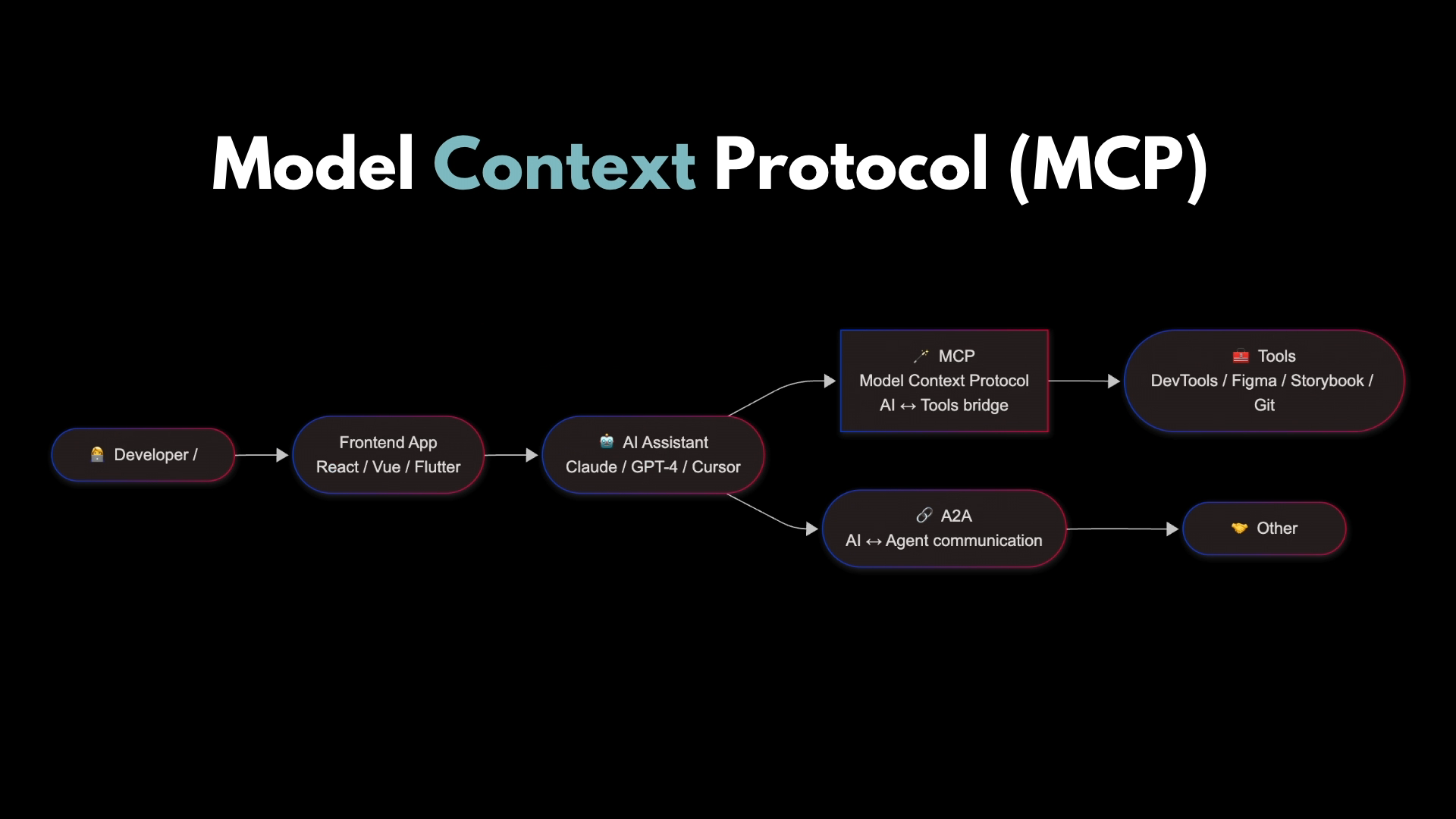
Piros introduces the Model Context Protocol as an open standard for packaging tools, resources, and prompts in reusable servers. He contrasts MCP servers with clients such as desktop assistants, code editors, and custom Node.js chatbots, emphasizing that one standardized connection can serve different models and agents.
Building the Autonomous Travel-Story Agent
Piros begins a live demonstration of a Node.js chatbot powered by Gemini 2.5 and Cloudinary's MCP tools. The agent lists local photographs, uploads and tags them, resizes them to reduce vision-token consumption, analyzes their contents, and prepares a Markdown travel story, although an internet error briefly interrupts the run.
Why Every Agent Needs an Expert
Piros warns that autonomous output remains unreliable, illustrating the risk with an article that mistakes a photograph of Rome for Santorini. He argues for “expert in the loop” review rather than generic human oversight, then shows the recovered demo pausing so an informed reviewer can confirm each image analysis before publication.
Cloudinary's Media Workflow in Action
Piros outlines Cloudinary's storage, transformation, optimization, CDN delivery, and MCP capabilities for images and video. He then opens the completed Roman travel article, demonstrating that the agent autonomously assembled the reviewed analysis and uploaded media into a finished post.
Preventing Tool Schemas from Rotting Context
Piros explains context rot: model responses can degrade as conversations and tool definitions consume an expanding context window. He shows how loading only an execution tool—or retrieving function schemas from a filesystem when needed—can substantially reduce token usage compared with exposing every MCP function upfront.
WebMCP and Agent-Ready Websites
Piros previews WebMCP, Google's proposal for exposing website actions directly to browser-based agents instead of forcing them to navigate interfaces designed solely for humans. He sketches tool registration through the browser, points viewers to further resources, and closes with an invitation to continue the conversation.
Good morning. Good morning. Thank you. How's everyone doing? Good. Okay, let's try this again. So hello everyone. Good morning. How's everyone doing? There we go. Thank you. Okay, so before we start, here's a very important concept that I'm going to share with you.
Fresh Body Fit Mind. Who heard about this paradigm before? A couple of you. Okay, so for those of you who haven't, what this says is in order for you to be able to focus to get those brain juices going, you're supposed to do some exercise, a little bit of exercise. So because we are before lunch and you've been sitting here for about an hour, we're going to do a very simple exercise. So please stand up.
I always tell people that I love to see the reactions of you from here because some of you are like jumping up, let's do this, other people are like, ah, for fum. So this is good. Okay, it's going to be very simple exercise. I'm going to show you my back, so I do apologize for that. You need to lift up both of your arms so that your elbow is in line with your eyes.
I'm checking. Good. Now open up your palms. Yep. And put them together repeatedly very, very fast. All right. Thank you. You may sit down. I have a collection of these.
And up until today, my boss doesn't know what I say so that I get a standing ovation from developers of every single conference. So thank you for that. Okay, so on a more serious note, I'm here to talk to you about AI and both of these tools that you just heard are going to be an amazing prelude into what I'm going to talk about today. So we are in a new evolution/revolution, right?
So we now have large language models. So who here has used the large language model before? Even if you did not put up your hand, I know you did. You just don't want to admit it. It's fine. But the thing is with LLMs is that very, very simply put, they are just a sophisticated calculator, right? They are next token or next word prediction engine.
All they do is that given any sort of input, they are going to run some calculations on those tokens and they're going to predict using probability what the next token is going to be in the sequence. And they're just going to keep on doing that and doing that and doing that, right? So they're very capable when it comes to things like generating text, writing code, creating poems for you and generating images, but they cannot, quote unquote, do things.
And what I mean by do things is going to be highlighted here. So I know that screenshot is very, very small, but I sort of highlight the main points from this conversation. So I'm just talking to, it doesn't matter which large language model, I just said, hey, book me a flight to Zurich from Singapore for these two dates.
And because the large language model is just predicting text as a default behavior, it's just going to say that, okay, well, I'm going to give you some random prices and availability that is going to change. Also note, I cannot book this. And it's just going to also give me a list of options that are links to websites where I can actually do the booking.
But this is not what I wanted to do. I want the large language model. I want AI to book this for me. But it can't do it because it's just a text prediction engine. Now, before we get to how to fix that, some statistics for you. So if you're really curious about whether we really are in this era of AI, I highly recommend that you read reports from McKenzie, from Deloitte, or all these large consulting firms because they share a lot of great insights into how the industry, and not just the IT industry, how any industry is using AI today.
So 71% of organizations regularly use generative AI. The top functions within organizations are marketing, sales, software engineering, and operations. And essentially, in 2025 and also going into 2026, we paused this era where everyone's just shocked about AI and oh my God, LLMs can do this. We are now in the phase of, okay, how can I use this so that I'm more productive?
Companies are looking at this, how can we use this so that we get more revenue? How can we use this to be more efficient in our processes, so on and so forth? And of course, developers are going to be key enablers in bringing the value to organizations, right? Because you as developers will be able to create the tools, write the agents that will help all these various departments.
So more statistics for you, it doesn't really matter, but there's going to be a revolution in agentic AI. Someone also said that 2025 is already the agentic AI era, and they predict that by 2029, agentic AI is going to resolve about 80% of the common service issues, which will yield cost reductions, et cetera, et cetera. This thing that I'm trying to sell you on here is that this doing AI market is real, but on its own, a large language model is not able to do things.
How can we bridge that gap? Then the previous talks did a very, very good job at introducing this concept to you, which is tool or function calling. Tool and function calling, as you just saw earlier, is basically when you give tools to the LLM so that when the LLM requires to call those tools, it will be able to do it, whether that's listing files, editing files, writing files, or anything else, it doesn't really matter. This is where things become very, very interesting because if you think about it, you can give a JavaScript function, you can write a JavaScript function, you can give access to that to a large language model. Now, what are the things that we can do in JavaScript functions? Anything, right?
You can write files, you can get a JavaScript function to talk to an API, you can get a JavaScript function to do database queries, it can do whatever. And as such, you now enable the large language model to do things for you. So here's an example, or the same example, but the large language model is now equipped with two tools.
One is book flight, the other one is purchase flight. So the prompt is exactly the same. Book me a flight from Surrey to Singapore departing on these two dates. The next thing that the large language model does, it understands that it needs to do a flight booking. So it's going to call this Book Flights tool and it's going to list potential options for us.
So again, you can't see it, but there's a flight going from Singapore to Surrey and there's another one on return. And then it's going to ask the user like, hey, these are the two flights that I found. Are you happy with these? And then I said yes. And then it's going to call the purchase flight tool, you put in your credit card details and everything, and then it's going to do the booking and return a booking confirmation for you.
Now, obviously this is not real, right? But this is showing you that now because the LLM has access to two additional tools, it is able to do a lot more other than just predict text and tell you, here are the four websites where you can go and actually do this booking. Now, we also heard a great talk about the model context protocol.
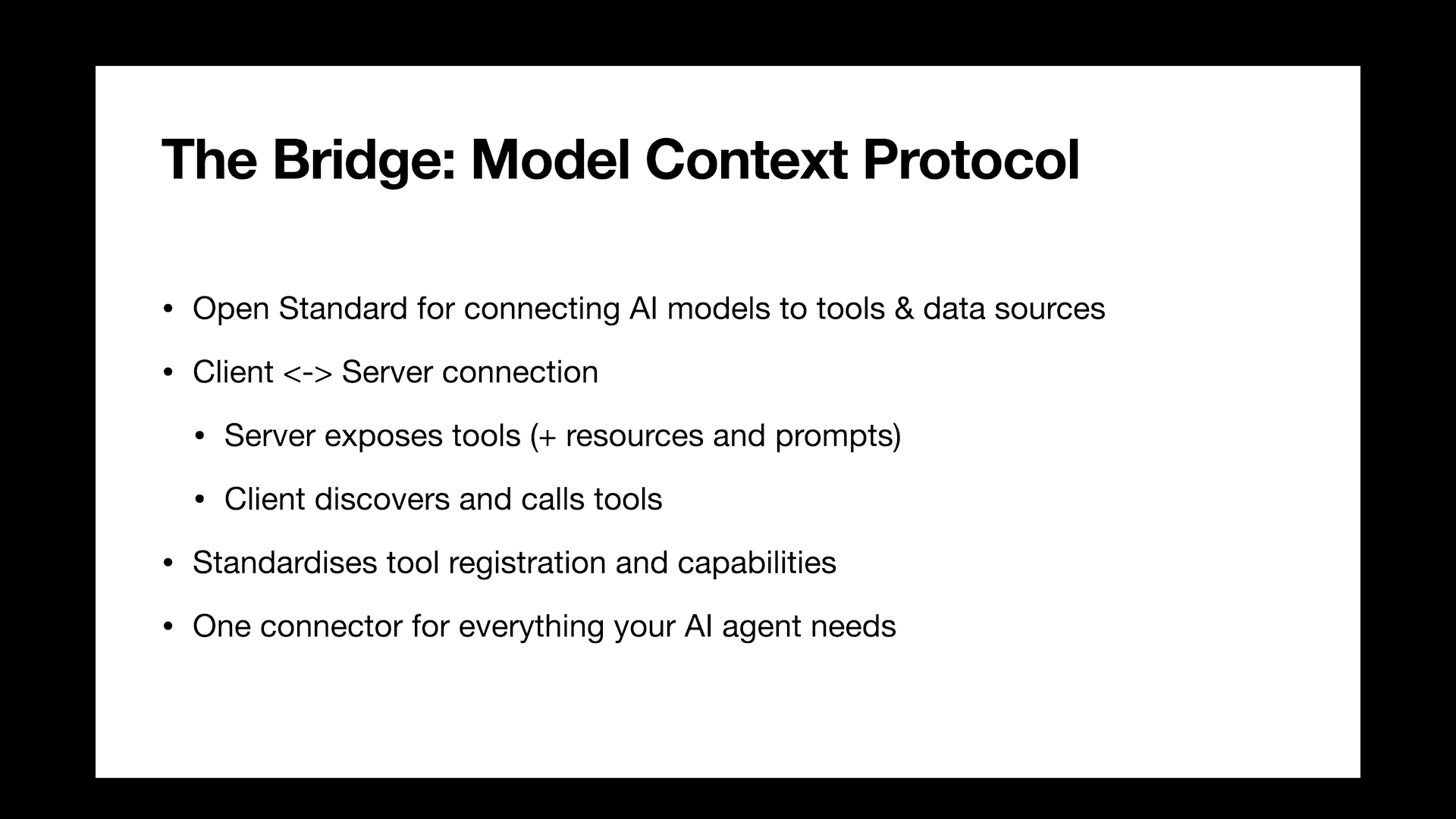
This is just a short summary of that. It's basically an open standard, where basically you create or any company can create this MCP server. You can create an MCP server as well, of course. With that, what you do, and the way I like to mentally think about this is that you package up a lot of these tools that you want to give to an LLM.
Okay, so if you think about this flight example, you could, or any airline could create an MCP server with which they expose a set of tools that will help LLMs to book flights, allow users to purchase these flights, change the flights, so on and so forth, right? So there could be 10, 15, 100 functions all packaged up in an MCP server by Qantas, for example.
Okay? And then that's one part of it, right? So there's an MCP server that exposes a list of tools. Now, just to be thorough here, the MCP specification also mentions that as part of the MCP server, you can not only expose functions to the LLMs, but you can also expose resources and prompts.
So you can actually have an MCP server to expose built-in prompts and make it available for the LLM. So that's one side of the story. And of course, there's the other side, which is the actual client. The MCP client is, again, it can be anything. It can be a code and called thick client. So it can be something like a cloud desktop, or it can be your code editor, like a cursor, where you say, Hey, cursor, I have an MCP server.
You set it up, create the connection. And now, while you do your coding, the code editor is going to talk to this MCP server. Or you can create a client from scratch, right? You could literally call up a client, you create a chatbot, you use Node.js, you use your model, and then you just tell that model like, hey, here's an MCP server that I would like you to use. And the reason why MCP is really, really good is because it standardizes the way on how you register and expose tools or functions to your LLMs, okay?
Which means that you have this single connector into a list of tools. And it's also LLM agnostic. So if you've ever done any work with the OpenAI SDK, the Gemini SDK, the Anthropic SDK, you would have noticed that they can all do function calls, but the implementation is a little bit different.
It's a little bit different for OpenAI using their SDKs. It's a little bit different for Gemini. It's a little bit different for Claude. But with an MCP server, you just connect to a single server, right? That connection is pretty much the same regardless of what tool you use, and then those LLMs will then figure out how to use the tools that you packaged up inside the MCP server.
So short, very, very simple diagrams, right? So the first one is just how large language models work, right? So you have the LLM, you send a prompt and you get a response, okay? That's it. It just predicts the next words in the sequence. Then in the middle section, we have tool calling, right? So you have the LLM, you give the LLM a tool, the tool is then able to talk to an API, make a database query, whatever it is, and then provide your response based on that.
And with MCP, what happens is that the MCP packages up multiple of these tools. Those tools, in turn, can talk to multiple of these APIs that you have or make multiple database queries or do whatever, and then the responses are going to be taken, all of that into consideration. So I kind of said this before. Why this matters is because I think at least to me, the most important point is that you have one single tool, one single MCP server, and it can be reused by multiple large language models and agents. Okay? You just basically have this MCP server, you plug it into your project, and now that particular project will be able to see all the tools that you have exposed through the MCP server. That's, I think, the most important point here.
So we're going to have a look at the demo. I'm going to do that live. So wish me luck. I have a recording of it, so if it doesn't work. But in this demo, what you're going to see is I created a chatbot. And this chatbot is able to look at files from my file system, and it's going to be able to take those files, upload it to my Cloudinary account, then it's going to be able to analyze those images that were just uploaded, and then it's going to write a blog post for us about those images.
So hopefully this is going to work. And the stack is the old things written in Node.js. The large language model that I use is Google's Gemini 2.5, I think. MCP server is going to be Cloudinary's Asset Manager. More on that later. And then I also added three tools where I developed three tools. One is a file system tool that is going to allow us to actually read the files.
So I'm not going to get into the details because Kevlar already showed that to you and you know how that works. But on top of that, there are two additional tools. One is Cloudinary's AI Vision, which is going to be able to analyze what's inside the images. And then a Markdown writer, it's probably a stupid name, but basically that's the one that will create the story and write out the story into a markdown, or in a markdown format.
Right, what could go wrong? So, live demo. So I have two folders. Who would like to have a story about trip one? Okay, there's only two. Trip two. Okay, trip two wins. Right, so, Actually, I think it's npm start.
I forgot how to start this thing. There we go. The very first thing that you will see, and this is just a debug, you don't need to do this. I'm just doing this deliberately. When this application starts up, the very first thing that happens is that I connect to the Cloudinary MCP server. Cloudinary The MCP server exposes a number of tools.
Just so that I show this to you, these are all the functions or the tools that this MCP server exposes. So we will have access to uploading assets, deleting assets, listing videos, listing files, creating folders. So basically, if you're not familiar with Cloudinary, we allow you to take your images and videos, upload it into your account, and then we help you with the storage, the management of these, as well as the delivery of these assets.
So the Cloudinary Asset Manager MCP server is predominantly for people who want to manage media assets, images and videos in their Cloudinary accounts. Furthermore, when I say available tools, these are all the available tools. So I just list all the Cloudinary tools plus these tools that I've mentioned to you, list files, read file content, get file statistics, and then write markdown file.
So those are the additional functions. Okay. And there's also this one, which is analyze image with AI vision. That's going to be the function that will look at the images, see what's in them, and then write the story based on that. So please, you know what?
I won't even say please. Upload. Have you seen that? I should have put it on my slides. Have you seen that meme where There's like this terminal to terminal to uprising and the robots are taking all these people. And then one of the robots says like, not him, he said, please. Anyway, upload, we said trip to, right?
Was it trip to trip to? Okay. Upload all the images from the photo slash trip to folder to my cloudinary account. Tag them as best trip ever and write a story about them.
I know I'm very close to my token limit with Cloudinary's AI vision, but we'll see. We're going to go through this on all my slides. In fact, while this is working, I'll show you what it does on the slides, because it keeps on jumping.
So the very first thing it does, I said, hey, it's not exactly the same prompt, but you get the idea. So it's going to say, okay, first I need to find those pictures. So it's going to go to Photo Strip, we did Strip 2, and it's going to call the list files function first. Once it's done, it's going to find those files, and it realizes that I asked it to upload it to my Cloudflare account, so it's going to call upload asset.
And an upload asset is going to take the file path. And because I also asked it to tag it, it's also going to assign a tag to it. And we'll see that later on in the Cloudinary UI. Okay. Once it has uploaded all those images, it's then going to get those images back. But now notice that the images that it's analyzing are coming back from Cloudinary. So first of all, it already tells me that it has uploaded those images.
Because once you upload an image to Cloudinary, you get this access URL. The other thing that I do is I also apply a quick transformation to these URLs. So notice the W800 parameter in that URL. So that makes sure that this image is going to be resized to only have a width of 800. The reason why I do this, and I kind of learned that too late, and then I got an email from our own support of Cloudinary saying, why did you use a million tokens just in 10 minutes? So the larger the image is, the more tokens it's going to take for any AI system to analyze it.
So I sent 4,000 by 6,000 pixel images to our service, and one image used up like 300,000 tokens because of that, right? So if you shrink it down to 800, it means that the AI will still be able to analyze the image, like it's still going to quote unquote see what's in the image, but it's going to use much less tokens, of course.
And then the analysis says, identify the location, landmarks, time of day, blah, blah, blah, identify interesting details. That tell a story. And it's going to do this one by one for all these images that were in the folder. There's about five or six images. And then last but not least, it's going to say, okay, I'm finished with the analysis.
You asked a blog post, so here's the right markdown file, and it's just going to write a post about this. So really amazing, right? Let's see how it is doing, by the way. Yeah. Internet connection error. Wonderful. Let's try this again.
That's an internet issue. That's not my tokens, at least. But if still this doesn't work, I have some examples that I'm going to show to you. Okay. So I tried to make this as ugly and as attention-grabbing as humanly possible. So this is great, right? The AI is doing everything. You have you just basically sit down, lay back in your chair, and then in five minutes you have a blog post.
Great. But one thing, just the one thing that you remember, I don't even care if you don't know what Cloudinary is, I don't care. The one thing that I want you to remember, don't tell this, my boss, I said that, by the way, but the one thing I want you to remember is that you cannot 100% rely on AI tools. You have to always double check the output of anything that's AI. Whether the output is code, whether the output is a blog post, whether an output is a summary of an article or anything, always double, if not triple check it.
You know, if you go to ChatGPT, you go to Gemini, they also tell you, it's not accurate, please double check, so take that seriously. And the reason why I'm saying this, I have plenty of examples, but just to stick with the theme here, I got, during this while I was working on this, I got this wonderful article in one of the folders that are only images about Rome.
And then the title is A Roman Holiday Journey Through the Eternal City and St. Peter's Basilica and Colosseum and all these things. And then what you see highlighted there, so I'm also asking the markdown writer to embed the images into the post and then have a little title of what is saw on the image. And it says, Sunset view over Santorini is whitewashed buildings and blue domed churches. I don't have a picture of Santorini.
Santorini is in Greece, by the way, just because sometimes people are like, what's wrong with this? And I'm like, oh, anyway. And the picture that it thinks that Santorini is actually like a picture of, I think, the basilica in Rome. There's no beaches, there's nothing, right? And yet it thinks that. So please always review this.
Now, the best way to do this is what we call, and again, this was shared before, human in the loop. So human in the loop means that the LLMs and all the AI does the work, but then there's a human that reviews that. So it says, maybe in our case, and that's what I implemented, it's going to say, okay, here's the six images that I uploaded and analyzed. Now let's review them together, whether that's correct or not.
If it's correct, great. If it's not, we can correct it before it makes it into the final response and into the article. What I'm going to say here is that I really don't like human in the loop as a term. I would much rather say expert in the loop, okay? Because whatever process is this. So if you just take this out of context here a little bit and we think about this process being a customer service agent, where the agent does the work, wants to close the ticket, but then there's a human that would review whether that response to the customer is correct and whether the ticket can be closed.
But any human can't do that. It has to be an expert. It has to be the expert of the system. It has to be an expert in the particular field that is able to review that. So in our case, it would have to be a journalist or someone who knows about Chrome and knows about the trip to review that. So I'm going to argue, and that's the term I'm going to use going forward, is that this is expert in the loop as opposed to just human in the loop.
So the way this got implemented, actually we should, let's see how is this going. Oh, there we go. Okay, so it went through, it uploaded the things, it went through the analysis, and now before it writes the article, it stops. And this is the expert in the loop. It says, okay, I have six images. I think the first one is room, confidence high, and it gives you the clues as to why he thinks this image was in room. So we say, okay, this one is correct.
Next one, again, it says it's room, but you get the idea. So we can now say, all of these are correct, correct, correct. I think all of these will be correct, but just in case. So location confirmed. We're done, and now it is writing the article. And then hopefully in maybe five more seconds we get a very nice article which we can then have a look but still review, okay?
Because God knows what he writes about the Fontana and I quattro fumi. Come on, okay, we come back to this. Okay, so while that's doing that, I'll tell you on a slide what Cloudinary is. I said, it's a cloud-based platform. You can upload your images. You can do this without AI, right?
So you can upload your images, you can store those images there, and videos, of course. We help you with the optimization of those assets. So when it comes to delivery, you know, if you have JPEGs, JPEG is a very bad image format to deliver on the web, by the way. You can get all those images delivered in WebP, AVIF, or more modern formats that are suitable for the web.
You can also transform these images. So just saw one little transformation there where I said with 800, so you can crop images, add effects, so on and so forth. And finally, you can also deliver these images via a CDN. And to map to this, we also released a set of MCP servers. So the ones that we were using is the asset management one, but you can also do analysis, which I'm also using.
You can have structured metadata MCP server, which basically allows you to just manage the metadata for your images and videos. And we have an environment config MCP server, which allows you to create name transformations, manage your webhooks, create adaptive bitrate streaming, video streaming profiles, so on and so forth.
Okay, so we have like, I think we have five, I'm missing one from here, but we have five or four or five MCP servers that will allow you to talk or allow an agent, an AI agent, to talk to Cloudinary and the assets within your Cloudinary account. Okay, so here's our blog post. Okay, so let's go and go into where does the, I forgot where it puts it, post.
Okay, and this is the one that was created today, 20th of November, my best trip ever, a Roman holiday through time, and voila, here is now the entire article, and this is where the images would show up, but in the CLI, I can't see the images, but that's where the images would show up inside the article. Okay, so this whole thing, was written completely autonomously by this AI agent. Right. Okay, so far, so LLMs are good at predicting text.
You can give tools to LLMs that will allow them to actually do stuff. And then MCP servers basically expose a number of tools packaged up for LLMs so that they can use those in a controlled setting. However, There is this thing, who heard about, I call it context pollution, but the official blog post is context rot.
A few of you. Essentially what that means is, so context is basically, you start having a conversation with a large language model. It's basically everything that you said and everything that the model responded with in a single chat session. That's like your context. And basically research has shown that if this context is larger than either 100,000 to 200,000 tokens, you get degradation in the quality of responses coming back from the LLM.
Meaning the longer the conversation is, the larger the context window is, or the context size is, the worse the performance is going to be. Of the large language model. Now, that's okay, that's whatever. But what I want you to realize is that if you give multiple MCP servers to your large language model inside a session, that means that you basically send two schema definitions to your MCP servers.
Now, if you have two MCP servers with, say, 50 functions each, that's already like 100 function schemas sent to the large language model. Basically, just by exposing a large set of tools to the large language model, you are going to use up a lot of tokens. The solution to that, or at least this is what Anthropic and I think CloudFlare has been promoting these days, is that instead of exposing every single tool that you have inside the MCP server to the large language model, either give the large language model a tool that is able to execute functions and only that tool and let the large language model to bring in the right tools from the MCP server when it needs it and let it execute it, or generate a file system tree per MCP server that you have with only the functions and then let the large language model to pull in and execute the functions from the file system if and when needed, okay? So both of these would mean that you end up having fewer tokens at the get-go and then allow the LLM to intelligently bring in the schemas when it needs them.
And when I did some tests, so I don't know if you can, probably it's too small for you to see, but then on the left, what you have is the traditional way of, hey, large language model, here's an MTP server, you have access to these tools. And I ran exactly the same prompt. And then just when I started the large language model, I was already at 266 tokens, and then I ended up with 1,566 tokens in total. On the right-hand side, what I've done is I gave one tool to the large language model, which is the ability to execute functions, okay? So it's like code execution.
When I started this particular chatbot, I was at only 156, so 100 tokens left already, And for the same prompt, obviously the output is somewhat different, but still the difference is about 300 tokens. And I'm using only three tools within this MCP server. So imagine if you have 50 or 100 functions exposed within the MCP server. And there's one more thing that I'm going to share with you before I leave.
There's this brand new thing and initiative that I think a couple of weeks ago Google started to talk about, and that is called Web MCP. Essentially, what you need to know about this is it's only available in the US for now, but I think it's going to come to other parts of the world as well. So Google Chrome, the browser itself, is going to get a little Gemini button added to the UI.
And with that, you will be able to talk to websites. Okay, so you're going to be able to click on the button and you're going to say, you can go to, you know, Contessa's website and you can just tell the agent, book me a flight from this place to that place with these dates. And then through Chrome and through this AI agent, the agent is going to fill out the details of the website, click on the button, and then do the work for you essentially.
But the main problem with that, of course, is that websites today are built for humans, not for AI agents, right? So all this UI UX design is for us humans to be able to, you know, click the button when we have to enable the things, when it makes sense, so on and so forth. And so what Google is proposing is this WebMCP.
I don't even know if it's a protocol, but anyway, they proposed WebMCP so that any website can be easily used through agents. And this is how it's going to look like. So you can do window.agent.register tool, you can register all these tools, and then through WebMCP, and what you see on the left is how this Chrome agent is going to look like, but then this Chrome agent is going to talk to this WebMCP server so that the agent naturally understands what it can and cannot do, and more importantly, how it can do these things that you ask it to do on a website.
Okay? That's a very new thing. If you want to learn more about that, there was recently this conference called WebAI Summit organized by Google. And this talk was done about a month ago, and there's going to be a link on the bottom of this slide. Okay, a couple of resources for you. So if you want to learn more about Cloud Run's MCP servers, the code execution with MCP function calling, model context protocol, and Web MCP, all of those are on this slide.
If you'd like to connect with me, this is my LinkedIn, so I'll be more than happy to talk to you about anything related to AI, large language models, MCP servers, so on and so forth, so feel free to connect. I always respond to people who send me messages. One note though, if you add me as a connection, just send a note that we met in Sydney, because otherwise, I'm sorry to say, it breaks my heart, but I have no idea who you are. And I get very weird connection requests every now and then.
And with that, thank you very much for your attention.
Technologies & Tools
- large language models
- generative AI
- JavaScript
- MCP server
- MCP client
- Node.js
- OpenAI SDK
- Gemini SDK
- Anthropic SDK
- content delivery network
Standards & Specs
- Model Context Protocol
- Markdown
- WebP
- AVIF
- WebMCP
Concepts & Methods
- Fresh Body Fit Mind
- next-token prediction
- agentic AI
- tool calling
- image transformation
- human in the loop
- expert in the loop
- adaptive bitrate streaming
- context rot
- context window
- code execution
Organisations & Products
- McKinsey
- Deloitte
- Qantas
- Cursor
- Gemini 2.5
- Cloudinary Asset Manager
- Cloudinary AI Vision
- Google Chrome
Works
- Web AI Summit