With ambient AI, you don’t prompt AI agents, AI Agents prompt you
Escaping the Reverse Centaur Future
Mic Neale opens by contrasting his engineering background with a chatbot-saturated present in which people increasingly perform grunt work for AI. He frames this dystopian inversion as the “reverse centaur problem” and argues that AI should free people for meaningful work rather than displace them from it.
From ChatGPT to Autonomous Agents
Neale traces his path from ChatGPT’s early data-analysis capabilities through Cursor, Open Interpreter, Devin, and Goose. These tools expanded what he could accomplish, but he increasingly wanted one autonomous system capable of handling development, creative work, and background automation.
Tool Calling Gives Models Agency
The notorious strawberry-counting problem illustrates why language models should delegate computation to tools rather than imitate computers. Neale identifies structured tool calling as the breakthrough that gave agents practical arms and legs, while noting that today’s agents still lack situational common sense.
Three Paths to Better Agents
Neale outlines three approaches to improving agents: stronger models, greater personalization, and simply waiting for rapid technical progress. He surveys fine-tuning, mixture-of-experts routing, low-rank adaptation, distillation, retrieval-augmented generation, and the enduring argument of “The Bitter Lesson.”
Building an Agent That Knows You
A useful personal agent should understand relationships, habits, communication channels, calendars, and incomplete notes without forcing the user to restate context. Neale introduces Goose Perception, an experiment that gives an agent continuous eyes and ears so it can construct a living contextual picture and respond through the applications people already use.
Ambient Assistance in Daily Work
Neale demonstrates practical outcomes including wellness alerts, urgent-message triage, meeting guidance, promotion evidence, and interpretation of messy notes. The system also acts proactively—drafting a rollback pull request or discovering that a requested security feature and its documentation already exist—while stopping short of unsafe final actions.
Private, Context-Aware Listening
Neale explains how a podcast-transcription request led him to explore efficient local speech models. Goose Perception maintains an on-device audio buffer, creates lightweight transcripts, detects context-sensitive activation phrases, and only performs higher-resolution transcription when necessary, keeping audio and transcripts on the machine.
Observing Work Through the Screen
The observe component periodically captures screens and uses local OCR and vision models to infer applications, changes, interactions, and work patterns. Neale compares the idea with Microsoft Recall, arguing that transparent, open implementation can make continuous activity history both trustworthy and genuinely useful.
Reading Presence and Attention
Neale describes the system’s most unusual sensor: an always-on camera processed entirely by local models. It learns personal baselines for presence, attention, and facial expression, helping the agent choose whether to interrupt the user or perform suitable background automation.
Recipes, Models, and MCP Tools
Under the covers, YAML recipes give Goose instructions, tool access, and model-selection options while biasing the autonomous agent toward action. MCP supplies the broad tool ecosystem, allowing Goose to configure and combine extensions while routing sensitive tasks locally and complex orchestration to stronger hosted models.
Memory, Generative Interfaces, and Trust
Neale shows how a simple database and Markdown files consolidate interests, relationships, projects, and application use into just-in-time prompt context. That memory supports generative interfaces, interruptions, and tool calls, while open recipes and expiring local adaptations make the system’s behavior inspectable and reversible.
The Local-Model Future
Neale surveys Ollama, LM Studio, llama.cpp, quantized models, and research into ensembles of specialized small models. Although large frontier models still tend to perform best, he sees local models as an increasingly capable foundation for private ambient agents that solve problems without demanding constant prompts.
So, yeah, I'm a I'm an engineer, developer, electrical engineer by trade, sometimes an IC, sometimes a leader, and really I want to be a mechanic, so when the machines come for me, you'll find me in the garage. So we've slept walked into a bit of a current future, a present future where everything is kind of chatbots. There's chatbots on everything, there's document generation, there's presentation generation.
These slides are really crappy, so you can tell I hand generated them. This is kind of the world we've ended up in, and sometimes they're helpful, sometimes they're annoying, but everyone slapping them on everything. People are generating documents and emails and sending them to other people so their stuff will read it and no one actually reads it.
It's just it's kind of weird how we got there, but it's only been a few years. What worries me a bit more is the a little bit of a dystopian hint of the future where the AIs are using us as arms and legs. They're using us to do the grunt work. They're using us to do the debugging, us to do the spell checking or the correction or reviewing.
Well, they make art and poetry, music and stuff like that. Maybe they're telling people to where to put things in a warehouse. So I think that's a little bit dystopian and I hope we don't end up there and I think most people here agree with that as well. This it's a bit of a waste if we end up there. This is sometimes called the reverse centaur problem.
So this is where AI is the head and the human is the buttocks. So I asked John if I could use a photo of him for the buttocks in this generated image, and he kindly said yes and also kindly didn't send me a picture, just said yes, I could use it. So yeah, the reverse central problem is what people are describing what's happening or a danger, and I really don't hope we end up there, and it's surprising how hard it is to generate these things.
Like, it's just I'm not a fan of AI art or music or poetry. It's wasted. We can do better. Okay. So a bit of a bit of background of, I guess, journey to agents and automation. I think back in end of twenty two was ChatGPT. In early twenty twenty three, they brought out a data analysis module.
I think that's what they called it. It wasn't very popular, but it was behind the scenes. You could tell it, and it would run a little Jupyter notebook and run some Python, do some computation, write some code. In the early versions, it would even have network access, so it was really good. Was like the precursor to to, I guess, what we call agents now, but they kinda locked it down and nerfed it after a while.
I cut it down, and it just got weaker and weaker over time, but for a while, was really good. Then I discovered Cursor and open source projects like Open Interpreter, kind of a little bit more obscure ones. I think Devon was around at the time, which on at least the development side, that was fun, that was good.
It helped me navigate code bases and do some things, and I don't know if it made me more productive like the presentation we said before, but it let me do things I couldn't do before. So that kept me going for a little while, and then I came across early versions of Goose which suited the way I worked, where it was a little bit more autonomous and I could delegate a bunch of things.
If I pretend I'm not an IC at a point in time, I can spin off a bunch of tasks and things like that, and I like Cursor, but I wanted to automate more. I didn't want just to do development tasks or creative tasks. I wanted to automate a bunch of things and use the one tool. And then lately, I've been thinking more about more just ambient stuff, stuff in the background that just saves time so I can spend more time being me.
So just a quick a quick link pitch or whatever. That's the the URL for the the project, the open source project. It has lots of users and and just tons and tons of contributors from from all different walks of life and companies. It's, you know, you've the different experiences and, you know, for some reason command lines have become hip again.
It's got desktop stuff and extensions and all that sort of stuff. It could do some of the newer experimental MCP stuff, like MCP UI, which is a kind of generative UI where you can interact and it will do all sorts of charts to represent your data if it thinks it's worthwhile. I'm sure you hear a lot about MCP today, so if you don't know what it is, don't worry.
So agents to me were a breakthrough because they let computers do the computing. I'm sure some of you here have heard the have you heard of the strawberry problem? Count the r's in the strawberry? Yeah, and in fact, OpenAI even code named a model after it. It was comically bad, and in some ways it makes sense if you zapped part of your brain that couldn't do computation, just use your language center, you probably wouldn't be too great at it either.
So it seems weird to expect LLMs would be good at maths or good at basically good at computing, but we've already got things that are good at computers. Jobs called it a bicycle of the mind, it's just sitting there. Not everything has to be an LLM, so the breakthrough that made agents, or at least what I think of as agents today that we're probably hearing about and you're probably using, was the tool calling in late twenty twenty three, think.
So they fine tuned some models to output structured format that let tool calls happen, so instead of counting the r's in strawberry, it would go, hey, could you count the r's in strawberry and write some Python code or something like that. It was really a breakthrough that's underappreciated. Yeah, agents are useful today. I'm sure most of us here, half at least, have probably used some today or yesterday as an assistant development tool or creator tool, some sort of workflow automation in your company's products or a third party you use. LLMs on their own are pretty limited, agents inject context, this is all stuff we know, and they also make up with the lack of agency by giving them arms and legs via the tool calling. So you talk to an LLM, you get a structured stuff back that says please can you call these tools, please can you take these actions, and away you go, and that can also fetch and integrate information back into the LLM.
But when I use any one of these, it feels like they all lack common sense, like it's or what I call common sense, probably not the right word, but it's not that common, but it's situational. Like, just tell it to do something and it just goes completely on the wrong track, or it just totally misinterprets me. But I would think an agent that's adapted to me would know what I mean. So I started thinking how do we make these things better and thought about three approaches that I see people using.
One's the teaching, improving you the models themselves, fine tuning and things like that. There's letting them be more personal as in actually giving the agent more data. That's a very controversial thing because we're rightfully concerned about it. I'll go into more than that. And of course three, my favorite, is I like to say hard work pays off eventually but laziness pays off right now.
Sometimes laziness pays off eventually, but the models are getting better and better. So I'm gonna dig into the first two at least. So the models have been improving pretty quickly and broadly. They've become more aware of their limitations, their pre trained cutoff date, hallucinations of, they're not a thing in the past, they're still a thing, but it's not quite the thing it was, at least early on in my experience.
And often when people are worried about things like that, I sort of figured their information might be about six months to twelve months out of date. There's a lot more techniques for faster pre trains and updates that go on. A lot of the bigger vendors are doing behind the scenes gating inside models with mixture of experts and routing and all this fancy stuff that lets them pick up bits of information quickly, and you can yourself do adaption like fine tuning.
I don't think anyone probably does this that much, but you can do low rank adaptation, LoRa, and that's really tuning a model to have specific shape outputs at some times you can get it to know more. I really haven't had much success. More commonly this year we've seen distillation in the Chinese models where they take a bigger frontier model and use that kind of as input to other models where you can do it more efficiently but also add new information, so get more of that what should be common sense into it.
And of course, as I mentioned before, tool calling, that's things like rag work, which some of you have heard. You can look it up if you haven't. I always like to remember though, and it's worthwhile googling this, a bitter lesson, a six year old post now that says raw computing power and general methods tend to outperform human engineered solutions in the long run. So far that's still kind of holding.
I mean, people might say with GPT-five being a bit of a fizzer, that's where things have plateaued a bit, but it's worth keeping in mind that the models are still getting faster so we don't want to prematurely optimize when we know there's better stuff coming. So this leaves the meat of things, making things more personal, and this is tricky and controversial because it's about to get a little bit sensitive and maybe weird, but an agent or an assistant that really helps you should be able to act as you, it should be able to mimic your actions, it's gonna need to see what you see and hear what you hear.
For example, and this is a real scenario, I put something into an Apple note, I said I'm gonna need thirty minutes with Anna, and I wanted my agent to pick that up and it should know, and it did know in this case, but it should know exactly what I mean by that, and it knows that because, well, it's a simple enough question.
You know, if I asked a human assistant I'd be able to answer that, but I could go to, you know, any one of the N chat agents slapped on the side of other things like Google Calendar or, god help us, Apple Intelligence, Gemini, but it's Each one has their own bit of context, each can sort of do it, but in real life, I wouldn't wanna talk to that many people to get something simple like that done.
It should know how I talked to Anna. Did did we Slack? Was it some, you know, late night Google Doc conversation thing? I can't remember. I just know I talked to her and it was important and we need to have a follow-up meeting. So this is something that any reasonable assistant should be able to do, and it should also let know how important it is.
You know, any reasonable assistant should have full access to my calendar and preferences, habits, styles, And when you have all that, it's a pretty easy question to answer. It's grounded in common sense. It's an easy answer to question when you have all that context. I started this sort of side project I called perception or goose perception, and it was a bit of an experiment and it sort of grew a bit beyond me and people started using it.
So I thought, well, Agent gives more arms and legs, I want to give it eyes and ears and even more. So this started with having it always listening to me. I'll go into that in a bit. It had me watching my screen, always continuously looking at it, all my screens. Of course, via all of the rich extensions that are out there, thanks to MCPs, I had full access to calendar, email, messages, whatever, and finally, I let it watch me via the camera, which was really weird, but it worked.
But the idea was built a picture based on what it perceives, like, it's really building a fancy live living system prompt that an agent can then use that has that common sense. So and then it worked in the end. I was able to leave an Apple note, and it said, need thirty minutes with Anna, and it said, idiot, you already have a time booked this Friday.
Like, it knew which Anna I meant, and it knew the context, and I just left that note on my phone and sort of reply on it when I was out at the gym and it was fine. So some people freak out when they see this and they go, well, does look like a robot looking over your shoulder twenty four seven, and it is, but people do try this and it helps that there's some transparency.
So there's a bit of a mind map here for the project, that's the URL to the project. It's a bit of a dog's breakfast of things, but it helped me sort of explain it to people. At first, like, there's no expectation of a GUI, like, there's no fixed GUI, should say, like, it should use the apps you use and interact with the way it works out, how you interact.
It should be able to take actions, you know, some built in common ones or it should learn new ones, you know, and it's gotta be able to learn what apps you use and things like that. So before I go a bit further into the details, what sort of stuff can you do? These are some real world things for the last couple of weeks that it did, like a wellness thing, is cheesy.
I didn't add the feature for this, it was a contribution, but I didn't mind it. It sent me alert when I was back on a Monday after being sick for a few days, and it didn't know I was sick, but it had learned what my facial expressions are like and knew I was stressed. I was actually was a bit aggro and told me to take a break, I did, and that was fine, but I've never seen a system do that and actually pay attention to it, so that was actually helpful. Another one was, I just am hopeless with messages, Slack, and email, and I'd rather have it work out if there's something actually urgent but not important, and it can gently tell me, oh, you need to sign someone's paternity leave card, so that was good. It was a time sensitive thing, and then some, you know, depending on the setting, some self reflection, but I don't mind that either, like, and sometimes they're practical things.
I do rapidly switch tasks too much. I do too much of that. I know that, and tons of systems and people will tell me that, but after a while, something like this, I kind of believe it, and I start to change my behavior. Some more examples and screenshots of things it's done, you know, giving time back, learning what meetings matter, whether you attend or not.
If you don't attend, was there anything interesting that you missed? Is it something you need to action? Can it actually decline your future attendance because, well, you never go and you don't miss anything? Or like that big angry message on the right, it's like you should be going there because you are interacting and you're missing some stuff because you're trying to sort things out over Slack when it should have been in the meeting and you're damaging your relationship.
A hype doc, we call it a hype doc. People often do this, you know, behind the scenes to like, you know, are they due for a promotion or something like that, but for me it's just like people ask, oh, what have you been working on lately? And it's like, I don't know. It's just look in my email or or whatever, get history.
So this will just do that and it publishes it to a Google Doc or a report or something like that. And for me, my favorite thing is the messiness. So, you know, I interact with Apple Notes and to do lists and inconsistently, so I should be able to learn and spot that and read that, and because of the context, know what I mean by it. And finally, there's some proactive stuff.
The first time it did this, it did it freaked me out a bit, and, you know, I had to adjust things a bit, like, did get an urgent request. It was via Slack, I think, and I wasn't at my computer, so I did draft a pull request in this case to roll something back, which was fine. It was only when I saw the pull request on my phone, it's like I don't remember.
I am old, but I don't remember doing that. And then then I realized it was that. There was a recipe, I'll show it later, that suggested things like that, but it actually was a good change and it didn't merge it thankfully, so a colleague took it and used it, but it's something I would have done given the context, but that was kind of fascinating. A more practical one was I was just out and about and I chucked in a reminder on my phone to go, oh, we've got a company, you know, whatever hack week coming up, I need to have that bypass feature for the allow list.
We have some allow list for all our extensions for security reasons, but it knew enough from my project context. It's like, oh, I can look in the source code. Oh, you already implemented that. That's already rolled out. And then it found a Google Drive doc that someone else had made in the company documenting how people can set things up for that for that week.
And the first thing I knew of that was when someone Slacked me and said, thanks for how to notes, I've reformatted it from markdown to the proper format, and that's when I realized I had a bug where it was writing Google Docs as markdown, so but it was it was genuinely helpful. To enable all this, we need trust, so we need to I need to give you a bit of an overview of how things listen, how things work, including listen, watch, and all that sort of stuff. Next slide. So it's always listening.
So this kind of started out, this whole project was my wife asking me, like, tool do you use to transcribe podcasts and put them on a timeline into themes, and I I don't know. I don't I don't even know how to download a podcast, so she's whatever player. So I just asked Goose in this case, like, here's the podcast name, and it went and worked out how to download it, and then it set up Whisper and then Faster Whisper, was interesting and did the whole thing, that worked, which was cool, tons of things can do that, but it did make me think these local models are actually pretty useful, powerful, low CPU usage.
So I started building around that where I keep an audio buffer and I can do a light low CPU transcript with Faster Whisper and then run that through in a buffer looking for basically activation words, kind of like a wake word but more with more context, so it knows if I'm talking to it or about it or if I'm talking to someone else.
It just gives it some context, and if it needs to, it can then go back to the audio buffer, do the high resolution transcript, and then either take some action based on that or or file it away for future. So no no audio, ten minutes. Great. Perfect. Yeah. No audio leaves the machine, no transcript leaves the machine, so I can feel safe to annoy the family by which I did, leaving the laptop in the lounge room just to see how well it worked with the different voices and so I could train that, I think it was a Distillbit based model for working out whether I was talking to it or about it, that sort of stuff. But it did fascinate me how far I could go with local models. Sort of, you know, almost old school code in a way. Observe is the next thing.
So we've had listen, we've now got observe. Observe is watching your screen. So you get a lot of information by watching people's screens and watching what changes, what apps have focus, how long they are focused, especially the changes that are quite important. It's a lot of latent information, it can complement who you're talking to that's combined with other integrations, with your email and things like that, how often you talk to them.
It's obviously very sensitive, so again local, so there's a roughly twenty second screenshot, screens shot cycle that goes into a buffer. Some local models around OCR and sometimes even Lava, which is an alarma based model, is very handy for describing and comprehending screens, not at the fine grained level, but just people identify something that, you know, a textual search won't.
And then it then it turns that into summaries of what what I've been working on throughout the day, what changed, how much time, and then then it will look at, okay, he's been interacting with Anna and here's some other information from the screens and kind of compresses it all together behind the scenes, and that's using some more goose behind the scenes just to run that and consolidate it.
Again, I can run that locally. So this sounds kind of familiar. It's like the Microsoft recall thing, I think it was recall, a few years ago. I thought that was a great idea but carelessly presented, like, and maybe it's the big company didn't trust it. So maybe if, you know, an open version or a more transparent version, people would realize that it is really handy, especially for people like me where you can't remember what me you had a conversation in or where you worked on something.
I think it was a great idea, but, it just wasn't presented well, so maybe they need to rebrand it as Total Recall. That would be great. And just a public service announcement, do not watch the remake of Total Recall. I did that once and halfway through on my plane ride I realized that they're not going to Mars and I wanted to get off the plane.
So do not not watch that. So finally, watching. So this is the camera. So the camera is always on. It's it's always watching you, sounds weird. Again, it's all local models and processing, no no imagery leaves your machine. It provides useful background information like if it's you there or someone else, are you attending the meeting, even what you're, it gets a baseline that it can turn into an emotional state, like it's, for me, if I see it in the logs, it will say, you know, 80% chance angry, 80% chance angry.
It's not angry, it's just I have resting angry face, and then it calibrates that to be concentrating, and it knows when I'm not concentrating, that might be the time to pop up and interrupt me if there's something that needs my attention. If I'm not there, it might be the time to pop up and do some automation that I might wanna do.
And this uses things like DeepFace, OpenCV, which has been around for decades, and TensorFlow, all local again. Under the covers, so this is sort of the meat of it, sort of a behind the scenes feature of Goose is some YAML because everybody loves YAML. Go have some YAML.
We call them recipes, which are really sort of inputs to an autonomous agent, which works well for something like this because it likes to bias towards action and just find a way to solve things. You know, find the right tool to use and just not give up. But essentially, you know, there's dozens of these recipes that declare instructions and prompt, that's basically it, and what extensions and maybe what models to use or what set of models to choose from and it can work it out amongst itself.
And some of those models can, you could say, well, I'm going to use, you know, I have a corporate access to GPT-five, I'm going to use that for some of the more complex tasks because it's better orchestrating it. All these other ones, I want to keep local. But the idea is it's fairly transparent, at least for someone that's happy to eyeball this and it's just plain instructions.
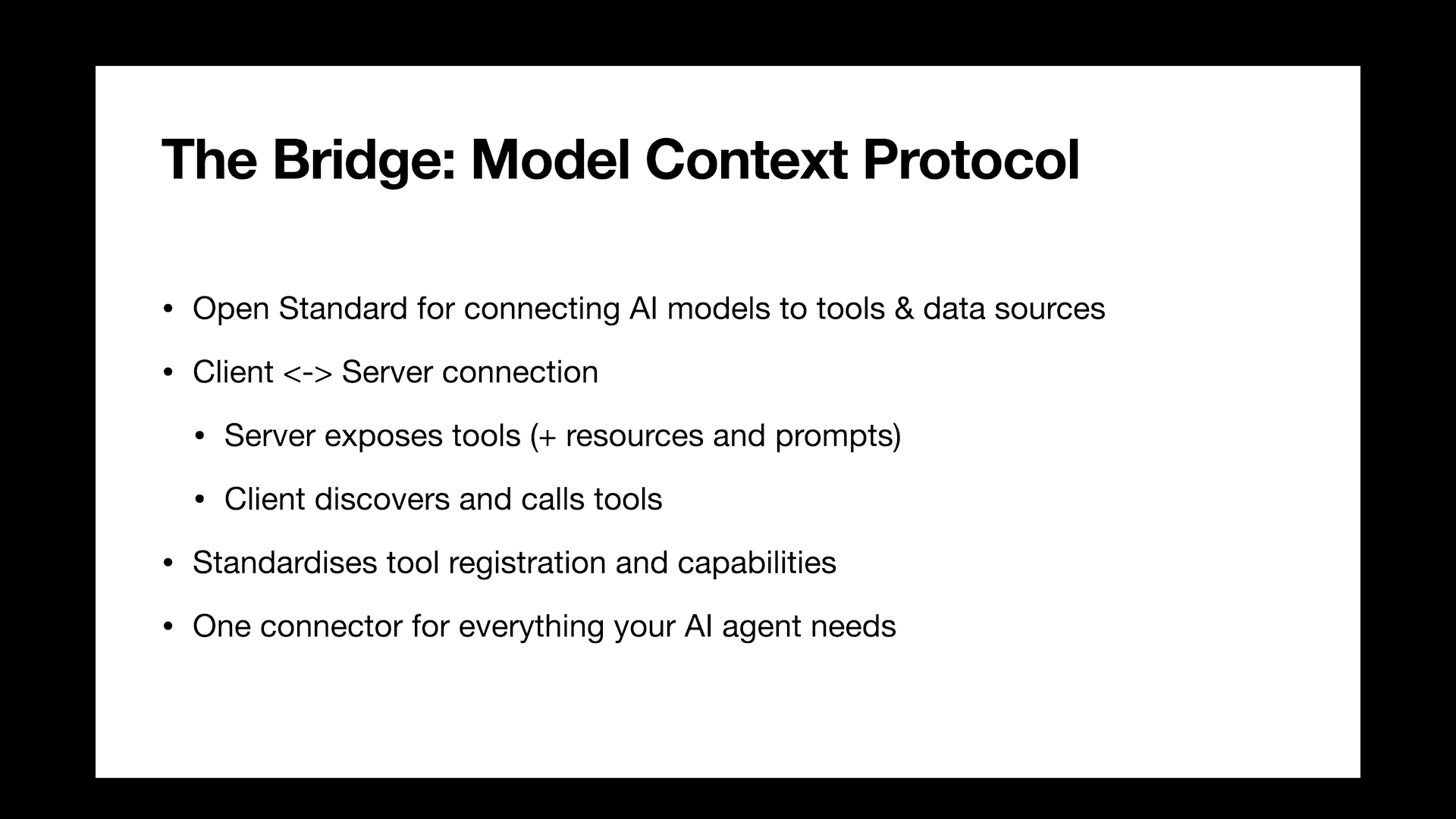
And it's all powered by under the covers by MCPs, so Goose is fundamentally a bag of MCPs in a trench coat, and there are thousands of these things, all of varying quality. That's a problem that everyone's still solving. Mostly in this case it's self configured, it can see the set of them that it has and it will know which ones to use, and some of them overlap, so it will use one, but it can find a way to solve some other problems with it, so you don't have to sweat too much with all these extensions because it is overwhelming, but it's a wildly successful spec or standard, one that we were involved with right from the start, the end of last year, so that was, I've never seen something take off as quickly as MCP, for better or worse.
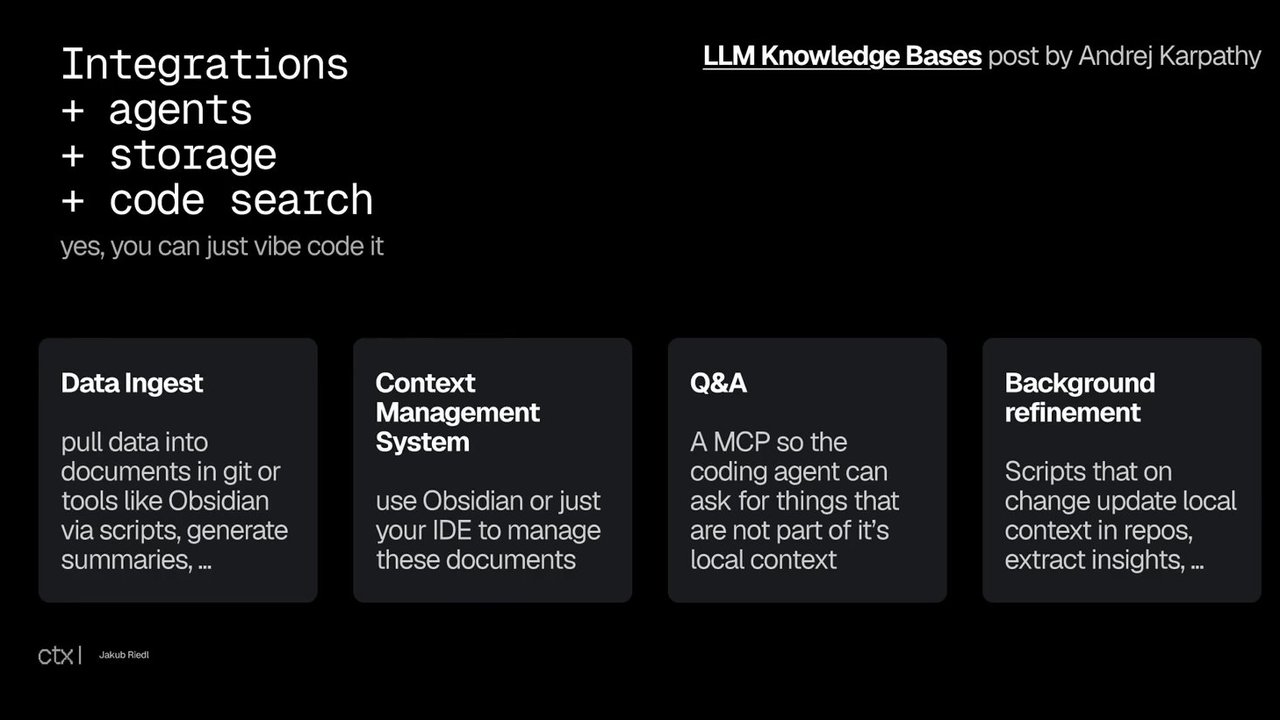
There it is. Thanks. So a little bit more under the covers. So this is what it looks like behind the scenes. You wouldn't really see this, but this is what powers it and it's really, really simple. It's just a little database. Again, like we were hearing before, everything's kind of marked down. Like, in the machine learning era ten years ago, everything was CSV files. Like the whole, you know, whole machine learning pipelines were all CSV files. In the AI era, feels like everything's markdown files, but here we are. So this, you know, consolidates its knowledge in a bunch of different file formats behind the scenes that can then be used by the agent when it needs to, like it needs to work out what are your interests, like are you actually interested in this thing that I've detected, who have you been interacting with, it's really important, it self identifies what project you use or what applications you use, and it starts with nothing, so it boot bootstraps these, and these essentially just become little snippets for a prompt.
That's it. That's really all it is. And then this allows it to fire up and create just in time graphical user interfaces or generative UI, I think it's called, you know, do interruptions, call extensions and so on, all behind the scenes. This is kind of what powers it. So transparency is obviously key if anyone's not insane and wants to try something like this, so the hope was that as things are open, you know, both as much as they can be models, but also, you know, the recipes, the prompts, the mechanics, then it gives people a chance to decide if they want to trust it and take ownership of some of this stuff themselves.
It has some more advanced stuff that I was surprised actually worked, so it will adapt recipes to its own environment. Some things will work in one environment and not another, so it will try and wrap around that and create some local adaptations that are relevant to that environment, and they run for a certain amount of time, but they expire, so any bad adaptations are lost.
And likewise, automated actions. If you do tend to take automated actions, it can decide to do that thing daily or weekly, like whether it's you know, generator summary because you need to do that. Click that. Again, mentioning the local stuff, there's a lot of great local model stuff going on.
There's Alarma, I use that fairly semi extensively. They have some very easy to use, well easy to use for developers anyway, models that heavily quantized so they run on reasonable hardware, and some of them can even do sophisticated tool calling to some extent. There's LM Studio, which is kind of also quite popular, people use that a lot, Lama C plus plus which is sort of the lower layers that let you run models.
And there's even some papers out there and from people like Nvidia are talking about, well, they think the future is lots of small models that are tuned. I'm yet to see that happen and I've tried, like sort of having these ensemble of models. I still think, you know, the biggest, baddest model you can hold your nose and use often works the best for today, but you know, there's people doing research into that sort of future.
And yeah, you can, that's it, thanks everyone for listening and you know, were some fun things that I've explored using some of these agent things and models behind the scenes. I've been able to solve a bunch of problems with it, have it solve problems for me without me having to, you know, spend time, I can spend more time wasting time.
That's it. Yeah. So yeah, thanks.
Technologies & Tools
- Jupyter Notebook
- Python
- Open Interpreter
- Goose
- Goose Perception
- Faster Whisper
- DistilBERT
- OCR
- LLaVA
- DeepFace
- OpenCV
- TensorFlow
- Ollama
- llama.cpp
Standards & Specs
- MCP UI
- YAML
- MCP
- Markdown
Concepts & Methods
- strawberry problem
- tool calling
- fine-tuning
- mixture of experts
- LoRA
- model distillation
- RAG
- Goose recipes
- generative UI
Organisations & Products
- ChatGPT
- Cursor
- Devin
- GPT-5
- Apple Notes
- Google Calendar
- Apple Intelligence
- Gemini
- Microsoft Recall
- LM Studio
- NVIDIA
Works
- The Bitter Lesson