Engineering without reading code

Warming Up the Crowd

Speaker D opens with an interactive icebreaker, asking the audience to shout out their favorite science domains before revealing that the real subject of the talk is computer science. This playful warm-up sets the tone for an audience-participation style presentation.

Introducing Style Education's Teaching Platform

The speaker introduces Style Education, a science education company that builds a platform and curriculum for teachers, including lesson plans, presentations, simulations, worksheets, and labs. He explains the concept of 'interactives'—small websites that let students explore scientific ideas—as a key teaching tool.

The High Cost of Building Interactive Simulations

Speaker D demonstrates a projectile motion interactive built over ten years of development and explains the expensive traditional process: a science writer, illustrator, and engineer must iterate repeatedly to balance scientific accuracy, pedagogy, and technical feasibility.

Peppered Moth Interactive: A Natural Selection Demo

The speaker runs a live audience demonstration using a pre-2025 interactive simulating natural selection in peppered moths during London smog, having attendees spot black versus white moths on screen. This illustrates the quality of interactives built before AI-assisted coding was introduced.

Trade-offs Before Vibe Coding

Speaker D explains that in 2024, despite strong appetite from the science writing team, engineering resources were limited because platform features took priority over building more interactives, so writers resorted to static graphics or animations instead.

Vibe Coding Breakthrough: The Musical String Interactive

The speaker demonstrates a 2025 'vibe coded' interactive—a pluckable string instrument playing the Imperial March—built entirely by a non-engineer science writer using AI coding tools. This breakthrough removed the bottleneck of writers needing to iterate through engineers to realize their ideas.

Scaling from 2 to 50 Interactives

Speaker D highlights the dramatic impact of vibe coding: interactive production jumped from just two in 2024 to fifty in 2025, demonstrating how removing the writer-engineer iteration barrier unlocked massive productivity gains.

The New Bottleneck: Review and Deployment

The speaker explains how solving one bottleneck revealed another: writers could build interactives but couldn't deploy them due to design system compliance, accessibility testing, and internationalization needs, forcing engineers back into a tedious 'productionizing' role that slowed the team down.

Distinguishing Engineering from Coding

Speaker D introduces a key conceptual distinction between 'coding' (which AI models like Claude now do better than most humans) and 'engineering' (judgment, trade-offs, and quality assurance), arguing that Claude has surpassed him at coding but not yet at engineering.

Audience Exercise: Engineering or Coding?

The speaker runs an interactive audience poll, calling out programming concepts like error handling, inheritance, reactivity, trade-offs, security, and readability to have attendees classify each as 'coding' or 'engineering.' This exercise reinforces his framework for what AI handles well versus what still requires human engineering judgment.

Rebuilding Engineering Practices Without Manual Coding

Speaker D discusses the traditional conflation of coding and engineering, then details concrete systems Style Education built to preserve engineering quality without manual coding: a coding agent for writers, an ingestion pipeline, iframe sandboxing for security, and automated 'critic' review bots.

Demoing the Interactive Builder Tool

The speaker showcases their custom-built Interactive Builder agent, which integrates automated accessibility testing, adjustable zoom and sizing, co-written specifications, and automatic design system compliance—illustrating how easy it was to build a tailored AI agent for their workflow.

Results: Scaling Toward Hundreds of Interactives

Speaker D shares updated metrics showing the new system's impact: after 50 interactives in 2025, they've already matched that number in 2026 and expect to reach 100, with per-interactive engineering time shrinking from days to minutes.

Partial vs Full Automation and Vigilance Decrement

The speaker introduces 'vigilance decrement,' a phenomenon where engineers monitoring AI-generated code become less attentive than active coders, risking missed errors, security issues, or flawed assumptions. He argues the solution isn't less AI, but more—pushing toward full automation rather than partial human oversight.

Tesla vs Waymo: The Case for Full Automation

Using the analogy of Tesla's partial self-driving versus Waymo's full automation, Speaker D argues that keeping humans as an unprepared 'backup' in critical moments is dangerous, and that true safety and quality require removing humans entirely from routine engineering loops while they focus on building and maintaining the automated system.

Closing Thoughts and Future Direction

Speaker D wraps up by noting that Style Education has built a system ready to transition to full automation for interactives and plans to extend this approach to all of engineering, pointing attendees to a related talk by Daniel before thanking the audience.

Q&A: Trust and Safety in AI-Driven Engineering

An audience member questions the level of trust placed in AI for engineering tasks. Speaker D responds that interactives operate in a relatively safe, sandboxed web environment (JavaScript, HTML, CSS in an iframe), making the risk low, while broader engineering automation remains a more complex challenge covered in another talk.

Q&A: Are Engineers Fully Out of the Loop?

A questioner asks whether engineers are completely removed from the interactive-building process or still intervene when things break. Speaker D explains they currently maintain a manual 'click next' review step to build confidence before fully automating merges, acknowledging this manual process itself suffers from vigilance decrement.

Q&A: Design Quality in AI-Generated Interactives

An attendee notes that earlier interactives were more artistically directed while newer AI-built ones look sparser, asking if this is an unresolved challenge. Speaker D confirms it's a real trade-off, since science writers can now build interactives directly, pushing illustration to a secondary layer they're still working to improve.

Q&A: Evolving Hiring Practices for Engineers

A questioner asks whether hiring practices have changed given AI's coding capabilities. Speaker D reveals that their decade-old coding test was recently 'one-shotted' by Opus 4.5, prompting them to make it harder and add video explanations to verify candidates' genuine understanding rather than AI-assisted answers.

Q&A: Temporal Bugs and Scientific Accuracy Risks

In the final question, an attendee asks how they'd catch a hypothetical AI-introduced bug that only manifests after a certain date. Speaker D admits such subtle temporal bugs would be hard to catch via code review, but argues AI-written code isn't necessarily buggier than human-written code, closing the session on that reflective note.

Hello. So I'd like to treat my audience like a car. And I'm going to have interactives in this presentation. So I need to warm you up. And so can everyone please yell out your favorite domain of science? Yell it out. Physics. Yeah, keep going. You've got to do this. Otherwise, you won't interact later.

Geospatial, biology. Fantastic. Thank you. You're all wrong. It's computer science. So to help you understand this talk, I'll need to set up some context. I work at a science education company, thus the science, called Style Education. We build a platform for teaching and learning, along with a core science curriculum product.

The way to think about that is that teachers use style to teach science every day in the classroom. So we provide everything you need to teach science plans, presentations, simulations, worksheets, videos, labs, revision material, and everything else you might need to teach. Some lessons are live classroom experiences with laptops open, some are on paper with laptops closed, And of course, labs are run without laptops, especially wet labs.

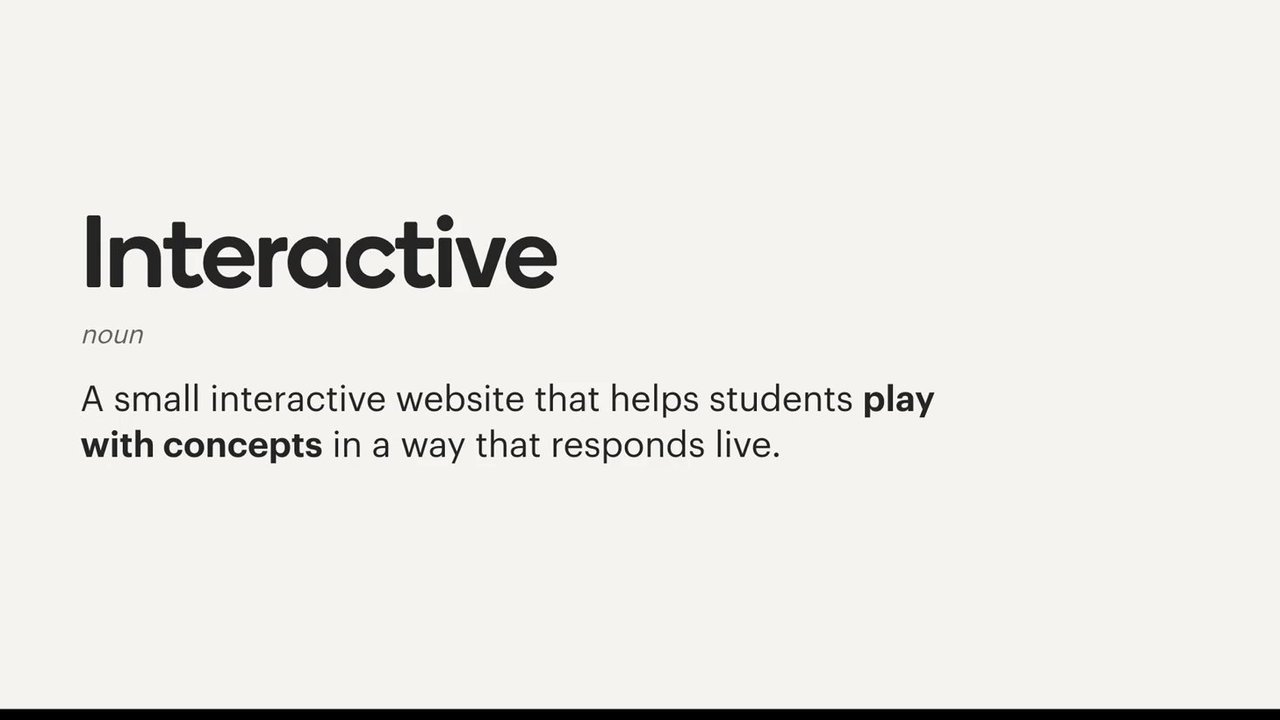
We have this thing called an interactive. And sometimes, when we're designing a lesson, we think that the best way to explain a concept is to use these interactives. They're small websites that help students play around with an idea. Here's an example of an interactive.

Now this interactive is live interactive. And you can see it's demonstrating projectile motion. So we've been building interactive sim simulations like this for more than ten years. And we've made some great ones. However, they are expensive to build.

We need a science writer to help with the science content to make sure it's scientifically accurate. We need an illustrator and at least one engineer. There's iteration backwards and forwards as they try different ideas to figure out what is possible. Often, science writers don't really know how they want to make this thing work. And then the engineers build something, and it's really fun, except the science isn't quite right, or the pedagogy isn't quite right.

And so they need to iterate a lot. Here's an interactive that we made pre 2025. It demonstrates natural selection with the peppered moth. So if you're familiar with this idea, I'd love everyone to I'm gonna do this myself.

So you can see that these black ones are very visible, so it's easy for me to spot them. Now you see, I found five black ones, one of the white ones. Now this time, I want you to yell out which corners of the screen you can see moths in. Okay. Where are they? Top. Top? Okay. There's one there.

Okay. Bottom right. Oh, yeah. I see that one. Does anyone see any black ones? No. So this effect happened this natural selection effect happened with smog in London, where the black moths no longer got eaten, and so they survived. And the white ones disappeared.

So this an interactive we built pre-twenty twenty five. In 2024, we built two of these, right? We had appetite for more on the science writing side. But on the engineering side, we had to trade it off against platform features. Features usually win, since they benefit every lesson, not just one. So instead, our writing team would make graphics or an animation.

But then, in 2025, we tried out vibe coding. Now this is an interactive that was vibe coded back in 2025. And this is before the models got really good, like before this year. And there is audio, which I think may be coming through external headphones. No. Okay.

Well, I don't have perfect pitch, so I can't sing you d four. But can adjust this. You can pluck at the string. And you can change the material of the string, as well as string tension. It's currently playing the Imperial March, if anyone remembers that. Now, this was totally vibe coded.

This was a science writer, not an engineer. And that's pretty cool. I downloaded some audio. Okay. That was from a anyway. So what we've done is we'd remove the bottleneck of iterating through another person, where previously writers had to iterate through an engineer to understand what they could do. Now they could try it out directly.

They could come up with a concept and then iterate focusing on fun, scientific accuracy, and pedagogy. We'd removed the barrier of iterating through another person. So in 2024, we built two. In 2025, we built 50. So this is a huge increase, like a massive, massive increase.

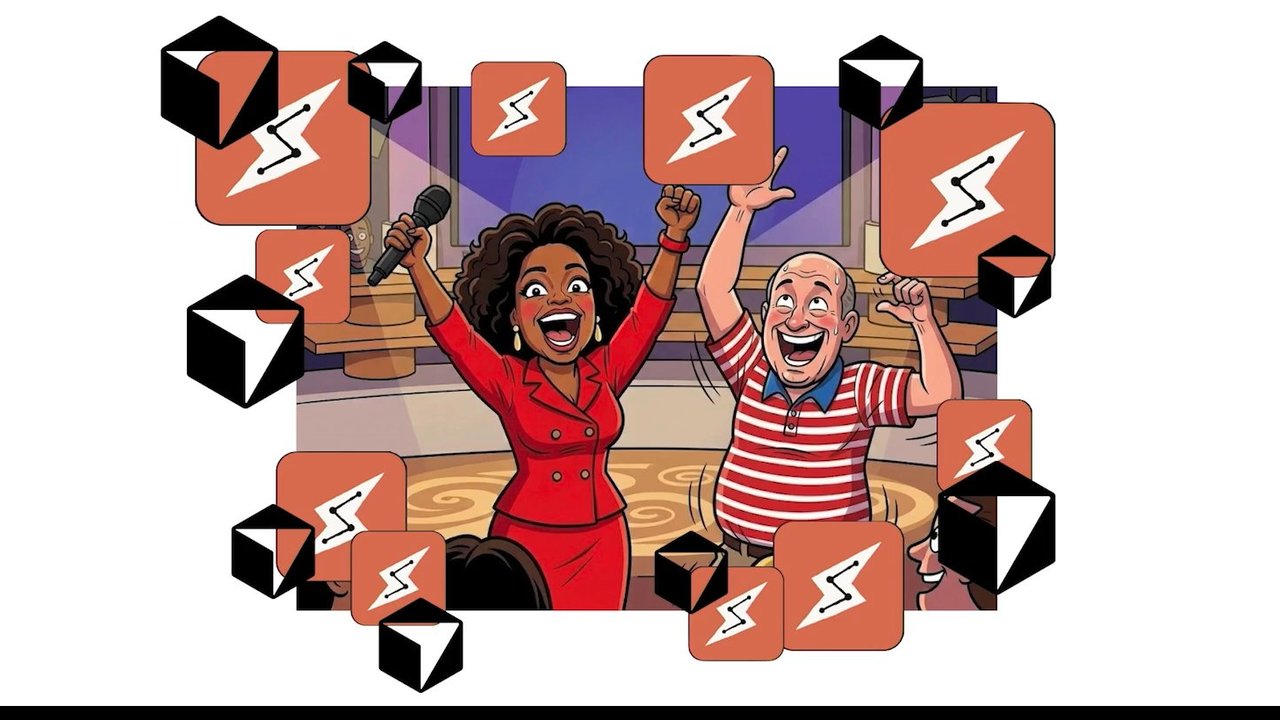
And we did that, and it was great. But then we started to find some more bottlenecks. And something we've noticed over the last year when building with AI is that bottlenecks move. AI allows you to move so fast in one place that somewhere else becomes a bottleneck. Once our science writers were unlocked and could create any interactive they could dream of, we suddenly had a bottleneck in review and deployment.

Even though the writers could build something that worked, they couldn't deploy their work. They couldn't stick to design systems, do accessibility testing, extract internationalization strings, and generally review for engineering quality. So we had to do the last mile in engineering. Of course, finishing off someone else's half finished work never feels good.

We didn't like this. I'm sure you all don't like this when you see someone slop PR. Even when you give it a fancy name like productionizing, it isn't fun. Plus, it was slowing us down. So we decided that we needed to get engineering out of the loop. If writers could deploy their work straight to production, then we could remove a step in the process, speed everyone up, and hopefully ship more great work.

Of course, we can't just remove engineering as a concept. There was actual work being done there, and we wanted to keep the same level of quality. So instead, we needed to do engineering work, so that we didn't have to do other engineering work. I've started to make a distinction when I talk about AI.

The distinction is between engineering and coding. I'm really good at coding. I've been doing it for more than twenty years. I don't mean to brag. I'm comfortable I'm older than I look. I'm comfortable in all common programming languages. I'm fast. I comprehend coding quickly. I've made a successful career out of being really good at this.

Claude's better. Claude is way better than me at coding. Not only does it have deeper knowledge of every programming language than me, it's also faster, knows more libraries, spots faster than me, and can comprehend large code bases in seconds without onboarding. It's better at it. But it's not better at engineering than me, yet.

So this is our audience activity. I want you to yell out, is this concept engineering or coding? Engineering. Engineering. All right, all right. Error handling.

Coding.

Coding? Okay. I reckon that one's contentious. Inheritance. Coding. Coding? Yeah, yeah, yeah, yeah. Making it work.

Coding. I

would say that's engineering. There was a mix there. I would say engineering. All right. Reactivity. Coding. Coding. It feels like coding. It feels like coding. Trade offs. Engineering. Engineering. Yeah. Okay. Security. Yeah. Async? Maybe also engineering?

Yeah. This one this one is tricky. Most people say coding, so I'm gonna put it there. Don't repeat yourself. Absolutely coding. Model view controller. Does anyone remember this? Accessibility. Engineering. Yeah. That's that's what I reckon. Promises? Coding. Yeah. Yeah.

Yeah. Yeah. Yeah. Yeah. Readability? Coding. I I reckon it's coding. But you know, it depends on the quality of the model. A bad model is going to need readability. A really great model, a future model, won't need it. It can deal with the slop. All right. So I think for my entire career, coding and engineering have been conflated. You do the engineering by doing the coding.

You think through the problem by writing out the implementation. Sure, you did planning beforehand, but so many issues would only come up once you started implementing it. Loading the model of the code into your head would allow you to deeply understand the gaps. You'd spot the potential security issues, the user experience issues.

You'd understand whether an async process would be consistent because you'd managed to imagine the different orders that things could happen, as you were writing the code. But if we're not doing the coding, how do we do the engineering? So here's some of the things we've done so far. We built a coding agent for our writers that helped them with manual testing, accessibility, and design.

We introduced a pipeline that ingests interactives. If you're interested in this, Ali did a talk yesterday that was great. We rewrote the ingested interactives to meet our specifications. This helps with i18n and allows us to improve them over time. We sandboxed the interactives by headers and iframe. This one seems obvious. We're in a particularly like safe environment with these interactives, so that it couldn't compromise user credentials.

And we developed critics, we call them critics, like review bots that automatically review and critique the code once it's been ingested. This is the first prototype of our Interactive Builder. We built it into it all the tools our team needed. It turns out that building a custom agent is actually really easy.

Thanks, Jeff, for teaching us that. And this has all the tools that we need, including some automated accessibility tests to reduce the amount that we have to do manual testing of. We can change size, zoom level. There's a specification that you can co write with the AI. And then it also does some other things like design systems automatically.

There's so much more that we wanna do, but the early results are good. In 2025, we shipped 50 interactives total. In 2026, we've shift shipped in 50 interactives so far, and we expect to do a 100. Our engineering work on individual interactives has shrunk from days to minute to hours to minutes.

Instead of making sure each interactive is high quality, we work on building a system that makes sure all the interactives are high quality. But it doesn't stop there. We're bringing this approach to the rest of engineering, and we have to, because software engineers are becoming vibe coders. I know I am. I wanna talk about partial versus full automation.

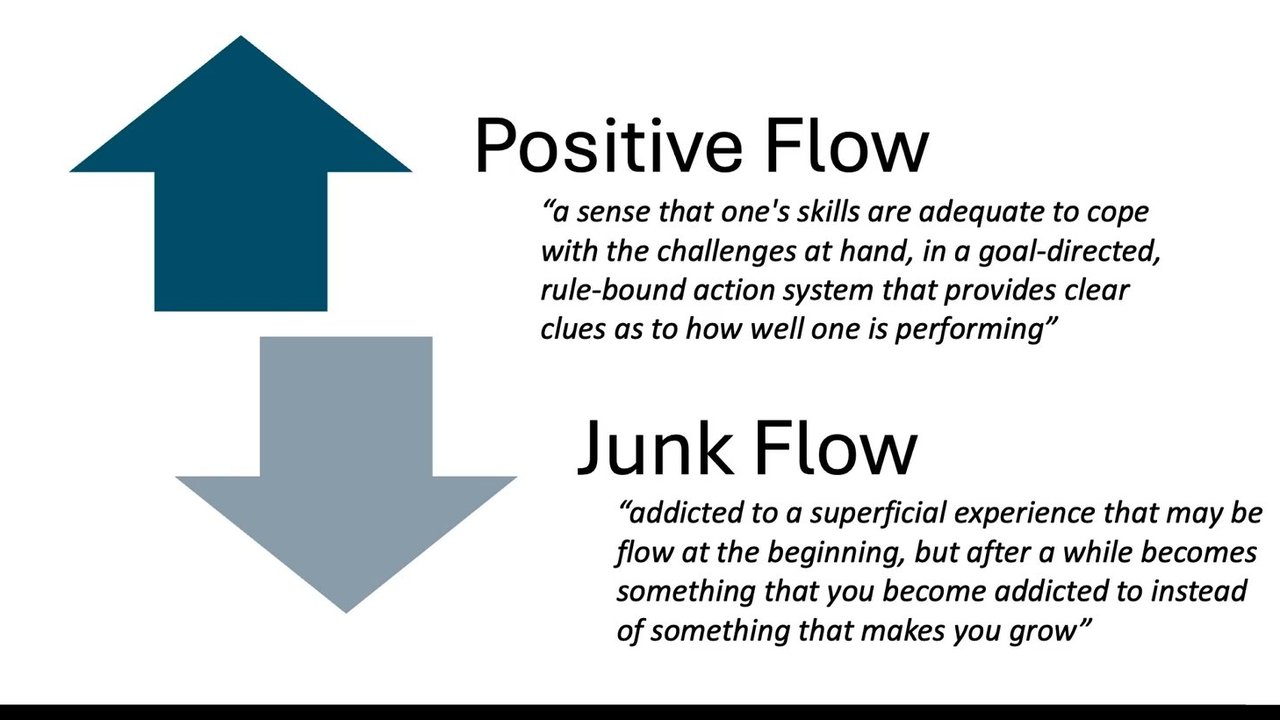
There's this idea called vigilance decrement. Engineers using Claude code no longer engage directly in coding, moving from active participation to monitoring. Research shows that humans monitoring a system experience more vigilance decrement than active participants. That means engineers will start missing things.

The details matter. Does it make an incorrect assumption about the way an external system operates? Does it propagate errors in the right way? Is it using a pattern copied from some outdated code? Does the combination of new behavior and an existing system create a security threat? You're not going to catch that in a PR. You might think I'm advocating for less automation, but I'm not.

We've opened Pandora's box. There's no closing it. The solution is more AI. Compare Tesla self driving to Waymo. Teslas are partially automated. When push comes to shove, you are the backup for the automated system. In most cases, your workload is simple, easy, just sit there and hold the steering wheel. But in extremely rare and critical moments, your workload increases sharply, and you are unprepared for the task.

In a waymo, the engineering work has been done already to take the human entirely out of the system. The human is not the backup, and so the automation must be able to operate safely. We need full Waymo style automation. When we move to full automation, the engineers are no longer a critical step in the process.

They can instead move to building and iterating on the system to maintain high quality without them in the loop. And now for the rest of the hour. This is what we did for our interactives. We've built the system in a way where we can switch over to full automation. The next step is to do it for all of engineering. If you're interested in that, you should go and attend Daniel's talk, Fully Automated Luxury Gay Space Engineering, for more about that concept. That's me. Thank you very much.

You can connect with me on LinkedIn there. Cheers.

Thanks, Ben. We've got time for a few questions. Does anyone have any questions for Ben? No hands? Thank you. Oh, we've got one here. Do you want the mic? Can you allow me to grab the mic?

That's a huge amount of trust to put in AI.

How? Engineering. At the moment, with interactives, it's a relatively safe environment for it to operate in. Right? The drawing the rest of the owl, that's the scary part. The interactives, I'm not too stressed about. They're web applications in an iframe.

They're just JavaScript, HTML, CSS. The iframe already has sandboxing controls for your browser. So I feel pretty safe there. The rest of engineering, go to talk.

Any others? Oh, we got one over here.

Thank you. Great talk.

Thank you.

So our engineers completely out of the loop with interactives, or are other instances where they wouldn't at least get called in if they they break in some instances?

So I would like them to be fully out of the loop. We currently have a manual process that we tick over by clicking next. And we'd like to get that we'd like to feel comfortable in that process, and then it would just be full auto merge.

Yeah. Kind of just bureaucracy at this point? Like, they adding value by clicking next? Or

They're to some degree, yes. I would say they're also experiencing vigilance decrement. The like, the way to think about this is a really great way to get to full automation is to have a manual process that you manually walk through until you feel comfortable with that manual process, and then you automate each of those steps. And so that's what we've been doing.

Thank you.

Cheers. Any any other takers? Oh, yep.

I'm curious how design is changing, as an input to these interactives. Like, some of the earlier examples you showed were very art directed, and some of the later examples you showed looked pretty spartan by comparison. Is that a challenge you have yet to overcome? Or

Yeah. It's definitely part of it. An issue is that the science writers can just build. Right? And so they do. And so then illustration becomes, like, an illustration layer on top, but we're working on that. It it it's a trade off, obviously. Yeah.

I I noticed you said that you were hiring as well. I was wondering, if your hiring practices have changed or if you look Mhmm. For different things from engineers than you used to. Like, you know, I'm I'm I've gone through a a few code tests in my time. Would you still say things like that are important?

Yeah. So if we we've been using the same hiring practical task for almost ten years. And Opus four point five started one shotting it with two test failures about the start of this year. We've expanded it. At the moment, our strategy is to make it harder. The challenge is that now we don't really know if the person has thought about it at all, and we can't tell that until we're talking to them in person.

And so we're trying to figure that out. Current fix is to get them to record a video to describe what they've built.

Great. Any any other questions? There's one up at the back. Okay. Alright. Maybe we'll just next talk's at twenty past. So just do you wanna kick into it now? Just Yeah. Think we got time for one more.

Sorry for finishing so early.

With the scientific writing and scientific kind of quality control, how do they how does a scientist know if there might be some kind of temporal bug in the code where things might change over time?

Yeah. So it might be possible to write an interactive that is correct for them, but for some reason, the AI coded after the date 11/10/2027 start operating totally incorrectly. It would not be possible to understand that from a black point point black box point of view. That's where code review comes in, in in our case, code review.

The it's a problem. Right? I don't know that we would necessarily catch that as engineers, like particularly subtle things like that. If it behaves externally in a way that is consistent with the science, then we're pretty happy with that. There's been plenty of bugs that we've put into software that humans wrote. And I'm not seeing necessarily more bugs in the code written by AI.

Cheers.

Am I off the hook?

Yeah, think you're done. I'll teach you to finish early, mate.

Thank you, everyone. Cheers.

Come

The television model is identified as электронъ къ 408д. Tuning indicators show МВ ДМВ (MB DMB) and numbers 1, 6, 21, 5, 12, 60.

A small, vintage white and black television set with a bright white screen, viewed from a slightly elevated angle.

01

Background

Teachers routinely using evidence-based practices

The Stile classroom

A classroom with students observing a whiteboard projection of an animal cell diagram labeled 'Animal cell'.

Teachers routinely using evidence-based practices

The Stile classroom

A classroom scene with students working on laptops and a female teacher standing in front of a large interactive screen. The screen displays an educational module titled "Biodiversity and food," featuring an image of various fruits and vegetables (corn, peas, apples, peppers).

Students collaborating in small, dynamic groups

The Stile classroom

A photograph shows two young men (students) smiling and looking at something off-screen, suggesting collaboration. They are in a classroom setting.

Students collaborating in small, dynamic groups

The Stile classroom

A photograph shows two smiling students in a classroom setting, looking engaged in a collaborative activity.

Students collaborating in small, dynamic groups

The Stile classroom

A classroom scene shows a female teacher standing while students are seated at round tables in small groups, interacting with each other and some with laptops. The classroom has green cabinets and red table accents.

The Stile classroom

A classroom scene showing two students. A girl with long brown hair is in the foreground, looking down at a desk, seemingly engaged in work or study. Another student is partially visible in the background.

Students focused, solving interesting problems

The Stile classroom

Screenshot of a student in a classroom using a laptop and writing in a notebook. The laptop screen displays educational content titled 'Basic potential energy'.

Students focused, solving interesting problems

The Stile classroom

A close-up shot of a student's hands writing with a pen on an open booklet containing charts and images, next to a black laptop keyboard on a desk.

Everything you need to teach Science.

  • Lesson plans
  • Presentations
  • Simulations
  • Worksheets
  • Videos
  • Labs
  • Revision material

Interactive

noun

A small interactive website that helps students play with concepts in a way that responds live.

Projectile Motion Interactive Simulation

Variables

Results

Screenshot of an interactive simulation demonstrating projectile motion. On the left, a control panel labeled "VARIABLES" allows adjustment of 'Mass', 'Release Angle', and 'Release Speed'. Currently, Mass is set to 200g, Release Angle to 40 degrees, and Release Speed to 9 m/s. On the right, a panel labeled "RESULTS" shows fields for 'Distance', 'Time', and 'Max Height', along with 'Throw' and 'Reset' buttons. The main simulation area depicts a mechanical launcher on a green field, with a horizontal measurement scale marked in meters.

Projectile Motion Interactive Simulation

A screenshot of an interactive simulation demonstrating projectile motion. A control panel on the left allows users to adjust variables like frisbee mass (120g, 175g, 200g), release angle (0-60 degrees), and release speed (1-20 m/s). A results panel on the right displays the distance, time, and maximum height of the throw. The main visual area depicts a mechanical arm throwing a blue frisbee over a green field with a ruler marking distances, against a background of trees and sky.

Projectile Motion Interactive

A screenshot of an interactive simulation displaying projectile motion. On the left, a 'VARIABLES' panel allows users to adjust 'Mass' (currently 200g, illustrated with an angled frisbee), 'Release Angle' (40 degrees), and 'Release Speed' (9 m/s). On the right, a 'RESULTS' panel shows calculated values for 'DISTANCE' (5.0 m), 'TIME' (1.32 s), and 'MAX HEIGHT' (3.4 m), along with 'Throw' and 'Reset' buttons. The main simulation area depicts a blue frisbee mid-flight over a landscape of green hills and trees under a blue sky with clouds.

VARIABLES

  • Mass: 200 g (options: 120 g, 175 g)
  • Release Angle 0-60: 40°
  • Release Speed 1-20 m/s: 9 m/s

RESULTS

  • DISTANCE: 6.3 m
  • TIME: 2.30 s
  • MAX HEIGHT: 3.4 m
A simulation interface demonstrating frisbee projectile motion. The background depicts a cartoon-style outdoor landscape with green grass, trees, and clouds in a blue sky. A horizontal ground line is marked with distances from 3m to 9m. A blue frisbee rests on the ground at the 6.3m mark. A "VARIABLES" panel allows adjusting Mass (with an illustration of a frisbee at a 40-degree angle), Release Angle, and Release Speed. A "RESULTS" panel displays the calculated Distance, Time, and Max Height, along with "Throw" and "Reset" buttons.

Frisbee Projectile Motion Interactive Simulation

Screenshot of an interactive simulation application for throwing a frisbee. On the left, a "VARIABLES" panel includes controls for frisbee mass (options 120g, 175g, 200g, with 200g selected), release angle (set to 40 degrees), and release speed (set to 9 m/s). The main simulation area shows a green field with distance markings from 3m to 9m, and a blue frisbee is depicted on the ground at approximately 6.3 meters. On the right, a "RESULTS" panel displays: Distance 6.3 m, Time 2.30 s, and Max Height 3.4 m, along with "Throw" and "Reset" buttons.

Frisbee Projectile Motion Simulation

A screenshot of an interactive simulation demonstrating projectile motion. On the left, a "VARIABLES" panel shows controls for Mass (200g selected), Release Angle (40 degrees selected), and Release Speed (9 m/s selected). On the right, a "RESULTS" panel displays outcomes: Distance (6.3 m), Time (2.30 s), and Max Height (3.4 m), along with "Throw" and "Reset" buttons. The main display area shows a green field with a blue frisbee disc landed at approximately 6.3 meters, against a background of trees, bushes, and a blue sky with clouds. A white line along the bottom of the field indicates distances in meters from 3m to 9m.

VARIABLES

Mass

  • 120 g
  • 175 g
  • 200 g

Release Angle 0-60°

40°

Release Speed 1-20 m/s

9 m/s

RESULTS

DISTANCE

6.3 M

TIME

2.38 s

MAX HEIGHT

3.4 M

Throw

Reset

Screenshot of an interactive frisbee simulation. The scene depicts a grassy field with trees and clouds, and a blue frisbee resting on the ground at the 6.3 meter mark on a horizontal ruler. UI panels display 'VARIABLES' including controls for mass, release angle, and release speed, and 'RESULTS' showing the calculated distance, time, and max height, along with 'Throw' and 'Reset' buttons.

Interactives

  • A Science Writer
  • An Illustrator
  • At least one Engineer

You are a hungry bird feeding on peppered moths. Unbeknownst to you, you have stumbled into an experiment. A scientist has rigged two trees with equal numbers of white and black peppered moths. One tree trunk is lightly coloured while the other is covered in soot as they were during the Industrial Revolution.

How many moths can you catch on each of the trees in 10 seconds?

Clean environment

Polluted environment

An animated illustration depicts a town scene with two trees, one light-colored and one dark, soot-covered. A female character avatar in a speech bubble presents a scientific experiment simulating natural selection with peppered moths. The left side is labeled "Clean environment" and the right side "Polluted environment."

Clean environment

HUNT

Polluted environment

HUNT

An illustration split into two sections. The left section, labeled "Clean environment", shows a town under a clear, sunny sky with white clouds, green trees, and clean houses including a church. A small avatar of a person is at the bottom left. The right section, labeled "Polluted environment", shows the same town under a dark, cloudy sky with smoke emanating from industrial buildings, and houses with less greenery. Both sections have a purple "HUNT" button overlaid on a house.
An interactive simulation showing numerous black and camouflaged (white/grey) moths on a textured background resembling tree bark. Three cartoon yellow chicks are visible at the bottom, a red and white stopwatch icon is on the right, and a small circular user avatar is at the bottom left.
A simulated environment of moths on a tree trunk. The background is a textured grey and brown resembling bark. Scattered across the bark are numerous moths, some dark (black) and some light-colored (white with grey speckles), blending in with the background to varying degrees. At the bottom of the screen, there is a small cartoon figure of a person on the left, three cartoon yellow chicks in the center, and a red and white stopwatch icon on the right.
An illustration or simulation showing many moths, some dark and some light, on a textured grey background resembling tree bark or rock. At the bottom, several yellow chick icons are visible, and a red and white stopwatch icon is in the bottom right corner.
A textured background resembling tree bark with several black moths and light-colored, camouflaged moths scattered across it. At the bottom, there are three yellow cartoon chicks and a red stopwatch icon.
Screenshot of an interactive simulation demonstrating natural selection with peppered moths. Dark moths are visible against a tree bark background, alongside lighter, camouflaged moths. Three yellow cartoon chicks are at the bottom center, and a stopwatch icon is at the bottom right.

Natural Selection Demonstration: Peppered Moths

  • Clean environment:
    • White/speckled moth found: 1/11 (9%)
    • Black moth found: 5/11 (45%)
  • Polluted environment

Both environments feature a "HUNT" action button.

An illustration comparing a clean environment with a polluted environment. The clean environment features bright houses, trees, and a sunny sky. The polluted environment shows darker buildings, smokestacks emitting heavy smoke, and a grey sky. Over the clean environment, a card displays images of a white/speckled moth and a black moth, with 'found' statistics: 1/11 (9%) for the white moth and 5/11 (45%) for the black moth. A 'HUNT' button is present below the scenes in both environments.

Clean environment

Light moth found: 1/11 (9%)

Dark moth found: 5/11 (45%)

Hunt button

Polluted environment

Light moth found: 2/11 (18%)

Dark moth found: 0/11 (0%)

Hunt button

An illustration comparing two environments side-by-side: a clean environment on the left with blue sky, sun, houses, and trees, and a polluted environment on the right with dark, smoky skies and industrial emissions. Overlays in each section display counts of light-colored and dark-colored moths found, representing a natural selection experiment.

In 2024 we built two of these interactives.

Pluck String Interactive Demo

A screenshot of an interactive application interface for simulating a string instrument. It displays a visual representation of a string with a movable fret. Controls include a slider labeled 'String Length', a dial for 'String Tension', buttons for 'String Material' (Nylon, Metal, Silk), and buttons for 'Sound Box Size' (Small, Medium, Large). There is also a 'Pluck String' button, a vertical sound level meter, and a display for frequency in '- Hz'.

Interactive String Instrument Simulation

An interactive application interface displaying a virtual string instrument, resembling a guitar or ukulele. The interface includes controls for adjusting the instrument's properties: a "PLUCK STRING" button, a tuner showing "D4" at "285.92 Hz" with a green level meter, a slider for "STRING LENGTH" set to approximately 30, a rotary knob for "STRING TENSION", buttons to select "STRING MATERIAL" (Nylon, Metal, Silk) with Nylon highlighted, and buttons to select "SOUND BOX SIZE" (Small, Medium, Large) with Small highlighted. The neck of the virtual instrument has the word "Stile" printed on it. A "START DEMO" button is visible in the top right corner.

Interactive String Instrument Simulation

Screenshot of an interactive application simulating a string instrument. The interface shows a stylized guitar or ukulele neck and body at the top. Below are controls including a "Pluck String" button, a digital tuner displaying "D4" and "285.92 Hz", a slider for "String Length" set to approximately 30, a knob for "String Tension", buttons to select "String Material" (Nylon is selected), and buttons to select "Sound Box Size" (Small is selected). A "Start Demo" button is in the top right corner.

SHORTER STRING → HIGHER NOTE

PLUCK STRING

F3

174.56 Hz

STRING LENGTH

STRING TENSION

STRING MATERIAL: NYLON, METAL, SILK

SOUND BOX SIZE: SMALL, MEDIUM, LARGE

RECORDING...

An interactive application interface for a virtual guitar string. It features a visual representation of a guitar neck and soundhole, with a glowing orange bar indicating the effective string length on the neck. A control panel includes a 'Pluck String' button and a tuner display showing the current note F3 at 174.56 Hz. There are controls for 'String Length' (a slider indicating a long string length, approximately 85-90% of max), 'String Tension' (a dial set to the middle), 'String Material' (buttons for Nylon, Metal, Silk, with Metal selected), and 'Sound Box Size' (buttons for Small, Medium, Large, with Small selected). A 'RECORDING...' indicator is visible in the top right.

Interactive String Instrument Simulator Interface

Screenshot of an application interface for an interactive string instrument simulator. The top part of the interface shows a simplified graphical representation of a string instrument, including a sound hole and a single string with an orange fret marker. The bottom part contains various controls: a vertical digital tuner displaying "G3" and "196.05 Hz" with a green bar level, and a "PLUCK STRING" button. To the right, a horizontal slider adjusts "STRING LENGTH" (set around 45 out of 100) and a circular dial adjusts "STRING TENSION". Below these, there are sets of buttons for "STRING MATERIAL" (Nylon, Metal, Silk, with Silk selected) and "SOUND BOX SIZE" (Small, Medium, Large, with Small selected). A banner at the very top of the application interface displays "IMPERIAL MARCH" with a close button and "RECORDING..." text.

Stile String Instrument Simulator Interface

A screenshot of a digital interface for a string instrument simulator. The upper part displays a stylized brown string instrument neck and a circular soundhole against a light teal background. The lower part features dark blue control panels. On the left, a 'Pluck String' button is visible next to a digital tuner showing a G3 note at 196.05 Hz with an active tuning bar. The central panel includes a 'String Length' slider set to approximately 30-40, and 'String Material' selection buttons with 'Silk' highlighted. The right panel contains a 'String Tension' rotary knob and 'Sound Box Size' selection buttons with 'Small' highlighted. A 'RECORDING...' indicator is visible in the top right corner of the interface.

We'd removed the bottleneck of iterating through another person.

Interactives built

In 2024: 2

In 2025: 50

A grid displays numerous small screenshots of various interactive educational applications, illustrating a progression from 2 interactives built in 2024 to 50 built in 2025. The screenshots include maps, charts, simulations, and game-like interfaces.

Interactives built

2 in 2024

50 in 2025

A grid of small screenshots representing various interactive educational modules or web applications, with the text "Interactives built" displayed above two large numbers: "2 in 2024" and "50 in 2025", connected by an arrow pointing from 2 to 50, indicating a significant increase.

Interactives built

  • 2 in 2024
  • 50 in 2025
A grid of multiple small screenshots depicting various educational interactives or application interfaces. In the center, large numbers '2' and '50' are displayed, with an arrow pointing from '2' to '50', indicating a progression. The number '2' is labeled "in 2024", and '50' is labeled "in 2025".

Interactives built

From 2 in 2024 to 50 in 2025

A grid of small preview images of various interactive educational modules forms the background. In the center, large numbers '2' and '50' are displayed, with a green arrow pointing from '2' to '50', illustrating a significant increase.

Interactives built

2 in 2024 → 50 in 2025

A grid of various small screenshots, depicting different interactive educational tools or activities. In the center, large numbers indicate a progression: '2' representing "in 2024" transitions with an arrow to '50' representing "in 2025", showing a significant increase in interactives built.

03

Removing Bottlenecks

Interactives built

From 2 in 2024 to 50 in 2025.

A grid of many small, faded application or website screenshots fills the background, representing interactive elements. In the foreground, a large white number '2' is shown with the text 'in 2024' below it. An arrow points from '2' to a large green number '50' with the text 'in 2025' below it.

ONCE THE WRITERS WERE UNLOCKED...

Suddenly, Review was the bottleneck.

Finishing off someone else's half-finished work never feels good.

Get Engineering out of the loop.

Do Engineering work so that we don't have to do other Engineering work.

Engineering vs Coding

AND YET

Claude is way better than me at coding.

But it's not better at Engineering than me.

AUDIENCE ACTIVITY

Engineering, or Coding?

Currently sorting: Time Complexity

Categories: Engineering, Coding

0 / 13 sorted

A slide for an audience activity with two empty boxes, one labeled 'ENGINEERING' and the other 'CODING', for sorting concepts.

AUDIENCE ACTIVITY

Engineering, or Coding?

The current concept to be sorted is: Time Complexity.

Categories for sorting: ENGINEERING, CODING.

Status: 0 / 13 sorted

A presentation slide showing an interactive activity. Two large empty boxes are labeled "ENGINEERING" and "CODING". A card with "Time Complexity" is displayed, ready to be sorted into one of the boxes.

AUDIENCE ACTIVITY
Engineering, or Coding?

Time Complexity

  • ENGINEERING
  • CODING

0 / 13 sorted

AUDIENCE ACTIVITY

Engineering, or Coding?

Current item: Error handling

  • Engineering: Time Complexity

Status: 1 / 13 sorted

A presentation slide depicting an interactive audience activity. It asks participants to categorize concepts as either "Engineering" or "Coding". The current concept displayed for categorization is "Error handling". "Time Complexity" is already shown categorized under "Engineering". Two large, empty boxes are labeled "ENGINEERING" and "CODING" for further sorting.

AUDIENCE ACTIVITY
Engineering, or Coding?

Inheritance

ENGINEERING

Time Complexity

CODING

Error handling

2 / 13 sorted

A slide presenting an interactive activity. The main question is "Engineering, or Coding?". The concept "Inheritance" is displayed, waiting to be categorized. Two columns are shown: "ENGINEERING" which currently contains "Time Complexity", and "CODING" which contains "Error handling". A status indicates "2 / 13 sorted".

AUDIENCE ACTIVITY: Engineering, or Coding?

Unsorted term: Reactivity

  • ENGINEERING
    • Time Complexity
    • Making it work
  • CODING
    • Error handling
    • Inheritance

4 / 13 sorted

A slide showing an interactive activity where terms are being sorted into two categories: "ENGINEERING" and "CODING". It features "Reactivity" as a term awaiting categorization, with "Time Complexity" and "Making it work" already placed under "ENGINEERING", and "Error handling" and "Inheritance" under "CODING". A counter indicates "4 / 13 sorted".

AUDIENCE ACTIVITY

Engineering, or Coding?

Trade-offs

ENGINEERING

  • Time Complexity
  • Making it work

CODING

  • Error handling
  • Inheritance
  • Reactivity

5 / 13 sorted

A diagram presenting an audience activity where concepts are categorized as 'Engineering' or 'Coding'. The concepts displayed include 'Time Complexity', 'Making it work', 'Error handling', 'Inheritance', 'Reactivity', and 'Trade-offs'.

AUDIENCE ACTIVITY

Engineering, or Coding?

Security

ENGINEERING

  • Time Complexity
  • Making it work
  • Trade-offs

CODING

  • Error handling
  • Inheritance
  • Reactivity

0 / 13 sorted

AUDIENCE ACTIVITY

Engineering, or Coding?

Don't Repeat Yourself

ENGINEERING

  • Time Complexity
  • Making it work
  • Trade-offs
  • Security

CODING

  • Error handling
  • Inheritance
  • Reactivity
  • Async

8 / 13 sorted

AUDIENCE ACTIVITY

Engineering, or Coding?

Model-View-Controller

ENGINEERING

  • Time Complexity
  • Making it work
  • Trade-offs
  • Security

CODING

  • Error handling
  • Inheritance
  • Reactivity
  • Async
  • Don't Repeat Yourself

9 / 13 sorted

A diagram for an audience activity titled 'Engineering, or Coding?' presents a list of concepts to be sorted into two columns. 'Model-View-Controller' is displayed as a central topic. The 'Engineering' column currently includes 'Time Complexity', 'Making it work', 'Trade-offs', and 'Security'. The 'Coding' column currently includes 'Error handling', 'Inheritance', 'Reactivity', 'Async', and 'Don't Repeat Yourself'.

AUDIENCE ACTIVITY

Engineering, or Coding?

Accessibility

ENGINEERING

  • Time Complexity
  • Making it work
  • Trade-offs
  • Security

CODING

  • Error handling
  • Inheritance
  • Reactivity
  • Async
  • Don't Repeat Yourself
  • Model-View-Controller

10 / 13 sorted

AUDIENCE ACTIVITY

Engineering, or Coding?

Promises

ENGINEERING

  • Time Complexity
  • Making it work
  • Trade-offs
  • Security
  • Accessibility

CODING

  • Error handling
  • Inheritance
  • Reactivity
  • Async
  • Don't Repeat Yourself
  • Model-View-Controller

11 / 13 sorted

A slide presenting an audience activity to categorize concepts as either 'Engineering' or 'Coding'. The 'Engineering' category includes 'Time Complexity', 'Making it work', 'Trade-offs', 'Security', and 'Accessibility'. The 'Coding' category includes 'Error handling', 'Inheritance', 'Reactivity', 'Async', 'Don't Repeat Yourself', and 'Model-View-Controller'. A separate box with the term 'Promises' is highlighted, indicating it is the item currently being considered for categorization.

AUDIENCE ACTIVITY

Engineering, or Coding?

All sorted!

ENGINEERING

  • Time Complexity
  • Making it work
  • Trade-offs
  • Security
  • Accessibility

CODING

  • Error handling
  • Inheritance
  • Reactivity
  • Async
  • Don't Repeat Yourself
  • Model-View-Controller
  • Promises
  • Readability

13 / 13 sorted

Coding and Engineering have been conflated.

You do the Engineering by doing the Coding.

But if we’re not doing the Coding, how do we do the Engineering?

Here's what we've done so far

  1. A Coding Agent for our Writers — manual testing, accessibility & design.
  2. A pipeline that ingests interactives.
  3. Critics that automatically review and critique the code.
  4. Automated rewrites to meet our standards — helps us "improve" them over time.
  5. Sandboxed them via headers & iframe, so they can't compromise credentials.

Maths Interactive Builder

Screenshot of the Maths Interactive Builder application interface, featuring a "Linear Equations Graph Explorer" on the left with sliders for slope and y-intercept, a graph displaying the linear equation, and an "Audit Results" section on the right, showing TDD and accessibility issues.

Days → Hours → Minutes

Instead of making each interactive high quality, we built a system that makes all interactives high quality.

Software Engineers are becoming Vibe Coders.

06

Partial vs Full Automation

Vigilance Decrement

noun

Humans monitoring a system miss more than active participants.

The solution is more AI.

Tesla

PARTIAL AUTOMATION

You are the backup when something goes wrong.

Waymo

FULL AUTOMATION

There's no backup, the automation must operate safely.

We need full, Waymo-style automation.

And now for the rest of the owl

Full Automation.

Stile

The next step is to do it for all of engineering.

Next up → DRP's talk: "Fully Automated Luxury Gay Space Engineering"
Thursday 4 June • 4:00 PM • Cinema 2

Scan for the schedule: https://aie.live/schedule

A QR code linking to the event schedule.

AI Engineer

MELBOURNE

Stile careers: careers.stile.dev

Speaker LinkedIn: linkedin.com/in/taybenlor

Attending Partners

  • REA Group
  • Milanote
  • Culture Amp

Logos for Stile, REA Group, Milanote, and Culture Amp.

A small, vintage portable television set is displayed. Its screen shows a pixelated grey arrow pointing to the right, formed by two rows of small squares. The television's model name "ЭЛЕКТРОНЬ Къ 409Д" is visible below the screen, along with channel indicators and a 'tuning' label on the side.

People

  • Ali
  • Daniel
  • Jeff

Technologies & Tools

  • Claude
  • CSS
  • HTML
  • iframe sandboxing
  • JavaScript
  • Opus 4.5

Concepts & Methods

  • Don't Repeat Yourself
  • Internationalization
  • Model View Controller
  • Vibe coding
  • Vigilance decrement

Organisations & Products

  • Interactive Builder
  • LinkedIn
  • Style Education
  • Tesla
  • Waymo

Works

  • Fully Automated Luxury Gay Space Engineering