Agentic Self-Healing in Production
Introduction: Agentic Healing in Production
Jack McNicol, founding engineer at Super IT, introduces his talk on agentic healing in production, describing his small team's work building agents for MSPs to solve real IT issues. He shares the origin story of the talk: a flood of Sentry errors overwhelmed his team, sparking the dream of building a pipeline where agents could analyze errors, fix code, and create pull requests automatically.
The Dentist Analogy: Why Codebases Need Health Checks
Jack uses a dentist visit analogy to introduce the concept of an 'agentic health check' - preparing your codebase before sending agents to auto-fix issues. He explains the importance of keeping the codebase in a 'flow state' so agents can navigate migrations, refactors, and legacy code without getting tripped up.
Monitoring Agent Sessions and Enforcing Back Pressure
Jack discusses the value of reviewing agent session logs to identify where agents go off track, such as exploring outdated code or making wrong tool calls, and using this insight to update documentation or provide skills. He introduces 'back pressure' techniques like strict type checking, focusing on failure states rather than just coverage, and converting all warnings into errors to force stricter enforcement.
Automated Maintenance Routines for Codebase Health
Jack describes his team's scheduled automation for maintaining codebase health, including GitHub Actions that review code debt, update an internal wiki, perform architectural audits, and identify opportunities for test coverage improvement. These routines run continuously to keep the system hardened and ready for agentic work.
Agents in the Field: From Meme to Change Management
Jack references an old meme about AI agent runtimes evolving from minutes to hours, illustrating how quickly capabilities have grown. He transitions into explaining his team's approach to change management, involving events, scheduled tasks, and human review that feed into agent pipelines.
Event Sources and the Triage-to-Resolution Pipeline
Jack outlines the types of events that trigger agent workflows, including Sentry errors, LogFire issues, Linear bugs, and Slack messages, as well as human-initiated code and feature pushes. He explains how these events flow into a workflow system where webhooks trigger triage processes leading to eventual resolution.
Breaking Down the Error-to-Solution Pipeline Steps
Jack details the discrete pipeline steps for handling an error: triage, discovery, root cause analysis, solution proposal, and finally proof of delivery. He emphasizes that each step is a deterministic, disconnected stage—triage classifies severity, discovery may spin up sub-agents to investigate, and the final proof step ensures the agent validates its own fix rather than just claiming success.
Scheduling to Control Costs and Token Spend
Jack explains how recurring scheduled tasks, rather than continuous event-triggered agents, help manage costs. He shares an example where switching a security checker from running on every code push to a scheduled cadence prevented runaway token spend after receiving an unexpectedly large bill.
Developer Workflows and Using Skills for Consistency
Jack describes how developers integrate into the automated workflow, aiming to move from bug-fixing into higher-value shipping work. He explains how his team uses 'skills'—documented processes that mirror how a human would triage and resolve an issue using MCP servers and tools—to standardize and eventually automate agent-driven fixes.
The Pull Request as a Guardrail for Automation
Jack presents the pull request as the critical guardrail where human oversight enters the automated pipeline, even as teams push toward fuller automation and eventual auto-merging. He reflects on how code review time has dramatically decreased for his team over the past year as agents take on more of that work.
Multi-Layered PR Review with Third-Party and Custom Agents
Jack walks through his team's PR review architecture, which layers third-party agent reviewers (like CodeRabbit and Greptile), security reviews, test suites, and a custom-built agent merge tool. This custom agent addresses reviewer feedback automatically, flags architectural or business-critical issues for human attention, and reduces overall review workload.
Proving the Fix: Autogenic Tests and Self-Validation
Jack discusses the problem of agents claiming a fix is complete without real verification, referencing a talk by Lucas on the concept of proof-driven agent work. He explains how prompting agents to prove their fixes—using tools like Cursor's ability to generate Playwright videos—enables self-validation and automatic retry if the fix doesn't hold.
Closing Thoughts: Preparing for the Agent Wave
Jack closes with a call to action, warning that teams need tight, reliable pipelines to handle the accelerating pace of agentic change, since agents amplify both technical debt and strong foundations. He emphasizes shifting human focus away from routine work AI already handles better, toward higher-level architectural and product decisions.
Q&A: Reviewer Tools and Handling Disagreements
During the Q&A, Jack clarifies his team's review process, explaining that they use Greptile as a third-party reviewer alongside a custom Claude Code agent informed by internal skills documentation. He details how disagreements between reviewers trigger a human flag rather than an auto-merge, ensuring architectural and business-critical issues get proper human attention.
Awesome. How's everyone going? Holding up alright in those comfy seats? It's a long day. Alright. Agenic Healing in Production. My talk today, Jack McNicol. I'm founding engineer at Super IT. We're a small team building out, an agent to deploy to for MSPs to deploy to their clients and solving real IT issues in production. So there's five of us working hard at Saks, FastAPI, and React. That's what we're sort of working on.
So hopefully, that gives some context on where I'm coming from and how this can apply or may slightly apply to your use case. I had this dream about a year ago, sort of like to start a new job and we just deployed sort of telemetry and error monitoring into the system.
And we started getting a flood of errors and messages, and it was overwhelming the team. We couldn't really figure out a way to deal with that on top of the current workload. And it was just a sort of we were playing with these agents and what they were capable of. Was sort like, you know, wouldn't it great if we could just build a pipeline that could basically pick up these errors, do the analysis of them on over the code base, you know, deploy a fix and drop it into, at the very least, Credit PR, pretty for us. So that's sort of the dream I was having.
I'm hoping I can share where I've got to with that. Spoiler alert, I don't think we're 100% there yet, but we'll we'll let's see where we're going. So a couple weeks ago, I had to go to the dentist. One of the things you do before you go to the dentist is you clean your teeth and you prep your teeth before because you don't want your teeth to be yellow and have all this stuff in it before you get to the dentist and he's gonna do some real work.
Right? So one of the things I'm thinking about is before we send agents off to auto fix our issues is this agentic health check. Right? So what is this health check? So what do we need to do before we give send the agents off to automatically do work for us?
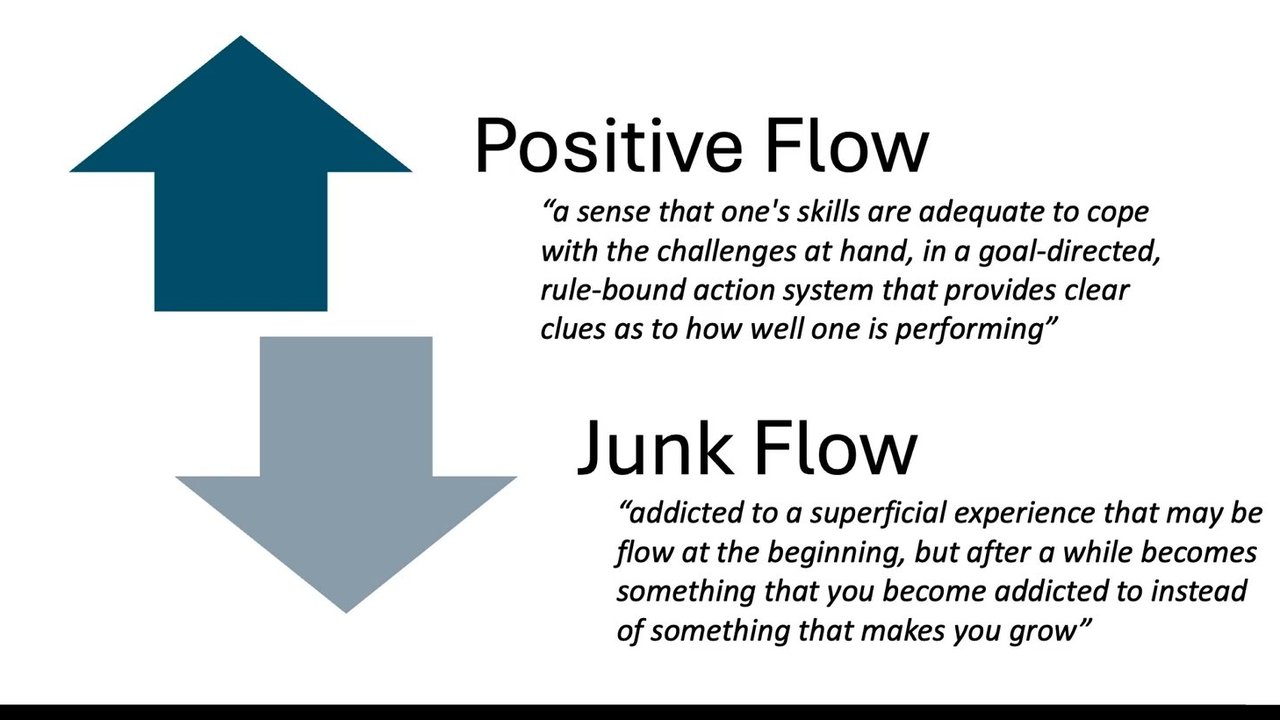
Right? We wanna make sure that our code base is in this flow state. Right? So it's in a place where everything is up to date in terms of what you're you're saying the agent needs to do and the state of the world in terms of maybe you're migrating from one platform to another or one framework to another and it's not quite there yet.
That's gonna have real world impact on how the the agent can move through your site or your sort of refactoring, you know, a legacy way of doing something, you know, from MVC to domain driven and the sort of different things, it's gonna trip up and it's not gonna be able to get through that well. How do you make sure again through these flow states?
Right? So one of the great lessons we've found recently is actually looking at the sessions. Right? So I don't know how many people are actually following along, just have running a single agent and not doing anything else but just sitting watching the agent. Not many people anymore. Right? So we've got three or four agents running, but if you had to go back and see where is the agent going off track okay. I can see it went off and explored in here.
Okay. That's an old piece of the code base or it made this particular tool call. Maybe your agent MD is out of date. So really digging into these sessions really helps. We're also finding this with our own agent Sparky. You gotta see where it's doing telemetry on end users devices, where it's getting stuck and falling over. Right? And that could be, okay.
Well, we need to give it access to a skill here or give it more information. Right? So do we need how do we help it reach its goal faster? Right? Do we need a human review in that process? Alright. Back pressure is something that's growing right. Understanding we need to be able to push back where the agent's falling over. So whether that's the post tool calls, really fast type checking, and very strict property checks, end to end, all these sort of things we know, Focusing on failure states, right, not just coverage.
Right? Coverage just tells you, oh, yep. I've tested every single function. It doesn't test you tell you how I've tested that function. Right? Are you just sort of, oh, yeah. There's a test return true, but you know, it doesn't check if I give it bad data. Am I testing if it's if it's a 500 error, all this sort thing, right? So coverage doesn't quite give you that.
Warnings as errors, right? So I mean, what's the point of a warning when you've got an agent that can just do all that work for you? So we've just turned this on recently. Everything is just an error now. Right? So if it's not an error or you've got a legacy code that you really need to turn, you know, ignore for now, put that, you know, in a log that you can kind of tell the agent, okay, when you're working through this, let's move that out of the ignore to, you know, make sure it's got that that strict coverage. Right?
There's no reason to have warnings. It's just either on or off now. Right? So make sure you can kind of enforce that at a stricter level. So how do we use that, you know, day to day? How do we kinda keep our code base clean and up to date and and running well? So on a schedule, we'll be running through, you know, just a a GitHub action that's scheduling off, reviewing what code debt we need to do, our local Wiki that runs inside alongside the code base.
We've got sort of up to date documentation, doing an architectural audit. So working out, okay, hey, are we, you know, using the right services and repositories here? Or is there, you know, somehow go out of whack? Making sure we've got that strict alignment. And, you know, are there places we can do test coverage improvement? Right? So all these things are just running then automatically to kind of really harden and lift and make sure that health we're really healthy.
Alright. So agents in the field. Alright. Who remembers this this meme from maybe ten years ago? Right? It's kind of out of date now. Is it backwards? I don't know. Right? So it now if we play an agent ten minutes. Right? And now it's ten ten hours. So it's interesting. Alright. So how do we go through and, you know, day to day managing this change? Right?
So thinking about events that fire, scheduling different tasks, and humans to then go into a pipeline that would then hand off to additional agents. Right? So that's our sort of change management. So we basically have, you know, an event that could be a century error log, the recurring ones, which could be a Dependabot updates, or those code code reviews or Wiki update like I was talking about before. And then, obviously, humans are in the loop there as well. Right? Pushing in code and features.
Right? And so that all that flows through to review pipeline, and we'll explore this, in more detail. So events, yeah. As I said, Sentry, we've got LogFire. It could be in a linear bug. It could be a Slack message. Right? So all of these are something's happened and we want an agent to take it and pick it up.
And so then we it pops into a workflow. Right? And that workflow would then go through and figure out for each one of these types, we might have a an action that says, okay. Cool. There's a a webhook here, picks up the log fire issue, and then goes through a triage process, right, to to take it all the way through the completion.
So, yeah, event workflow. How does that work? So for a error that comes in, and this is how we're thinking about it with for our own agent that we're building, is basically a series of steps. And each one of these steps like from triage to discovery to root cause analysis to a solution and then finally, building out its proof, right, are individual steps that are not connected by anything other than sort of a deterministic output.
Right? So a triage would then update the ticket to say, okay. Yes. It's a a high alert or it's, you know, just a ordinary message that's come in from a from a Slack. So what what pipeline is it going through? Then doing a discovery on that. So, okay, what can we do a deep dive that might be spinning off a bunch of sub agents to explore and bring back a a root cause analysis?
Having another agent then take all that discovery information to help inform how it might then propose a solution. And then before, we wanna actually ask the agent for proof of the delivery, what it did. Right? Because if you're just saying, hey, here's the solution, then it's not. We know that doesn't quite work. Recurring, as I said, this had the widest blast radius, right, update all the docs based on, you know, the last day's PRs that have come in, the security scans, all these type of things, scheduling.
Another thing you can use is instead of having events firing off, so you've got, you know, a continuous stream of event logs from your Sentry error tracking, the spinning up an agent for every one of those can be quite costly. Right? So having a reoccurring event that you can push things into there can really help reduce that load.
Right? You know, we had a case where we turned on the cursor security checker, and it was running every time someone pushed code and got a nice big bill after a week. But if we we've switched that to now schedule, right, and that then gives us consistency of token spend across those, those agent workflows.
The developer obviously adding into this workflow. Right? So we're doing trying to move out of bug land into actually shipping work that matters, right, which is really important. So how are we trying to get to this point where we can kinda automatically, you know, rely on an agent to take it all the way to PR and potentially even auto merge?
Right? And at the moment, we're using skills. Right? So it's a really powerful way of, hey, if a human was to pick it up, they would take the issue out of LogFire, manually review it, they would go through a similar step. Right? And they might use skills to help document this process to go, okay. Cool. Let's analyze this issue.
Let's use the MCP server to check, you know, Google console for and pull out the logs from the Cloud Run worker, whatever's happening there. Okay. That's that goes into the skill. Right? To go, okay. Here's your bug triage skill, how you can then do that analysis, as a human using core code or codex, whatever it is, and then the next step from there.
Right? And so each step of the way, you can kind of validate the work that you're doing yourself. Right? And once you've got that in a smooth way where you you're confident that I'm trusting Claude. I'm just going, yep. Cool. Looks good. Looks good. Looks good. That's the chance you can go, okay, that's the step to kind of put it into an automatic workflow.
The PR as a guardrail is a great way to think about, you know, where the buck stops. So you can build out all this automation. Right? And we can kinda go, cool. That's a, you know, the human in the loop point there where we can kind of review or hopefully get to a point where we merge things. Right?
Because I don't know about you, but I'm finding less and less time. You know, twelve months ago, I was all I was doing was code review and now I'm barely doing that at all. So how do we kinda get there? One of the things we're doing is we've got a skill now that we'll pick up. Basically, you know, we run I'll show you show you the next one here. Here we are.
So the top there is the event workflow of how we're thinking about that. Basically, events come in, triage, discovery, RCA, solution, proof. That's sort of what we're showing before. But in terms of once the once it hits the pull request, we're using a bunch of different steps here. So we've got a third party agent reviewer, So you code robots and you you reptiles, a security review.
So that could be a Claude code one or the cursor one. Both quite good. Obviously, your test suites. And then we've now built up a agent merge tool as well. Right? So it's our own agent then. We'll basically look at all the external reviewers and go and basically start to address them automatically. Right? At the moment, we're running that locally.
But as we build confidence with that, we'll be able to deploy that automatically to be absolutely the PR comes in, the rules the agents fire off, doing all the analysis for us. Another agent then picks that up and addresses the issues. And in there, we we're flagging, okay. If there's architectural issues or, you know, these business cases according to your needs, flag it with human.
Right? And so puts a flag in, and then it limits the amount of work we have to do because we could just go, cool. You know, we're just gonna look at these important ones. Autogenic tests. Yeah. We get this message. It's fixed. Claude said Claude. Right? But it just changed some stuff.
So how do we kind of make sure it it doesn't? We need to make it prove its work. So it's really, important concept I've been exploring. It was a great talk, Level Editor pie, thereby Lucas. Recommend looking at that. But it's basically, you know, prompting the agent to say, hey, look. Here's an issue and here's how you would prove that or or tell me how you can prove that to me that you've actually addressed that issue. And either give them that to me in a some sort of way to validate that you've done that.
Curse is really good at this. You know, it can create its own videos from with playwrights, all this sort of stuff. Right? So it's a great way to kind of validate and then it can use itself to go, oh, actually, I didn't fix it and it will go back and and do it itself again. Are you ready for the missiles wave?
Right? So it's coming. You know, so if you don't have a pipeline in place to be able to get change through your system in a way that's really tight and you can reliably execute on the code and trust that code that it's coming through, you know, we we really have to think about think about this now at the speed that everything's moving. And I'm hoping that, you know, some of these techniques here will help you in that.
So remember, agents obviously multi they're a multiplying effect. Right? So are they gonna multiply your your debt or your foundations? Right? So what's what's going on there? So you really gotta take some time, look at those health checks, right, and make sure your agent can get through your code base in a way that's operating at at peak.
What's the point of this all? It's really just to, you know, stop stop doing work AI is already better at. Right? So, you know, where where are we moving up the the chain, up the stack, right, to these architectural, more product based decisions around how the coach should look, how it should operate, how it should be architected, you know, best test case scenarios, all this type of stuff. Right? So we're kind of operating above managing the agents doing the work. Right? So that's where we should be focused, and that's making sure where you kind of can get there and deliver that promise so we can kind of, you know, move fast without breaking things. Right? Awesome. That's it for me.
I'm Jack McPickle on everything, and that's the the QR to the talk. Yeah. Thank you.
Amazing. Thank you, Jack. I think we actually have got time for a question if you're keen. Has anyone got a question for Jack at all? We've
got Did
you have a question in it? Yep.
Yeah. The way I'm thinking about so we've got, you know, the standard review process, right, which might be the GREP tile. So a third party agent that has no context on our system And then we've kind of built our own so it could be your own agent or it could just be at the moment, it's just a prompt, but it's also got access to all our own skills, right, to make sure, hey, we've got a back end skill.
This is how we want our back end to look. Right? And so then that's using that agent to kind of review and feedback again to the code that's gonna go, okay. Well, yes, that's right. But because of the back end rule we've got that kind of validates this is our process, then that's fine. Right? But as soon as there's a disagreement, then we'll raise the human flag. Right? So there's there's a check there around what that looks like in terms of, you know, if there's disagrees architecturally, if there's other issues, you know, raise a flag and go, we're not gonna auto merge this.
Right? Then then, yeah, tag it, essentially. So is that CodeRabbit that you're using for that step? We're using, GREPTL. We found it's a lot nicer. Hopefully, CodeRubber's not here. And then for our own step, it's just a a Claude code instance, basically, yeah, for end review.
Awesome. I think we still got time for maybe one or two more questions if anyone's got any. Otherwise Yeah, feel free
to catch me after or
Yep,
People
- Lucas
Technologies & Tools
- Claude
- Claude Code
- Cloud Run
- CodeRabbit
- Codex
- Cursor
- Dependabot
- FastAPI
- GitHub Actions
- Google Cloud Console
- Greptile
- LogFire
- MCP Server
- Playwright
- React
- Sentry
- Slack
Concepts & Methods
- Agentic Health Check
- Back Pressure
- Domain-Driven Design
- MVC
- PR As Guardrail
- Warnings As Errors
Works
- Level Editor Pi