Conffab by Web Directions
  • Speakers
  • Presentations
  • Conferences
  • Live streams
  • Topics
  • Pricing & Plans
  • Browse
  • Signup
  • Sign In
  • Speakers
  • Presentations
  • Conferences
  • Live streams
  • Topics
  • Pricing & Plans
  • Browse
  • Signup
  • Sign In

Search Conffab

Search presentations, speakers, transcripts, slides and topics.

Searching Conffab

Canvas Cold War

Simon Swain at Code 2015
Sign up for Conffab Free to watch this and hundreds of other videos for free
  • Details
  • Keypoints

Growing up in the ’80s wasn’t as cool as it’s made out to be. As a teenager of that decade, we not only lacked any reasonable fashion sense, we lived under the constant shadow of nuclear oblivion. In hindsight, the arms race begat some huge advances in computing theory and practice, and since your average mobile phone is more powerful than that era’s entire North American early warning system, makes a great target for simulation.

Cold War is an in-browser recreation of the nightmare that was the ’80s, exploring emergent systems, the limits of Javascript performance, and some techniques that might actually be useful in your day job when you get back to civilization. Expect vector graphics, high altitude bombers, missiles, killer satellites and explosions. More than a few explosions. And unlike the ’80s, lasers that actually work.

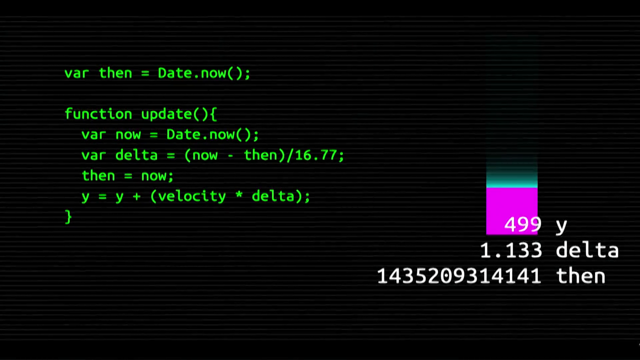
16ms to jank! That’s our budget.

Canvas transform/translate commands are the key to really understand how to get canvas to do cool stuff. They let you do transforms with a minimum of mathematical calculations.

Classic example is the swarm simulation: you don’t define the behaviour, you define the conditions that the actors will respond to and what they will do. Then you see emergent behaviour.

This is how you can build up the Cold War game, where the nation states have a variety of weapons and counter-weapons. You can then run your simulation without actually knowing the result.

(look up the video for this one!)
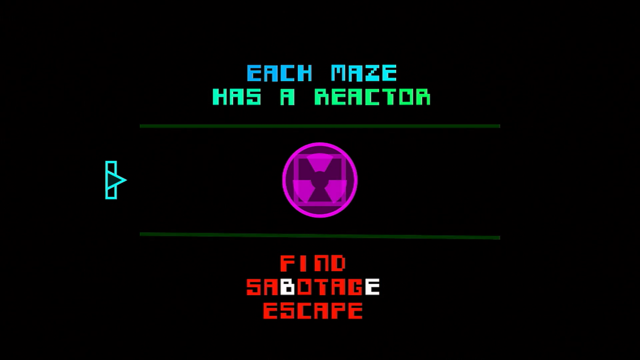
simonswain.com/coldwar

You may also be interested in

Thumbnail for Rats of the Maze

Rats of the Maze

Simon Swain

Code 2016

Thumbnail for Pop-up Accessibility

Pop-up Accessibility

Rhiana Heath

Code 2015

Thumbnail for What Comes Next for the Web Platform?

What Comes Next for the Web Platform?

Alex Russell

Code 2015

Thumbnail for Console Dot

Console Dot

Warwick Cox

Code 2015

Thumbnail for Back to the Future with Web Components

Back to the Future with Web Components

Jonathon Creenaune

Code 2015

Thumbnail for Crossing The Streams

Crossing The Streams

Simon Knox

Code 2015

Thumbnail for Dawn of the Progressive Single Page App

Dawn of the Progressive Single Page App

Mark Dalgleish

Code 2015

Thumbnail for Eliminate JavaScript Code Smells

Eliminate JavaScript Code Smells

Elijah Manor

Code 2015

More presentations from Code 2015

Thumbnail for The State of the Animation

The State of the Animation

Rachel Nabors

Code 2015

Thumbnail for What Comes Next for the Web Platform?

What Comes Next for the Web Platform?

Alex Russell

Code 2015

Thumbnail for Async and Await

Async and Await

James Hunter

Code 2015

Thumbnail for Async Frontiers in JavaScript

Async Frontiers in JavaScript

Domenic Denicola

Code 2015

Thumbnail for Classing up ES6

Classing up ES6

Andy Sharman

Code 2015

Thumbnail for Current Best Practice in Front End Ops

Current Best Practice in Front End Ops

Alex Sexton

Code 2015

Thumbnail for Stop the Fanaticism – Using the Right Tools for the Job

Stop the Fanaticism – Using the Right Tools for the Job

Kassandra Perch

Code 2015

Thumbnail for Pop-up Accessibility

Pop-up Accessibility

Rhiana Heath

Code 2015

© 2026

  • About
  • Speakers
  • Presentations
  • Conferences
  • Contact
  • Sign in
Sign Up