State of identity and authentication on the web
Why Password Rules Fail Users
Eiji Kitamura introduces the browser’s expanding role in secure, privacy-conscious identity and authentication. He challenges conventional password advice, arguing that rigid complexity requirements frustrate users and can discourage account creation.
Password Managers and the Limits of 2FA
Kitamura explains how password reuse enables credential abuse across unrelated services. He recommends password managers because they generate unique credentials, autofill them only on matching sites, and warn users about compromised passwords, while noting that developers cannot force adoption.
Why One-Time Passwords Remain Phishable
Two-factor authentication adds SMS, email, or authenticator-app codes to passwords, but attackers can relay stolen one-time passwords to genuine services immediately. Kitamura concludes that even short-lived codes leave accounts vulnerable and calls for phishing-resistant authentication.
Phishing-Resistant Options and Their Trade-offs
Kitamura evaluates magic links, app notifications, and hardware security keys as less-phishable alternatives to manually entered codes. Each option improves security but introduces practical constraints involving device switching, native-app availability, cost, or user adoption.
Passkeys: Simpler, Safer and More Affordable
Kitamura presents passkeys as a phishing-resistant replacement for passwords that lets users choose an account and authenticate with device biometrics or a PIN. Mobile and desktop demonstrations show passkeys appearing through familiar autofill interfaces, while public-key cryptography and reduced SMS or hardware costs benefit services.
The Standards and Platforms Behind Passkeys
Passkeys build on FIDO2 and WebAuthn, developed through the FIDO Alliance and W3C with major platform vendors. Kitamura surveys broad operating-system and browser support, noting that core passkey capabilities already work across the leading platforms.
How Passkey Cryptography Protects Credentials
Kitamura contrasts server-stored password verification with passkeys’ client-generated public and private key pair. He explains local user verification, challenge signing, and encrypted password-manager synchronization, emphasizing that biometric data never needs to leave the device.
Combining Federation and Passkeys
Identity federation can supply verified email addresses and profile attributes during registration, whereas a passkey supplies a public key but no account profile. Kitamura recommends federation for onboarding new users, followed immediately by passkey creation so returning users can sign in without depending on the identity provider.
Account Recovery Through Multiple Paths
Kitamura explains why services need fallback mechanisms when users lose passwords, passkeys, or security keys. Email recovery resembles a magic-link flow, while combining multiple passkeys and federated identity providers gives users additional routes back into an account.
Digital Credentials for Online Identity Proofing
Government-issued identity documents are moving into smartphone wallets, creating a stronger alternative to uploading photographs of physical IDs. Kitamura introduces the Digital Credentials API and shows how selective disclosure can prove an attribute such as being over 18 without revealing the complete document.
Phishing-Resistant Phone Number Verification
Conventional phone verification requires users to transfer an SMS code manually, making the flow error-prone and phishable. Firebase Phone Number Verification instead obtains carrier-backed proof with a signature, and Kitamura notes its developer preview in Germany and Indonesia.
A Browser-Led Authentication Strategy
Kitamura closes by assembling the technologies into a practical strategy: passkeys for phishing-resistant sign-in, federation for registration, and newer credential APIs for identity verification. His central message is that browsers can now support identity and authentication capabilities that were previously unavailable.
Thanks, John. So, my session, the goal of my session is for you to get this. Browsers can do much more for identity and authentication that was never possible before. So nowadays, browsers are evolving rapidly and has many features that help you securely and sign into your website with more better privacy.
I'm going to pick up a few topics today. First, we will look back at what we have right now or in the past. And next, we cover passkeys and think about the comparison between passkeys and identity federation, and finally, identity verification and account recovery. So I tried to make this session as comprehensive as possible.
So status quo. I would imagine that many of you as a developer or designer, dealing with many personalized web services, you have to handle passwords, right? So I would assume that you have some kind of opinion about password, how to create, how to manage it, and so on. So you have two phases as a user, how to handle password, and as a developer, how to build a better website for end users. So I'd like to challenge you how to use password. What are the password best practices?
I'm gonna ask you a few questions. Because my English is not as fluent as you guys, so I try to entertain this session as much as possible. So please raise your hand if you think the quiz is true or false. The first question, simple passwords are bad. Thus, the service enforcing users to create a complex password is important, true or false? Who thinks it's true?
Okay, who think it's false? Okay, almost 50-50. Yeah, so let me just address this. This is my personal opinion and not necessarily definitive answer to everyone. So it depends on the situation, but I think this is false. Why? Please look at this screen.
Right? Have you seen screen like this? When you start typing the password, it tells me, okay, you have to make this password longer than eight characters. It has to include one number. It has to include one special character, whichever that is. There it shows some examples, but I don't know what exactly are considered special characters. I would just stop signing up for this website because it's annoying, super annoying to create a Strange password and I'm pretty sure I will forget about that password.
So I consider this is a bad idea. Second question. If a password is strong enough, using it on multiple websites is not a bad idea. Who considers this is true? Who considers this is false? Okay, okay. Everyone knows. So the answer is false.
Yeah, so nowadays phishing is very, very strong. I mean, there are a lot of phishing websites. So once your password is stolen, the attacker will not use that password immediately to hack your account. It's their rather sell that password to a dark web so that random attacker will take advantage of that username and password combination to random websites that you may have signed up with.
Because it's known that almost 60, it depends on the research, but 60 to 80% of users use same password across different websites. So they know this username and password can be used at other websites as well. So it's really dangerous. So please, please don't use the same password across different websites.
Third question, using a password manager is safer and encouraged. True or false? Who think it's true? Who think it's false? Yeah, I know there are some people who consider it's false, but it's actually true. The benefit of using password manager is, like I said, phishing. To protect yourself from phishing attack, using password manager is critical because it's not just remembering your password on the password manager, Password Manager helps you autofill the password onto the legit website, the website that you have created that password.
So whenever you don't see password suggested, you can consider it may be a phishing website because password manager doesn't suggest, right? It's one of the protection that password manager offers for you to not enter the password to a phishing website. And also you can use password manager for other purposes as well.
So summarizing all the practices that I have just asked, password best practices is to create a long and complex password that is unique across different websites and ideally using a password manager. It's a bit too long. Maybe I can just say, use a password manager and rely on it is best practice.
As long as you are, as you as a user, just use a password manager and rely on it. You can create a strong password using a password manager. You can manage it using a password manager. You can use it to autofill password to a different website. And they even tell you when your password has been compromised or leaked and found in the dark web.
So it's very, very useful. But the problem, you as a user, of course you know password manager is great, but as a developer, how can you enforce your users to use a password manager? That's a big problem. That's why many websites started adopting 2FA.
Or we call two-factor authentication. Two-factor authentication is an idea of asking two different authentication factors. So first factor is obviously a password, and second one is something like SMS or email or sometimes authenticator app.
So the idea is the service send you an SMS, It's usually six digits number, but that lives only for few minutes so that even if the one-time password, OTP in short, will be stolen and sold on the dark web, it will not no longer working when the other attackers purchase it.
So the idea is this FMRID of the OTP keeps you safer. Is it enough? Maybe not. Because nowadays attackers are inventing new ways to steal your account.
They're becoming smarter and smarter and come up with different ideas of stealing your account. So I will not go too much deeper into this figure, but they basically to forward the stolen OTP directly to the genuine website so that instead of selling the OTP they steal, they will just take over the account immediately and take over the account. That's how it works nowadays.
So even if you're using two-factor authentication using OTPs, it's not safe enough. Your account is in danger. So what can we do? To help your account. So as a user, there are a few things you can do.
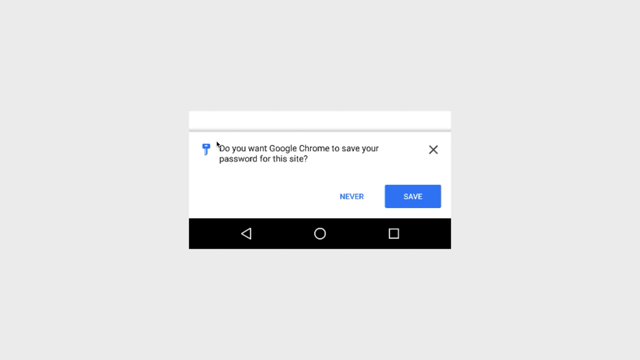
First is just keep watching the URL bar, right? By taking care of, like, every time you try to sign in and make sure that URL is genuine, you can keep away from phishing, being phished. But of course, using a password manager is a much better approach. As a developer, what you can do is to use a phishing-resistant 2FA. I've been talking about 2FA approaches that uses OTP, one-time password.
That is risky because the user needs to manually type that OTP. And that causes phishing website to steal it. So that means other way around, so not being fishable, unfishable two-factor authentication will help you. What are the unfishable authentication methods?
The first example is Magic Link. Magic Link is a kind of an email. It's similar to email-based OTP, but it sends a link. And link contains both the genuine website's URL and the OTP in the single link. So that all that user can do is to just click on the link, right?
They don't enter the OTP manually, so the link will always go to the genuine website. So you will never, you will unlikely the user send the user to a phishing website and enter that OTP. So using Magic Link is a good idea. Second idea is to use app notification.
Some services provide accompanied native application. And if that application, if the user is supposed to sign into that application, you can send a push notification. Are you trying to sign into this website? If yes, please press sign in. So that it works as a second factor. And third option is to use a security key.
And I believe that many of you use a security key. It's like a USB fob that you can use to prove that I possess this device. So it's one of the strongest authentication factor, but you can use security key as an unfishable authentication method.
But this involves some challenges. For example, magic link, when you are trying to sign in on desktop, what if you receive the email on the smartphone only? You can open that link on the smartphone. That's annoying, right? And you also have to open a different website. So the user experience is not extremely good.
And also app notification. What if your service doesn't support any native application? And for security key, do you really want the end users to purchase a security key? That's unrealistic, right? So, what about other approach? At a phishing resistant signing method, not second factor. And that is passkeys.
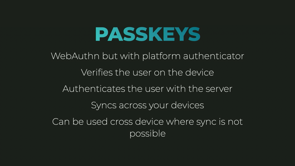
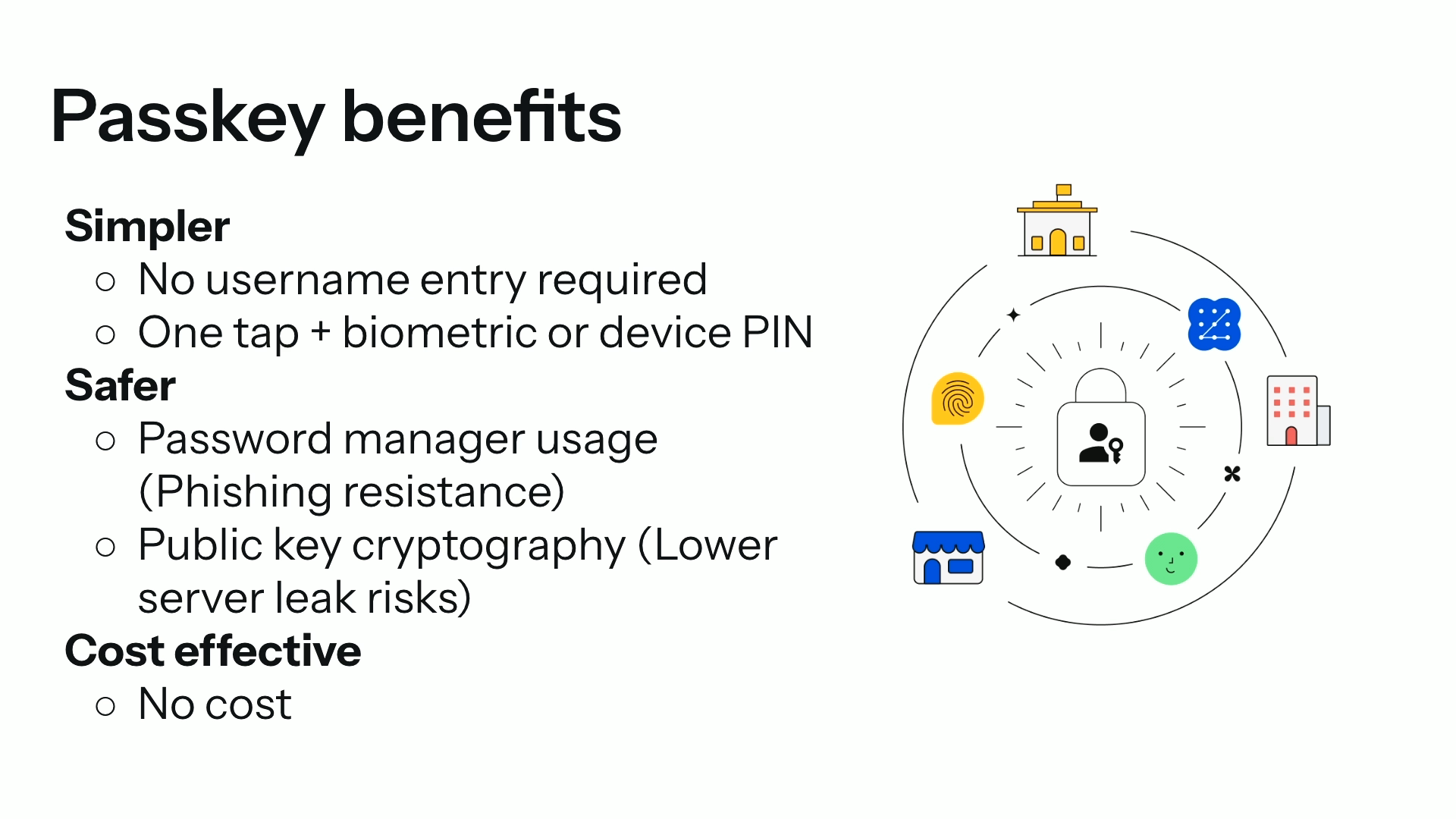
So, how many of you have used passkeys already in your daily life? Many of you, thank you. So, yeah, so passkey is solves many, many problems, but we consider passkeys are simpler and safer alternative to passwords.
Why simpler? Because you don't have to enter your username manually, you can just select the user account that you wanna sign in with. Secondly, you can select an account with one tap and then use biometric authentication that's attached to your device or using the device pin of your device to sign in.
And passkeys are safer because its password manager is enforced, meaning it's phishing resistant. Just by using the passkey, you are protected automatically from being phished. And it's using public key cryptography so that it's not just keep you safer, it also keeps your service server, I mean, the service much safer.
In case of the password, leaking password means it will affect other services because people you use the same password across different websites, like I said. But because it's using public key cryptography, even if public key leaks, it doesn't affect other websites. And public key losing public key doesn't mean your account to be compromised either.
And certainly, using passkeys is cost effective. Like I said, if you want a strong security, using a security key provides a very robust security, but purchasing it costs you to purchase one. And also, as a developer, when you send SMS OTP, that costs a lot, right?
Sending one SMS doesn't cost a lot, but what if you have a number of users. That will be a massive amount of money you have to pay. Here's a typical screen cast of a user signing in with a password. Sorry, it's side by side, but they are independent screen casts.
I added them at the last minute, so bear with me. So there are three steps. First, you land on the sign-in page. Let's look at this mobile screen first. You land on the sign-in page and there's the input field. So you tap on this input field and the dialog pops up where it asks you to sign in with a fingerprint.
So you tap your finger on the fingerprint sensor and you're done, you're signed in. That's it. It's quite simple. If you look at the desktop version of the screencast, it's very similar. You click on the input field and you're selecting an account that has a passkey. It's basically autofill suggestion.
In addition to password, passkey is suggested as part of it. So you can just select it and the biometric dialog appears and you're signed in. So passkeys are built with standard called FIDO2. FIDO2 is standardized by an association called FIDO Alliance.
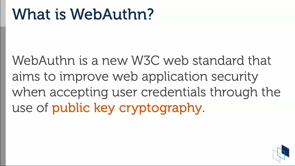
It's associated with a group of companies such as Apple, Google, Microsoft, Yubico, and many, many others. You may heard about the protocol called WebAuthn, but FIDO Alliance members are also working at W3C to build this WebAuthn standard that are a broader API.
And passkeys are already available across multiple operating systems. MacOS, iOS, iPadOS, Windows, Android, ChromeOS, pretty much everywhere already. And some of the operating systems support native APIs to allow developers to use passkeys. And of course, browsers support passkeys as well.
Chrome and Chromium browsers support passkeys. Safari or WebKit browsers support passkeys and Firefox already passkeys. There are different support range in terms of small APIs, but basic capabilities are already supported by all browsers. Let's dive into a little bit deeper into how passkeys work.
When you are using a password, It's basically symmetric. So when you are creating an account, you come up with a ideally strong password, and you enter that in the account creation form or something, and you send that to the server. The idea is for the server to store this password.
Maybe it's hashed and salted, but anyway, it's saved to the database. When you come back, by entering the same password, the server will compare that with the one entered to the client so that you can believe that this user is the same person as who have created this account. That's how you can sign in.
But the problem was that the password could be leaked and that could be dangerous. On the other hand, passkeys are consistent with the public key cryptography. When you create an account or create a passkey, that will generate a key pair, which is a private key and a public key. And that is happening on the client side.
Once a passkey is created, the client will send that public key to the server, keeping the private key in the safe place on the client. And that private key is passing. When signing in, you're going to use user biometric sensor.
So that's the biggest question that many people have. We call this local user verification, and this is a very important concept. So, yeah, so by saying local user verification, this means you look like you're using biometric sensor and you may feel like you're sending your biometric information to the server in order to sign in.
It's scary, right? You don't want to give away your fingerprint or face. But in fact, it's just the matter of local verification. It relies on this unlock mechanism that the device already has to prove that this is me. I'm the owner of this device. So please allow me to unlock Sign in.
So what actually happens is by this unlock, the private key will sign the challenge that is sent from the server, to return the signature to the server so that server can verify that the signature is genuinely coming from the same private key that is paired to this public key so that this is the same user.
That's how it works. So don't worry that using passkey will, don't worry that your biometric information will be leaked to other places. Just a local thing that's happening. And passkeys are typically saved to the password manager that the browser or operating system has.
In the case of Chrome, the passkeys are saved to the Google password manager, and that is encrypted and synchronized across different devices through Google account. So that even if you lose your device, you can recover your passkeys on other device and continue using your passkey.
And of course, the passkey is encrypted, that Google has no way to look at your private key. So if you want to learn more about how passkeys work, this is a URL to our documentation to learn more. So I'm still in the half of my session.
So let me just expedite. All right, so we now learned about the passkeys, but what about identity federation? So identity federation, I will skip explaining what it is, okay? Basically, you can sign into website using a third party identity provided by identity provider.
Then, what are the difference between passkeys and identity federation? How do we compete these two things? Should I use identity federation or passkeys? That's one of the most frequent questions that we share. And we have an answer for that. When we compare passkeys and identity federation, there's a few interesting facts.
One thing I can say is that passkeys, when you create a passkey, it provides you a public key, but nothing else. Meanwhile, identity federation, it provides a few different information, such as, of course, signature to prove that this is coming from the IDP. In addition, it includes username, email address, profile photo, etc.
That's sufficient information to establish an account, right? You don't have to enter any additional information if you have these profile attributes. And the most important part is that some identity providers provide email address verified. That's very, very important point because when you create a new account without verifying the email address, How can you contact that person?
Not just for marketing purposes, but what if they lose password or what if they lose access to passkey? So verifying that email address is super important. Otherwise, you have to send an email to them and click on a link to verify the email, which is an extra step. So it's easier to use identity federation to verify the email.
And in addition, using the identity federation, depending on the IDP, you can sign in with just one tap. Compared to the passkeys, you need to do the biometric authentication, so maybe this is an extra step. Okay, then why not just use identity federation you may consider? But there are some downsides of identity federation.
For example, What if the IDP is down? It could happen, right? What if the IDP's session is short so that every time you try to sign in with the Identity Federation, you have to sign into IDP first, then sign into RP. That could happen too. And what if the user deletes the account on IDP?
What happens to the account? So having too much dependency on identity federation may not be the best idea. That said, our recommendation is to use identity federation for new users, for signing up. Use task keys for returning users, for signing back in.
So this is what we recommend for many developers right now. So this is a visualized steps to create an account and sign in. So first thing you should do is to create an account through Identity Federation. Then ask the user to create a passkey right after the Identity Federation.
Then you already have your profile photo, name, and email address verified. And so on, so your account is already complete. And you can add additional passkeys as well from other password managers. When you are trying to sign back in, you can use passkey. That's the steps that we envision is ideal.
Right, finally, let me talk about identity verification and account recovery. Wasn't my session like until 45, right? You showed me that I only have 10 more minutes. Okay, okay. Good to share.
All right, so let me talk about ID verification and account recovery. There are cases where the user loses access to the passkeys or password, right? So people can forget about their password or can't access pass keys or loses security keys.
There are many different cases that they have, they lose access to their account. So it's important that you have like a fallback mechanism to let the user send back in. And that is called account recovery. And identity verification is important too. For the user to prove that I'm really the owner of the account. So what do we have to do that?
Typically, you can use email. Like when you forget password, usually forgot password link takes you to a form where you can enter the email address of your registered email address so that the service will send you an email and click it to land on a page where you can create a new password. That is kind of an interesting mechanism because it's very similar to what I called magic link, right?
It's basically a magic link to sign back in so you can start from scratch by creating a new password. So that is considered account recovery. But we have even better ways. Also, I have to mention that one of the reasons I recommend using Identity Federation and passkeys at the same time is even if you lose access to passkeys, you can still use Identity Federation to sign back in. That's a very good idea to recover your account.
Maybe you can add more passkeys. Also, you can add more Identity Federation from different IDPs. So as a user, you can do such things. But as a developer, I recommend other ways as well. Nowadays, it's becoming more common that governments and officials allow their citizens to provision their national identity card, passport, or driver's license or student IDs to be provisioned onto smartphones, like smartphones' digital wallet.
This is becoming more common across different world. I don't know the situation. I've been trying to hear from some people, but it's not happening in Australia yet, right? Yeah? Yeah. So these things are helping. Moving your digital identity to be available online.
[No backprospect] Interesting use case, for example, is like when you create a new bank account, you have to go to bank and show your driver license to prove your identity so that they can trust you and allow you to create a new bank account. But what if that can be done online?
Currently, most common practice is to take a photo of your photo ID and send that over internet. Is that trustful? I don't think so, because anyone can create a fake ID, and it's really hard to verify that this is a genuine ID through internet.
And also the photo might be manipulated to fake someone else's ID. So there needs a stronger way to verify the ID. And this digital wallet system is believed to be the next generation. And we are working on new ways to present your digital ID saved to digital wallet, online, there's a new API called Digital Credentials API that allows you to connect to digital wallet on the smartphone from the browser and present that digital credential, digital ID, to a website. And the API itself is already available on Apple Safari and Google Chrome. But the availability depends on the country's situation.
So in Japan, for example, it's already available on Apple Safari, sorry, iOS platforms, not Safari yet. But depending on the country, it's already available, like in the US, I think it's already available to use a state, depending on the state, they can provide national driver's license, state driver's license to prove their identity. One of the biggest use case is to use age verification. Use it for age verification.
An interesting part of this ecosystem is it allows you to selectively provide certain information only hiding others. For example, if I want to prove that I'm older than 18 years old, This mechanism allows you to provide only am I 18 years or not, true or false.
That's it. Anything else will be provided. So you can, unlike providing your photo ID to, for example, a shop, you can just show whether you are 18 years or older than 18 years old or not. To the online businesses.
So that's one of the big benefits. So that is digital credentials and the digital ID ecosystem. Last but not least, there are times when you need to verify your phone number. And that is one of the biggest challenge online, because whenever you want to verify your phone number, you're usually asked to enter your phone number and receive an SMS and enter the six digits OTP to prove that you received this phone number, received the OTP, and I own this phone number.
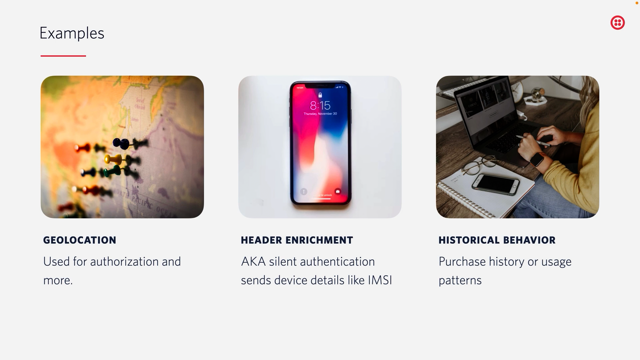
But that is not a great solution because it's phishing prone, right? You could be phished. That is the biggest challenge. But with a phone number verification, Firebase phone number verification, you can directly, the phone can directly talk to the phone carrier and they will tell you that this is genuinely owns this phone number with a signature so that you can, the service can prove that this is a true phone number.
It works easily so you don't have to switch between SMS app and your application or website, and users can not make a mistake by entering a wrong number. So it's more efficient and most importantly, it's phishing resistant. Firebase Phone Number Verification is under developer preview right now in Germany and Indonesia, but we are hoping to expand that across different corner of world as well.
So please stay tuned about this. Finally, let me summarize the learnings we go through today. Building a safe and simple authentication systems becoming harder with status quo. So browsers are helping those things with passkeys, provide phishing resistant signing flows, and you can use identity federation for new users, passkeys for returning users, and digital credentials and Firebase phone number verification will be a great addition for your identity verification purposes.
So let me go back to the original message. Browsers can do much more for identity and authentication now that was never possible before. With that, thank you for listening to my talk.
Technologies & Tools
- password manager
- SMS
- authenticator app
- push notification
- security key
- passkeys
- Chromium
- WebKit
- digital wallet
- digital credentials
Standards & Specs
- FIDO2
- WebAuthn
- Digital Credentials API
Concepts & Methods
- phishing
- dark web
- two-factor authentication
- one-time password
- Magic Link
- public-key cryptography
- local user verification
- identity federation
- identity provider
- account recovery
- age verification
- selective disclosure
Organisations & Products
- FIDO Alliance
- W3C
- ChromeOS
- Google Password Manager
- Firebase Phone Number Verification